February’s update focused on making CreatorFlow faster to set up and accessible to more creators worldwide.
We shipped automation templates, expanded language support, and geographic analytics.
TL;DR
- Automation templates - Pre-built automations you can customize in under a minute
- Multi-language support - CreatorFlow now available in Brazilian Portuguese and Spanish
- Geographic analytics - See which countries and cities are clicking your links
Automation Templates
Setting up your first automation required writing DM messages from scratch, configuring triggers, and learning our builder.
Now you pick a template and customize it.
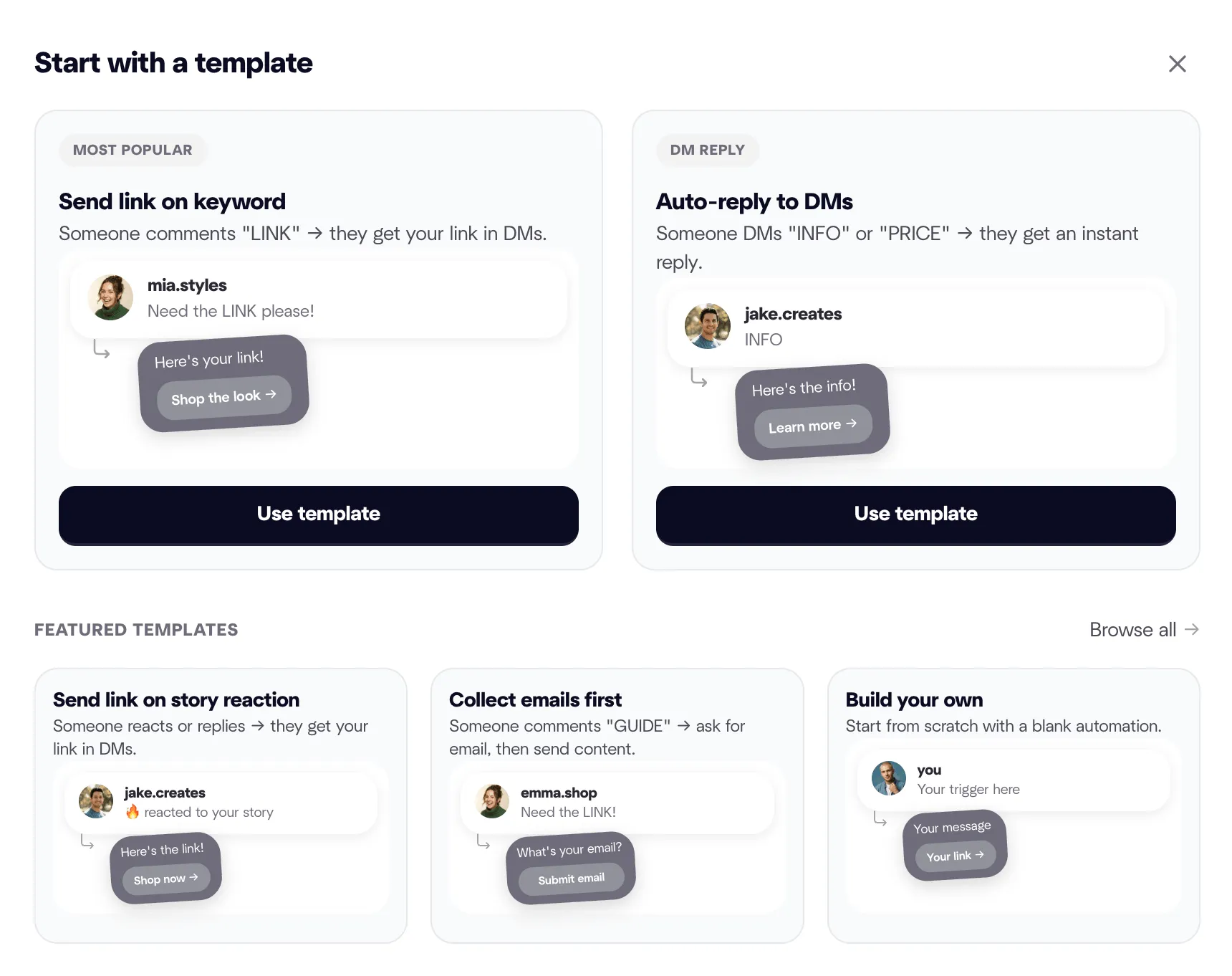
When you click ”+ New Automation,” you see templates organized by use case:
- Send link on keyword
- Send link on story reaction
- Require follow before link
- Collect emails before sending content
- Thank story reactors
- Share affiliate links
- Send booking calendar
- Deliver lead magnets
Each template includes pre-written DM copy, suggested keywords, and trigger configuration. You edit the message, add your link, and go live.
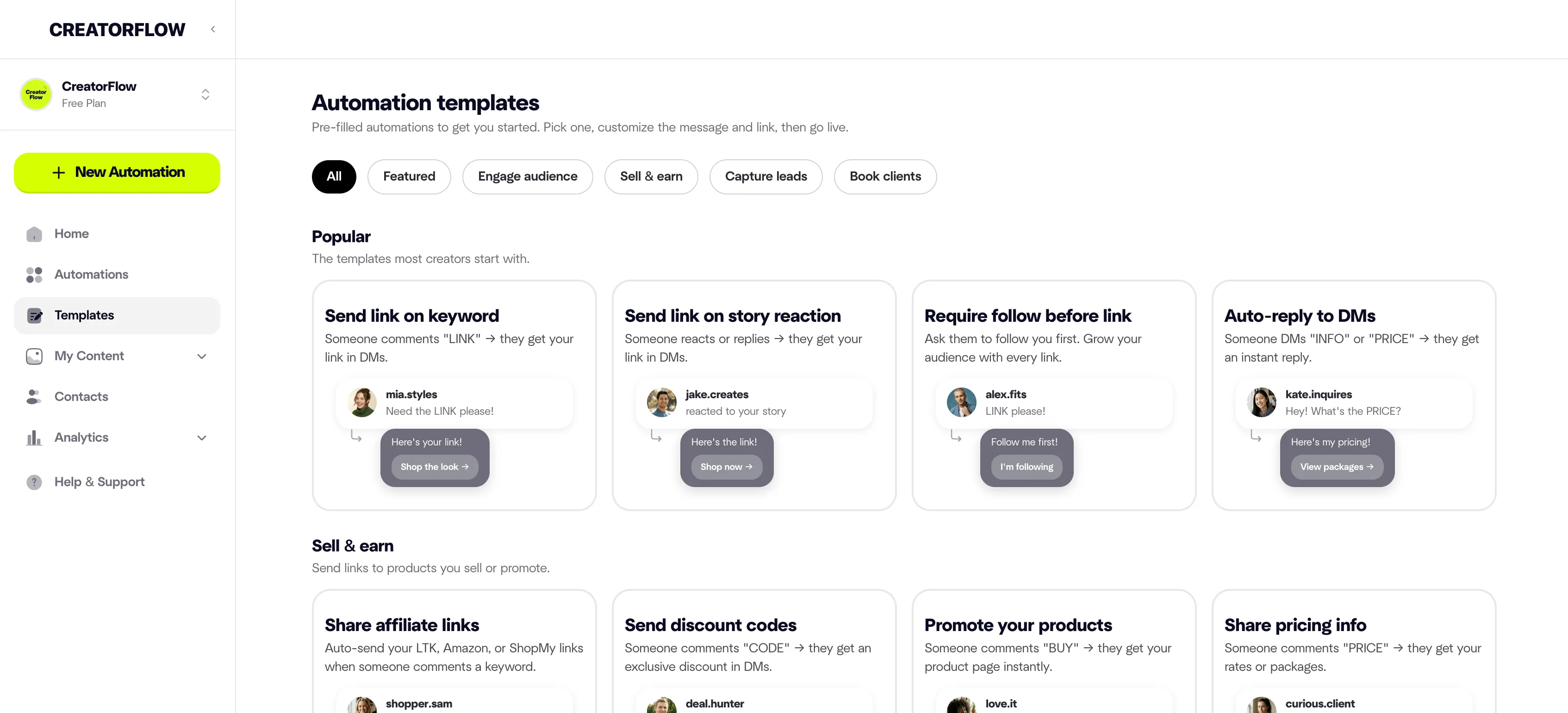
Setup now takes under 60 seconds instead of 5-10 minutes.
Want to write custom messages? Our Instagram DM automation templates guide has 30+ message scripts you can copy.
Multi-Language Support
CreatorFlow is now available in three languages:
- English (default)
- Brazilian Portuguese
- Spanish
All UI text, error messages, help documentation, and email notifications are translated.
To change language:
- Click your profile icon (top right)
- Select “Settings”
- Choose “Language” from the dropdown
- Select your preferred language
Your automations and DM messages stay in whatever language you write them in. This update only translates the CreatorFlow interface.
Geographic Analytics
You can now see which countries and cities are clicking your links.
Navigate to Analytics and view the geographic breakdown of your link clicks. This shows you where your engaged audience is located.
If you notice most clicks come from specific countries or cities, you can:
- Post during those time zones
- Create location-specific content
- Partner with local brands
FAQ
Do I need to recreate existing automations?
No. Existing automations keep running. Templates are optional for new automations only.
Can I customize template messages?
Yes. Edit every word, add your links, change keywords. Templates are starting points, not locked formats.
Do templates affect my DM limit?
No. Your DM limit (5,000/month on Pro, 500/month on Free) applies to all automations regardless of how you created them.
Does changing language affect my automations?
No. Language settings only change the CreatorFlow interface. Your DM messages, automation names, and content stay exactly as you wrote them.