SELL ON INSTAGRAM BY DM

Turn Instagram comments into orders

Write "comment SERUM for the link" under your new serum post. When someone comments SERUM, CreatorFlow sends the product page by DM in seconds. They can buy from the chat, without searching your bio.

  • Meta Tech Provider
  • 4.1/5 on Trustpilot
  • @mamimariu, 121K followers on Instagram@chic.outfit.studio, 201K followers on Instagram@sikusok, 1.4K followers on Instagram+35,000 creators & brands+35,000 creators

Instagram comments into orders, from comment to checkout

CreatorFlow is an Instagram DM automation tool built on Meta's official Graph API. When someone comments your keyword, it sends them your product page by DM, from your own account. Your shop takes the order and the payment.

  1. Your post

    You ask people to comment SERUM

    The caption tells people to comment SERUM for the link.

  2. The comment

    Sam comments SERUM

    His comment has SERUM, your keyword for this post. Comments without it stay for you to answer.

  3. The DM

    The product page arrives by DM

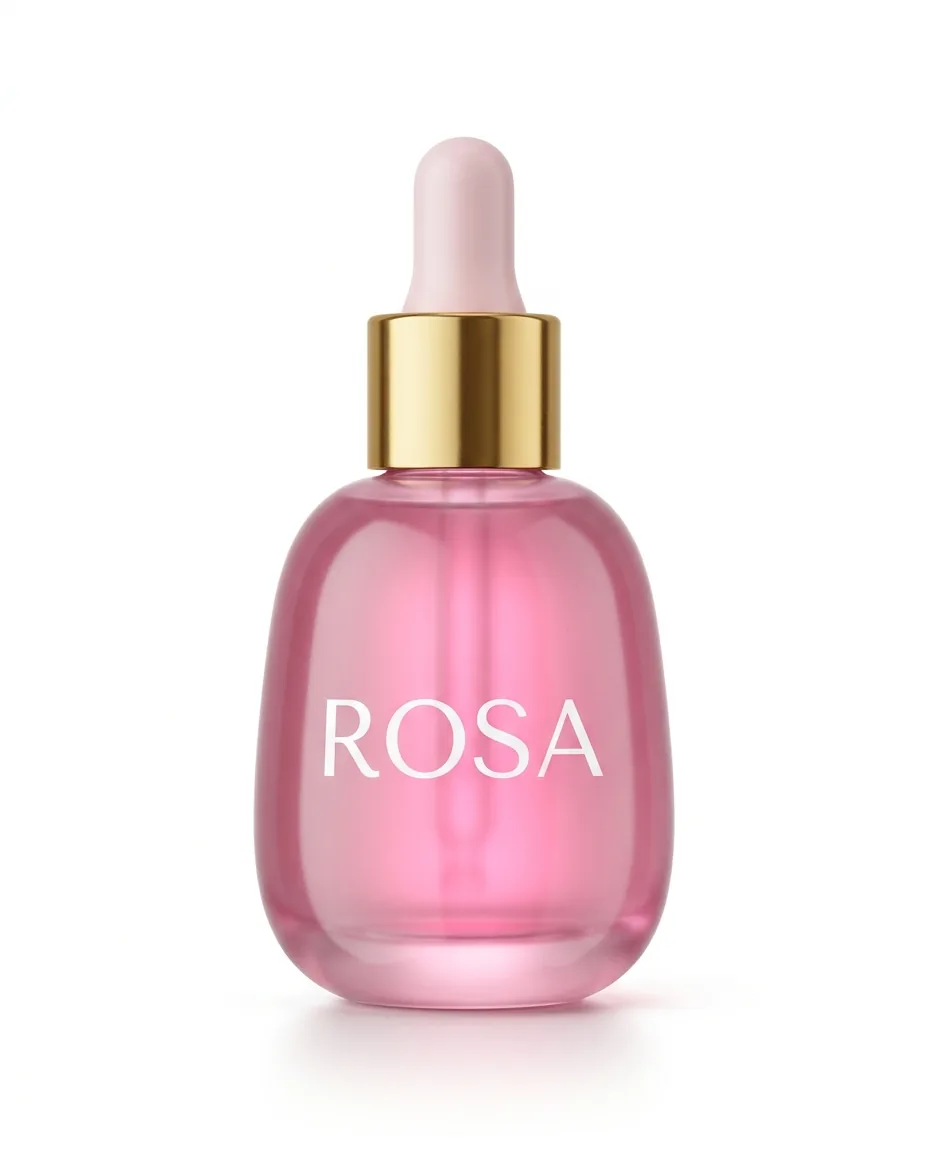
    Sam gets your message and a Shop button for the rose serum. He does not need to search your bio.

  4. The order

    Sam adds the serum to his bag

    One tap opens the product page. Sam is saved in your contacts.
Instagram sales ideas to copy

Send the exact product, not your whole shop. Give each product post its own keyword.

  • Keyword: LAMP

    Shoppers open the lamp page, not your home page. They comment LAMP and get the product page.

  • Keyword: CAP

    Fans can buy the cap while they watch your video. They comment CAP and get your merch page.

  • Keyword: EDIT

    People who love the colors can buy the same edit. They comment EDIT and get your shop page.

Turn Instagram comments into orders in three steps

Works with Instagram Business and Creator accounts. Any product page with a link works.

Get Started Free
  1. 1

    Connect Instagram

    Sign in with Google. Type your Instagram username and confirm on Instagram.

  2. 2

    Pick the post and add SERUM

    Choose one post, your next post or every post. Add SERUM as the keyword, or up to 20 keywords.

  3. 3

    Add the product page

    Write the message and add the product page as a button. Press Start Automation.

How to test it Comment SERUM from a second Instagram account. CreatorFlow ignores your own account.

See which Instagram posts bring shop clicks

Add buttons, count the taps, reply in public, send your link to people who commented before and keep every contact. See what each plan includes on the pricing page.

Up to 3 link buttons in one DM

Each DM holds a message, one image and up to 3 link buttons. You see how many people tap each one.

Public Reply

Reply under the comment too, so others see that you answered. Write up to 5 replies and CreatorFlow picks one at random.

Rewind

Comments you missed still count. Rewind sends your DM to people who commented on a recent post before your automation started.

One post, your next post or every post

Run the automation on one post, on your next one, or on every post you share.

Contacts and CSV export

Everyone who gets your product page is saved, with the automation they came from. Download the list as a CSV file.

Limits to know before you sell from comments

CreatorFlow sends the link, and your shop takes the order. Check these before your next serum post.

  • Link clicks, not sales

    CreatorFlow counts link clicks on Pro and Growth. It does not see your sales, and your shop takes the payment.

  • Keywords, not every comment

    A comment without your keyword gets no DM, unless you choose Any word.

  • Whole words only

    SERUM matches "serum please". It does not match "serums".

  • Your own comments

    CreatorFlow ignores comments from your account. Test from a second account.

  • Business or Creator account

    Personal accounts cannot connect. You can switch for free in Instagram settings.

  • One DM per person

    Each person gets this automation once, with one optional step first. It does not send follow-ups.

  • Message requests

    People who do not follow you find the DM in their message requests.

  • Instagram hourly limit

    Instagram limits DMs per hour. CreatorFlow sends the rest later, and some may not arrive.

CreatorFlow reviews from real creators

Creators and brands on Instagram, in their own words. Read all reviews

  • “Finally have time to create instead of reply.”

    @mamimariu@mamimariu121K followers on Instagram
  • “Click-through rate doubled in week one.”

    @chic.outfit.studio@chic.outfit.studio201K followers on Instagram
  • “Everyone gets an instant response - not hours later.”

    @sikusok@sikusok1.4K followers on Instagram

Questions about selling with Instagram DMs

Short answers about links, plans and account safety.

Do I need an Instagram Business or Creator account?

Yes. Instagram's messaging API only works with Business and Creator accounts, so a Personal account cannot send automated DMs. Switching is free and takes about 30 seconds. Open Instagram settings, go to Account type and tools, and choose Business or Creator. Your posts, your followers and your username all stay exactly as they are.

Is there a free plan?

Yes. The Free plan includes 500 DMs per month and unlimited automations. Comment-to-DM, story replies and keyword DM replies all run on it. Paid plans raise the monthly DM volume and add Public Reply, Rewind, Follow Gate, Email Gate, link tracking and CSV export.

Is automated DM sending safe for my account?

Yes. Every message goes through Instagram's official Graph API, and CreatorFlow has been a Meta-approved Tech Provider since December 2025. You connect through Meta's own login screen, so you never share your Instagram password. There are no browser extensions and no unofficial workarounds. Automated messages follow the same delivery rules as messages you send by hand.

Can I collect an email before the link is sent?

Yes, with Email Gate, on Pro and Growth. The DM asks the person for their email address before it sends the link. Once they send it, they get the link, and the address is saved in your contacts with the post it came from. On Pro and Growth you can export the list as a CSV file and load it into any email tool.

What happens when a post gets hundreds of comments at once?

CreatorFlow answers each keyword comment in order. Instagram limits how many DMs an account can send per hour, so on a busy post CreatorFlow sends the rest later. Your monthly DMs set the total. Free includes 500, Pro 5,000 and Growth 10,000, counted per workspace.

How do I turn the automation off?

Open the automation in your dashboard and turn it off. It stops right away. Your posts, your existing comments and your contact list stay as they are, and you can turn it on again whenever you want. Turning an automation off does not delete the contacts or the email addresses you already collected.

Also read: Turn comments into sales, Send discount codes, Promote a product launch, Earn from a viral post.

Turn SERUM comments into orders

Use SERUM as the keyword on your next product post. Add the product page to the DM. Shoppers open the serum page and order there.

  • Meta Tech Provider
  • 4.1/5 on Trustpilot
  • @mamimariu, 121K followers on Instagram@chic.outfit.studio, 201K followers on Instagram@sikusok, 1.4K followers on Instagram+35,000 creators & brands+35,000 creators