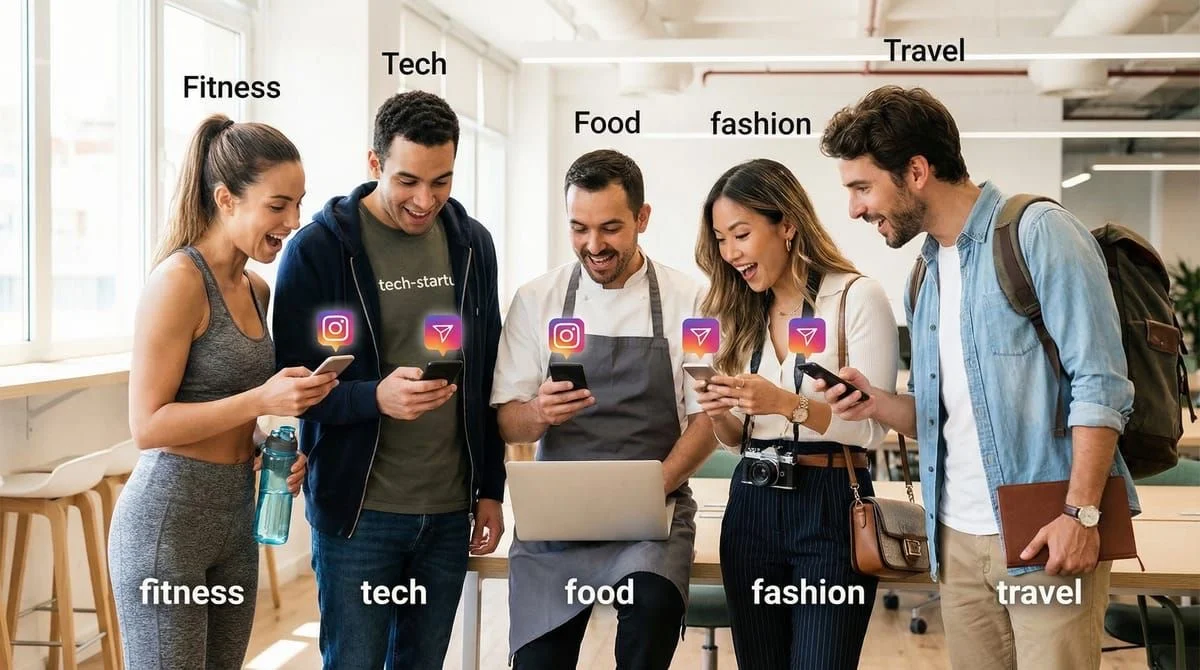
The five universal Instagram DM automation templates that work in any niche are: the instant link drop (trigger word sends your URL), the value-first reply (tip before your link), the email capture (collect addresses via DM), the story reply (auto-respond to story interactions), and the follow-up sequence (re-engage after 24 hours). Each takes under 2 minutes to set up with tools like CreatorFlow or ManyChat (as of February 2026).
Five templates. Two minutes to set up. Works whether you sell fitness plans, affiliate products, online courses, photography prints, or coaching sessions.
Most creators stall at the same point: they sign up for an automation tool, open the message editor, and freeze. What do I write? Will this sound robotic? What if it doesn’t match my niche?
That hesitation is why 62.7% of creators who sign up for DM automation never create a single automation. They overthink the message instead of shipping something that works.
This guide gives you 5 universal Instagram DM automation templates that convert in any niche. No customization beyond swapping your link and product name. Copy, paste, activate, done.
If you want niche-specific templates (Amazon affiliates, coaches, e-commerce, real estate), check out our 25 Instagram DM automation templates library. This guide is for creators who want to go live in 2 minutes with something that works right now.
TL;DR
5 universal templates that work for any niche:
- Template 1 - The Link Drop: Delivers your link instantly when someone comments a trigger word
- Template 2 - The Value-First Reply: Adds a tip or insight before your link (higher trust, higher CTR)
- Template 3 - The Email Capture: Collects email addresses through DMs before sending your resource
- Template 4 - The Story Reply: Auto-responds when followers reply to your stories
- Template 5 - The Soft Pitch: Introduces your paid offer after delivering free value
How to use: Copy template, replace [brackets] with your details, paste into CreatorFlow or your automation tool, set your trigger keyword, activate
Setup time: Under 2 minutes per template
Works for: Affiliates, coaches, course creators, e-commerce, service providers, photographers, therapists, tech creators, food bloggers, travel creators, and every other niche on Instagram
How These Templates Work
Each template follows a structure that converts across niches:

Line 1: Acknowledge what they asked for (builds trust) Line 2: Deliver the value (link, resource, answer) Line 3: Add context or a bonus (differentiates you) Line 4: Invite next step (keeps the conversation open)
This structure works because it mirrors how you’d naturally respond in a DM conversation. The person asked for something, you give it to them, you add something helpful, and you leave the door open.
Before you start, you’ll need a trigger keyword set up in your automation tool. If you haven’t done that yet, follow our comment-to-DM automation setup guide first. Takes 5 minutes.
Quick Setup Checklist
Before copying any template, have these ready:
- Your link: Product page, affiliate link, Calendly URL, lead magnet, or whatever you’re sending
- Your trigger keyword: The word followers will comment (e.g., “LINK”, “INFO”, “FREE”, “GUIDE”)
- Your product/offer name: What you’re promoting or delivering
- Your automation tool: CreatorFlow, ManyChat, or any Instagram DM automation platform
Got those? Pick your template below.
Template 1: The Link Drop
Best for: Any creator who needs to send a link when someone comments
Trigger keywords: LINK, INFO, SEND, YES, WANT
Hey! Here's what you asked for:

[YOUR-LINK]

Let me know if you have any questions - happy to help!
Why This Works
Three lines. Zero friction. The follower asked for something, you deliver it immediately.
This is the highest-converting template format because it does one thing well: get the link into their hands fast. Creators who respond within 1 minute convert at significantly higher rates than those who wait 30+ minutes.
How to Customize
Replace [YOUR-LINK] with your actual URL. That’s it.
Examples by niche:
| Niche | Link Type | Example URL |
|---|---|---|
| Affiliate | Amazon storefront | amazon.com/shop/yourname |
| Coach | Calendly booking | calendly.com/yourname/discovery |
| Course creator | Free training | yoursite.com/free-training |
| E-commerce | Product page | yourshopify.com/products/item |
| Photographer | Portfolio/pricing | yoursite.com/pricing |
| Service provider | Inquiry form | yoursite.com/contact |
When to Use Template 1 vs Template 2
Use Template 1 when speed matters more than relationship-building. Product links, booking pages, and simple resource delivery. If you want higher trust and engagement, use Template 2 instead.
Template 2: The Value-First Reply
Best for: Creators who want to build trust before dropping a link
Trigger keywords: TIPS, HOW, HELP, GUIDE, LEARN
Hey! Great question.

Quick tip: [ONE SENTENCE OF USEFUL ADVICE RELATED TO YOUR CONTENT]

Here's the full [resource/guide/link] I mentioned:
[YOUR-LINK]

If you want more [topic] tips, I post about this every [day/week]!
Why This Works
Leading with value before your link does two things: it positions you as someone who helps (not just sells), and it gives the follower a reason to trust your recommendation.
This template converts 15-25% better than a bare link drop for high-consideration purchases (courses, coaching, premium products). For impulse buys (cheap affiliate products), Template 1 performs equally well or better.
How to Customize
Replace three things:
[ONE SENTENCE OF USEFUL ADVICE]- Share one actionable tip related to the post they commented on[YOUR-LINK]- Your actual URL[resource/guide/link]and[topic]- Match your content type
Examples by niche:
Fitness creator:
Hey! Great question.

Quick tip: Start with 3 sets of 8-12 reps and increase weight when it feels easy for 2 weeks straight.

Here's the full workout plan I mentioned:
yoursite.com/workout-plan

If you want more training tips, I post new routines every Monday!
Tech creator:
Hey! Great question.

Quick tip: Always test your API calls in a sandbox environment before pushing to production.

Here's the full tutorial I mentioned:
yoursite.com/api-guide

If you want more dev tips, I post about this every week!
Food blogger:
Hey! Great question.

Quick tip: Let the pan get screaming hot before adding the protein. That's how you get the sear without overcooking.

Here's the full recipe I mentioned:
yoursite.com/recipe

If you want more cooking tips, I post new recipes every Thursday!
Template 3: The Email Capture
Best for: Any creator building an email list alongside Instagram
Trigger keywords: FREE, DOWNLOAD, PDF, GUIDE, CHECKLIST
Hey! I'd love to send you the [resource name].

Drop your best email below and I'll send it right over.

(I'll also include [bonus item] as a thank you!)
Why This Works
Instagram DMs have a high open rates. Email captures through DMs convert significantly higher than traditional landing page opt-ins because the follower is already engaged in a conversation.
This template works in any niche because every creator has something worth emailing: a PDF guide, a checklist, a recipe book, a workout plan, a discount code, a free lesson, a resource list.
How to Customize
Replace two things:
[resource name]- Whatever you’re offering (e.g., “free meal plan”, “Lightroom presets”, “startup checklist”)[bonus item]- Something small but valuable that sweetens the deal
Examples by niche:
| Niche | Resource Name | Bonus Item |
|---|---|---|
| Fitness | 7-day meal plan | grocery shopping list |
| Photography | 10 Lightroom presets | editing tutorial video |
| Business coach | client acquisition checklist | 15-min strategy call |
| E-commerce | 20% discount code | free shipping on first order |
| Travel | packing checklist | hidden gem destinations PDF |
| Tech | VS Code shortcuts cheatsheet | productivity workflow template |
Follow-Up After They Reply
Once they drop their email, you need a second automated message. Set up a keyword trigger that detects the ”@” symbol (most emails contain it) to auto-reply:
Got it! Check your inbox in the next few minutes.

(Check spam/promotions if you don't see it right away.)

Thanks for being here!
Then manually or through your email tool, send the resource. CreatorFlow’s email collection feature on the Pro plan captures and exports these emails automatically.
Template 4: The Story Reply
Best for: Any creator who gets story replies and mentions
Trigger: Auto-reply to story replies (not keyword-based)
Thanks for watching! Means a lot.

Since you're interested in [topic], here's something you'll find useful:
[YOUR-LINK]

Feel free to DM me anytime with questions!
Why This Works
Story replies signal high engagement. Someone who actively responds to your story is warmer than a random follower. This template capitalizes on that moment of attention.
Most creators ignore story replies or respond hours later. Automating this response turns passive viewers into active leads.
How to Customize
Replace two things:
[topic]- The general subject of your stories (fitness, cooking, marketing, photography, etc.)[YOUR-LINK]- Your most relevant resource for story viewers
Pro tip: Your story reply link should match what you typically post about in stories. If you share behind-the-scenes content, link to something that goes deeper on that topic.
Examples by niche:
Real estate agent:
Thanks for watching! Means a lot.

Since you're interested in the local market, here's my latest neighborhood guide:
yoursite.com/neighborhood-guide

Feel free to DM me anytime with questions!
Course creator:
Thanks for watching! Means a lot.

Since you're interested in growing your business, here's a free training I think you'll love:
yoursite.com/free-training

Feel free to DM me anytime with questions!
Template 5: The Soft Pitch
Best for: Creators with a paid offer who want to convert engaged followers
Trigger keywords: PRICE, COST, DETAILS, PROGRAM, ENROLL, BUY
Hey! Glad you're interested.

Here's a quick overview of [product/service name]:

- [Benefit 1]
- [Benefit 2]
- [Benefit 3]

It's [price] and includes [key deliverable].

Full details here: [YOUR-LINK]

Any questions? I'm here to help.
Why This Works
When someone asks about pricing or details, they’re signaling purchase intent. This template gives them enough information to make a decision without overwhelming them.
The three-bullet format works because mobile screens show roughly 3-4 lines at a glance. Keeping benefits scannable means they read them all instead of scrolling past a wall of text.
How to Customize
Replace five things:
[product/service name]- Your offer name[Benefit 1-3]- Three specific outcomes, not features[price]- Your actual price (transparency builds trust)[key deliverable]- What they physically get (access, sessions, files, etc.)[YOUR-LINK]- Sales page or checkout
Examples by niche:
Fitness coach:
Hey! Glad you're interested.

Here's a quick overview of the 12-Week Transform Program:

- Custom workout plan based on your goals and equipment
- Weekly check-ins with form corrections
- Private community of 200+ members for accountability

It's $197 and includes 12 weeks of guided training plus lifetime access to the exercise library.

Full details here: yoursite.com/transform

Any questions? I'm here to help.
SaaS/tech creator:
Hey! Glad you're interested.

Here's a quick overview of the API Masterclass:

- Build 3 production-ready projects from scratch
- Access to private Discord with 500+ developers
- Lifetime updates as frameworks evolve

It's $149 and includes 8 hours of video plus all source code.

Full details here: yoursite.com/masterclass

Any questions? I'm here to help.
Which Template Should You Start With?
If you’re setting up your first automation ever, start with Template 1 (The Link Drop). It takes 30 seconds to customize and starts converting immediately.
Here’s a decision framework:
| Your Situation | Start With | Why |
|---|---|---|
| Selling a product or affiliate link | Template 1 | Speed matters for impulse purchases |
| Building authority in your niche | Template 2 | Value-first builds trust |
| Growing an email list | Template 3 | Captures leads for long-term marketing |
| Posting stories regularly | Template 4 | Monetizes your most engaged viewers |
| Selling a high-ticket offer ($100+) | Template 5 | Provides enough info for considered purchases |
The ideal setup: Use all 5 templates with different trigger keywords. Template 1 for “LINK”, Template 2 for “TIPS”, Template 3 for “FREE”, Template 4 for story replies, Template 5 for “PRICE”.
Common Mistakes That Kill Conversions
Writing Too Much

Your DM is not a sales page. If your automated message is longer than 5-6 lines on a phone screen, it’s too long. People skim DMs. Three to five sentences is the sweet spot.
Using Generic Greetings
“Hello! Thank you for your interest in our services. We appreciate you reaching out.” That’s corporate email, not an Instagram DM. Write like you’re texting a friend who asked for your recommendation.
Forgetting the Next Step
Every template should end with either a link to click, a question to answer, or an action to take. If your DM doesn’t tell them what to do next, they’ll do nothing.
Not Testing Before Going Live
Send yourself the automated DM first. Read it on your phone. Does it feel natural? Is the link clickable? Does it fit on one screen without scrolling? If not, edit it down.
How to Set Up These Templates in 2 Minutes
Step 1: Pick one template from above. Copy it.
Step 2: Replace the [brackets] with your actual details (link, product name, price).
Step 3: Open your automation tool. In CreatorFlow, go to Automations and create a new one.
Step 4: Set your trigger keyword (the word followers will comment to trigger the DM).
Step 5: Paste your customized template into the message field. Preview it. Activate.
That’s it. Your first automated DM is live.
For a detailed walkthrough with screenshots, follow our comment-to-DM setup guide.
When to Graduate to Niche-Specific Templates
These 5 universal templates will handle 80% of your automation needs. But once you’re seeing consistent engagement (100+ DMs/month), you’ll want templates tailored to your specific niche.
Signs you’re ready for niche-specific templates:
- You’re sending 100+ automated DMs per month
- You want to A/B test different message styles
- You sell multiple products that need different pitches
- Your CTR on Template 1 plateaus below 10%
When that happens, explore our 25 niche-specific DM automation templates covering Amazon affiliates, fitness coaches, course creators, e-commerce brands, real estate agents, consultants, beauty creators, travel influencers, food bloggers, and service providers.
You can also browse 50+ keyword trigger templates organized by trigger word and response type.
FAQ
Do these templates work with any automation tool?
Yes. These templates are plain text that works with CreatorFlow, ManyChat, LinkDM, or any Instagram DM automation tool that supports keyword triggers. Copy the template, paste it into your tool’s message editor, and set your trigger keyword.
How many templates should I set up at once?
Start with one. Get it working, see results, then add more. Most creators who try to set up all 5 at once get overwhelmed and finish none. Template 1 (The Link Drop) takes 30 seconds and covers the most common use case.
Will these sound robotic to my followers?
Not if you customize them. Replace the brackets with your actual words, adjust the tone to match how you normally write, and remove any emojis if you don’t typically use them. The templates are designed to sound conversational, not corporate.
What trigger keyword should I use?
The most common trigger keywords are “LINK”, “INFO”, “FREE”, “SEND”, and “YES”. Pick something short (one word), easy to type, and related to your content. Tell followers what to comment in your post caption or story (e.g., “Comment LINK to get the recipe”).
Can I use the same template for different posts?
Yes. That’s the point of universal templates. Template 1 works whether you’re posting about fitness, cooking, photography, or tech. Swap the link for each post, but the message structure stays the same.
What click-through rate should I expect?
Instagram DMs have a high open rates. Click-through rates on links inside DMs typically range from 10-25%, depending on how warm your audience is and how relevant your offer is. Compare that to 2-3% CTR on a bio link.
Should I include emojis?
Match your brand. If your feed and captions use emojis, include them in your DMs. If you keep things clean and minimal, skip them. The templates above work with or without emojis.
Sources:
- ManyChat pricing: manychat.com/pricing
- LinkDM pricing: linkdm.com/pricing
All external data verified as of February 2026.