Justifying Instagram automation to your boss requires framing it as cost savings, not new spending. Manual DM responses cost companies $930-2,160/month in staff time (30-40 hours/month at $31-54/hour). Instagram DM automation tools cost $15/month, delivering 544% ROI with a payback period under 6 months. The alternative — hiring a virtual assistant — costs $560-5,200/month for the same work.
TL;DR
Getting budget approval for Instagram automation is easier than you think:
- Cost: $15/month (less than 1 hour of your time)
- ROI: Save 30-40 hours/month at $31-54/hour = $930-2,160/month saved
- Payback period: Under 6 months on average (544% ROI documented)
- Alternative costs: VA costs $560-5,200/month vs $15/month automation
- Email template included: Copy-paste business case to send today
- Boss objections handled: Pre-answered concerns about spam, cost, and risk
The $1,800/Month Problem Your Boss Doesn’t See
You’re spending 2 hours every day answering the same Instagram DMs:

“What’s the price?” “How do I book?” “Do you ship to Canada?” “Can I get a discount code?”
Your boss sees: You’re active on Instagram. Good job.
What they don’t see: Those 2 hours daily cost the company $1,800/month in your time (at $30/hour). And by the time you respond, half the people have moved on to competitors who answered faster.
Here’s how to turn that invisible cost into an approved $15/month budget request. If you work at an agency selling automation to clients, our agency proposal template covers that angle too.
The Business Case for Instagram Automation
Time Saved = Money Saved
The math is simple:
| Your Hourly Rate | Hours Spent on DMs/Week | Annual Cost to Company |
|---|---|---|
| $31/hour (entry-level) | 10 hours | $16,120/year |
| $40/hour (mid-level) | 10 hours | $20,800/year |
| $54/hour (senior) | 10 hours | $28,080/year |
Instagram automation costs: $15/month = $179.88/year
Annual savings at mid-level rate: $20,800 - $179.88 = $20,620.12 saved
That’s a 11,460% ROI in the first year.
(Source: ZipRecruiter and Glassdoor salary data, February 2026)
The Real Cost of Manual DM Management
When you’re manually responding to DMs, the company is paying for:
Direct costs:
- Your time: 10-15 hours/week × $31-54/hour = $16,120-$42,120/year
- Opportunity cost: Time NOT spent on strategy, content creation, or campaigns
- Overtime: Late-night DM responses to “catch up”
Hidden costs:
- Slow Instagram DM responses kill sales (76% of customers expect responses within 24 hours)
- Inconsistent messaging = brand confusion
- Mental fatigue = lower quality work on strategic tasks
- Turnover risk = hiring and training costs when you burn out
The breaking point: Most teams hit the wall around 50-100 daily DMs, where problems multiply faster than you can hire.
(Source: CreatorFlow Instagram DM Automation Guide, February 2026; Desk365 Customer Service Statistics, February 2026)
Cost Comparison: Automation vs. Alternatives
Your boss is considering three options:
| Solution | Monthly Cost | Annual Cost | What You Get |
|---|---|---|---|
| Keep doing it manually | $1,860 (your time at $31/hr, 10 hrs/wk) | $22,320 | Burnout, slow responses, opportunity cost |
| Hire a VA (Philippines) | $560-1,200 | $6,720-14,400 | Requires training, management overhead, timezone delays |
| Hire a VA (US-based) | $2,400-5,200 | $28,800-62,400 | Expensive, still requires management |
| Instagram automation | $15 | $179.88 | Instant responses 24/7, no management needed |
The math is obvious: Automation costs 98% less than a US VA and 75% less than an offshore VA - with zero management overhead.
(Source: Wishup and Apploye Virtual Assistant Cost Data, February 2026)
ROI Calculator: Show Your Boss the Numbers
Input Your Current Situation
Step 1: Calculate your hourly rate
If you’re salaried, divide annual salary by 2,080 hours (52 weeks × 40 hours):
- $50,000/year ÷ 2,080 = $24/hour
- $65,000/year ÷ 2,080 = $31/hour
- $80,000/year ÷ 2,080 = $38/hour
Step 2: Track your DM time this week
Log how many hours you spend on Instagram DMs for 5 days. Include:
- Reading and responding to comment replies
- Story reply DMs
- Product/service questions
- Booking requests
Average time: Most social media managers spend 10-15 hours/week on DM management at scale (50-100+ daily DMs).
Step 3: Calculate monthly cost
Weekly DM hours × 4.33 weeks × Your hourly rate = Monthly DM costExample:
- 10 hours/week × 4.33 × $31/hour = $1,342/month
Step 4: Calculate annual savings
(Monthly DM cost × 12) - (Automation cost × 12) = Annual savingsExample:
- ($1,342 × 12) - ($15 × 12) = $16,104 - $179.88 = $15,924.12 saved/year
ROI calculation:
(Annual savings ÷ Annual automation cost) × 100 = ROI%Example:
- ($15,924.12 ÷ $179.88) × 100 = 8,852% ROI
Real-World ROI Examples
| Company | Industry | Tool | Annual Savings | ROI |
|---|---|---|---|---|
| Dental Art (Peru) | Healthcare | ManyChat | 80% response time reduction | 12,000% in 60 days |
| Astral Restaurant Systems | Restaurant | ManyChat | $52,000 additional revenue | 2,400% |
| Retailer (unnamed) | E-commerce | Quidget | 30% sales increase in 3 months | N/A (but significant) |
| Coding Stella | EdTech | Interakt | 2-3 hours/day saved | Time savings = cost avoidance |
Average marketing automation ROI: 544% (returning $5.44 for every $1 spent), with payback periods under 6 months.
(Source: Thunderbit Marketing Automation Stats, February 2026; ManyChat Case Studies, February 2026)
Copy-Paste Email Template to Your Boss
Subject: Proposal: Save 10-15 Hours/Week with Instagram Automation ($15/month)
Hi [Boss Name],
I’d like to propose a small investment that could save us $15,000-20,000/year in my time alone.
The Problem:
I’m currently spending 10-15 hours per week manually responding to Instagram DMs. At my hourly rate of $[YOUR HOURLY RATE]/hour, that’s costing the company $[MONTHLY COST]/month in my time.
This time could be better spent on:
- Content strategy and planning
- Campaign execution and optimization
- Analytics and performance reporting
- Strategic partnerships and collaborations
The Solution:
Instagram DM automation using CreatorFlow - a Meta-verified tool that uses Instagram’s official API (100% safe, no ban risk).
What it does (see how Instagram DM automation works for the full technical breakdown):
- Auto-replies to comments with product links, booking calendars, or FAQs
- Responds to story replies instantly (even at 2am)
- Captures email addresses within Instagram DMs
- Tracks which posts drive the most questions/sales
The Cost:
- $15/month (less than 1 hour of my time)
- No per-contact fees (flat rate regardless of volume)
- 14-day money-back guarantee (risk-free trial)
The ROI:
| Metric | Current State | With Automation | Annual Savings |
|---|---|---|---|
| Time spent on DMs | 10 hrs/week | 3 hrs/week | 7 hrs/week saved |
| Monthly cost (my time) | $[CURRENT MONTHLY COST] | $15 + $[3 HRS × HOURLY RATE] | $[ANNUAL SAVINGS] |
| Response time | 2-24 hours | Under 2 seconds | Higher conversion rates |
Annual savings: $[YOUR CALCULATED SAVINGS]
Why This Isn’t Spam:
CreatorFlow is a Meta-Verified Tech Provider using Instagram’s official Graph API. Every message is sent within Instagram’s rate limits (200 DMs/hour (Meta API) max), and we only send to people who comment or reply to our content first (explicit engagement = permission).
The Ask:
Can I get approval to purchase the Pro plan ($15/month) for a 30-day trial? I’ll track the time savings and report back with actual ROI data.
If it doesn’t save us at least 5 hours/week, I’ll cancel within the 14-day money-back period.
Next Steps:
Let me know if you’d like to see:
- A demo of the tool in action
- Case studies from similar companies in our industry
- A more detailed ROI breakdown
Thanks for considering this!
[Your Name]
Pro Tip: Attach a screenshot of your DM inbox (blurred if needed) to show the volume you’re handling manually.
Handling Boss Objections (Pre-Answered)
Objection 1: “Isn’t this spam?”
Answer:
No. Here’s why:
- Explicit engagement: We only send DMs to people who comment on our posts or reply to our stories first. They initiated contact.
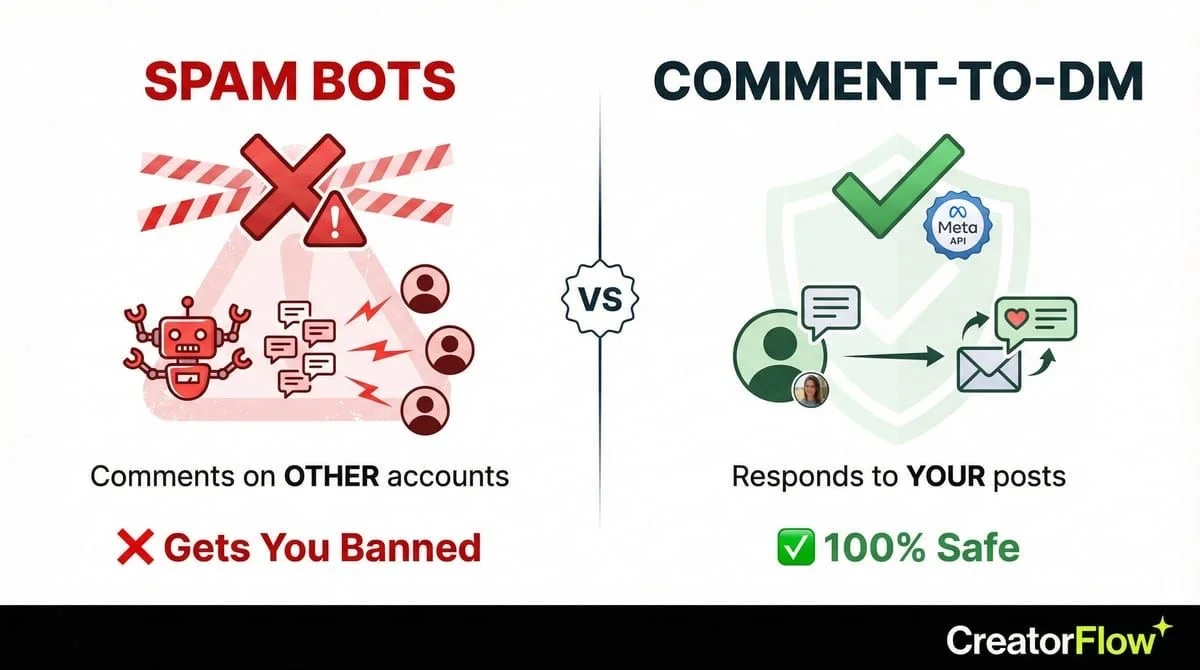
- Meta-verified: CreatorFlow is an official Instagram partner using the Graph API (not a grey-market bot).
- Rate limits respected: Instagram limits DMs to 200/hour, 1,000/day. Automation tools enforce these limits.
- 24-hour window: Meta’s API only allows DMs within 24 hours of the user’s last interaction.
What IS spam: Scraping Instagram users and sending unsolicited cold DMs. That will get you banned.
What ISN’T spam: Auto-replying to people who asked you a question. That’s automation, not spam.
(Source: Meta Instagram Graph API Documentation, February 2026)
Objection 2: “That seems too cheap. What’s the catch?”
Answer:
There’s no catch. Here’s why CreatorFlow costs less than competitors:
| Tool | Price | Why the Difference |
|---|---|---|
| ManyChat | $15-65/month | Charges per contact (scales with growth) |
| LinkDM | $19-99/month | Feature-based tiering |
| CreatorFlow | $15/month | Flat rate, Instagram-only (not multi-platform) |
CreatorFlow is Instagram-only (no Facebook, WhatsApp, SMS), which keeps costs low. If we need multi-platform later, we can upgrade to ManyChat.
For our use case (Instagram DM automation), CreatorFlow delivers the features we need at the best price.
Objection 3: “What if it doesn’t work?”
Answer:
Zero risk:
- 14-day money-back guarantee: Cancel within 2 weeks for a full refund.
- No contract: Month-to-month billing, cancel anytime.
- No setup fees: We can start today and be live in 5 minutes.
Worst case scenario: We waste $15 and 30 minutes of setup time.
Best case scenario: We save $15,000-20,000/year and I can focus on strategic work.
Risk-reward ratio: Spending $15 to potentially save $15,000+ is a 99,900% upside vs. 0.01% downside.
Objection 4: “We need to focus on other priorities right now.”
Answer:
I understand. Here’s why this is a priority:
Time I’ll get back:
- 10-15 hours/week on DMs : 3-5 hours/week
- 7-10 hours/week freed up for strategic priorities
What I’ll do with that time:
- [Insert your top 3 strategic priorities here]
- Example: Launch Q1 influencer campaign, optimize paid ads, build email nurture sequence
This isn’t adding to my workload - it’s removing the bottleneck that’s preventing me from doing higher-value work.
If I can automate the repetitive work, I can focus on the projects that move the needle.
Objection 5: “Can’t you just hire a VA to handle DMs?”
Answer:
I ran the numbers:
| Option | Monthly Cost | Management Overhead | Response Time |
|---|---|---|---|
| VA (Philippines) | $560-1,200 | Train, manage, QA | 2-6 hour delay (timezone) |
| VA (US-based) | $2,400-5,200 | Train, manage, QA | 30 min - 2 hours |
| Automation | $15 | 5 min setup, zero ongoing | Under 2 seconds |
VAs are great for:
- Nuanced customer service
- Community management
- Content research
VAs are overkill for:
- “What’s the price?” : Send product link
- “How do I book?” : Send calendar link
- “Do you ship to [country]?” : Send FAQ link
Best approach: Automation handles the repetitive 80%, VA (or me) handles the nuanced 20%.
(Source: Wishup VA Cost Data, February 2026)
What to Expect After Approval
Week 1: Setup and Testing

Day 1-2: Initial setup
- Connect Instagram account (OAuth, no password sharing)
- Create 3-5 automation templates (use our DM automation template library for inspiration):
- Product link for “How much?” comments
- Booking calendar for “How do I schedule?”
- FAQ link for common questions
- Test with internal team (comment on your own posts to see DMs)
Day 3-5: Soft launch
- Activate automations on 1-2 posts
- Monitor DM quality and response rates
- Adjust message templates based on feedback
- Track time saved (use a timer)
Day 6-7: Full rollout
- Activate on all new posts
- Set up story reply automation
- Create keyword triggers (“price”, “link”, “book”, etc.)
Week 2-4: Optimization and Reporting
Track these metrics:
| Metric | Week 1 | Week 2 | Week 3 | Week 4 |
|---|---|---|---|---|
| Hours saved | [LOG] | [LOG] | [LOG] | [LOG] |
| DMs automated (%) | [LOG] | [LOG] | [LOG] | [LOG] |
| Response time | [LOG] | [LOG] | [LOG] | [LOG] |
| Clicks on links | [LOG] | [LOG] | [LOG] | [LOG] |
ROI report template:
Instagram Automation - 30-Day Results

Time Savings:
- Before: 10 hrs/week manually responding
- After: 3 hrs/week monitoring automation
- Saved: 7 hrs/week × 4 weeks = 28 hours/month
- Value: 28 hours × $31/hour = $868/month saved

Automation Cost: $15/month

Net Savings: $868 - $15 = $853.01/month

Monthly ROI: ($853.01 ÷ $15) × 100 = 5,690%

Additional Benefits:
- Response time: 24 hours : Under 2 seconds
- Conversion rate: [TRACK IF POSSIBLE]
- Email captures: [IF USING PRO FEATURES]
Month 2+: Scale and Expand
Once you’ve documented ROI, expand usage:
- Add more automation types (follow our comment-to-DM setup guide for each):
- Welcome DMs for new followers
- Re-engagement for abandoned cart (e-commerce)
- Webinar/event registration links
- Upgrade to Pro features (if needed):
- Email collection within DMs ($15 : $15 Pro)
- Link click tracking
- Export contacts to email list
- Use freed time for strategic work:
- Launch content campaigns
- Test new formats (Reels, carousels)
- Build influencer partnerships
Advanced: Proving ROI Beyond Time Savings
Track Revenue Attribution
If you’re using automation for sales:
| Metric | How to Track | What to Report |
|---|---|---|
| Link clicks | CreatorFlow analytics | ”Generated 347 product page visits/month” |
| Conversions | UTM parameters + Google Analytics | ”Attributed $2,450 in sales to automated DMs” |
| Email captures | Export from CreatorFlow | ”Built 156-person email list from Instagram in 30 days” |
| Booking rate | Calendar tool analytics | ”Booked 23 discovery calls via automated DMs” |
Example revenue report:
Instagram Automation - Revenue Impact

Product link clicks: 347/month
Conversion rate: 3.5% (industry avg for e-commerce)
Average order value: $49
Attributed revenue: 347 × 3.5% × $49 = $595.20/month

Automation cost: $15/month
Net profit: $595.20 - $15 = $580.21/month

Revenue ROI: ($580.21 ÷ $15) × 100 = 3,870%
Track Customer Satisfaction
If you’re using automation for support:
| Metric | Before Automation | After Automation | Improvement |
|---|---|---|---|
| Avg response time | 4-24 hours | Under 2 seconds | 99%+ faster |
| DMs answered/day | 50-80 (capacity limit) | 200-500 (no limit) | 250-625% more volume |
| Customer satisfaction | [SURVEY] | [SURVEY] | [% CHANGE] |
Survey question to ask:
“How satisfied were you with the speed of our response?”
- Very satisfied
- Satisfied
- Neutral
- Dissatisfied
- Very dissatisfied
Benchmark: 76% of customers expect responses within 24 hours, 42% expect responses within 60 minutes. Instant automation exceeds both benchmarks.
(Source: Desk365 and Nextiva Customer Service Statistics, February 2026)
FAQ
How long does setup take?
Under 5 minutes for basic automation:
- Connect Instagram account (OAuth, 30 seconds)
- Create your first automation template (2 minutes)
- Test by commenting on your own post (1 minute)
- Activate on live posts (30 seconds)
Most social media managers are fully operational within 30 minutes, including testing and optimization.
Will my Instagram account get banned?
No, if you use a Meta-verified tool like CreatorFlow.
CreatorFlow uses Instagram’s official Graph API and follows all Instagram API rate limits:
- 200 DMs per hour maximum
- 1,000 DMs per day maximum
- 24-hour messaging window enforced
What WILL get you banned:
- Third-party scraping tools
- Unsolicited cold DMs to non-followers
- Exceeding Instagram’s rate limits
CreatorFlow’s safety guarantees:
- Meta-Verified Tech Provider status
- No password sharing (OAuth authentication)
- Automatic rate limit compliance
- 0% ban risk when used properly
What if I need help with setup?
**CreatorFlow offers:
- Free plan: Email support
- Pro plan: Priority email support
- Setup time: Most users complete setup in under 5 minutes following in-app tutorials**
If you need help making the business case or presenting to your boss, CreatorFlow’s support team can provide ROI calculators and case studies.
Can I track which posts drive the most DMs?
Yes. CreatorFlow analytics show:
- Which posts generated the most automated DMs
- Which messages get the most clicks
- Email capture rates (Pro plan)
- Geographic data (where DMs are coming from)
This helps you optimize content strategy based on what drives engagement and conversions.
What happens if I go over the DM limit?
Free plan: 500 DMs/month included
Pro plan: 5,000 DMs/month per Instagram account
If you exceed your limit:
- Automation pauses until next billing cycle
- You can upgrade to a higher tier
- Or you handle overflow manually (automation handles the bulk)
Most teams use: 200-1,000 DMs/month, so the Free plan covers most use cases. Pro is for high-volume accounts (10K+ followers with active engagement).
Can I A/B test different message templates?
Not natively in CreatorFlow, but you can:
- Create multiple automations for similar triggers
- Rotate them weekly to compare performance
- Track click rates and conversions in Google Analytics (using UTM parameters)
Example A/B test:
Week 1 template: “Hey! Here’s the link you asked for: [LINK]” Week 2 template: “Thanks for asking! You can check it out here: [LINK]”
Track click-through rates to see which language resonates better.
What if my boss still says no?
Three options:
- Start with the Free plan (no credit card required):
- Prove ROI with 500 free DMs/month
- Present results after 30 days
- Request Pro upgrade once value is demonstrated
- Propose a 30-day trial:
- Use Pro plan ($15/month)
- Track time saved rigorously
- Show boss the ROI report at end of month
- Cancel if it doesn’t deliver (14-day money-back guarantee)
- Pay for it yourself:
- If you’re confident it will save you hours/week
- $15/month is less than 1 coffee/day
- Pitch it as “professional development” expense
- Bill company back after proving ROI
Truth: If your boss won’t approve $15/month for a tool that saves $15,000/year, you have bigger problems than Instagram DMs.
Your Next Step: Send the Email Today
You have everything you need:
✅ ROI calculator showing $15,000-20,000/year savings ✅ Copy-paste email template ✅ Pre-answered objections ✅ Risk-free trial (14-day money-back guarantee) ✅ Meta-verified safety (0% ban risk)
The longer you wait, the more time (and money) you’re wasting on manual DMs.
Three actions to take right now:
- Calculate your ROI using the formula in this article
- Copy-paste the email template and fill in your numbers
- Send it to your boss today (the worst they can say is “let me think about it”)
If approved: Set up CreatorFlow in under 5 minutes at creatorflow.so
If denied: Start with the Free plan (no approval needed) and prove ROI with 500 free DMs/month.
Either way, you’ll be saving hours every week by this time next month.
Sources:
- ZipRecruiter - Social Media Manager Salary (February 2026)
- Glassdoor - Social Media Manager Salary (February 2026)
- Wishup - Virtual Assistant Cost (February 2026)
- Apploye - Virtual Assistant Pricing (February 2026)
- Thunderbit - Marketing Automation Stats (February 2026)
- ManyChat - Case Studies (February 2026)
- CreatorFlow - Instagram DM Automation Guide (February 2026)
- Desk365 - Customer Service Statistics (February 2026)
- Meta - Instagram Graph API Documentation (February 2026)