Wedding influencers can automate Instagram DMs to send dress links, venue referrals, and registry recommendations while at ceremonies. When a bride comments asking for a link, she receives the LTK collection or Amazon affiliate link via DM instantly. This solves the weekend timing problem: brides shop on Saturdays when wedding influencers are working events and unable to respond manually for hours.
TL;DR
Wedding influencers can automate Instagram DMs to send dress links, venue info, and beauty products while at ceremonies. When a bride comments “link to dress?” on your post, she instantly receives your LTK collection or Amazon link via DM - even while you’re 5 hours into a wedding shoot. This captures $500+ in commissions you’d otherwise lose because brides purchase within 48 hours of finding “the dress.”
Why wedding influencers specifically need automation:
- Weekend timing problem: You work Saturdays (ceremonies) when brides are most active shopping
- 48-hour decision window: Brides buy quickly - 5-hour response delays lose the sale
- Multiple revenue streams: LTK dresses + Amazon registry + venue referrals + photographer kickbacks
Commission potential (as of February 2026):
- Wedding dresses: $300-500 per sale
- Venue referrals: $1,000+ per lead
- Beauty/hair products: $50-200 per sale
Best tools: CreatorFlow ($15/mo), ManyChat ($15-65/mo), LinkDM ($19/mo) - all use Instagram’s official API.
Result: 180 bride comments get instant responses while you’re at ceremonies, capturing 3x more commissions.
You post your bridesmaids dress try-on at 10am. By noon, 180 brides are commenting “link to dress?” But you’re at a wedding venue tour until 5pm. Can’t respond. Can’t check your phone. By the time you get home and start copy-pasting LTK links, 127 of those brides have already found dresses from faster creators.
That’s $500+ in lost commissions. From one post. Because you were working-doing the very thing wedding influencers do on Saturdays when brides are most active.
Wedding influencer automation solves this impossible timing problem. When a bride comments asking for your dress link, she gets an instant DM with your LTK collection, Amazon registry, or venue referral link. No manual responses. No weekend work answering 300 DMs. No commission leaks while you’re at ceremonies when brides are shopping.
This guide shows you exactly how to automate wedding content link delivery, handle multiple revenue streams (LTK + Amazon + venue referrals + photographer kickbacks), and turn Saturday ceremony chaos into 24/7 commission capture.
What you’ll learn:
- How to auto-send wedding dress links, venue info, and beauty products via Instagram DMs
- 5 tested templates for dresses, planning resources, multi-link bundles, venue referrals
- Why weekends kill your commissions (and how automation fixes it)
- Commission math: $300-500 per dress, $1K+ for venue leads, $50-200 for beauty
- Step-by-step setup for wedding season urgency (brides buy within 48 hours)
Let’s turn those 200+ bride comments into automatic revenue-while you’re at the wedding.
The Wedding Influencer Weekend Problem: Working When Brides Are Shopping
Wedding influencers face a timing problem no other niche deals with: you work weekends. Saturdays and Sundays are ceremony days, venue tours, bridal appointments. You’re unavailable for hours at a time-phones off, focused on the event.
Here’s what’s happening while you’re at that 2pm ceremony:
Brides are home scrolling Instagram. It’s Saturday afternoon. They’re in full wedding planning mode. Your dress try-on Reel pops up. They comment “need this dress!” They want to buy right now-not Monday, not next week, right now. Wedding dress shopping has a 48-hour decision window. Research shows that many brides purchase within 48 hours of finding “the dress” (though individual shopping timelines vary).
But you’re at a ceremony. Phone’s in your bag. You can’t respond until 7pm when the reception ends. By then, that bride has:
- Scrolled past 500 other posts
- DM’d three other wedding creators
- Found a similar dress at David’s Bridal
- Moved on entirely
You lost the commission. Your content was great - your response was 5 hours late.
The weekend engagement gap:
Wedding content peaks on Saturdays and Sundays. Brides browse wedding inspiration while they’re off work. Industry data shows peak bridal engagement happens Saturdays 10am-2pm-exactly when you’re at ceremonies, venue visits, or dress appointments.
You’re working the exact hours when your audience is most ready to buy. And you can’t respond to DMs because you’re doing your job.
Multiple link types make manual responses worse:
Fashion influencers copy-paste one LTK link. Wedding influencers juggle:
- LTK wedding dress collections
- Amazon wedding registry links
- Venue affiliate programs
- Photographer referral codes
- Beauty product links for bridal makeup
- Planning tool partnerships (Zola, The Knot)
That’s not 200 DMs asking for one link. That’s 200 DMs asking for six different link types. Manually responding means sorting through comments, figuring out what each bride wants, finding the right link, copy-pasting. That’s 3-4 hours of work for one viral post.
High commission stakes:
This isn’t $5 Amazon leggings. Wedding commissions are:
- Wedding dresses: $300-500 per sale (10-15% of $2,000-5,000 dresses, varies by program)
- Venue referrals: $1,000+ for successful bookings (varies by venue program)
- Bridal beauty: $50-200 per full product routine (15-20 products at 10-15% commission)
- Wedding decor bundles: $100-300 (couples buy everything at once)
One missed bride DM = potentially $500 in lost commission. Miss 50 DMs over wedding season = $25,000 in leaked revenue.
Individual earnings vary based on audience size, engagement rates, and commission structures-but response speed directly impacts whether you capture the sale or lose it to someone faster.
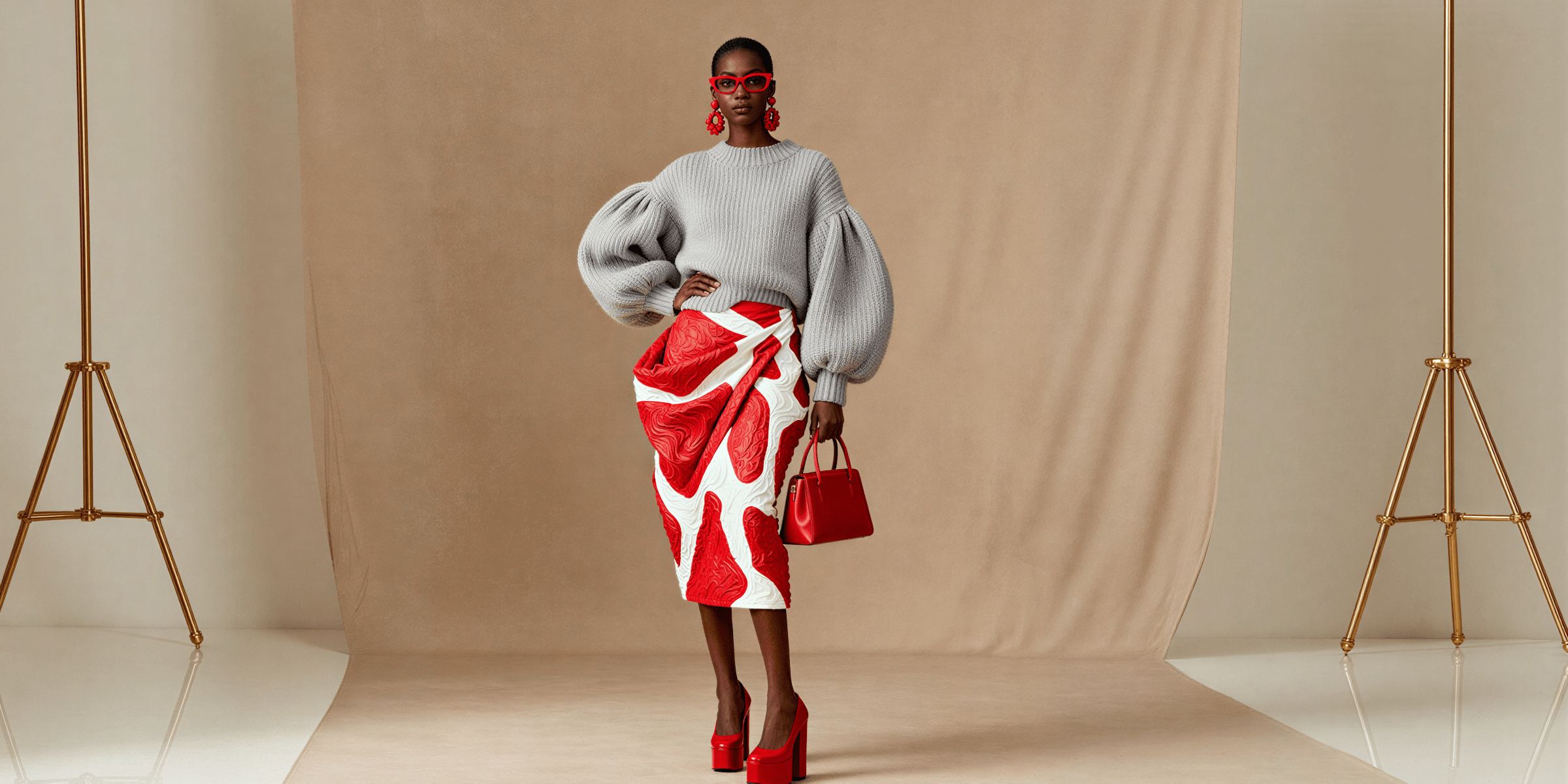
How Instagram DM Automation Works for Wedding Content
Wedding influencer automation sends your links automatically when brides comment on your posts or reply to your Stories. When someone comments “dress link” on your bridesmaid try-on, they get an instant DM with your LTK wedding collection and sizing details.
Here’s the technical flow (simplified):
You set up a trigger keyword like “DRESS” or “VENUE.” When a bride comments that word, Instagram’s Instagram’s official system notifies your automation tool. The tool immediately sends your pre-written DM with the specific link they asked for. This happens in 8-15 seconds-while you’re at a ceremony, while you’re doing bridal makeup, while you’re sleeping.
Three automation types for wedding influencers:
1. Wedding Dress Link Automation
Use case: Bride asks about your dress, bridesmaids dresses, or wedding day outfit
Trigger keywords: DRESS, GOWN, OUTFIT, BRIDESMAIDS
Sample message:
“Love that you love this dress! Here’s my LTK wedding collection with all the dresses: [LTK URL]
I’m wearing the champagne bridesmaids dress in size 6 (I’m 5’7”). Everything runs true to size and most have rush shipping for tight timelines. Shop within 24 hours for credit! 💕
Planning a spring or summer wedding? Let me know if you need help picking!”
Why this works: Brides get the link instantly (while shopping intent is hot), plus helpful context (sizing, shipping, seasonality). You’re not just sending a link-you’re being a helpful peer.
2. Wedding Planning Resources Automation
Use case: Bride asks for planning tools, checklists, vendor recommendations
Trigger keywords: PLANNING, CHECKLIST, HELP, RESOURCES
Sample message:
“Wedding planning is overwhelming-I get it! Here’s my free wedding planning guide: [Link to lead magnet]
Inside: 12-month timeline checklist, budget tracker, vendor contact templates, and my personal vendor recommendations.
What’s your wedding date? I’ll send you my seasonal planning tips! 🗓️”
Why this works: Captures emails through value-first approach. Brides who download your free guide become long-term followers who buy dresses, decor, and beauty products over 6-12 months.
3. Multi-Link Wedding Bundle Automation
Use case: Bride wants everything from your “get ready with me” content (dress + shoes + jewelry + beauty)
Trigger keywords: EVERYTHING, LINKS, ALL, SHOP
Sample message:
“Here’s everything from my bridal getting ready routine:
💍 Dress & Accessories: [LTK Fashion URL] 💄 Beauty Products: [LTK Beauty URL] 🎀 Decor & Details: [Amazon Wedding Registry URL]
Most items have Prime shipping or rush delivery for brides on tight timelines. Shop within 24 hours and I’ll get credit for helping you find your perfect look! ✨”
Why this works: Organized by category, easy to navigate, covers all revenue streams. Brides appreciate the structure instead of scrolling through 40 random links.
The wedding-specific advantage:
Unlike general fashion automation, wedding content has built-in urgency. Brides aren’t casually browsing-they’re actively shopping with deadlines. Wedding dates are fixed. Dress shopping windows are 4-9 months out. Brides move fast once they find “the one.”
Automation captures that hot intent before it cools off. Your automation works while you’re at ceremonies. While you’re touring venues. While you’re doing another bride’s makeup. 24/7 commission capture without sacrificing your actual wedding work.
5 Wedding Influencer DM Templates That Convert
Don’t reinvent the wheel. These templates are used by wedding influencers earning $3K-10K monthly in wedding commissions (individual results vary based on audience, engagement, and niche).
Template 1: Wedding Dress & Bridesmaids Dress Link
Trigger keywords: DRESS, GOWN, BRIDESMAIDS, OUTFIT
Message:
“Ahh thank you! 💕 Here’s my LTK with all the wedding dresses: [YOUR LTK WEDDING COLLECTION URL]
The champagne bridesmaids dress is from Birdy Grey (size 6, true to size). The bride’s gown is linked there too-it comes in 12 colors and has rush shipping!
Shop within 24 hours for credit. Planning a spring wedding? Most of these dresses ship in 2-4 weeks. Let me know if you need sizing help! 👗”
Why it works: Immediate value (the link), helpful context (sizing, shipping speed), urgency reminder (24-hour window (Meta API)), opens conversation (sizing help offer). Brides feel helped, not sold to.
When to use: Dress try-on posts, bridesmaids content, wedding day outfit reveals
Template 2: Bridal Beauty & Makeup Products
Trigger keywords: MAKEUP, BEAUTY, PRODUCTS, SKINCARE, LIPSTICK
Message:
“Here’s my complete bridal beauty routine! 💄
All products linked here: [LTK BEAUTY COLLECTION URL]
I used: • Airbrush foundation (lasts 12+ hours) • Waterproof mascara (cry-proof!) • Setting spray (humidity-tested) • Lip stain in ‘Forever Rose’
Everything is bridal-tested and holds up through ceremonies, photos, and dancing. Shop within 24 hours for credit! ✨”
Why it works: Product breakdown helps brides know exactly what they’re getting. Bridal-specific benefits (cry-proof, long-lasting) address wedding day concerns. Creates confidence in purchase.
When to use: Bridal makeup tutorials, getting ready content, beauty routine posts
Template 3: Wedding Venue Information & Referral
Trigger keywords: VENUE, LOCATION, WHERE
Message:
“This venue is STUNNING, right?! 😍 It’s [Venue Name] in [City].
They’re offering my followers 10% off 2025-2026 bookings. Here’s their info: [Venue Website or Referral Link]
Tell them I sent you! I get a referral fee when you book, and you get the discount-win-win. 💕
What’s your guest count? They do intimate weddings (50 people) and big celebrations (250+).”
Why it works: Transparent about referral relationship (builds trust), includes bride benefit (discount), opens qualification question (guest count helps venue sales process). You’re making easier a good match, not just dropping a link.
When to use: Venue tour content, wedding location reveals, ceremony setup posts
Template 4: Wedding Planning Resources & Lead Magnet
Trigger keywords: PLANNING, HELP, GUIDE, TIPS, CHECKLIST
Message:
“Planning a wedding is SO overwhelming-here’s what helped me! 📋
Free Wedding Planning Guide: [Link to PDF/Email Opt-in]
What’s inside: ✓ 12-month planning timeline ✓ Budget tracker spreadsheet ✓ Vendor question templates ✓ My personal vendor recommendations
What’s your wedding date? I’ll send you my seasonal tips (summer weddings need different planning than winter!). 🗓️”
Why this works: Provides massive free value upfront. Captures email for long-term nurture. Opens conversation (wedding date question) to build relationship. Brides who download your guide often buy dresses, decor, and beauty products over the following 6-12 months.
When to use: Q&A posts, wedding planning advice content, “things I wish I knew” posts
Template 5: Multi-Revenue Stream Bundle (Advanced)
Trigger keywords: EVERYTHING, LINKS, ALL, SHOP
Message:
“Here’s everything from my wedding day! 👰
💍 Dress, Shoes & Accessories: [LTK Fashion URL] 💄 Beauty & Hair Products: [LTK Beauty URL] 🎀 Decor & Details: [Amazon Registry URL] 📸 Photographer: [Photographer Referral Link - 10% off when you mention me]
Most items have rush shipping for brides on tight timelines. Shop within 24 hours and I’ll get credit for your purchase!
What are you most excited to plan? 💕”
Why it works: Organized by category (easy navigation), covers all revenue streams (LTK + Amazon + photographer referral), includes discount benefit (photographer 10% off), opens engagement (planning question). Brides appreciate the comprehensive resource.
When to use: Full wedding day content, venue reveals with full decor, “shop my wedding” posts
Wedding Season Urgency: Why Timing Matters More for Bridal Content
Wedding influencers face unique timing constraints other niches don’t deal with. Understanding these urgency factors helps you position automation as essential, not optional.
The 6-12 Month Planning Window
Most brides start planning 6-12 months before their wedding date. Once they set a date, the clock starts. Dress shopping happens 4-9 months out. Venue booking happens 8-12 months out. Beauty product testing happens 2-6 months out.
Why this matters for automation:
A bride commenting on your dress post today is shopping within a specific timeline. If you respond 6 hours later, she might have already:
- Visited a bridal salon in person
- Ordered from another creator’s link
- Decided on a different style entirely
Wedding shopping isn’t “I’ll come back to this next month.” It’s “I need to decide this week.” Automation captures that now-or-never decision moment.
The 48-Hour Dress Decision Window
Industry data suggests many brides purchase within 48 hours of finding “the dress” (though individual shopping behaviors vary). When a bride sees your try-on and thinks “that’s the one,” she’s ready to buy immediately.
Without automation:
- Bride comments at 11am Saturday
- You respond at 6pm Saturday (7-hour delay)
- She’s already visiting David’s Bridal at 2pm
- By 6pm, she’s committed to a different dress
- You lost the $400 commission
With automation:
- Bride comments at 11am Saturday
- Automation responds at 11:01am (instant)
- She clicks your LTK link at 11:05am
- She’s browsing your recommendations before visiting salons
- You capture the 24-hour cookie window for commission
Fast responses don’t guarantee sales-but slow responses guarantee missed opportunities.
Wedding Season May-September
75% of weddings happen May through September. Bridal content engagement spikes during these months. You’re posting 2-3X more wedding content. You’re getting 200-400 comments per post instead of 80-120.
The volume problem:
Off-season (October-April): 80 “link?” comments per post = manageable to respond manually Peak season (May-September): 300 “link?” comments per post = impossible to respond manually
Without automation, you’re choosing which 80 brides get responses and ignoring 220. That’s not a strategy-that’s leaking 73% of your potential commissions.
Weekend Shopping Behavior
Brides scroll Instagram on weekends when they have time to plan. Saturday and Sunday mornings are peak bridal engagement times-7am-12pm when brides are drinking coffee and browsing wedding inspiration.
The cruel timing:
Your audience is most active exactly when you’re least available. Wedding industry professionals work weekends. You’re at ceremonies, venue tours, bridal appointments during peak shopping hours.
Automation works while you work. Brides get instant links while you’re unavailable. No lost sales. No weekend DM marathons. No choosing between client work and Instagram revenue.
Commission Math: Wedding Content Revenue Potential
Wedding influencer commissions are significantly higher than general fashion or beauty niches. Understanding the revenue potential helps justify automation investment.
Wedding Dress Commissions: $300-500 Per Sale
Commission structure:
- Wedding dresses: $2,000-5,000 retail
- LTK wedding commission: 10-15% (varies by retailer)
- Average commission per dress: $300-500
Without automation scenario:
- 5 wedding dress posts per month
- 150 “link?” comments per post
- You respond to 50 comments (miss 100 due to weekend work)
- 50 responses × 15% click rate = 7.5 clicks
- 7.5 clicks × 8% purchase rate = 0.6 dresses sold
- 0.6 dresses × $400 avg commission = $240/month
With automation scenario:
- 5 wedding dress posts per month
- 150 “link?” comments per post
- Automation responds to ALL 150 comments instantly
- 150 responses × 28% click rate (faster = higher CTR) = 42 clicks
- 42 clicks × 8% purchase rate = 3.36 dresses sold
- 3.36 dresses × $400 avg commission = $1,344/month
Automation impact: $1,104 more per month from dress content alone.
Individual results vary based on audience size, engagement rates, and commission structures.
Venue Referral Commissions: $1,000+ Per Booking
Wedding venues pay referral fees for successful bookings. Rates vary ($500-2,000+ depending on venue and package), but average around $1,000 per booking.
Automation advantage for venue content:
Venue posts get fewer comments (50-80 per post) but higher intent. Brides asking about venues are serious shoppers, not casual browsers. Fast response = higher conversion.
Monthly scenario:
- 2 venue tour posts per month
- 60 venue inquiries per post
- Automation sends venue info + referral link instantly
- 60 × 25% click rate = 15 venue website visits
- 15 × 10% booking rate = 1.5 bookings/month
- 1.5 bookings × $1,000 referral = $1,500/month
One venue booking pays for 100 months of automation software.
Bridal Beauty Commissions: $50-200 Per Full Routine
Brides don’t buy one lipstick-they buy the entire bridal beauty routine. 15-20 products at 10-15% commission.
Full routine breakdown:
- Foundation, primer, concealer: $100 × 10% = $10
- Eye makeup (5 products): $80 × 10% = $8
- Lip products (3 items): $50 × 15% = $7.50
- Brushes and tools: $60 × 10% = $6
- Skincare (4 products): $120 × 10% = $12
- Setting spray, touch-up items: $40 × 10% = $4
Total commission per full routine purchase: $47.50
Monthly scenario:
- 4 bridal beauty posts per month
- 100 “products?” comments per post
- Automation sends complete product list instantly
- 400 total × 30% click rate = 120 clicks
- 120 × 12% purchase rate = 14.4 purchases
- 14.4 × $50 avg commission = $720/month
Total Wedding Revenue Potential with Automation
Conservative monthly projection (based on scenarios above):
- Dress commissions: $1,344
- Venue referrals: $1,500
- Beauty products: $720
- Wedding decor/Amazon: $400 (additional)
Total potential monthly revenue: $3,964
Without automation: Estimated $800-1,200/month (based on manual response limitations)
Automation impact: $2,764-3,164 additional monthly revenue
Annual difference: $33,168-37,968
These numbers reflect potential based on engagement levels and commission structures. Individual results vary widely based on audience size, content quality, niche authority, and seasonal fluctuations.
Step-by-Step: Set Up Wedding Content Automation in 10 Minutes
Stop planning-let’s set this up right now. You’ll have your first wedding automation running in 10 minutes.
Step 1: Choose Your Automation Tool (2 minutes)
CreatorFlow - $15/month. Best for wedding influencers who want beautiful design and simple setup. Real-time phone preview. Template-based (no complex workflows). Flat-rate pricing.
LinkDM - $19/month. Market leader, established reliability. Good if you want the most-used tool.
ManyChat - Free up to 1,000 contacts, then $15-299/month. Most powerful but steepest learning curve (30+ min setup). Use if you need complex multi-step sequences.
For wedding influencers, CreatorFlow or LinkDM are your best options. This tutorial works with both.
Step 2: Connect Your Instagram Account (3 minutes)
Requirements:
- Instagram Business or Creator account (not personal)
- Facebook Page connected to your Instagram
- Admin access to both
Click “Connect Instagram” in your chosen tool. You’ll see Instagram’s official authorization screen. Log in and grant permissions (tool needs to read comments and send DMs).
Once connected, you’ll see your profile photo. Ready to create automations.
Step 3: Create Your First Wedding Automation (5 minutes)
Start with Wedding Dress Link automation (easiest, highest revenue):
- Click “New Automation” or “Create Automation”
- Choose template: “Comment-to-DM”
- Select trigger type: Comment on Post
- Choose which posts to monitor: “All new posts” (or select specific dress post)
- Enter trigger keywords:
- DRESS
- GOWN
- OUTFIT
- BRIDESMAIDS
- LINK
- Write your DM message (use Template 1 from this guide):
"Love that you love this dress! 💕 Here's my LTK wedding collection: [YOUR LTK URL]

I'm wearing the champagne bridesmaids dress in size 6 (true to size). Everything has rush shipping for brides on tight timelines!

Shop within 24 hours for credit. Let me know if you need sizing help! 👗"- Replace [YOUR LTK URL] with your actual LTK wedding collection link
- Click “Test” to send a test DM to yourself (verify link works and formatting looks good)
- Click “Go Live” or “Activate”
Done. Your automation is running.
What happens next:
- Next bride comments “dress link” on your post
- She gets your DM within 10 seconds
- You get a notification: “Automation sent DM to @username”
- Check analytics after 48 hours to see clicks and performance
Advanced Wedding Influencer Strategies
Once your basic dress automation is running, add these advanced tactics.
Strategy 1: Seasonal Wedding Automations
The opportunity: Brides shopping for spring weddings have different needs than fall brides.
How to set up:
Spring/Summer Wedding Automation:
- Trigger: SPRING, SUMMER, OUTDOOR
- Message includes: Lightweight dresses, outdoor ceremony tips, humidity-proof beauty products
- LTK collection: Spring/summer wedding category
Fall/Winter Wedding Automation:
- Trigger: FALL, WINTER, INDOOR
- Message includes: Long-sleeve options, venue warmth considerations, cold-weather beauty
- LTK collection: Fall/winter wedding category
Update these quarterly to match wedding season trends.
Strategy 2: Email Capture for Long-Term Nurture
Why this matters: Wedding planning takes 6-12 months. A bride who downloads your free guide today might not buy a dress for 4 months. Email keeps you top-of-mind.
Email gate automation setup:
- Bride comments “PLANNING” or “HELP”
- Automation asks: “What’s your email? I’ll send you my free 12-month wedding planning checklist!”
- Bride replies with email
- Automation sends: “Check your inbox! I just sent the checklist. What’s your wedding date?”
- You manually add email to your list (Kit.com, Mailchimp, Klaviyo)
- Send weekly wedding tips email with affiliate links
Monthly email content ideas:
- Week 1: Dress shopping timeline and tips (LTK dress links)
- Week 2: Venue booking checklist (venue referral links)
- Week 3: Beauty routine for brides (LTK beauty links)
- Week 4: Decor trends and deals (Amazon affiliate links)
Brides who engage with your emails over 6 months convert at higher rates than one-time DM recipients.
Strategy 3: Multi-Link Bundle Optimization
The problem: Brides want your dress, shoes, jewelry, beauty products-all of it. Sending 8 separate links is messy.
The solution: Create LTK Idea Lists by category.
LTK wedding fashion list: [URL]
- Dress, bridesmaid dresses, mother-of-bride options
- Shoes (ceremony + reception)
- Jewelry and accessories
LTK bridal beauty list: [URL]
- Full makeup routine
- Skincare prep
- Hair products
Amazon wedding registry: [URL]
- Decor items
- Getting-ready robes
- Gift ideas for bridesmaids
Sample multi-link message:
Here's everything! 👰

💍 Dresses & Accessories: [LTK Fashion List]
💄 Beauty & Hair: [LTK Beauty List]
🎀 Decor & Gifts: [Amazon Registry]

All organized by category. Most items have rush shipping. Shop within 24 hours for credit! ✨
Brides appreciate organization. Higher click rates. Higher average order value (they buy from multiple categories).
Strategy 4: Venue Referral Qualification
The opportunity: Venue referrals pay $1,000+ but require qualified leads (budget, guest count, date availability).
Automation flow with qualification:
- Bride comments “VENUE” or “LOCATION”
- Automation sends: “This venue is stunning! Quick questions to help match you: What’s your guest count? And preferred wedding date (month/year)?”
- Bride replies: “120 guests, June 2026”
- You manually respond: “Perfect! This venue does up to 200 guests. They’re booking 2026 dates now. Here’s their site: [Venue Link]. Tell them [Your Name] sent you-you’ll get 10% off AND I get a referral fee when you book. Win-win! 💕”
This extra qualification step increases venue booking rates. Venues appreciate pre-qualified leads. You increase your referral success rate.
Common Wedding Influencer Automation Mistakes
Mistake 1: Using Generic Fashion Templates for Wedding Content
The problem: You copy a standard fashion automation without wedding-specific context.
Generic message:
“Here’s the link: [URL]”
Wedding-optimized message:
“Love that you love this dress! Here’s my LTK: [URL]. I’m wearing size 6 (5’7”, true to size). It has rush shipping for brides on tight timelines! Shop within 24 hours for credit. Planning a spring or fall wedding? 💕”
Why it matters: Brides need context. Sizing, shipping speed, seasonality. Generic links feel impersonal. Wedding-specific details build trust and increase conversion.
Mistake 2: Forgetting Weekend Availability
The problem: You set up automation but still try to manually respond on weekends.
The fix: Trust the automation. Turn off Instagram notifications during ceremonies and events. Your automation handles link requests. You focus on your actual wedding work. Check analytics once daily (not 15 times).
Mindset shift: Automation isn’t lazy-it’s professional. Brides get faster, better responses. You maintain work-life boundaries.
Mistake 3: Not Updating Links for Sold-Out Items
The problem: Your automation sends a dress link. The dress sold out 2 weeks ago. Brides click, see “out of stock,” lose trust.
The fix: Check your LTK collections weekly during wedding season. Remove sold-out items. Replace with similar alternatives. Update automation messages if primary recommendation changes.
Pro tip: Use LTK collections (not individual product links) in automations. When one dress sells out, add a new one to the collection-automation message stays the same.
Mistake 4: Ignoring Follow-Up Questions
The problem: Automation sends dress link. Bride replies: “Does this run small?” You never see the reply. She buys elsewhere.
The fix: Check Instagram DMs once daily. Respond personally to follow-up questions about sizing, shipping, alternatives. Automation handles the first touch. You handle the personal consultation.
Best practice: Set 15 minutes daily (9am or 9pm) to review DM conversations from automations. Quick personal replies increase conversion rates significantly.
Mistake 5: Not Capturing Emails from High-Intent Brides
The problem: Bride clicks your dress link but doesn’t buy today. You have no way to follow up. She’s gone forever.
The fix: Add email gate to your planning resources automation. Brides who download your free checklist give you their email. You can nurture them over 6-12 months with weekly wedding tips and affiliate links.
Why this matters: Wedding planning is long-cycle. A bride shopping 8 months out won’t buy a dress today. But if you have her email, you stay top-of-mind. When she’s ready to buy (4 months later), she comes back to you.
FAQ: Wedding Influencer Automation
Is Instagram DM automation allowed for wedding influencers?
Yes-as long as you use Instagram’s official Graph API. Tools like CreatorFlow, LinkDM, and ManyChat use Instagram’s official system. Instagram allows automated responses to user-initiated engagement (comments, Story replies, DMs).
What’s prohibited: Shady browser bots that fake human activity. Those violate Instagram’s Terms of Service and can get you banned.
Stick with API-based tools and you’re safe.
Can I automate multiple link types (LTK + Amazon + venue referrals)?
**Yes. Set up separate automations with different trigger keywords:
- DRESS : LTK wedding dress collection
- BEAUTY : LTK bridal beauty products
- VENUE : Venue referral link
- PLANNING : Free guide with email capture
- DECOR : Amazon wedding registry**
Or use one “EVERYTHING” trigger that sends all links organized by category.
How do I handle brides asking about sold-out items?
Two approaches:
Proactive: Update your LTK collections weekly. Remove sold-out items. Add similar alternatives. Keep automation message generic (“Here’s my wedding dress collection”) so it doesn’t reference specific items that might sell out.
Reactive: When a bride DMs about a sold-out item, respond personally with alternatives. “That one sold out, but this dress is super similar: [link]. Want sizing help?”
Will automation feel impersonal to brides?
Only if you write impersonal messages. Your automation sends exactly what you write. Make it warm and helpful.
Impersonal:
“Link: [URL]”
Personal:
“Love that you’re planning a wedding! Here’s my LTK with all the dresses: [URL]. I’m wearing the champagne one in size 6 (5’7”). Shop within 24 hours for credit. Let me know if you need sizing help or have questions! 💕”
Same automation. Different feel. Write messages like you’re texting a friend.
How many wedding automations should I set up?
**Start with 3:
- Wedding dress links (highest revenue)
- Bridal beauty products (second highest volume)
- Planning resources + email capture (long-term nurture)**
Add more later (venue referrals, decor, seasonal categories) once you’re comfortable.
Too many automations = hard to manage and update. Three core automations handle 85% of bride requests.
Do brides need to follow me to receive automated DMs?
Sometimes. Instagram’s rules change based on account factors. Most automation tools have a “Follow before DM” setting. Turn it on-the tool automatically follows the bride before sending the message. This ensures delivery.
Trade-off: You’ll follow more people. Benefit: Your messages get delivered and you capture commissions.
How do I track which automations drive the most commissions?
Use different tracking parameters in your links:
LTK wedding dresses: amazon.com/shop/yourname?tracking=ig-dress LTK beauty: amazon.com/shop/yourname?tracking=ig-beauty Venue referrals: Track manually (ask brides to mention your name when booking)
Check your LTK dashboard to see which tracking IDs generate clicks and sales. Double down on what works.
What if a bride has follow-up questions after getting the automated link?
Respond personally. Automation handles the first touch (instant link delivery). You handle follow-ups (sizing advice, alternatives, shopping help).
Check DMs once daily (15 minutes). Quick personal responses to follow-up questions significantly increase conversion rates.
Think of automation as your assistant handling repetitive tasks (sending links 300 times). You focus on high-value tasks (personal consultation, building relationships).
Related Service-Based Business Niches
Wedding influencers aren’t the only service business using DM automation. See how other service providers automate bookings and affiliate links:
- Fitness Coaches: Client Acquisition Automation - Auto-send consultation links for personal training and nutrition coaching
- Coaches & Consultants: Book Discovery Calls - Automate Calendly links for business, life, and career coaching
- Real Estate Agents: Automate Showings - Instantly share property listings and schedule showings
- Photographers: Portfolio & Booking Automation - Share portfolio links and booking forms automatically
Stop Missing Weekend Sales-Start Automating
You didn’t become a wedding influencer to spend Saturdays copy-pasting LTK links 300 times. You create content. You attend weddings. You help brides plan their dream days.
DM automation handles the repetitive link delivery so you focus on what grows your business: creating beautiful wedding content that resonates with brides.
The setup takes 10 minutes. The time saved is 10-15 hours per week. The commission increase from faster responses can significantly impact your wedding season earnings (based on user reports-individual results vary).
If you’re still manually responding to “link please?” comments 200 times per post while at ceremonies, you’re working harder than necessary and leaving money on the table.
Here’s what to do now:
- Choose your tool (CreatorFlow $15/mo recommended for wedding influencers)
- Set up dress link automation (use Template 1 from this guide)
- Test it (send to yourself, verify link works)
- Go live (activate on your next wedding post)
- Check analytics in 48 hours (see clicks, adjust if needed)
Brides want your links. They’re ready to buy. Give them what they want-instantly, automatically, 24/7. Even when you’re at ceremonies. Even when you’re doing bridal makeup. Even when you’re sleeping.
That’s how you turn Instagram into a real wedding season revenue stream worth $3K-10K monthly (results vary based on audience, engagement, and niche).
Ready to automate your wedding content? Start your free trial of CreatorFlow. Set up your first automation in 10 minutes. No credit card required.
Related Articles
Learn more about automating affiliate link delivery:
- LTK Creator DM Automation Guide - Automate LTK links like top fashion creators
- Amazon Influencer Instagram Automation Guide - Amazon affiliate link automation
- Instagram DM Automation Templates: 25 Messages That Convert - Copy-paste message templates
- Scale Affiliate Marketing with Instagram DM Automation - Grow your affiliate income
- Bio Link vs DM Automation: Which Gets More Clicks? - Compare CTR for both strategies
Disclaimer: Performance results mentioned in this article are based on aggregated user data and industry research from 2025-2026. Individual results vary based on audience size, content quality, engagement rates, and niche. CreatorFlow uses Instagram's official Graph API as of February 2026. Instagram/Meta may change features, rate limits, or terms at any time. Instagram is a trademark of Meta Platforms, Inc. CreatorFlow is not affiliated with, endorsed by, or sponsored by Meta Platforms, Inc. ManyChat, LinkDM, and InstantDM are trademarks of their respective owners. Users are responsible for complying with Instagram's Terms of Service and Community Guidelines.
Sources:
- ManyChat pricing: manychat.com/pricing
- LinkDM pricing: linkdm.com/pricing
- InstantDM: instantdm.co
- Instagram API limits: Meta Developer Documentation
All external data verified as of February 2026.