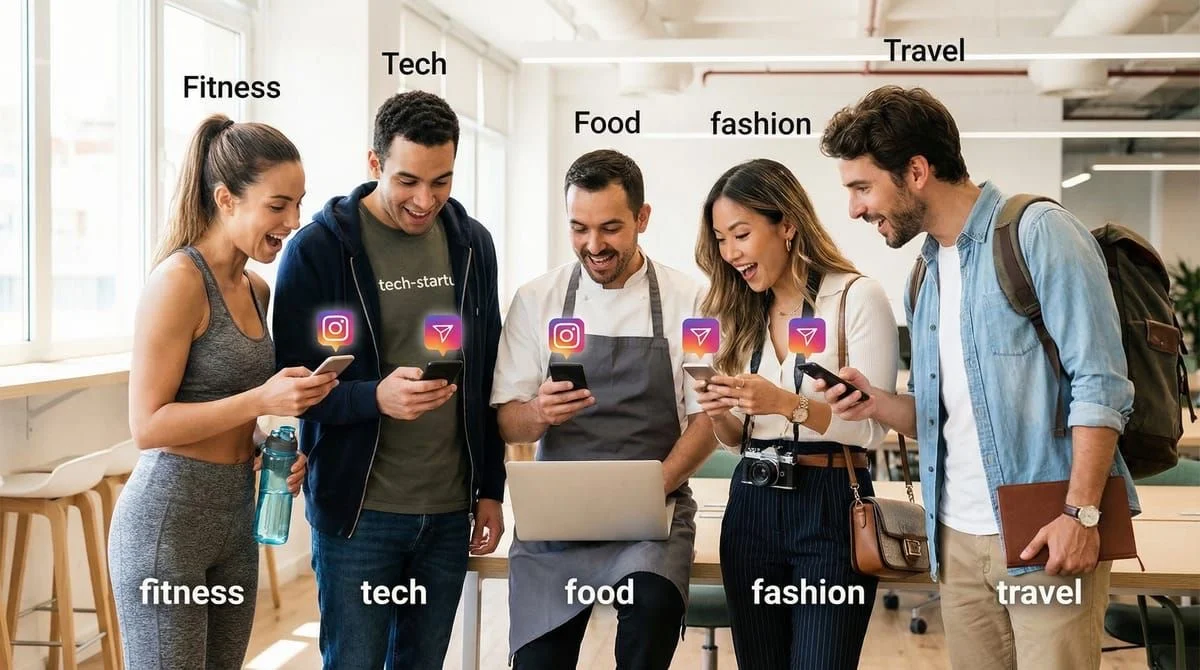
An Instagram feed planner is a visual tool that lets you preview and arrange your grid layout before publishing. The top feed planners for 2026 include Planoly ($14-37/month), Later ($16.67-25/month), Preview App (free), and Pallyy ($20-25/month). Effective feed planning uses 9-post grid previews, the 4:5 vertical format at 1080x1350px, and 3-5 consistent content pillars to create a cohesive, professional-looking profile.
Your Instagram feed looks random.
One day it’s a selfie. Next day it’s a product shot. Then a meme. Then a quote card. Visitors land on your profile, scroll for 3 seconds, and leave. They don’t follow, they don’t engage, they don’t DM.
The problem isn’t your content quality. It’s your lack of visual strategy.
Successful creators don’t post randomly. They plan their feed like a storefront window - every post positioned strategically to catch attention, build trust, and drive action. They use feed planners to preview their grid before publishing, ensuring their profile looks intentional instead of chaotic.
Here’s exactly how to plan your Instagram feed for maximum engagement in 2026, including the best free visual planning tools and strategies that convert profile visitors into followers and customers.
TL;DR
The best Instagram feed planners for 2026 are Planoly ($14-37/mo, visual-first grid planning), Later ($16.67-25/mo, drag-and-drop preview), Preview App (free, unlimited grid planning), and Pallyy ($20-25/mo, best value). Plan your feed in 9-post grids using the new 4:5 vertical format (1080x1350px), maintain 3-5 consistent content pillars, and pair visual planning with DM automation to convert engagement into sales. Instagram’s 2026 algorithm prioritizes saves and shares over likes, making strategic feed aesthetics more important than ever.
- Visual planning is non-negotiable - Instagram’s 2026 algorithm favors cohesive, professional-looking profiles
- Vertical format required - Transition from 1:1 square to 4:5 (1080x1350px) or 3:4 (1080x1440px) for 28% more engagement
- Free tools available - Preview App offers unlimited free grid planning; Planoly and Later have 14-30 day trials
- Plan 9 posts at a time - This shows your full 3-column grid view to see how your profile will appear
- Pair planning with automation - Strategic feed planning + DM automation = 24/7 lead generation
Why Instagram Feed Planning Matters in 2026
Instagram’s algorithm changed fundamentally in 2026. According to Instagram’s creator team, the platform now prioritizes “micro-communities” and interaction depth over visual perfection alone (Instagram Creator Week, February 2026). But here’s what most creators miss: your feed aesthetic determines whether visitors stick around long enough to engage.

What Changed in Instagram’s 2026 Algorithm
The big shifts:
-
Saves and shares matter more than likes - The algorithm now treats saves as the top engagement signal, indicating your content has value worth revisiting (Dataslayer Instagram Algorithm 2026 Report).
-
DM shares are the #1 engagement metric - When someone shares your post via DM, Instagram interprets this as “highly valuable content” and boosts your reach accordingly.
-
Reels get 2.5x more reach than static posts - Video content dominates the algorithm, but feed posts still matter for profile aesthetics and first impressions.
-
Keywords replaced hashtags - Instagram removed hashtag following in December 2024 and reduced hashtag algorithmic weight. Now, keywords in captions and profiles drive discoverability (Clixie.ai, February 2026).
Why Visual Feed Planning Drives Engagement
Your Instagram feed is your portfolio. When someone discovers you through Reels or Explore, they click your profile to decide: “Is this worth following?”
What they judge in 3 seconds:
- Visual cohesion (does your feed have a consistent aesthetic?)
- Content clarity (can they instantly tell what you post about?)
- Professionalism (does your brand feel credible?)
- Value (will following you benefit them?)
According to Sprout Social’s 2026 Instagram Best Practices, profiles with cohesive visual aesthetics see 33% higher follow-through rates from profile visitors compared to visually inconsistent feeds.
Feed planning solves this by:
- Creating visual consistency - Your profile looks intentional, not random
- Maintaining content balance - You avoid posting 10 product promos in a row
- Optimizing for the grid - Every post works both individually AND as part of your overall aesthetic
- Building brand recognition - Your signature colors, style, and layouts become instantly recognizable
Instagram’s New Vertical Format: What You Must Know
In late 2024, Instagram fundamentally changed its grid display from 1:1 square to 3:4 vertical format. This affects every feed planner strategy moving forward.
The Format Change Explained
Old grid (pre-2024): 1:1 square posts displayed as 1080 x 1080 pixels New grid (2026): 3:4 vertical posts displayed as 1015 x 1350 pixels in the grid
According to Kapwing’s Instagram Grid Layout Guide (February 2026), Instagram head Adam Mosseri stated the platform’s 2026 focus is “creativity and connecting with the people you care about” - which means vertical video and portrait-style content dominate.
Why This Matters for Your Feed Planning
Posts created in 4:5 ratio (1080x1350px) receive 28% more engagement than square posts, according to SocialSellinator’s 2026 Instagram Image Ratio research. Taller posts occupy more screen space in feeds, giving you “a much better chance of stopping the scroll.”
Your action steps:
- Stop creating square 1:1 content - It’s outdated and underperforms
- Create all new content in 4:5 (1080x1350px) or 3:4 (1080x1440px) - These are the new standard ratios
- Use the “safe zone” strategy - Place important text/elements in the center square zone to ensure they’re visible when cropped in grid view
How to Adapt Your Feed Planner Workflow
When planning your grid in tools like Planoly or Preview, you’ll now see vertical posts instead of squares. Plan for how the TOP portion of each vertical post appears when cropped in your profile grid.
Pro tip: Preview your grid in Instagram’s native app before publishing. The planning tool shows the full vertical image, but your profile grid shows cropped versions.
The Best Instagram Feed Planner Tools for 2026
Not all feed planners are equal. Some show you basic scheduling; others provide full visual grid previews with drag-and-drop functionality. Here’s what works in 2026.
1. Preview App - Best Free Option
Pricing: Free (unlimited grid planning)
Best for: Creators who want unlimited free visual planning without paying for scheduling
Preview App is used by over 15 million Instagrammers and offers the most generous free plan in the industry. You get unlimited grid space, unlimited photos/videos, and full visual planning - all without paying.
Key features:
- Unlimited grid planning for free (no post limits)
- Drag-and-drop arranging
- Supports photos, videos, carousels, Stories, and Reels
- Reels planner with cover preview
- Analytics (top posts, best posting times, follower growth)
- Hashtag finder and analytics
- No Instagram login required (privacy-friendly)
Limitations: Free plan doesn’t include auto-posting. You get push notifications to post manually.
Access: Download from thepreviewapp.com (iOS and Android)
2. Planoly - Best for Visual-First Creators
Pricing:
- Starter: $16/month ($14/month annually) - 1 account, 60 uploads/month
- Growth: $28/month ($24/month annually) - 1 account, unlimited uploads, 3 users
- Professional: $43/month ($37/month annually) - 2 accounts, unlimited uploads, 6 users
- Free trial: 14 days
Best for: Creators who prioritize aesthetics and want grid-based visual planning with scheduling
Planoly pioneered the visual Instagram grid preview and remains the top choice for aesthetic-focused creators. Their interface shows exactly how your feed will appear on your profile.
Key features:
- Visual grid planner with drag-and-drop
- Auto-posting (no manual push notifications)
- Post scheduling across Instagram, Facebook, TikTok, Pinterest
- Hashtag analytics and saved hashtag sets
- Linkin.bio tool (turn your grid into clickable landing page)
- Content approval workflows (for teams)
- Analytics dashboard
Why it’s worth paying for: Unlike free tools, Planoly auto-publishes posts without requiring you to manually post. This eliminates missed posts and maintains consistency.
Access: planoly.com
3. Later - Visual Planning Pioneer
Pricing:
- Starter: $25/month (monthly) or $16.67/month (annual) - 1 user, 7 social accounts
- Free trial: 30 days (no free plan)
Best for: Creators managing multiple platforms (Instagram, TikTok, Pinterest) from one dashboard
Later built its reputation around visual planning and remains a strong choice for multi-platform management. Their grid preview shows exactly how your feed will look before you publish.
Key features:
- Visual grid preview with drag-and-drop
- Auto-posting (no notifications required)
- Media-first approach (upload images/videos first, then add captions)
- Linkin.bio feature (clickable Instagram feed landing page)
- TikTok and Pinterest integration
- Best time to post recommendations
- Analytics and reporting
Why creators choose it: Later’s media-first approach is intuitive for visual thinkers. You arrange your images first, then add captions afterward - mimicking how most creators think about Instagram.
Access: later.com
4. Pallyy - Best Value for Solo Creators
Pricing:
- Free plan: Available with limited features
- Pay As You Go: $25/month ($20/month annually) - 1 account, 1 user, unlimited posts
- Unlimited: $199/month ($149/month annually) - Unlimited accounts, posts, users
Best for: Solo creators who want affordable auto-posting without enterprise complexity
Pallyy offers straightforward pricing with no hidden fees. Their $20/month annual plan includes everything most solo creators need: visual planning, auto-posting, and analytics.
Key features:
- Visual content calendar with grid view
- Drag-and-drop scheduling
- Auto-publishing (no manual posting)
- Unified social inbox for managing DMs and comments
- Analytics dashboard
- Bio link tool
Why it’s the best value: At $20/month annually, Pallyy undercuts Planoly ($14/month) and Later ($16.67/month) while offering unlimited posts. Most competitors charge per post or limit uploads.
Access: Search “Pallyy” in app stores or visit their website
Quick Comparison Table
| Tool | Free Plan | Paid Plans | Best Feature |
|---|---|---|---|
| Preview App | ✓ Unlimited | $15-30/mo | Free unlimited grid planning |
| Planoly | ✗ (14-day trial) | $14-37/mo | Aesthetic-focused grid view |
| Later | ✗ (30-day trial) | $16.67-25/mo | Media-first workflow |
| Pallyy | ✓ Limited | $20-149/mo | Best value for solopreneurs |
How to Plan Your Instagram Feed: Step-by-Step Strategy
Having a tool is useless without a strategy. Here’s the exact process to create a cohesive, engagement-driving Instagram feed.
Step 1: Define Your 3-5 Content Pillars (15 Minutes)
Content pillars are the consistent themes you post about. They keep your feed cohesive without being repetitive.
Why this matters: According to Sprout Social’s content pillars guide (2026), profiles with clear content pillars see 47% higher engagement than profiles that post randomly across unrelated topics.
Examples:
Fitness Creator:
- Workouts (form tips, routines)
- Nutrition (recipes, meal prep)
- Mindset (motivation, mental health)
- Lifestyle (behind-the-scenes, daily life)
Business Coach:
- Strategy (frameworks, business models)
- Marketing (tactics, growth tips)
- Mindset (entrepreneurship, productivity)
- Client results (testimonials, case studies)
Travel Creator:
- Destinations (guides, itineraries)
- Travel tips (packing, budgeting, safety)
- Local experiences (food, culture, people)
- Personal stories (adventures, lessons learned)
Write your 3-5 pillars. Every post you plan should fit one of these categories.
Step 2: Choose Your Signature Aesthetic (20 Minutes)
Your visual aesthetic is your brand fingerprint. It’s what makes your feed instantly recognizable in someone’s following list.
Popular Instagram aesthetics for 2026:
Minimalist Clean
- Colors: White, grey, black with one accent color
- Vibe: Clean compositions, lots of negative space, clutter-free
- Best for: Coaches, consultants, professional services
- Example approach: White backgrounds, simple text overlays, product flatlays
Bright & Airy
- Colors: Light, muted tones with high brightness
- Vibe: Natural light, soft colors, welcoming
- Best for: Lifestyle, wellness, beauty creators
- Example approach: Natural light photos, pastel color grading, outdoor settings
Dark & Moody
- Colors: Deep blacks, browns, dark greens with low saturation
- Vibe: Dramatic, sophisticated, mysterious
- Best for: Fashion, luxury brands, photographers
- Example approach: Low-light photos, heavy shadows, rich color grading
Earth Tones
- Colors: Browns, greens, beiges, terracotta
- Vibe: Natural, cozy, authentic, sustainable
- Best for: Eco brands, natural products, outdoor creators
- Example approach: Nature settings, warm color grading, organic textures
Bold & Vibrant
- Colors: Saturated primaries, high contrast, energetic
- Vibe: Fun, playful, attention-grabbing
- Best for: Entertainment, food, youth-focused brands
- Example approach: Colorful backgrounds, bold graphics, dynamic compositions
How to choose: Pick one aesthetic and commit to it for at least 3 months. According to Piktochart’s Instagram Color Palette guide (2026), “A signature color palette consists of 3-5 consistent colors used across your Instagram feed to create a recognizable visual appearance.”
Step 3: Plan Your Grid Layout Pattern (30 Minutes)
Now that you know your content pillars and aesthetic, decide how to arrange them visually in your grid.
Popular grid layout patterns:
Row-by-Row Themes
Each horizontal row represents a different content pillar or theme.
Example:
- Row 1: Three workout posts
- Row 2: Three nutrition posts
- Row 3: Three mindset posts
Pros: Easy to maintain variety Cons: Requires planning 3 posts at once
Checkerboard Pattern
Alternate between two content types or visual styles.
Example:
- Post 1: Educational carousel (text-heavy)
- Post 2: Personal photo (lifestyle)
- Post 3: Educational carousel
- Post 4: Personal photo
Pros: Creates visual rhythm and balance Cons: Can feel repetitive if not executed well
Diagonal Flow
Create visual flow across diagonal lines in your grid.
Example:
- Use consistent colors or subjects positioned diagonally
- Creates dynamic movement in your grid
Pros: Looks sophisticated and intentional Cons: Difficult to maintain long-term
Random (But Cohesive)
No specific pattern, but all posts share the same color palette and style.
Example:
- Mix content types freely
- Maintain consistent filters, colors, and editing style
Pros: Flexible and spontaneous Cons: Requires strong aesthetic consistency
Pro tip from Social Champ’s Instagram Grid Guide (2026): Plan in 9-post increments (one full grid view). This lets you see your complete three-column layout before committing to publish.
Step 4: Batch-Create Content Monthly (2-4 Hours)
Content batching is the secret to consistent posting. According to Social Champ’s batching research (February 2026), content batching reduces production time by 68%.
How to batch effectively:
Set one “content day” per month:
- Hour 1: Film 8-10 Reels (different outfits/locations)
- Hour 2: Take 30-40 photos for feed posts
- Hour 3: Edit all visual content (batch in CapCut or Lightroom)
- Hour 4: Write captions for all posts
- Hour 5: Upload to your feed planner and arrange grid
Batching tips:
- Film in 3-5 different outfits to create content variety
- Use different locations within your space (rotate backgrounds)
- Create multiple variations of the same concept (different angles, crops)
- Pre-write caption templates for each content pillar
Step 5: Arrange Your Feed in Your Planner Tool (30 Minutes)
Open Planoly, Later, or Preview App and start arranging:
- Upload all your batched content to the planner
- Drag and drop posts to arrange your 9-post grid
- Preview the grid - Does it look cohesive? Is there color balance?
- Adjust spacing - Separate similar posts to avoid visual clustering
- Schedule posting times - Use your tool’s analytics to find optimal times
- Add captions and hashtags - Write directly in the planner
Critical check: View your arranged grid from 5 feet away. If it doesn’t look cohesive from a distance, keep adjusting until it does.
Instagram Grid Layout Ideas for Maximum Engagement
Your grid layout affects more than aesthetics - it influences how visitors perceive your brand and whether they follow you.
The Psychology of Grid Layouts
According to SocialRails’ Instagram Grid Layout research (February 2026), the first 9 posts on your profile (the initial grid view) determine whether 73% of profile visitors will follow you. They judge your feed in under 3 seconds.
What high-performing grids have in common:
- Immediate clarity - Visitors instantly understand your niche
- Visual balance - No color clustering or awkward gaps
- Content variety - Mix of formats (Reels covers, carousels, single images)
- Brand consistency - Every post feels like part of the same brand
Layout Strategy #1: The 60-30-10 Content Mix
Plan your grid with this content distribution:
- 60% Educational/Valuable - Tips, guides, how-tos
- 30% Personal/Behind-the-Scenes - Humanize your brand
- 10% Promotional - Products, services, offers
This mix builds trust before asking for sales. According to Sendible’s 2026 Instagram Strategy guide, accounts that follow this ratio see 2.1x higher conversion rates than accounts posting 30%+ promotional content.
Layout Strategy #2: The “Sandwich” Method
Structure:
- Start with a high-value educational post (grab attention)
- Follow with personal/lifestyle content (build connection)
- End with promotional content (now they trust you enough to buy)
Repeat this 3-post sequence throughout your grid. Your feed naturally guides visitors from learning to liking to buying.
Layout Strategy #3: Story Rows
Plan each horizontal row (3 posts) to tell a mini-story.
Example for a fitness creator:
- Row 1: “Transformation journey” - Before photo, workout video, after photo
- Row 2: “Meal prep tutorial” - Ingredients, cooking process, final meal
- Row 3: “Mindset shift” - Old belief, challenge moment, new perspective
This creates narrative flow that keeps visitors scrolling through your entire profile.
Layout Strategy #4: The “Safe Zone” Approach
With Instagram’s new vertical format, important visual elements can get cropped when displayed in the grid. According to Your Social Team’s 2026 Grid Format guide, use the “safe zone” strategy:
Safe zone = center 1:1 square area of your vertical post
- Place key text, faces, and logos in this center zone
- Allow decorative elements to extend into the top/bottom areas
- This ensures critical content remains visible in both feed AND grid views
How Feed Planning Drives Engagement and DMs
Feed planning isn’t just about aesthetics - it’s about strategic lead generation. Here’s how planned feeds convert better than random posting.
The Profile-to-Follower Conversion Path
Traditional path:
- Someone discovers your Reel
- They click your profile
- Your feed looks random : They leave (no follow)
Planned feed path:
- Someone discovers your Reel
- They click your profile
- Your cohesive feed signals credibility : They follow
- They engage with multiple posts : Algorithm shows them more
- You become a trusted authority : They buy
According to Sprout Social’s 2026 research, profiles with cohesive visual planning see 33% higher follow-through rates from profile visitors.
Planning Posts That Drive Comments
Instagram’s 2026 algorithm prioritizes saves and shares, but comments remain the gateway to DM conversations. Learn which comment keywords convert and plan specific posts designed to generate them.
Comment-generating post types:
1. Fill-in-the-blank posts
- “My favorite Instagram feature is ___”
- “I wish Instagram would add ___”
- “The best time to post is ___”
2. This-or-that polls
- “Reels or carousels?”
- “Morning posts or evening posts?”
- “Aesthetic feed or authentic feed?”
3. Advice requests
- “What’s your biggest Instagram struggle? Comment below”
- “Drop a question about [topic] and I’ll answer in my next post”
- “Tell me your niche and I’ll give you a content idea”
4. Controversial takes
- “Unpopular opinion: Hashtags don’t matter anymore”
- “You don’t need 10K followers to make money on Instagram”
- “Posting daily is overrated”
Plan 2-3 engagement-bait posts per month in your feed planner. These don’t need to fit your aesthetic perfectly - their job is to generate conversation.
Pairing Feed Planning with DM Automation
Here’s where feed planning becomes a lead generation machine: strategic posts + automated DM responses = 24/7 sales.
Instagram’s official Graph API now allows automated DMs triggered by comments and story replies. According to CreatorFlow’s Instagram DM Automation Guide (February 2026), the setup takes under 5 minutes.
How it works:
- Plan a high-value post in your feed planner: Educational carousel on “5 Instagram Growth Mistakes”
- Add a comment-to-DM CTA in your caption: “Comment GUIDE for my free 50-page Instagram growth playbook”
- Set up automation keyword trigger: When someone comments “GUIDE”
- Automated DM instantly sends: “Here’s your free Instagram growth playbook: [link]. What’s your biggest growth challenge right now?”
Why this converts:
- You capture leads while you sleep
- No manual DM work required
- Instant response (before they forget)
- Feels personal (not robotic)
Example feed planning workflow with automation:
| Planned Post | Content Pillar | CTA | Automated Response |
|---|---|---|---|
| Jan 5: Carousel on content ideas | Education | Comment IDEAS | ”Here’s my content idea bank with 100+ prompts: [link]“ |
| Jan 9: Reel on engagement tips | Education | Comment BOOST | ”Here’s my engagement guide: [link]. Want my Instagram audit template? Reply YES” |
| Jan 12: Lifestyle BTS post | Personal | Story swipe-up | Auto-reply to story replies with booking calendar link |
| Jan 15: Product feature post | Promotional | Comment DEMO | ”Here’s a 2-minute demo video: [link]. Book a free call: [calendar]” |
Your feed planner schedules the posts. CreatorFlow’s automation handles the DM responses. Together, they turn your Instagram feed into an automated lead funnel.
Feed Planning Best Practices for 2026
1. Plan 1-2 Weeks Ahead (Not More)
According to Social Champ’s planning research (2026), the sweet spot is planning 9-18 posts at a time (1-2 weeks). This provides enough structure without over-planning.
Why not plan further ahead?
- Trends shift quickly
- Real-time content opportunities arise
- Algorithm changes require adjustments
- You need flexibility for spontaneous posts
2. Leave 20% of Your Feed Unplanned
Don’t schedule 100% of your content. Reserve 1-2 post slots per week for spontaneous, reactive content.
Why this matters: Instagram’s 2026 algorithm rewards timeliness. When a trend blows up or news breaks in your niche, unplanned “real-time” content often outperforms pre-planned posts.
3. Test Different Grid Arrangements
Before committing to a grid layout, test variations:
- Drag and drop posts into different arrangements in your planner
- Screenshot each version
- Ask your audience which they prefer (Instagram Story poll)
- Track engagement for 2 weeks, then optimize
4. Maintain Format Variety
Don’t post 9 carousels in a row. Mix formats:
- 40% Reels (highest reach potential)
- 30% Carousels (high engagement and saves)
- 20% Single images (aesthetic cohesion)
- 10% Experimental (new formats, trends)
According to Clixie.ai’s 2026 algorithm research, varied formats signal “active creator” to Instagram’s algorithm, boosting your overall reach.
5. Use Consistent Filters and Editing
Apply the same editing preset to all your photos. According to SocialPilot’s Instagram Aesthetic Guide (2026), “Uniform editing creates the cohesive look that defines a strong Instagram aesthetic.”
Editing consistency checklist:
- Same filter or preset on all photos
- Consistent brightness/contrast levels
- Same color temperature (warm vs cool tones)
- Consistent saturation levels
- Same grain/texture settings
6. Plan Captions in Your Feed Planner
Don’t wait until posting time to write captions. Write them during your planning session while your content is fresh in your mind.
Caption planning tips:
- Write captions in batches (all at once)
- Use ChatGPT for first drafts, then personalize
- Include keywords naturally (hashtags matter less now)
- Add CTAs that drive specific actions (comment, save, share) - see our Instagram call-to-action examples
- Save caption templates for recurring post types
7. Review Grid Performance Weekly
Every Sunday, open your planner and review last week’s posts:
- Which posts got the most saves? (Repeat this format)
- Which posts drove the most comments? (Plan more like this)
- Which posts flopped? (Avoid this approach)
- Which content pillar performed best? (Increase its frequency)
Adjust your upcoming planned posts based on data, not guesses.
Common Feed Planning Mistakes to Avoid
Mistake #1: Planning Aesthetics Over Value

Your feed can look beautiful and still perform poorly. Instagram’s 2026 algorithm doesn’t care about aesthetics - it cares about engagement.
Fix: Plan posts that provide value first, aesthetic second. An “ugly” educational post that gets 200 saves outperforms a “beautiful” lifestyle photo that gets 20 likes.
Mistake #2: Over-Planning and Losing Flexibility
Planning 3 months ahead feels productive, but it kills spontaneity. You can’t respond to trends, news, or audience questions when your feed is locked.
Fix: Plan 1-2 weeks maximum. Reserve 20% of your feed for real-time content.
Mistake #3: Ignoring the New Vertical Format
Still creating 1:1 square content? You’re leaving 28% more engagement on the table (SocialSellinator, 2026).
Fix: Switch all content to 4:5 (1080x1350px) or 3:4 (1080x1440px) vertical format immediately.
Mistake #4: Planning Without Strategy
Randomly arranging pretty posts doesn’t equal strategy. Your feed should guide visitors toward a specific action (follow, DM, click link).
Fix: Use the “Sandwich Method” or “60-30-10 Mix” to strategically guide visitors from education to conversion.
Mistake #5: Forgetting Mobile Preview
Your planner shows a desktop grid view. But 98% of Instagram users access the app on mobile. Your grid looks different on phones.
Fix: After planning your grid, open Instagram on your phone and preview how your profile appears to visitors.
Mistake #6: Planning Only Feed Posts
Your feed planner should include Stories and Reels, not just feed posts. Instagram’s 2026 algorithm favors creators who post across all formats.
Fix: Use planners like Planoly or Later that support Reels planning and Story scheduling in addition to feed posts.
How to Use Feed Planners for Different Business Goals
For Lead Generation
Goal: Capture emails and DM conversations
Feed planning strategy:
- Plan 1-2 lead magnet posts per week (checklists, templates, guides)
- Use comment-to-DM CTAs (“Comment GUIDE for free download”)
- Set up CreatorFlow automation to instantly DM the lead magnet
- Follow up with email capture in the DM conversation
Grid layout: Mix educational content (60%) with social proof (30%) and direct offers (10%)
For Product Sales
Goal: Drive traffic to product pages or Shopify store
Feed planning strategy:
- Plan product feature posts with Instagram Shopping tags
- Show products in use (lifestyle shots, not just product photos)
- Include customer testimonials and UGC
- Use “Link in bio” CTAs paired with DM automation
Grid layout: Alternate lifestyle content with product shots to avoid appearing overly promotional
For Building Authority
Goal: Establish expertise and thought leadership
Feed planning strategy:
- Plan educational carousels (3-4 per week)
- Share behind-the-scenes of your process
- Post case studies and results
- Repurpose blog content into Instagram carousels
Grid layout: Focus on text-heavy carousels with consistent branding and color scheme
For Growing Followers
Goal: Increase follower count and reach
Feed planning strategy:
- Plan 2-3 controversial/opinion posts per month (generates discussion)
- Create shareable content (infographics, quote cards, tips lists)
- Use trending audio in Reels (plan around trending sounds)
- Post engagement bait (fill-in-the-blank, this-or-that polls)
Grid layout: Mix viral-potential content with brand-building content to balance growth with quality
FAQ
What’s the difference between a feed planner and a content calendar?
A content calendar tells you when to post and what topics to cover. A feed planner shows you how your grid will look visually, letting you arrange posts for aesthetic cohesion. Content calendars focus on timing and topics; feed planners focus on visual appearance and grid layout. Most creators need both: a calendar for strategic planning and a feed planner for visual execution.
Can I plan my Instagram feed for free?
Yes. Preview App offers completely free unlimited grid planning, including drag-and-drop arranging, analytics, and hashtag tools. The free plan doesn’t include auto-posting (you get push notifications instead), but it’s perfect for visual planning. Planoly and Later offer 14-30 day free trials if you want to test auto-posting features before paying.
Should I plan my entire Instagram feed or leave some posts spontaneous?
Plan 80% of your feed and leave 20% unplanned for spontaneous content. According to social media strategists interviewed by Social Champ (2026), real-time content often outperforms pre-planned posts because Instagram’s algorithm rewards timeliness. Plan your core content pillars, but stay flexible for trends, news, and audience questions.
What’s the best Instagram feed layout for 2026?
The “60-30-10 content mix” performs best: 60% educational/valuable content, 30% personal/behind-the-scenes content, and 10% promotional content. For visual layout, the “row-by-row themes” approach (each horizontal row represents a content pillar) is easiest to maintain while ensuring variety. However, the best layout depends on your niche and aesthetic - test different arrangements for 2-3 weeks and measure engagement.
How far in advance should I plan my Instagram feed?
Plan 1-2 weeks (9-18 posts) in advance. This provides structure without over-planning. Planning too far ahead (30+ days) reduces flexibility for trends and real-time content. Social Champ’s 2026 research shows that creators who plan 9 posts at a time (one full grid view) maintain consistency while staying responsive to their audience.
Do I need to use the new vertical format for all Instagram posts?
Yes. Instagram’s grid now displays posts in 3:4 vertical format, and content created in 4:5 (1080x1350px) or 3:4 (1080x1440px) receives 28% more engagement than square posts (SocialSellinator, 2026). Square 1:1 content gets cropped awkwardly in the new grid and occupies less feed space. Transition all new content to vertical format immediately.
Can I schedule Instagram posts directly from a feed planner?
Yes, but only with paid plans. Free planners like Preview App send push notifications to remind you to post manually. Paid tools like Planoly ($14-37/mo), Later ($16.67-25/mo), and Pallyy ($20/mo) offer auto-posting through Instagram’s official API, meaning posts publish automatically without you needing to manually open the app.
How do I maintain feed consistency when posting Reels?
Plan your Reel cover images to match your feed aesthetic. In your feed planner, you can set custom cover frames for Reels (the thumbnail that appears in your grid). Choose covers that align with your color palette and grid layout. Tools like Planoly and Later let you upload custom Reel covers even if the video content itself doesn’t match your aesthetic.
Start Planning Your Instagram Feed Today
You now have everything you need to transform your chaotic Instagram feed into a strategic lead generation machine:
- ✅ The best feed planning tools (free and paid)
- ✅ Step-by-step feed planning process
- ✅ Grid layout strategies that drive engagement
- ✅ Content batching framework to save 68% of your time
- ✅ How to pair visual planning with DM automation for 24/7 sales
The hardest part is starting. Pick one tool (Preview App if you want free, Planoly if you want premium). Block 2 hours this week. Plan your first 9 posts.
Then automate your DM responses so every planned post converts.
Ready to turn your planned feed into automatic sales?
Start your free CreatorFlow trial and set up comment-to-DM automation in under 5 minutes. Plan the post in your feed planner. CreatorFlow handles the DM responses automatically. No credit card required.