FOR BEAUTY CREATORS ON INSTAGRAM

More beauty product sales with DM automation

CreatorFlow is an Instagram DM automation tool for beauty creators. A viewer comments SHADE on your lip tutorial. Your gloss page arrives by DM in seconds. Nobody has to guess the shade.

  • Meta Tech Provider
  • 4.1/5 on Trustpilot
  • @mamimariu, 121K followers on Instagram@chic.outfit.studio, 201K followers on Instagram@sikusok, 1.4K followers on Instagram+35,000 creators & brands+35,000 creators

Comment to DM, from your lip tutorial to your gloss page

Nina loves the gloss in your tutorial and wants the same shade.

  1. Your tutorial

    Your lip tutorial with the keyword SHADE

    You show the gloss on your lips. In the caption, you ask people to comment SHADE.

  2. The comment

    Nina comments SHADE under your tutorial

    SHADE is your keyword. CreatorFlow sees it in Nina's comment and sends your DM.

  3. The DM

    Your gloss page arrives by DM

    Nina gets the link and your note about commission. It comes from your own account, so she knows it is you.

  4. Your page

    Nina buys the shade from your tutorial

    Your gloss page shows the one shade you wore, with a link to buy it. The shop takes the order.
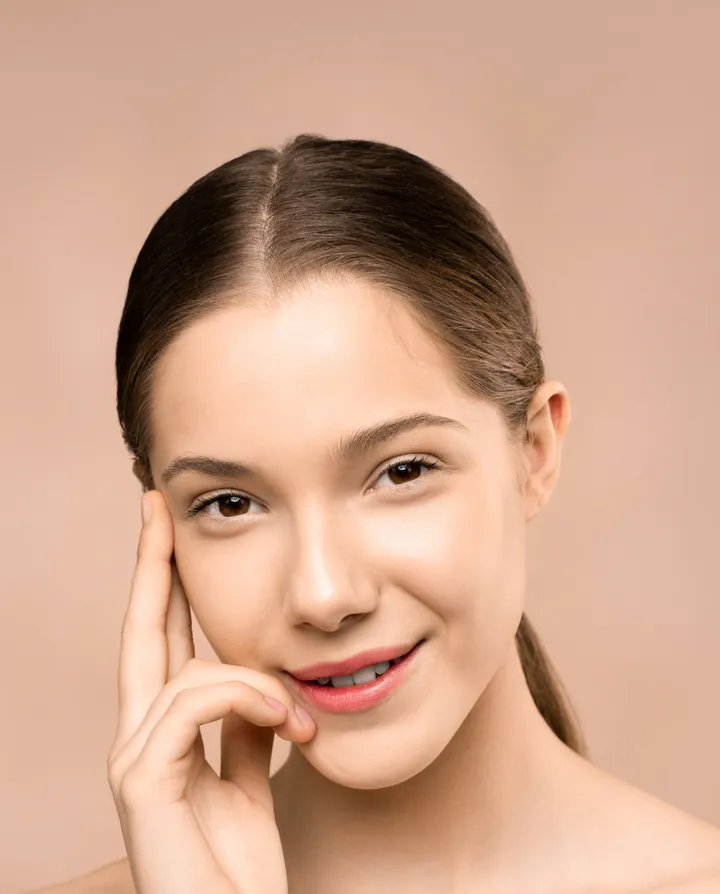
Instagram auto-reply for every beauty product you show

A routine, a dupe and a discount code. Each one gets its own keyword and its own link.

Get Started Free
  • Reel comments · ROUTINE

    A skin routine people follow step by step

    People get each step and each link on one page. They follow your routine at home, in order.

  • Story replies · DUPE

    A serum dupe that stays after your Story

    CreatorFlow sends the serum link to people who reply to your Story. It stays in their DMs after the Story ends.

  • Keyword DMs · CODE

    A discount code people use at checkout

    Someone sends you CODE and gets your code with the shop link. Nobody scrolls old captions to find it.

Auto-send your gloss page by Instagram DM

By hand, viewers wait hours for the shade name. With CreatorFlow, the shade name arrives as soon as they comment.

By hand

  • ✕You type the same shade name under each comment.
  • ✕You search old Stories to find which gloss you wore.
  • ✕You type the gloss name, and people buy the wrong shade.

With CreatorFlow

  • Your gloss page arrives with the exact shade on it.
  • Your note about commission is in the DM you wrote.
  • Each viewer who asked for the shade is saved in your contacts.

Start Instagram DM automation for your tutorials in three steps

You need a Google account and an Instagram Business or Creator account. You can switch a personal account to Creator for free in Instagram settings.

Get Started Free
  1. 1

    Connect your Instagram

    Sign in with Google. Type your Instagram username and confirm on Instagram.

  2. 2

    Pick your tutorial and add SHADE

    Choose a tutorial Reel, or your next one. Add SHADE as the keyword.

  3. 3

    Write the DM with your gloss page

    Name the shade and say that you earn a commission. Add your gloss page as a button. Press Start Automation.

How to test it Comment from a second Instagram account. CreatorFlow ignores comments from your own account.

What CreatorFlow can and cannot do for beauty creators

Check these before your first automation.

What you can set

  • Give each tutorial its own keyword and product link. Automations are unlimited on every plan.
  • Add up to 20 keywords to one comment automation, such as SHADE, GLOSS and LINK.
  • Put up to 3 link buttons in one DM. For a longer routine, link one page with every product.
  • Reply under each comment in public too, with Public Reply.
  • See the clicks on each product link, with link tracking.

What to know first

  • Your affiliate program sets its own rules for links in DMs. Read them before you send.
  • CreatorFlow cannot match a shade to someone's skin. You answer those questions yourself.
  • People who do not follow you find the DM in Message Requests.
  • Instagram limits DMs per hour. CreatorFlow sends the rest later, and some may not arrive.
  • Each automation sends one DM, with one optional step before it. There are no follow-up messages.
  • CreatorFlow works with Instagram only. It cannot send a DM when someone follows you.

Your account

  • CreatorFlow is a Meta-approved Tech Provider.
  • It uses the official Instagram API. There is no browser extension.
  • You connect Instagram on Instagram's own screen. CreatorFlow does not see your password.
  • It only sends DMs to people who contacted you first.
How CreatorFlow protects your account →

What it costs

Start on the free plan. You pay for a plan, not for each contact. Public Reply, Rewind, Follow Gate, Email Gate, link tracking and CSV export are on Pro and Growth. Pro and Growth start with a 14-day free trial.

  • Free$0 a month500 DMs a month
  • Pro$15 a month5,000 DMs a month
  • Growth$30 a month10,000 DMs a month
See all plans →

CreatorFlow reviews from Instagram creators

Creators on Instagram, in their own words.

  • “Finally have time to create instead of reply.”

    @mamimariu@mamimariu121K followers on Instagram
  • “Click-through rate doubled in week one.”

    @chic.outfit.studio@chic.outfit.studio201K followers on Instagram
  • “Everyone gets an instant response, not hours later.”

    @sikusok@sikusok1.4K followers on Instagram
Rated 4.1/5 on TrustpilotRead all reviews

Instagram DM automation questions from beauty creators

Short answers about shades, links and your account.

More for beauty creatorsHow CreatorFlow worksSending links by DMFor affiliate creatorsFor fashion influencers

Someone asks which shade fits their skin. Does CreatorFlow answer?

No. CreatorFlow answers a keyword, not a question. You can link a shade guide page, or reply yourself in the same chat.

My tutorial uses many products. How many links fit in one DM?

A DM holds up to 3 link buttons. For a full look, link one page that lists each product.

How do I add my affiliate disclosure?

You write the message, so the disclosure goes in your own words. For example: "I earn a small commission if you buy." Your affiliate program sets its own rules, so read them.

People write "shade" or "gloss". Will both work?

Yes, if you add both as keywords. One comment automation holds up to 20 keywords. The comment must contain one as a whole word. Or choose Any word to answer each comment on that post.

Can I use it on a tutorial from last week?

Yes. Pick that Reel and add the keyword to the caption. Rewind, on Pro and Growth, also sends the DM to people who commented in the last 7 days.

Can Instagram ban me for product links in DMs?

CreatorFlow lowers the risk, but no tool can remove it. It is a Meta-approved Tech Provider on the official Instagram API. It only messages people who contacted you first. Send only the link they asked for.

Product sales from the shades you wear

Add SHADE to your next Reel. Put your gloss page in the DM. People who comment SHADE get it before they buy a different gloss.

  • Meta Tech Provider
  • 4.1/5 on Trustpilot
  • @mamimariu, 121K followers on Instagram@chic.outfit.studio, 201K followers on Instagram@sikusok, 1.4K followers on Instagram+35,000 creators & brands+35,000 creators