FOR DESIGNERS ON INSTAGRAM

More design clients with DM automation

CreatorFlow is an Instagram DM automation tool for designers. A future client comments PROJECT on your finished room. Your project page arrives by DM in seconds, with the plan a photo cannot show.

  • Meta Tech Provider
  • 4.1/5 on Trustpilot
  • @mamimariu, 121K followers on Instagram@chic.outfit.studio, 201K followers on Instagram@sikusok, 1.4K followers on Instagram+35,000 creators & brands+35,000 creators

Comment to DM, from your finished room to your project page

Ava wants a room like yours. One photo cannot show your plan, so she asks for the rest.

  1. Your post

    Your finished room with the keyword PROJECT

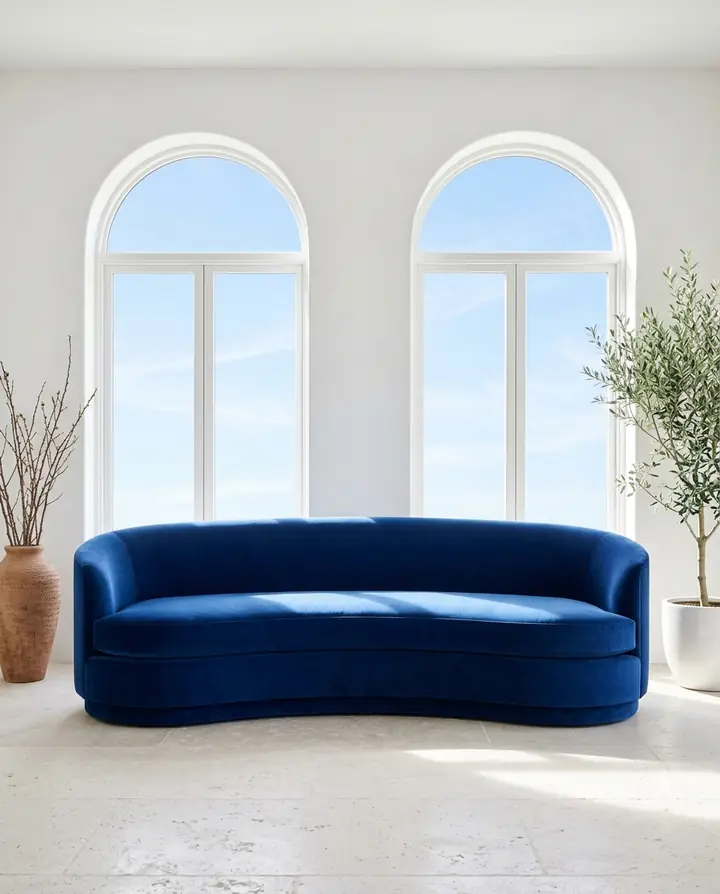
    Your post shows the blue sofa under two arches. You ask people to comment PROJECT for the plan.

  2. The comment

    Ava comments PROJECT

    Ava types PROJECT under the photo. Your studio account answers while you sketch the next room.

  3. The DM

    Your project page arrives by DM

    Ava gets one line about the room and a button to the project page. The plan and the colors are one tap away.

  4. Your project page

    Ava reads the plan and asks about her room

    Your page shows the plan, the colors and the finished room. You read Ava's message and reply yourself.
Instagram auto-reply for rooms, logos and websites

Brand packages, a source list and a project form. BRAND, SOURCE and QUOTE keep them apart.

Get Started Free
  • Post comments · BRAND

    Brand packages without a long price chat

    Clients see what each package includes and its price. They comment BRAND on your new logo post and get the page by DM.

  • Story replies · SOURCE

    A source list for the sofa people ask about

    Followers get the shop for each piece in the room. They reply SOURCE to your Story and get your list.

  • Keyword DMs · QUOTE

    A project form that asks scope and budget

    You read the scope and the budget before the first call. People send you QUOTE and get your project form.

Auto-send your project page by Instagram DM

By hand, clients wait until you stop designing. With CreatorFlow, Ava opens the project page while you are still at your desk.

By hand

  • ✕You answer "where is the sofa from?" many times for one post.
  • ✕Clients see the photo, but not the plan behind it.
  • ✕Each request starts with a long chat about budget.

With CreatorFlow

  • Your project page arrives in seconds, while you keep working.
  • The page shows the plan behind the photo.
  • You find each person who asked for the plan in your contacts.

Start Instagram DM automation for your design work in three steps

You need a Google account and an Instagram Business or Creator account. You can switch a personal account to Creator for free in Instagram settings.

Get Started Free
  1. 1

    Connect your Instagram

    Sign in with Google. Type your Instagram username and confirm on Instagram.

  2. 2

    Pick your finished room and add PROJECT

    Choose the post that shows your project, or your next one. Add PROJECT as the keyword.

  3. 3

    Write the DM with your project page

    Say in one line what the project was. Add your project page as a button. Press Start Automation.

How to test it Comment from a second Instagram account. CreatorFlow ignores comments from your own account.

What CreatorFlow can and cannot do for designers

Check these before your first automation.

What you can set

  • Use one keyword for rooms and another for logos. Automations are unlimited on every plan.
  • Send your project page, packages page and project form as up to 3 link buttons.
  • Answer a keyword someone sends you in a DM, such as QUOTE.
  • Reply under the comment with Public Reply, so others know to check their DMs.
  • See how many people tap your packages page, with link tracking.

What to know first

  • CreatorFlow does not connect to your calendar and cannot arrange a call. Add your booking page to the DM.
  • Files cannot go in a DM. Put your PDF portfolio online and send the link.
  • People who do not follow you find the DM in Message Requests.
  • Instagram limits DMs per hour. CreatorFlow sends the rest later, and some may not arrive.
  • Each automation sends one DM, with one optional step before it. There are no follow-up messages.
  • CreatorFlow works with Instagram only. It cannot send a DM when someone follows you.

Your account

  • CreatorFlow is a Meta-approved Tech Provider.
  • It uses the official Instagram API. There is no browser extension.
  • You connect Instagram on Instagram's own screen. CreatorFlow does not see your password.
  • It only sends DMs to people who contacted you first.
How CreatorFlow protects your account →

What it costs

Start on the free plan. You pay for a plan, not for each contact. Public Reply, Rewind, Follow Gate, Email Gate, link tracking and CSV export are on Pro and Growth. Pro and Growth start with a 14-day free trial.

  • Free$0 a month500 DMs a month
  • Pro$15 a month5,000 DMs a month
  • Growth$30 a month10,000 DMs a month
See all plans →

CreatorFlow reviews from Instagram creators

Creators on Instagram, in their own words.

  • “Finally have time to create instead of reply.”

    @mamimariu@mamimariu121K followers on Instagram
  • “Click-through rate doubled in week one.”

    @chic.outfit.studio@chic.outfit.studio201K followers on Instagram
  • “Everyone gets an instant response, not hours later.”

    @sikusok@sikusok1.4K followers on Instagram
Rated 4.1/5 on TrustpilotRead all reviews

Instagram DM automation questions from designers

Short answers about files, clients and your work.

More for designersFor creative professionalsSend links by DMHow CreatorFlow works

Can I send my portfolio as a PDF?

Files cannot go in a DM. Put the PDF online, or send your portfolio page as a link.

I design rooms and logos. Can I keep them apart?

Yes. Give each kind of post its own automation and keyword. A second Instagram account can have its own workspace on Pro and Growth.

Can a client book a consultation in the DM?

No. The DM sends a link. Add the link to your booking page, and the client chooses a time there.

Can I send a link to private client work?

CreatorFlow sends the link you paste. Who can open it depends on your page, so add a password there if you need one.

What if a client asks a real design question?

CreatorFlow does not answer it, because it only answers keywords. You reply yourself in the same chat.

Can it reply under the comment too?

Yes, with Public Reply on Pro and Growth. You write the short reply, and the details stay in the DM.

Design clients who have seen the plan

Add PROJECT to your next post. Put your project page in the DM. People who comment PROJECT get the plan, the colors and the sofa you chose.

  • Meta Tech Provider
  • 4.1/5 on Trustpilot
  • @mamimariu, 121K followers on Instagram@chic.outfit.studio, 201K followers on Instagram@sikusok, 1.4K followers on Instagram+35,000 creators & brands+35,000 creators