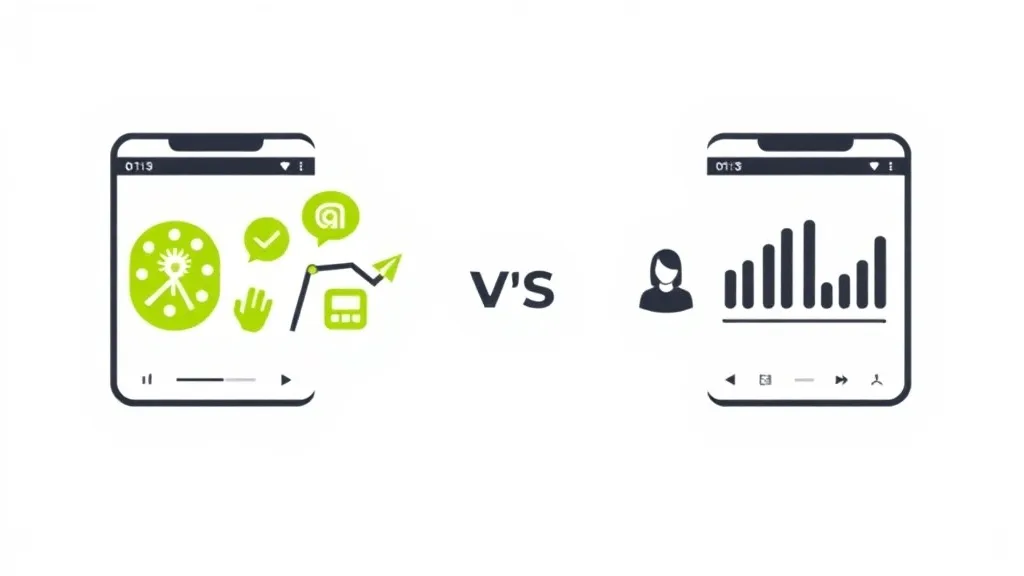
An Instagram Creator account and a Business account are two types of professional accounts with different feature sets (as of May 2026). Creator accounts include full music library access, Creator Marketplace, Subscriptions, and Live Badges. Business accounts include Instagram Shopping, physical address display, and phone/booking contact buttons. Both support DM automation through Meta’s Graph API, switching between them is instant and free, and neither has an algorithm advantage.
The good news: DM automation works on both. The requirement is a Professional account (Creator or Business), not a specific type. Switching between them takes 30 seconds, you keep all your followers and content, and no algorithm advantage exists either way.
Creator accounts are better for individual influencers and content creators. Business accounts are better for brands, stores, and service providers. Your choice depends on whether you sell products or build an audience.
Key Takeaways
- DM automation works on both: The requirement is a Professional account (Creator OR Business), not a specific type
- Creator accounts are better for individuals: Full music library, Creator Marketplace, Subscriptions, and Badges
- Business accounts are better for companies: Instagram Shopping, physical address display, phone and booking buttons
- Switching is instant and free: You can switch between Creator and Business in 30 seconds without losing followers or content
- No algorithm advantage either way: Instagram does not favor one account type over the other in feed or Explore
- Bottom line: Most individual creators should choose Creator accounts unless they need Shopping features or a physical address displayed
Creator vs Business Account: Quick Comparison
| Feature | Creator Account | Business Account |
|---|---|---|
| Music Library | Full access (trending songs) | Restricted (commercial-only) |
| Physical Address Display | Not available | Available |
| Contact Buttons | Email only | Email, Phone, Directions |
| Instagram Shopping | Tag products (with brand approval) | Full Shop features |
| Creator Marketplace | Available | Not available |
| Subscriptions | Available (10K+ followers) | Not available |
| Live Badges | Available | Not available |
| Gifts/Stars | Available (5K+ followers) | Not available |
| Category Labels | Individual-focused | Business-focused |
| Third-Party Tools | Most compatible | All compatible |
| DM Automation | Supported | Supported |
| API Access | Full Graph API | Full Graph API |
Instagram Creator Account Features
Creator accounts launched in 2019 specifically for influencers, artists, and public figures. They’re designed for individuals building personal brands rather than companies.
Full Music Library Access
This is the biggest practical difference. Creator accounts get access to Instagram’s full commercial music library, including trending songs from major labels. Business accounts only see a restricted library of commercially-cleared tracks.
Why it matters: If you make Reels (and you should), you want access to trending audio. Using popular sounds significantly increases your chances of reaching the Explore page. Business accounts miss out on most viral sounds.
Note: Regardless of account type, any content you run as a paid ad can only use music licensed for commercial use.
Creator Marketplace Eligibility
Creator accounts can join Instagram’s Creator Marketplace, a built-in platform where brands discover and pitch creators for partnerships.
When you’re in the Marketplace:
- Brands can find you using filters (reach, demographics, engagement)
- You receive partnership requests directly in Instagram
- Negotiation happens within the app
Business accounts cannot join Creator Marketplace. If brand deals are part of your monetization strategy, this matters.
Monetization Features
Creator accounts give you access to Instagram’s native monetization tools:
| Feature | Requirement | What You Earn |
|---|---|---|
| Subscriptions | 10,000+ followers | $0.99-$99.99/month (you set the price) |
| Live Badges | Varies by region | Fans buy badges during Lives |
| Gifts/Stars | 5,000+ followers, 18+ | $0.01 per Star |
Business accounts don’t have access to these features. If you want to monetize directly through Instagram (not just driving traffic elsewhere), Creator accounts have the advantage.
Analytics & Insights
Both account types get Instagram Insights, but Creator accounts show:
- Daily follows/unfollows tracking, see which content gains or loses followers
- Inbox sorting, Primary, General, and Requests tabs
- Content performance focus, optimized for creators tracking post engagement
Business analytics focus more on shopping behavior and website clicks. For a full breakdown of what each dashboard offers, see our Instagram Professional Dashboard guide.
Creator Category Labels
Creator accounts offer individual-focused categories like:
- Artist
- Blogger
- Chef
- Gamer
- Writer
- Dancer
- Public Figure
- Photographer
- Musician
These appear under your name on your profile. They signal what kind of creator you are.
Instagram Business Account Features
Business accounts are designed for companies, brands, and service providers. They include features that help customers contact and transact with businesses.
Contact Buttons
Business accounts get more contact options than Creator accounts:
- Email address, both account types have this
- Phone number, Business only
- Physical address with directions, Business only
- Action buttons (Book Now, Reserve, Order Food), Business only
If you’re a local business, service provider, or anyone who needs customers to call or visit, Business accounts make more sense.
Location Display
Only Business accounts can display a physical business address on their profile. Creator accounts cannot show an address at all.
For brick-and-mortar businesses, restaurants, salons, gyms, or any location-based service, this is essential.
Instagram Shopping Features
Business accounts get the full Instagram Shopping experience:
- Instagram Shop, customizable storefront on your profile
- Product tagging, tag products in posts, Reels, and Stories
- In-app checkout, customers buy without leaving Instagram
- Shopping analytics, track product views, saves, and purchases
Creator accounts can only tag products from brands that have explicitly approved their access. You can’t set up your own Shop as a Creator.
If you sell physical products, Business accounts are the clear choice.
Third-Party Tool Compatibility
While both account types work with most tools, some third-party scheduling and management platforms only support Business accounts. If you use specific tools for your workflow, verify compatibility before switching.
That said, all major tools (including CreatorFlow, ManyChat, Later, Buffer) support both account types.
Business Category Labels
Business accounts offer company-focused categories like:
- Advertising Agency
- Hotel
- Automotive Dealership
- Bakery
- Restaurant
- Retail Company
- Health/Beauty
These categories communicate that you’re a business, not an individual creator.
Which Account Type for DM Automation?
Here’s the most important point: Both Creator and Business accounts support DM automation through Meta’s official Instagram Graph API.
The real distinction is between Professional accounts (Creator OR Business) and Personal accounts. Understanding the Instagram Creator account vs Personal account differences is important here: Personal accounts lack API access entirely, while both professional types get the full Graph API.
Personal accounts cannot use DM automation. The Instagram Graph API, which powers legitimate automation tools like CreatorFlow, only works with Professional accounts.
If you want to:
- Auto-reply when someone comments on your post
- Send links automatically when followers DM a keyword
- Capture emails through Instagram DMs
- Book calls from story replies
You need a Creator OR Business account. Either works.
API Rate Limits (Same for Both)
Both account types share the same Instagram Graph API limits:
| Limit Type | Amount |
|---|---|
| DMs per hour | 200 |
| DMs per day | 1,000 |
| Messaging window | 24 hours from user’s last message |
These limits are set by Meta, not by your account type. Learn more about Instagram Graph API rate limits.
When to Choose a Creator Account
Choose Creator if you’re:
- An individual building a personal brand, fitness creators, lifestyle influencers, artists, musicians
- Using Reels with trending audio, you need full music library access
- Pursuing brand partnerships, Creator Marketplace is valuable
- Monetizing through Subscriptions/Badges, only Creator accounts have these
- A coach or educator, personal brand matters more than business features
- An affiliate marketer, you don’t need Shopping, just link sharing
Creator accounts signal “this is a person” rather than “this is a company.” For most content creators, that’s the right positioning.
When to Choose a Business Account
Choose Business if you’re:
- A company, brand, or store, you need Shopping features
- A local service provider, you need address display and directions
- Selling physical products, Instagram Shop is essential
- A restaurant, salon, or appointment-based business, you need booking buttons
- An agency running client accounts, some tools require Business accounts
- A business that needs phone inquiries, phone button is Business-only
Business accounts signal “this is a company.” If that matches your positioning, go with Business.
How to Switch Account Types
Switching between Personal, Creator, and Business is free and takes about 30 seconds. Here’s how.
Switch from Personal to Creator
- Open Instagram > Go to your profile
- Tap the three lines (top-right) > Settings and privacy
- Scroll to Account type and tools
- Tap Switch to professional account
- Choose a category that describes you (Artist, Blogger, etc.)
- Select Creator
- Optionally connect to a Facebook Page (required for some automation tools)
- Done
Your profile must be public. Creator accounts cannot be private.
Switch from Personal to Business
Same steps as above, but select Business instead of Creator at step 6.
Switch from Creator to Business (or Vice Versa)
- Go to Settings and privacy > Account type and tools
- Tap Switch account type
- Select Business or Creator
- Follow the prompts
Data preservation: Switching between Creator and Business accounts keeps all your insights data intact. Nothing gets deleted.
Warning: Switching to Personal
If you switch from a Professional account (Creator or Business) back to Personal, you lose all your insights data permanently:
- Audience demographics, gone
- Post reach history, gone
- Engagement metrics, gone
- Content performance data, gone
Export any data you need before switching to Personal. There’s no recovery.
Common Questions About Account Types
Can I switch back if I don’t like it?
Yes. You can switch between Creator and Business accounts as many times as you want. The switch is instant and free. Just don’t switch to Personal unless you’re sure, that deletes your insights.
Will I lose followers when I switch?
No. Your followers, posts, comments, and content stay exactly the same. Only your profile features and available tools change.
Do I need a Facebook Page?
For basic features, no. But most DM automation tools (including CreatorFlow) require your Instagram to be connected to a Facebook Page through Meta Business Suite. This is a Meta API requirement, not an account type requirement.
Which account type is better for growth?
Neither has an algorithmic advantage. Instagram doesn’t favor Creator or Business accounts in the feed or Explore page. Choose based on features you need, not growth expectations.
Can I have multiple account types?
If you manage multiple Instagram accounts, each can be a different type. One Creator, one Business, one Personal, whatever makes sense for each account’s purpose.
FAQ
Is Instagram automation safe with Creator and Business accounts?
Yes, when using tools that connect through Meta’s official Instagram Graph API. Both Creator and Business accounts support the official API. Tools like CreatorFlow use this approved method, which means minimal ban risk when using the official API. Avoid tools that require your password or use unofficial methods, those can get you banned regardless of account type.
Which account type do most influencers use?
Most influencers use Creator accounts. The full music library, Creator Marketplace access, and monetization features (Subscriptions, Badges) are designed specifically for individual creators. Business accounts are more common among brands, stores, and service providers.
Can I use both account types on different accounts?
Yes. If you run multiple Instagram accounts, each can have a different type. For example, you might use a Creator account for your personal brand and a Business account for your product line.
How long does switching take?
About 30 seconds. It’s instant, no waiting period, no approval process. You can switch and immediately start using the new account type’s features.
Do I lose verification if I switch?
No. Your verification badge stays when switching between Creator and Business accounts. Verification is tied to your account, not your account type.
Is the Instagram Creator account free?
Yes, the Instagram Creator account is completely free. All Instagram professional account types (Creator and Business) are free to set up and use. There is no paid tier, no subscription, and no hidden fees from Instagram. You get access to Insights, professional dashboard, and contact buttons at no cost. Third-party tools you connect (like DM automation platforms) may have their own pricing, but the account type itself costs nothing.
How do I switch to a professional account on Instagram in 2026?
Open Instagram, go to your profile, tap the three lines in the top-right corner, then select Settings and privacy. Scroll to Account type and tools and tap Switch to professional account. Choose a category that fits your niche, then select either Creator or Business. Connect a Facebook Page if prompted (required for DM automation tools). The entire process takes about 30 seconds and is completely free. Your existing followers, posts, and content remain unchanged.