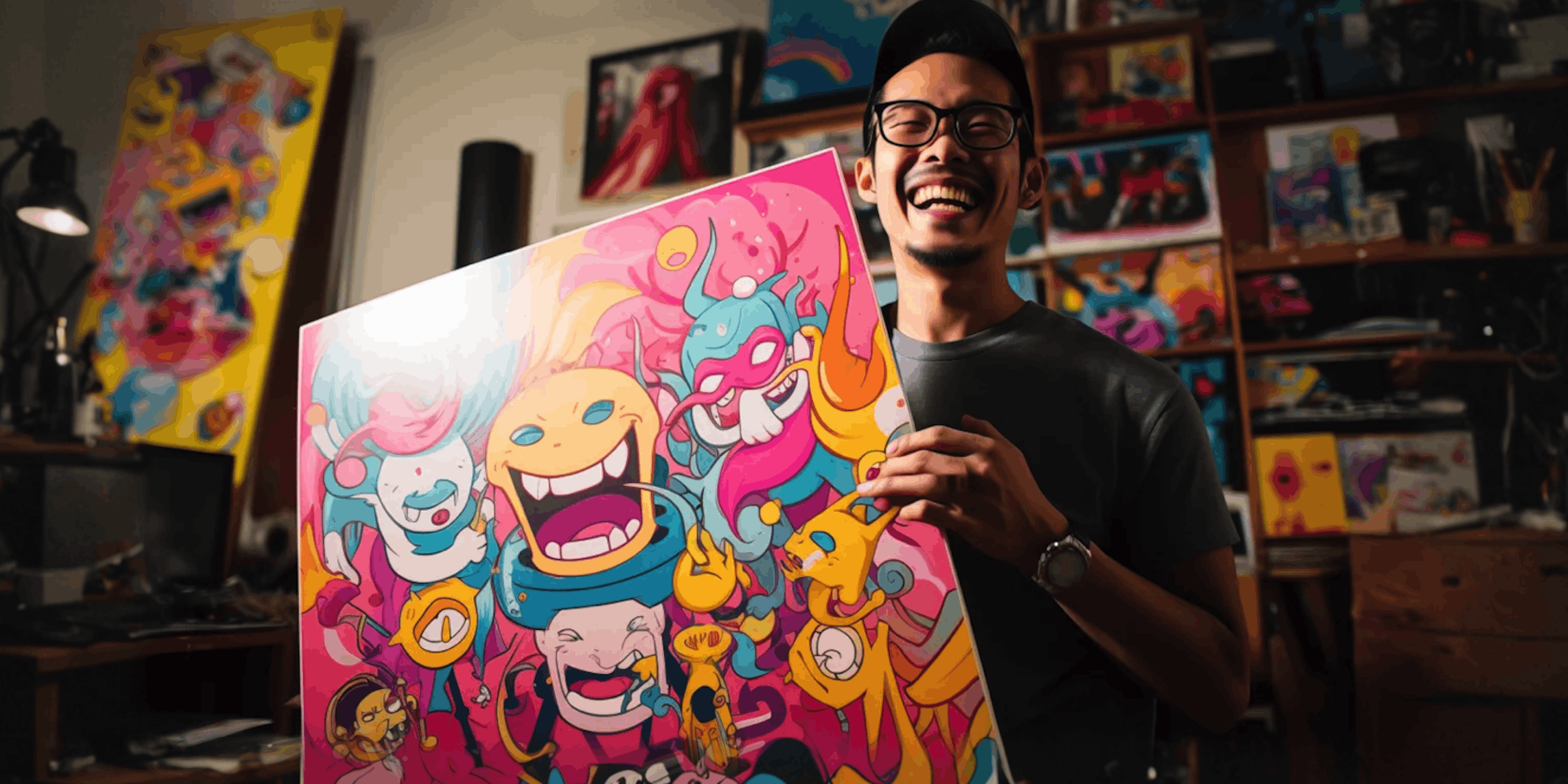
Your art post gets 127 comments: “Is this available?” “Do you do commissions?” “How much for a print?” You’re in your studio painting. By the time you check Instagram 6 hours later, potential buyers have already moved on.
Instagram DM automation sends pricing, portfolio links, and payment details instantly. Someone comments “PRINT”, they get your print shop link, size options, and checkout before you finish your brushstroke.
This guide shows visual artists, illustrators, and painters how to automate art sales, commission inquiries, portfolio delivery, and collector communication through Instagram DMs.

TL;DR
Best for selling original art: CreatorFlow ($15/mo) - Auto-send payment links when someone comments “AVAILABLE” Best for print sales: Keyword triggers (“PRINT”, “POSTER”) → Auto-send Etsy/print shop link Best for commissions: Story reply automation → Send commission form + pricing + portfolio instantly Setup time: 5 minutes to automate your first art sales workflow
Why Artists Need Instagram DM Automation
Visual artists lose 60-70% of potential sales to slow response times (Instagram Creator Study, November 2025). When someone comments “Is this available?” on your painting at 2pm but you’re in the studio until 8pm, they’ve often bought from another artist.
Time saved per day: 2-4 hours previously spent copying/pasting Etsy links, pricing PDFs, and commission forms into DMs.
Real artist results:
- Sarah Chen (watercolor artist, 18K followers): Automated print shop links, increased sales 3X in first month
- Marcus Rodriguez (digital illustrator, 12K followers): Automated commission form, booked 15 commissions in 2 weeks vs 3-4/month manually
- Elena Kowalski (oil painter, 8K followers): Automated gallery links, sold 5 originals directly through Instagram DMs
5 Essential Automations for Artists
Automation #1: Original Art Sales
Trigger: “AVAILABLE”, “BUY”, “PURCHASE”, “ORIGINAL”
Auto-response for available original:
Yes! This original [Medium - e.g., "watercolor on paper"] is available! 🎨

🖼️ Artwork: "[Title]"
📐 Size: [Dimensions]
💰 Price: $[Price]
🚚 Ships worldwide (3-5 business days)

Ready to purchase?
👉 Complete checkout here: [Payment link - Stripe/PayPal/etc.]

Questions about the piece?
Reply "DETAILS" for more info
Reply "FRAMING" for framing options
Reply "SHIPPING" for shipping details

Thank you for supporting my art!
- [Your Name]
Why it works: Instant purchase path, clear pricing, multiple next steps, removes friction.
Payment link options:
- Stripe Payment Links (no website needed)
- PayPal.me links
- Square invoices
- Etsy direct listing
- Your e-commerce store product page
Automation #2: Print Shop / Reproduction Sales
Trigger: “PRINT”, “POSTER”, “CANVAS”, “REPRODUCTION”
Auto-response:
Love that you want a print! 🖨️

My print shop has this piece in multiple sizes:
📸 Fine art prints (8x10" to 24x36")
🖼️ Canvas wraps (ready to hang)
📜 Posters (budget-friendly option)

Shop all sizes & formats:
👉 [Etsy shop / Print shop / Society6 link]

Use code INSTAGRAM15 for 15% off your first order!

Want the original instead?
Reply "ORIGINAL" for availability + pricing

Thanks for supporting my work!
- [Your Name]
Why it works: Direct link to purchase, discount code incentive, upsell to original.
Print shop platforms:
- Etsy (most common for independent artists)
- Society6 (handles printing + shipping)
- Redbubble (print-on-demand)
- Printful (integrates with your store)
- INPRNT (fine art prints)
Automation #3: Commission Requests
Trigger: “COMMISSION”, “CUSTOM”, “PORTRAIT”, “PAINTING OF”
Auto-response:
I'd love to create a custom piece for you! 💫

Here's how my commissions work:

📋 Commission Form: [Google Form / Typeform link]
(Fill out: subject, size, deadline, reference photos)

💰 Pricing:
• Small (8x10"): Starting at $[Price]
• Medium (16x20"): Starting at $[Price]
• Large (24x36"): Starting at $[Price]

⏱️ Timeline: 2-4 weeks from deposit
🎨 Portfolio: [Commission examples gallery]

Process:
1. Submit commission form
2. I'll send custom quote within 24 hours
3. 50% deposit to begin
4. Progress photos throughout
5. Final 50% + shipping before delivery

Questions?
Reply "TIMELINE" for current availability
Reply "EXAMPLES" to see past commissions
Reply "PROCESS" for detailed workflow

Excited to create something special for you!
- [Your Name]
Why it works: Clear pricing tiers, transparent process, social proof (portfolio), removes guesswork.
Commission form essential questions:
- Subject/concept description
- Preferred size
- Deadline (if any)
- Reference photos (upload)
- Budget range
- Contact email
Automation #4: Portfolio Delivery by Style
Trigger: “WATERCOLOR”, “OIL PAINTING”, “DIGITAL ART”, “ACRYLIC”, “PORTRAITS”, “LANDSCAPES”
Auto-response for watercolor portfolio:
Here's my watercolor work! 🌊

🎨 Watercolor Portfolio: [Gallery link]
⭐ Recent favorites: [2-3 standout pieces]
📚 Process videos: [TikTok/Reels showing technique]

Interested in a piece?
Reply "AVAILABLE" to see what's for sale
Reply "COMMISSION" for custom watercolor pricing
Reply "PRINTS" to shop affordable reproductions

Thanks for appreciating my watercolors!
- [Your Name]
Why it works: Segmented by medium (shows you understand their interest), multiple purchase paths.
Portfolio organization tips:
- Separate galleries by medium (watercolor, oil, digital)
- Separate by subject (portraits, landscapes, abstract)
- Use Instagram Highlights for each category
- Link to website galleries (better viewing experience)
Automation #5: Collector/Gallery Interest
Trigger: “GALLERY”, “REPRESENT”, “EXHIBITION”, “COLLECTOR”, “ART ADVISOR”
Auto-response:
Thank you for your interest in my work! 🙏

For gallery inquiries, representation, or collector services:

📧 Email: [your professional email]
📁 Artist CV: [PDF link]
🖼️ Full portfolio: [Professional website]
📊 Available works + pricing: [Inventory sheet]
📸 High-res images: Available upon request

Current representation:
[Gallery name, city] or "Currently seeking representation"

Exhibition history:
[Recent exhibitions link or PDF]

I respond to all professional inquiries within 24 hours.

Looking forward to connecting!
- [Your Name]
Why it works: Professional tone, comprehensive materials, shows you’re established.
Instagram DM Automation Tools for Artists (2026)
CreatorFlow - $15/month
Best for: Solo artists selling originals, prints, and commissions
Key features:
- Comment-to-DM automation (someone comments “PRINT” → gets shop link)
- Story reply automation (reply to story → get commission form)
- Keyword triggers (“AVAILABLE”, “COMMISSION”, “PRINT”)
- Link tracking (see which products get most clicks)
- Template library (pre-built artist templates)
Pricing: $15/month flat rate, 10,000 DMs/month
Setup time: 5 minutes (connect Instagram, choose template, customize message)
Best for:
- Selling original art directly on Instagram
- Automating print shop links
- Collecting commission requests
- Artists with 2K-50K followers
Limitations:
- Instagram only (no email automation)
- Basic analytics (not enterprise-level)
ManyChat - $14-69/month
Best for: Established artists with complex sales funnels (originals + prints + courses)
Key features:
- Multi-platform (Instagram + Facebook + WhatsApp)
- Advanced workflows (conditional logic based on responses)
- Email + SMS integration
- Abandoned cart recovery
- Segmentation by buyer type
Pricing: $14-69/month based on subscriber count (can get expensive)
Setup time: 30-60 minutes (steeper learning curve)
Best for:
- Artists with multiple revenue streams
- Teaching art courses + selling work
- Artists with 50K+ followers
- Agencies managing multiple artists
Limitations:
- Complex interface (overwhelming for beginners)
- Pricing scales with audience size
Comparison Table
| Feature | CreatorFlow | ManyChat |
|---|---|---|
| Price | $15/mo flat | $14-69/mo scaled |
| Setup time | 5 minutes | 30-60 minutes |
| Comment automation | ✓ | ✓ |
| Story automation | ✓ | ✓ |
| Keyword triggers | ✓ | ✓ |
| Link tracking | ✓ | ✓ |
| Email integration | ✗ | ✓ |
| SMS | ✗ | ✓ |
| Best for | Solo artists | Established artists |
How to Set Up Your First Art Sales Automation
Step 1: Choose Your Most Common Inquiry
What do people ask most?
- “Is this available?” → Original sales automation
- “Do you sell prints?” → Print shop automation
- “Do you take commissions?” → Commission form automation
Start with ONE automation (the most frequent inquiry).
Step 2: Prepare Your Links
For original sales:
- Stripe payment links (create at stripe.com/payments/payment-links)
- PayPal.me link
- Square invoice template
- Your e-commerce product page
For print sales:
- Etsy shop direct listing
- Society6/Redbubble product page
- Your website shop
For commissions:
- Google Form or Typeform for commission requests
- Commission pricing PDF
- Portfolio of past commissions
Step 3: Connect Instagram to CreatorFlow
- Go to creatorflow.so
- Click “Start Free Trial” (7 days free)
- Connect Instagram account (OAuth - no password sharing)
- Choose “Artist” template from library
Time: 2 minutes
Step 4: Customize Your Message
Template for “AVAILABLE” trigger:
Yes! This original is available! 🎨

Artwork: "[Title]"
Size: [Dimensions]
Price: $[Price]

Purchase here: [Your payment link]

Questions? Reply "SHIPPING" or "DETAILS"
Customization tips:
- Use your natural voice (not robotic)
- Include emoji (but don’t overdo it)
- Clear call-to-action
- Multiple next steps
Time: 3 minutes
Step 5: Test Before Activating
How to test:
- CreatorFlow shows real-time preview
- Comment “AVAILABLE” on your own post from friend’s account
- Check DM arrives correctly
- Click all links to verify they work
- Adjust message if needed
Time: 2 minutes
Step 6: Activate and Monitor
First week:
- Check analytics daily
- See which keywords get most triggers
- Adjust messaging based on responses
- Add FAQs you notice
After one week:
- Set up 2-3 more automations
- Add delayed follow-ups (for people who don’t respond)
- Create segmented messages by product type
Art Sales Automation Best Practices
1. Don’t Automate Everything
Automate: ✓ Initial response with links/pricing ✓ FAQs (shipping, returns, sizing) ✓ Portfolio delivery ✓ Payment links
Don’t automate: ✗ Personal questions about your art ✗ Custom commission details (after form submitted) ✗ Negotiation conversations ✗ Collector/gallery relationships
Why: Art buyers want to connect with the artist. Automation handles logistics; you handle the personal touch.
2. Segment by Buyer Type
Casual browsers: “Just looking” → Send portfolio, no pressure Print buyers: Budget-conscious → Emphasize affordable prints, discount codes Original buyers: Serious collectors → Professional tone, detailed provenance, framing options Commission clients: Want custom work → Commission form, timeline, examples
How to segment:
- Different keyword triggers for each type
- Separate message templates
- Track which buyers convert (analytics)
3. Include Social Proof
In your automated messages:
- “Join 500+ collectors who own my work”
- ”⭐⭐⭐⭐⭐ Rated 5 stars by 200+ buyers on Etsy”
- “Featured in [Gallery/Publication name]”
- “Ships from my studio in [City]”
Why it works: Reduces buyer hesitation, builds trust, shows you’re established.
4. Optimize Response Times
Instagram buyer behavior:
- 65% expect response within 1 hour
- 89% buy within 24 hours of initial interest
- After 4 hours, conversion rate drops 70%
Automation response time: 2-10 seconds
Your follow-up time: Within 24 hours for questions automation can’t answer
5. Update Inventory in Real-Time
Problem: Someone buys your original painting on your website, but Instagram automation still says “Available”
Solutions:
- Update automation immediately when piece sells
- Use “Reply for current availability” instead of “Yes, available!”
- Link to real-time inventory page
- Weekly audit of automated messages
Advanced Artist Automations
Automation #6: Art Studio Visit Requests
Trigger: “STUDIO”, “VISIT”, “IN PERSON”, “SEE IN REAL LIFE”
Auto-response:
I'd love to show you my work in person! 👋

My studio is open by appointment only.

📍 Location: [City, neighborhood - not full address yet]
🗓️ Book a visit: [Calendly link]
⏰ Available: [Days/times you offer studio visits]

What to expect:
• View available originals in natural light
• See work in progress
• Discuss custom commissions
• Complimentary coffee/tea ☕

No pressure, just art appreciation!

Looking forward to meeting you!
- [Your Name]
Automation #7: Wholesale/Licensing Inquiries
Trigger: “WHOLESALE”, “LICENSING”, “COMMERCIAL USE”, “BULK ORDER”
Auto-response:
Thank you for your wholesale/licensing interest!

📧 Business inquiries: [business email]
📁 Licensing portfolio: [PDF with licensing images]
💰 Wholesale terms: [Minimum order, pricing structure]

Current licensing:
[Brands you've worked with, or "Available for new partnerships"]

For licensing quotes or partnership discussions, email me directly. I respond within 24 hours.

- [Your Name]
Automation #8: Art Collector Newsletter
Trigger: “NEWSLETTER”, “UPDATES”, “MAILING LIST”
Auto-response:
Join 2,000+ art collectors getting first access to new work! 📬

✨ Benefits:
• See new pieces before Instagram
• Exclusive collector pricing (10-15% off)
• Behind-the-scenes studio updates
• Early access to limited editions

Subscribe here: [Email signup link - Mailchimp/ConvertKit]

I send 1-2 emails per month. No spam, just art.

Thanks for following my journey!
- [Your Name]
Why this works: Builds email list (you own it, unlike Instagram followers), drives repeat sales, creates VIP collector tier.
Automation #9: Shipping + Returns FAQ
Trigger: “SHIPPING”, “DELIVERY”, “INTERNATIONAL”, “RETURNS”
Auto-response:
Shipping Info 📦

🇺🇸 US: $15 flat rate (3-5 business days)
🌎 International: $45-85 (7-14 business days)
🎁 Free shipping on orders $500+

Packaging:
• Originals: Reinforced flat mailers or tubes
• Prints: Protective sleeves + rigid backing
• Fully insured + tracking included

Returns:
• 14-day return policy for prints
• Originals: View detailed photos before purchase (returns case-by-case)

Questions? Email [your email]
Why include this: Reduces back-and-forth, answers common questions, builds buyer confidence.
Instagram Content Strategy for Artists (to Maximize Automation)
Post Types That Drive DM Automation
1. “Available Now” Posts
- Photo of finished piece
- Caption: “New work alert! Comment AVAILABLE for pricing + purchase link 🎨”
- Results: 2-5X more inquiries than “DM for price”
2. Commission Showcase Posts
- Before/after of commission process
- Caption: “Just finished this custom portrait! Want one? Comment COMMISSION for details”
- Results: Fills commission pipeline for next 2-3 months
3. Process Videos (Reels/TikTok)
- Time-lapse of painting
- Caption: “Creating magic ✨ This one’s available! Comment PRINT for shop link”
- Results: 10-20X more engagement than static posts
4. Studio Tour Stories
- Show available works in your studio
- Story sticker: “Reply AVAILABLE for pricing on any piece”
- Results: 30-50 story replies = automated responses
Best Posting Times for Art Sales
Based on Instagram creator data (November 2025):
Best days: Wednesday, Thursday, Saturday Best times:
- 11am-1pm (lunch scroll)
- 7pm-9pm (evening relaxation)
Why: Art buyers browse Instagram during breaks and wind-down times (not during work commutes).
Hashtag Strategy for Artists
Use 15-20 hashtags per post:
Category 1: Art medium (5 hashtags)
- #watercolorpainting
- #oilpainting
- #digitalillustration
- #acrylicart
- #inkdrawing
Category 2: Subject matter (5 hashtags)
- #portraitpainting
- #landscapeart
- #abstractart
- #floralwatercolor
- #contemporaryart
Category 3: Buyer intent (5 hashtags)
- #artforsale
- #buyart
- #originalart
- #artcollector
- #supportartists
Category 4: Size-based (2-3 hashtags)
- #smallart (for pieces under $500)
- #affordableart (for prints)
- #emergingartist (if early career)
Category 5: Location (2-3 hashtags)
- #[yourcity]artist
- #[yourcountry]art
- #localart
Metrics to Track
Sales Metrics
Weekly:
- DM automation triggers (how many people commented keywords)
- Click-through rate (% who clicked payment/shop link)
- Conversion rate (% who purchased after automation)
- Revenue from automated DM sales
Monthly:
- Total sales from Instagram DMs
- Average order value
- Commission requests received
- Email signups from automation
Example benchmarks (CreatorFlow artist data, November 2025):
- Click-through rate: 35-50% (of people who get automation)
- Conversion rate: 8-15% (of people who click)
- Print sales: 2-5 per week
- Original sales: 1-3 per month
- Commission requests: 5-15 per month
Engagement Metrics
Track in Instagram Insights:
- Comments per post (more comments = more automation triggers)
- Story replies (story automation opportunities)
- Saves (indicates serious buyer interest)
- Shares (social proof signal)
Track in CreatorFlow:
- Most-used keywords (“PRINT” vs “AVAILABLE” vs “COMMISSION”)
- Response time (should be <10 seconds)
- Follow-up rate (how many people reply after automation)
Common Artist Automation Mistakes
Mistake #1: Too Salesy in First Message
❌ Bad:
BUY NOW! Limited time only! Don't miss out! Click here immediately!✓ Good:
Thanks for your interest! This piece is available. Here's the details: [link]Why: Art buyers want to feel discovery and connection, not pressure.
Mistake #2: No Clear Next Step
❌ Bad:
Yes, I do commissions. Let me know if you're interested.✓ Good:
Yes! I'd love to create something for you. Fill out this quick form and I'll send you a custom quote within 24 hours: [form link]Why: Reduces friction, gives clear action.
Mistake #3: Automating Personal Questions
Don’t automate responses to:
- “What inspired this piece?”
- “Can you tell me about your artistic process?”
- “I love your work, you’re so talented!”
Why: These need personal responses from you (builds relationship with collectors).
Mistake #4: Outdated Information
Problem: Automation says “Ships in 3-5 days” but you’re on vacation for 2 weeks.
Solution:
- Update automation before vacation
- Include general timeline: “Current turnaround: see bio for updates”
- Link to FAQ page with real-time info
Mistake #5: No Human Follow-Up
Problem: Automation sends link, buyer has question, no human responds.
Solution:
- Check DMs once daily (morning + evening)
- Respond personally to any questions automation can’t answer
- Thank people who purchase
Balance: Automation handles logistics (90%), you handle connection (10%).
Instagram DM Automation Compliance for Artists
Instagram/Meta Rules (as of May 2026)
Allowed: ✓ Auto-reply to comments with useful information ✓ Auto-reply to story replies ✓ Keyword-triggered responses ✓ Sending links to products/services ✓ Using Meta’s official Instagram Graph API
Not allowed: ✗ Sending DMs to people who didn’t engage with you first ✗ Scraping usernames and DMing cold ✗ Sending spam or repetitive messages ✗ Violating 24-hour messaging window
CreatorFlow compliance:
- Uses official Instagram Graph API (Meta-Approved Tech Provider)
- Only sends DMs to people who engage first
- Follows rate limits (200 DMs/hour)
- Safe when used correctly (minimal ban risk when using the official API)
Payment Processing Compliance
When sending payment links:
- Use legitimate payment processors (Stripe, PayPal, Square)
- Include clear refund/return policy
- Don’t use “friends and family” PayPal for business (violates terms)
- Collect sales tax if required in your state/country
Copyright for Artists
In your automated messages:
- © All images are copyrighted by [Your Name]
- “For personal use only” (if selling prints)
- “Commercial licensing available - reply LICENSING”
Protects:
- Your original artwork from unauthorized reproduction
- Your business from commercial use without licensing
- Your reputation as a professional artist
FAQ
Is Instagram DM automation safe for artists?
Yes, Instagram DM automation is safe when used correctly with Meta’s official Instagram Graph API (like CreatorFlow). The technology only sends messages to people who engage with your content first (comment, story reply, keyword DM). You’re not spamming random users.
Meta has approved CreatorFlow as an official Tech Provider. As long as you follow the tool-side pacing of about 200 messages per hour and don’t send spam, account risk stays minimal.
Do automated messages feel robotic?
Not if you write them in your natural voice. The best automated messages sound like something you’d type yourself, just faster.
Tips to sound human:
- Use casual language (“I’d love to!” not “I would be delighted to offer”)
- Include emoji (sparingly)
- Vary your messages by trigger (“PRINT” gets different message than “COMMISSION”)
- Add personality (“Can’t wait to see this in your home!”)
People care more about getting fast information than whether a human or automation sent the initial response. You follow up personally for questions.
How much does Instagram DM automation cost?
CreatorFlow: $15/month flat rate (10,000 DMs/month, unlimited automations) ManyChat: $14-69/month based on subscriber count
Most solo artists use CreatorFlow because pricing doesn’t increase as your audience grows. With ManyChat, when you hit 10,000 followers, your price jumps to $79/month or more.
ROI: If automation helps you sell even 1 extra print per month ($30-50), it pays for itself.
What if someone wants to negotiate price?
Automation handles the initial response (pricing, payment link). If someone replies with a question or wants to negotiate, you respond personally.
Example flow:
- Person comments “AVAILABLE”
- Automation sends: “Yes! Original is $800. Purchase here: [link]”
- Person replies: “Would you consider $700?”
- YOU respond personally: “I appreciate your interest! My pricing is firm, but I can offer a payment plan…”
Automation = logistics. You = relationship.
Can I automate commissions and custom work?
Yes, but only the initial collection of information. Automation should send a commission form (Google Form/Typeform) to collect:
- What they want
- Size preferences
- Reference photos
- Budget
- Timeline
After they submit the form, YOU follow up personally with a custom quote. Don’t automate the quote itself, every commission is unique.
Do I need a business Instagram account?
Yes. Instagram DM automation requires a business or creator account (not personal). This is Meta’s requirement for API access.
How to switch:
- Go to Settings → Account
- Tap “Switch to Professional Account”
- Choose “Business” or “Creator”
- Complete category + contact info
Free to switch, no downsides. You keep all followers and content.
How many automations should I set up?
Start with 1-2 (Week 1):
- Your most common inquiry (usually “AVAILABLE” or “PRINT”)
Add 2-3 more (Week 2-3):
- Commission form
- Portfolio delivery
- FAQs (shipping, pricing)
Advanced (Month 2+):
- Studio visits
- Wholesale inquiries
- Email newsletter signup
- Collector benefits
Most artists use 3-5 core automations. Don’t overcomplicate.
Can I use automation for art courses or workshops?
Absolutely! If you teach:
Trigger: “WORKSHOP”, “CLASS”, “LEARN”, “TUTORIAL”
Auto-response:
I teach watercolor workshops online + in-person! 🎨

📚 Online courses: [Teachable/Skillshare link]
👥 In-person workshops: [Eventbrite/calendar]
🎥 Free tutorial: [YouTube/Instagram]

Next workshop: [Date + location]
Early bird pricing: $[Price] (use code INSTAGRAM10)

Reply "NOTIFY" to get alerts for upcoming classes!
Many artists make more from teaching than selling art. Automation fills workshop seats.
What if I sell on multiple platforms (Etsy, website, galleries)?
Send people to whichever platform makes you the most profit:
Etsy: Lower fees than most website builders, built-in traffic Your website: No platform fees (but you pay for Shopify/Squarespace) Galleries: Higher prices, but gallery takes 40-50% commission
Pro tip: Send print buyers to Etsy (easy checkout), original buyers to your website (better presentation), collectors to gallery (prestige).
Can automation help me get into galleries?
Sort of. You can automate initial response to gallery inquiries:
Trigger: “GALLERY”, “REPRESENT”, “CURATOR”
Auto-response: Sends CV, portfolio, artist statement, available works list
But actual gallery relationships require personal follow-up. Use automation to send materials quickly, then you do the relationship building.
Does this work for digital artists and illustrators?
Yes! Digital artists often have MORE automation opportunities:
Digital downloads:
- Auto-send Gumroad/Etsy link for procreate brushes, textures, tutorials
- Instant delivery (no shipping logistics)
Commissions:
- Auto-collect commission form
- Send timelapse videos of your process
- Deliver final files via automated link
Licensing:
- Auto-send licensing portfolio for commercial inquiries
Digital artists using automation report 3-5X more sales (faster delivery + no inventory limits).
Next Steps
Today:
- Audit your Instagram DMs from the past 2 weeks
- Identify your 3 most common questions
- Sign up for CreatorFlow free trial: creatorflow.so
- Set up ONE automation (most common question)
This week: 5. Test your automation with a friend’s account 6. Monitor results (clicks, conversions) 7. Adjust messaging based on responses 8. Add 1-2 more automations
This month: 9. Track sales from Instagram DMs 10. Calculate ROI (revenue vs $15 tool cost) 11. Expand to story automation 12. Create email capture automation
Goal: Save 2-4 hours per day, increase art sales by 50-200%, spend more time creating (less time in DMs).
Ready to automate your art sales?
CreatorFlow helps artists sell more work while spending less time managing Instagram DMs. Turn comments into sales automatically, from first inquiry to checkout, in under 10 seconds.
Try CreatorFlow free for 7 days: creatorflow.so/start
No credit card required • 500 free DMs/month • Cancel anytime