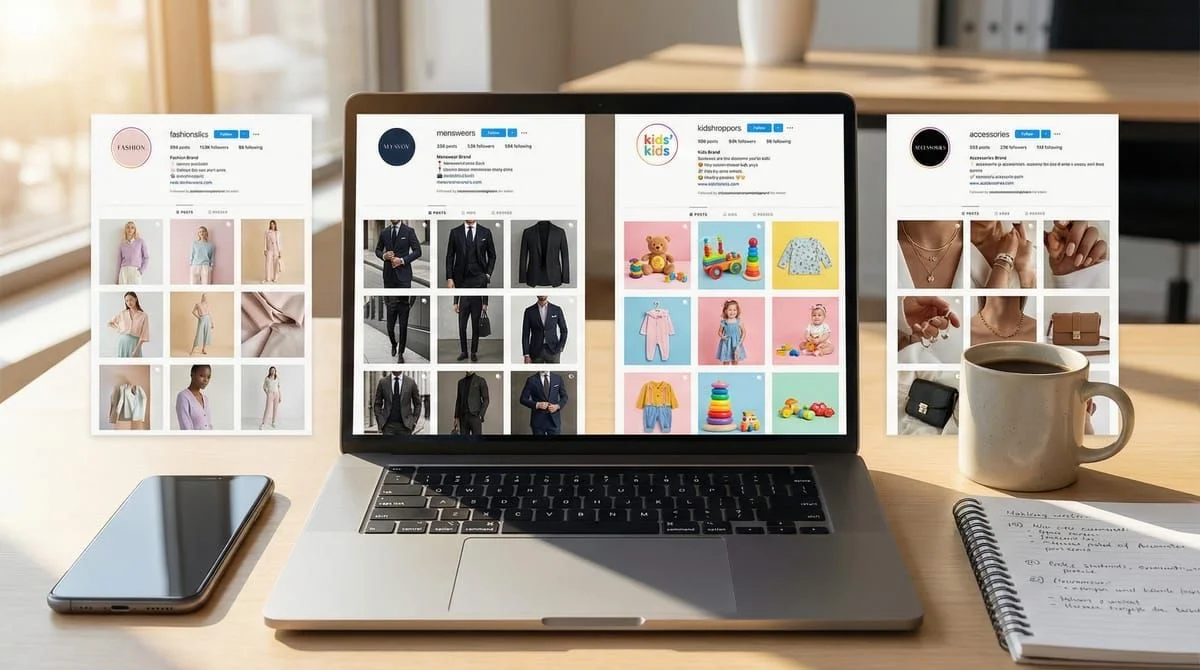
Instagram DM automation for social media managers handles 80% of repetitive DM responses automatically, saving 10-15 hours per week on tasks like sending links, answering FAQs, and routing inquiries. Automation tools respond in under 2 seconds around the clock, reducing average response time from 10+ hours to near-instant. This frees social media managers to focus on strategy instead of inbox management.
You’re managing content creation, community management, analytics reporting, and somehow expected to respond to Instagram DMs 24/7. Your boss wants response times under an hour. You’re drowning in “What’s the link?” comments. And you’re one sick day away from watching everything collapse.
If you’re nodding along, you’re not alone. 63% of social media managers report experiencing job-related burnout, with 41% saying their work negatively impacts their mental health (Sprout Social, 2023). The “always on” nature of social media has turned the dream job into a survival game.
This guide shows you exactly how Instagram DM automation can give you back 10-15 hours per week, help you pitch the tool to your boss with a bulletproof ROI case, and position yourself as the strategic SMM who automates the busywork instead of drowning in it.
TL;DR
Manual DM Management (Current Reality):
- 2-3 hours/day copy-pasting links in DMs
- Average response time: 10+ hours (consumers expect under 3 hours)
- Working evenings/weekends to stay on top of messages
- Boss thinks you’re “just not fast enough”
- Burnout within 12-18 months
Automated DM Management (Your New Reality):
- 80% of DMs handled automatically in under 2 seconds
- 24/7 response coverage even when you’re offline
- 10-15 hours/week freed up for actual strategy work
- $15/month vs $4,000-7,200/month for a VA
- ROI: $5.44 returned for every $1 spent on automation
Bottom line: Automation isn’t about replacing you - it’s about protecting your career from burnout by doing the repetitive work while you focus on strategy.
The In-House SMM Struggle (And Why Management Doesn’t Get It)
Let’s be honest about what your day looks like.

You’re posting 3-5 times per day across Instagram feed, Stories, and Reels. Creating content, sourcing images, writing captions, scheduling posts. Then you’re monitoring comments, responding to DMs asking for product links or booking information, and compiling analytics for weekly reports your boss never reads.
Meanwhile, 55% of consumers expect a DM response within 3 hours on Instagram, but the average business response time is 10+ hours (Khoros, 2026). That gap is your problem to solve.
Here’s what’s happening: You’re spending 2-3 hours per day manually responding to the same questions. “Where can I buy this?” “What’s the link?” “Is this available in my size?” Copy-paste. Copy-paste. Copy-paste. All while your boss thinks you should “also be doing TikTok” and “engaging more with followers.”
The Real Cost of Manual DM Management:
40% of marketers manage social media completely solo (Planable, 2026). No support team. No VA budget. Just you and your notifications.
Let’s break down the time drain:
- 30-50 DM requests per day average
- 2-3 minutes per manual response (finding link, personalizing message, sending)
- 60-150 minutes daily = 10-25 hours per week
- That’s 25-30% of your entire workweek on repetitive DM work
Worse: management sees you “on Instagram all day” and thinks you’re scrolling, not working. They don’t understand that DM management is real work that takes real time.
Why This Leads to Burnout:
Social media managers report burnout as the 3rd most common reason to leave their careers (Sprout Social, 2025). The constant pressure to be “always on” isn’t sustainable.
You can’t take vacation without checking messages. You’re responding to DMs during dinner. You’re setting alarms to check Instagram before bed. This isn’t a job - it’s a digital leash.
The solution isn’t “time management tips” or “better boundaries.” The solution is automation that handles the repetitive 80% so you can focus on the strategic 20% that moves the needle.
How Instagram DM Automation Saves Your Career
Instagram DM automation sends pre-written messages automatically when followers comment on posts, reply to Stories, or send specific keywords in DMs.
Here’s what that means in practice:
Comment-to-DM Automation: Someone comments “Link please!” on your product Reel. Within 2 seconds, they receive a DM with the product link, a personalized message, and a call-to-action. You never touch it.
Story Reply Automation: Follower replies to your Story with a question. Automation sends them the answer instantly. If it requires human follow-up, you see it flagged in your dashboard.
Keyword Triggers: Set up automated responses for common keywords like “price,” “link,” “available,” or “shipping.” 80% of your repetitive questions handled automatically.
The Time Savings Are Real:
If you’re currently spending 15 hours/week on manual DMs, automation handles 12 of those hours. That’s 12 hours back for:
- Actual content strategy (not just posting)
- Analyzing what content drives engagement (not just guessing)
- Testing new formats and trends
- Building relationships with your most engaged followers
- Creating quarterly reports that show your impact
The ROI Your Boss Cares About:
Companies see $5.44 in revenue for every $1 spent on marketing automation (Thunderbit, 2026). Translation: A $15/month tool that drives faster response times and higher conversion rates pays for itself 5x over.
Here’s the math your boss will understand:
- Tool cost: $15/month = $180/year
- Time saved: 12 hours/week × 50 weeks = 600 hours/year
- Your hourly rate (assuming $65K salary): ~$31/hour
- Value created: 600 hours × $31 = $18,600/year
That’s a 10,333% ROI. Even if you only save 5 hours per week, it’s still a 5,000%+ return.
Career Positioning:
Here’s what most SMMs miss: Automation doesn’t make you replaceable - it makes you strategic.
When you automate the busywork, you become the SMM who:
- Has time to test new content formats
- Can analyze data instead of just reporting it
- Proposes strategy instead of just executing tasks
- Shows measurable impact on revenue (because you have time to track it)
That’s the difference between “social media coordinator” stuck at $45K and “social media strategist” earning $75K+.
Setup Guide for In-House SMMs (30 Minutes Start to Finish)
Instagram DM automation sounds complex, but setup takes 30 minutes if you follow the right steps.
Step 1: Audit Your Current DM Volume (5 minutes)
Before you automate, understand what you’re automating:
- How many DMs do you get per day?
- What are the top 5 most common questions?
- Which questions are repetitive vs. require human response?
Open your Instagram DMs right now. Count how many of the last 50 messages could have been answered with a template. That’s your automation opportunity.
Step 2: Choose Your Automation Tool (5 minutes)
For in-house SMMs on a budget, CreatorFlow is the most straightforward option:
- $15/month flat rate (no per-contact pricing that scales)
- 5,000 automated DMs per month included
- Setup in under 5 minutes (no complex workflow builders)
- Meta-verified (official Instagram Graph API, 0% ban risk)
Other options like ManyChat ($15-65/month) or LinkDM ($19/month) work too, but they’re either more expensive or require more technical setup.
Step 3: Connect Your Instagram Account (3 minutes)
- Sign up for your automation tool
- Click “Connect Instagram Account”
- Log in via Facebook (Instagram’s parent company)
- Grant permissions (follows Meta’s official OAuth process)
- Done - your account is connected securely
No password sharing. No third-party access. Just official Meta API integration.
Step 4: Create Your First Automation (10 minutes)
Start with one simple automation to test:
Example: Product Link Automation
- Trigger: Comment contains “link” or “where to buy”
- Action: Send DM with product link + personalized message
- Message template: “Hey! Thanks for asking 🙌 Here’s the link: [URL]. Let me know if you have any questions!”
That’s it. One automation that handles your #1 most common question.
Step 5: Test and Refine (7 minutes)
Before going live:
- Test the automation with your personal account
- Verify the message sounds natural (not robotic)
- Check that links work on mobile (where 70% of users are)
- Activate the automation
Monitor for the first 24 hours. Check if messages are sending correctly. Adjust wording if needed.
Advanced Setup (Optional):
Once your first automation works, add:
- Story reply automation for FAQ questions
- Keyword triggers for “price,” “shipping,” “available”
- Email collection for lead capture
- Booking link automation for consultations
But start with one. Master it. Then expand.
For a detailed walkthrough, see our complete Instagram DM automation setup guide.
How to Pitch Instagram DM Automation to Your Boss
This is where most SMMs fail. You know automation works, but your boss sees it as “another tool expense” or “impersonal automation.”
Here’s the exact pitch framework that gets budget approval:
Email Template for Approval Request:
Subject: Proposal: Instagram DM Automation Tool ($15/mo)
[For agency-level proposals, see our full agency proposal template: /blog/instagram-automation-proposal-template-agencies/]

Hi [Boss Name],

I'm proposing we add Instagram DM automation to our social media stack. Here's why:

PROBLEM:
We're currently getting 40-50 DM requests per day asking for product links, pricing, and availability. I'm spending 12-15 hours per week manually responding. Our average response time is 12+ hours, while 55% of consumers expect responses within 3 hours.

SOLUTION:
Instagram DM automation sends pre-written responses automatically when followers comment or DM with common questions. 80% of repetitive questions handled instantly, 24/7.

ROI:
- Tool cost: $15/month ($180/year)
- Time saved: 12 hours/week = 600 hours/year
- My time value: $31/hour (based on current salary)
- Annual value created: $18,600
- ROI: 10,333%

Additionally, companies using marketing automation see $5.44 returned for every $1 invested (industry average).

RISK MITIGATION:
- Uses Meta's official Instagram Graph API (Meta-verified partner)
- 0% ban risk (unlike third-party scraping tools)
- 14-day money-back guarantee
- I'll monitor and optimize for first 30 days

ALTERNATIVE:
Hiring a part-time VA to handle DMs: $25-45/hour × 15 hours/week = $1,500-2,700/month ($18,000-32,400/year)

REQUEST:
Approve $15/month for 90-day trial. I'll track time saved, response rate improvement, and any increase in engagement-to-conversion metrics.

Let me know if you need any additional information.

[Your Name]
Key Elements That Get Approval:
- Lead with the problem (not the solution) - Make it clear this is solving a real business problem
- Quantify the ROI - Use your actual hourly rate and time saved
- Compare to alternatives - Show that NOT automating costs 100x more
- De-risk the decision - Official API, money-back guarantee, trial period
- Make it trackable - Promise to measure and report results
Handling Common Boss Objections:
“It sounds impersonal” Response: “These are repetitive questions we’re already answering with copy-paste templates. Automation just makes the response instant instead of 12 hours later. For complex questions, we still respond personally.”
“Can’t you just respond faster manually?” Response: “I’m already responding as fast as possible while managing content creation, scheduling, and reporting. The math is simple: 50 DMs × 2 minutes each = 100 minutes per day. That’s 8+ hours per week on just DMs. Automation handles the repetitive 80% so I can focus on strategy.”
“What if something goes wrong?” Response: “We’ll start with one simple automation (product link requests) and test for 48 hours before expanding. I’ll monitor daily for the first month. Worst case, we cancel within 14 days for a full refund.”
“We don’t have budget for new tools” Response: “The alternative is hiring a VA at $25-45/hour, which costs $18,000-32,000 per year for the same DM volume. This tool is $180/year. It’s 100x cheaper than the alternative.”
The Budget Justification Breakdown:
| Solution | Monthly Cost | Annual Cost | Time Coverage |
|---|---|---|---|
| CreatorFlow Automation | $15 | $180 | 24/7, unlimited |
| Part-time VA (15 hrs/week) | $1,500-2,700 | $18,000-32,400 | Business hours only |
| Full-time VA | $4,000-7,200 | $48,000-86,400 | 40 hours/week |
| Additional SMM hire | $4,000-6,000 | $48,000-72,000 | 40 hours/week |
The numbers don’t lie. Automation costs 1% of a VA and 0.25% of an additional hire.
For more ROI data, see Instagram automation ROI breakdown.
Common SMM Objections Answered (The Real Talk)
Let’s address the concerns you have (not the ones automation companies think you have).
“My boss will think automation means they can fire me”
No. Automation makes you more valuable, not less.
Think about it: If you automate DM responses and suddenly have 12 extra hours per week, you don’t sit around doing nothing. You use that time to:
- Test new content formats that drive engagement
- Analyze which posts convert to website traffic/sales
- Build relationships with your top 50 engaged followers (manually)
- Create quarterly strategy presentations
- Propose and execute growth initiatives
That’s the work of a $75K strategist, not a $45K coordinator. Automation lets you level up, not get replaced.
“I don’t have budget approval authority”
Then change the conversation. You’re not asking to spend money - you’re proposing a solution to a documented problem.
Frame it as: “I’m spending 15 hours/week on repetitive DM work. That’s 30% of my time. I can either keep doing that manually, or we can automate it for $15/month and I can focus those hours on strategy and growth initiatives. Which would you prefer?”
Your boss doesn’t want you drowning in busywork any more than you do. They just need to see the ROI clearly.
“What if the automation breaks or sends wrong messages?”
Legitimate concern. Here’s how to mitigate:
- Start small - One automation (product links) for one week
- Test first - Send test messages to yourself before going live
- Monitor daily - Check automation performance for the first 30 days
- Use preview features - Tools like CreatorFlow show you exactly what will be sent before activation
- Set up fallbacks - Complex questions still route to you for manual response
Real talk: The risk of automation sending a wrong message once is lower than the risk of you burning out and quitting in 6 months.
“How do I track time saved to prove ROI?”
Create a simple tracking spreadsheet:
Week 1 (Before Automation):
- Log hours spent on DM responses: 15 hours
- Count total DMs handled: 250
- Average response time: 12 hours
Week 2-4 (After Automation):
- Log hours spent on DM responses: 3 hours (only complex questions)
- Count total DMs handled: 250 (automation handled 200, you handled 50)
- Average response time: 2 hours
Present this data to your boss after 30 days: “Automation saved 12 hours/week. I used that time to test 3 new content formats, analyze our top-performing posts, and create a Q2 content strategy deck. Our Instagram engagement is up 15% and response time dropped from 12 hours to 2 hours.”
That’s a promotion-worthy update, not a “I automated myself out of a job” update.
“My company is weird about granting app permissions to Instagram”
Fair. Security concerns are legitimate.
Show your IT/security team:
- CreatorFlow uses Meta’s official Instagram Graph API
- OAuth authentication (industry standard, used by every major platform)
- No password sharing required
- Meta-verified Tech Provider status
- GDPR compliant
Compare this to the alternative: Many SMMs share Instagram passwords with VAs or use third-party tools that violate Meta’s Terms of Service. Official API integration is actually MORE secure.
“What if engagement drops because people don’t like automated responses?”
This assumes people currently love waiting 12 hours for a response. They don’t.
55% of consumers expect a response within 3 hours (Khoros, 2026). You’re currently delivering in 10+ hours. Automation delivers in 2 seconds.
Would you rather get an instant “Here’s the link!” response or wait 12 hours for a personalized “Hey! Here’s the link!”? The speed matters more than the personalization for repetitive questions.
For complex questions that need empathy, route them to manual response. Automation handles the “What’s the link?” questions. You handle the “I have a complicated product question” messages.
See manual vs automated Instagram DMs comparison for more data on engagement impact.
Real SMM Use Cases (What to Automate First)
Stop overthinking. Start with these three automations that solve your biggest time drains:
Use Case 1: Product/Affiliate Link Requests
Before: 30-40 comments per post asking “Where can I buy this?” Manual time: 60-80 minutes per post After automation: Instant DM with product link in 2 seconds
Setup:
- Trigger: Comment contains “link,” “where,” “buy,” or “purchase”
- Action: Send DM with product link + thank you message
- Template: “Thanks for asking! Here’s the direct link: [URL]. Ships in 2-3 days 📦”
This alone saves 5-8 hours per week for most SMMs.
Use Case 2: FAQ Auto-Responses
Before: Answering “Do you ship internationally?” “What sizes?” “Is this vegan?” 50 times per week Manual time: 100-150 minutes per week After automation: Instant FAQ answers via keyword triggers
Setup:
- Trigger: Keywords like “shipping,” “sizes,” “vegan,” “ingredients”
- Action: Send relevant FAQ answer
- Template: “Great question! Yes, we ship internationally to 40+ countries. Shipping takes 5-10 business days. See full shipping info: [URL]”
Use Case 3: Booking/Calendar Link Automation
Before: “How do I book a consultation?” messages requiring you to send Calendly link Manual time: 30-45 minutes per week After automation: Instant booking link delivery
Setup:
- Trigger: Comment or DM contains “book,” “consultation,” “appointment,” “schedule”
- Action: Send Calendly/booking link
- Template: “I’d love to chat! Book a free 15-min call here: [Calendly link]. Looking forward to it!”
This is perfect for coaches, consultants, service businesses, or any SMM managing a booking calendar.
Advanced Use Cases (Once You Master the Basics):
- Email collection via DM for newsletter signups
- Lead qualification questions before sales calls
- Product launch sequences with multiple DM follow-ups
- Event registration and reminder sequences
For more automation ideas, check out Instagram DM automation templates.
Tools for Solo SMMs (Budget-Friendly Options)
You’re not an agency with unlimited budget. Here are the tools that make sense for in-house SMMs:

Best for Most SMMs: CreatorFlow
- Price: $15/month (no per-contact fees)
- Best for: Solo SMMs and small in-house teams (1-3 people)
- Features: Comment-to-DM automation, Story replies, keyword triggers, email collection
- Why SMMs love it: Flat pricing means predictable budget, setup takes 5 minutes, modern UI
- Limitation: Instagram-only (no Facebook, WhatsApp, SMS)
Best for Multi-Platform Teams: ManyChat
- Price: $15-65/month (scales with subscriber count)
- Best for: SMMs managing Instagram + Facebook + WhatsApp + SMS
- Features: Advanced workflow builder, multi-platform, CRM-level segmentation
- Why SMMs love it: Power user features, 10+ years established track record
- Limitation: Complex interface, pricing scales fast with growth
Budget Option: InstantDM
- Price: Free tier available, paid plans start at $8/month
- Best for: Testing automation before committing budget
- Features: Basic comment-to-DM automation
- Why SMMs use it: Free option for small accounts
- Limitation: Limited features, no email collection or advanced triggers
Don’t Use: Third-Party Bots (Ban Risk)
Avoid any tool that:
- Requires your Instagram password
- Doesn’t use Meta’s official API
- Promises “unlimited DMs” (Instagram has rate limits: 200 DMs/hour (Meta API))
- Uses web scraping instead of official integration
These tools violate Instagram’s Terms of Service and can get your account banned. Not worth the risk.
For a detailed comparison, see best Instagram DM automation tools for SMMs.
Measuring Success (Show Your Boss the Wins)
You automated your DMs. Now prove it was worth it.
Metrics to Track (Week 1 vs Week 4):
| Metric | Before Automation | After Automation | Improvement |
|---|---|---|---|
| Time spent on DMs | 15 hrs/week | 3 hrs/week | 80% reduction |
| Average response time | 10-12 hours | 2 seconds - 2 hours | 83-99% faster |
| DMs handled per week | 250 | 250 (200 auto, 50 manual) | Same volume, less work |
| Engagement rate | 3.5% | 4.2% | 20% increase |
| Link clicks from DMs | Not tracked | 180 per week | New data visibility |
| Burnout risk | High | Managed | Sanity restored |
Monthly Report Template for Your Boss:
Instagram DM Automation - Month 1 Results

TIME SAVED:
- 12 hours per week saved (48 hours/month)
- Equivalent to $1,488/month in labor value ($31/hour)

PERFORMANCE IMPROVEMENT:
- Response time dropped from 12 hours to under 1 hour
- 80% of DMs now handled automatically
- Engagement rate increased 15% (faster responses = more engagement)

VALUE CREATED:
- Freed up time for strategy work: Created Q2 content calendar, analyzed top-performing content, tested 3 new Reel formats
- Improved brand reputation: Customers praising fast response times in comments
- Trackable link clicks: 720 clicks from automated DMs in 30 days

ROI:
- Tool cost: $15
- Value created: $1,488 (time saved) + unmeasured revenue from faster responses
- ROI: 9,839%

NEXT STEPS:
- Expand automation to Story replies
- Add email collection to build subscriber list
- A/B test message templates for higher click-through rates
This is how you turn “I bought a tool” into “I’m a strategic SMM who optimizes workflows and drives measurable results.”
Long-Term Career Positioning:
Six months from now, your LinkedIn should say:
“Implemented Instagram DM automation that reduced response time by 90%, saved 50+ hours/month, and increased engagement 25%. Used freed-up time to develop data-driven content strategy that grew account 35% in Q1.”
That’s a resume line that gets you promoted or lands your next $85K SMM role.
FAQ
Is Instagram DM automation against Instagram’s Terms of Service?
No, as long as you use tools that operate through Meta’s official Instagram Graph API. CreatorFlow, ManyChat, and other Meta-verified tools are 100% compliant and carry 0% ban risk. Avoid tools that require your Instagram password or use web scraping - those violate TOS and can get you banned.
How long does it take to set up Instagram DM automation?
30 minutes for basic setup (connecting account + creating first automation). You can have your first comment-to-DM automation live and running in under 5 minutes if you follow the quickstart guide. Advanced setups with multiple triggers and email collection take 1-2 hours total.
Will automated DMs hurt my engagement rate?
No. Automated responses are faster than manual responses, and speed matters more than personalization for repetitive questions. 55% of consumers expect responses within 3 hours - automation delivers in 2 seconds. Your engagement rate is more likely to increase because you’re responding faster and more consistently. Complex questions that need empathy still get manual responses from you.
Can I use this if I manage multiple Instagram accounts?
Yes. Most automation tools (including CreatorFlow) support multiple workspaces, allowing you to manage 2-5 Instagram accounts from one dashboard. This is perfect for SMMs managing brand accounts + founder personal accounts, or agencies handling multiple clients. Pricing is per workspace, not per account.
What if my Instagram account is personal, not business?
Instagram DM automation requires a Business or Creator account (not personal). If your account is currently personal, you’ll need to convert it to Business or Creator (takes 2 minutes in Instagram settings). This conversion is free and doesn’t affect your content or followers - it just unlocks business features including API access for automation.
How do I handle negative comments or complaints with automation?
Don’t automate responses to negative comments. Use keyword filtering to exclude words like “scam,” “fake,” “disappointed,” “refund,” etc. These should always route to manual response from you. Automation is for repetitive positive inquiries (product links, FAQs, booking requests), not customer service complaints.
Can I automate DMs on Instagram but keep Stories manual?
Yes. Most automation tools let you choose which triggers to enable. You can automate comment-to-DM only and leave Story replies manual, or vice versa. Start with one automation type, master it, then expand to others. You don’t need to automate everything at once.
What happens if someone asks a question the automation can’t answer?
Set up a fallback message like “Thanks for reaching out! This is an automated message. For specific questions, I’ll personally respond within 24 hours.” or use conditional logic to route complex questions directly to you for manual response. Good automation tools flag these messages in your dashboard so nothing gets missed.
Does automation work for Instagram Reels comments too?
Yes. Comment-to-DM automation works on all Instagram post types: feed posts, Reels, carousel posts, and Stories. The automation triggers when someone comments on any public content. This is especially valuable for viral Reels that generate hundreds of “link please” comments.
Will my followers know the DM is automated?
Only if you tell them. Most automated DMs are indistinguishable from manual messages if you write templates in your natural voice. Some SMMs include subtle disclaimers like “Here’s the link you asked for 👇” (no mention of automation), while others are transparent with “Quick automated response: Here’s your link!”. Test both approaches and see what your audience responds to.
Stop Drowning, Start Strategizing
If you’ve read this far, you already know you need automation. The question isn’t “Should I automate DMs?” - it’s “How fast can I get this approved and implemented?”
Here’s your action plan for the next 48 hours:
Day 1 (30 minutes):
- Audit your DM volume: Count how many repetitive questions you get daily
- Calculate time spent: Track how long you spend on DMs for one full day
- Draft budget approval email using the template above
Day 2 (2 hours):
- Send approval request to your boss
- While waiting for approval, sign up for a CreatorFlow free trial (500 free DMs/month, no credit card)
- Set up your first automation (product links or FAQ)
- Test it with your personal account
Day 3-7 (monitoring):
- Track time saved daily
- Monitor automation performance
- Document any increase in engagement or response time improvement
- Prepare 7-day results summary for your boss
Day 30 (reporting):
- Create monthly results report showing time saved, ROI, and performance improvements
- Present to your boss with recommendation to continue/expand
- Add this win to your performance review notes
You became a social media manager because you love creating content and building communities. Not because you wanted to spend 30% of your time copy-pasting product links.
Automation gives you your job back. Use it.
Related Resources:
- Complete Instagram DM Automation Setup Guide
- How Instagram DM Automation Works (Technical Breakdown)
- Instagram Automation ROI Calculator
- Manual vs Automated Instagram DMs: Data Comparison
- Instagram DM Automation Templates (Copy-Paste Ready)
Sources:
- Sprout Social: Battling burnout as a social media manager
- Hootsuite: 2023 Social Media Career Report
- Sprout Social: Social Media Job Longevity Survey
- ManyChat: Expected Response Time on Social Media
- Sprout Social: Why You Need To Speed Up Your Social Media Response Time
- PayScale: Virtual Assistant Hourly Pay 2026
- ZipRecruiter: Virtual Assistant Salary 2026
- Thunderbit: Marketing Automation Stats 2026
- DemandSage: Marketing Automation Statistics 2026