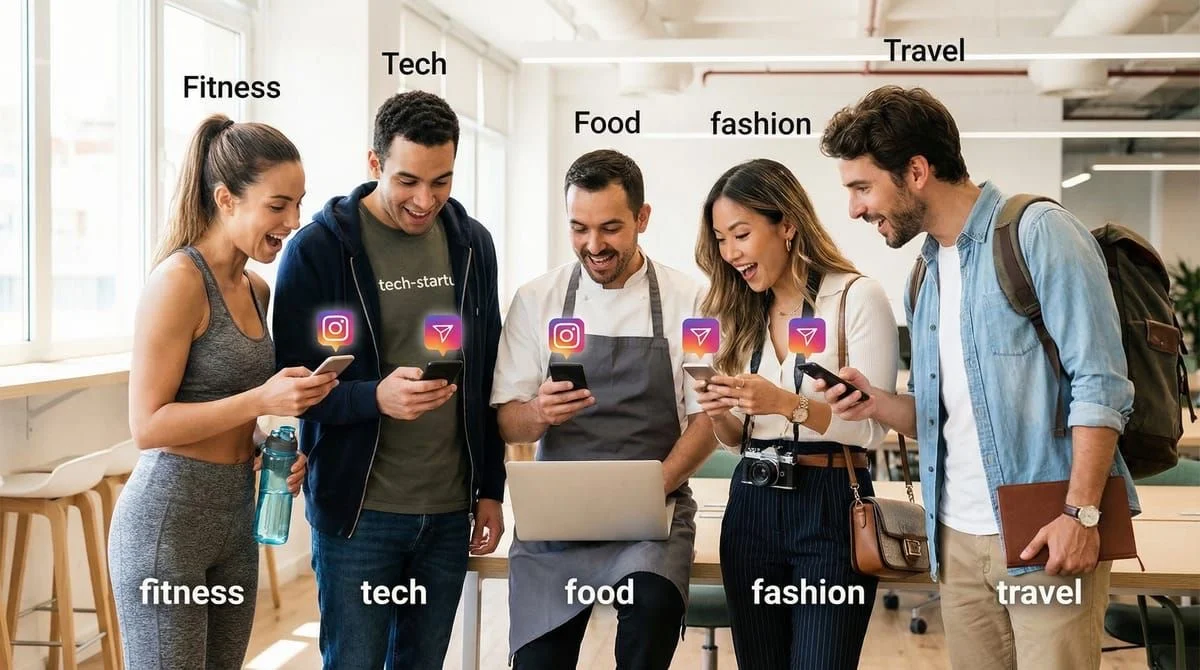
Instagram Story ideas fall into five high-performing categories: engagement starters (polls, questions, quizzes), behind-the-scenes content (process, workspace, daily routines), product teasers (launches, sneak peeks), educational posts (tips, tutorials, how-tos), and personal content (life updates, humor). Posting 3-7 Stories daily using these formats on rotation maintains algorithm visibility and drives DM conversations. Interactive Story formats like polls generate 40-60% more replies than static posts.
You open Instagram to post a Story. Blank screen. Blank mind. What do you post? You’ve already posted a selfie today. Another “good morning” feels boring. A random photo of your coffee? That’s the third one this week. You close the app. Your followers get nothing. Your engagement drops another 2%. Tomorrow, fewer people see your content. The Instagram algorithm thinks you’re inactive.
Instagram Story ideas solve this. You need a bank of tested Story formats you can use anytime. Stories that drive engagement without feeling forced. Stories that work whether you’re a fitness coach, e-commerce brand, or digital course creator. Stories that turn viewers into DM conversations, which turn into sales.
This guide gives you 50+ Instagram Story ideas organized by category. Each idea includes the exact format, when to use it, why it works, and how to automate responses. You’ll never stare at a blank Story screen again. Whether you need engagement starters, behind-the-scenes content, product teasers, educational posts, or just fun content to stay visible, you’re about to save these templates and use them every single day.
TL;DR
Instagram Story ideas are content templates that drive engagement without creative burnout. This guide provides 50+ tested Story formats organized into 5 categories: Engagement (polls, questions, quizzes), Behind-the-Scenes (process, workspace, fails), Product Teasers (launches, sneak peeks), Educational (tips, tutorials, how-tos), and Personal/Fun (life updates, humor, day-in-the-life). Most high-performing creators post 3-7 Stories daily using these templates on rotation (as of February 2026).
Why Story Ideas Matter:
- Beat creative block: Templates eliminate “what should I post?” paralysis
- Consistency wins: Instagram algorithm rewards daily Story posting (3-7 per day ideal)
- Higher engagement: Interactive Stories (polls, questions) get 40-60% more replies than static posts
- Automation opportunity: Link Story ideas with DM automation for instant lead capture
- Stay top-of-mind: Disappear for 48 hours on Stories : your followers forget you exist
5 Story Categories:
- Engagement Stories - Polls, questions, quizzes (drives replies, DMs)
- Behind-the-Scenes - Process, workspace, day-in-life (builds authenticity)
- Product/Service Teasers - Launches, sneak peeks, testimonials (drives sales)
- Educational - Tips, tutorials, myth-busting (positions you as expert)
- Personal/Fun - Life updates, humor, relatable moments (human connection)
Quick Win Templates:
- “This or That?” polls (instant engagement, zero effort)
- “Reply WORD for X” (Story automation converts 25-35%)
- Before/After transformations (high saves, shares)
- “Ask me anything” questions (learn what your audience wants)
- Product teasers with countdown stickers (urgency = conversions)
Story Automation Boost: Pair these Story ideas with Instagram Story Reply Automation to auto-send lead magnets, product links, or booking calendars when followers engage. Typical result: 100 Story replies : 85 automated DMs : 30-50 conversions.
Posting Frequency:
- Minimum: 1-3 Stories/day (stay visible)
- Optimal: 3-7 Stories/day (max algorithm favor)
- Advanced: 10+ Stories/day (high-engagement accounts only)
Pro Tip: Save your 5 best-performing Story ideas as templates in Instagram. Rotate them weekly. Track which ones drive the most DMs and double down.

Engagement Stories (Polls, Questions, Interactive Stickers)
Interactive Stories get 3-5x more engagement than static Stories. They’re easy to create and Instagram’s algorithm loves them. Use these when you need quick engagement or want to learn what your audience cares about.

1. This or That Polls
Format: Two options, followers vote
Example:
- “Coffee or tea? ☕”
- “Gym at 6am or 6pm?”
- “Work from home or office?”
Why it works: One tap to engage. Frictionless. Instagram shows polls to more people than regular Stories.
Automation opportunity: Send different DMs based on poll answer. Example: Vote “Coffee” : DM with your morning routine guide.
2. Yes/No Decision Polls
Format: Ask a qualifying question
Example:
- “Are you struggling to grow on Instagram? Yes / No”
- “Want to see my exact sales funnel? Yes / No”
- “Should I post more Reels? Yes / No”
Why it works: Qualifies leads. Everyone who votes “Yes” is interested in what you offer.
Automation opportunity: Auto-DM people who vote “Yes” with your lead magnet or product link.
3. Rating Scales (Emoji Sliders)
Format: Ask people to rate something on a scale
Example:
- “Rate your Instagram knowledge 0-100” [slider sticker]
- “How motivated are you today?” [slider]
- “How much do you love this product?” [slider]
Why it works: Fun, visual, feels like a game.
4. “Ask Me Anything” Question Stickers
Format: Open question sticker, followers ask questions
Example:
- “Ask me anything about Instagram growth”
- “Questions about my fitness program?”
- “What do you want to know about my business?”
Why it works: Lets you create content based on real questions. Shows you listen.
Automation opportunity: Auto-reply to common questions with FAQ guides.
5. Quiz Stickers
Format: Multiple choice quiz, followers test their knowledge
Example:
- “Instagram SEO Quiz: How much do you know?” [3 questions]
- “Can you guess my morning routine?” [quiz]
- “Test your fitness knowledge” [quiz]
Why it works: Gamification. People love testing themselves and sharing scores.
6. “Fill in the Blank” Questions
Format: Start a sentence, followers complete it
Example:
- “The hardest part about Instagram is _____”
- “I wish someone had told me _____ when I started”
- “My biggest goal this year is _____”
Why it works: Easy to answer. Gives you content ideas and pain point insights.
7. “Vote on My Next Post” Polls
Format: Let followers choose your next content
Example:
- “What should I post next? Tutorial / Behind-the-scenes”
- “Which topic? Instagram Reels / Story Automation”
- “Morning workout or evening workout video?”
Why it works: Makes followers feel involved. Guarantees the content they want.
8. Controversial Opinion Polls
Format: Take a stance, let people agree or disagree
Example:
- “Unpopular opinion: You don’t need 10K followers to make money. Agree / Disagree”
- “Reels are overrated. Change my mind. Agree / Disagree”
- “Morning workouts > evening workouts. Agree / Disagree”
Why it works: Controversy drives engagement. People love sharing their takes.
9. “Reply WORD for X” Stories
Format: Clear instruction, keyword trigger
Example:
- “Reply RECIPE for my viral pasta recipe”
- “Reply GUIDE for my free Instagram cheat sheet”
- “Reply TIPS for 5 growth hacks”
Why it works: Direct. No confusion. Perfect for Story automation.
Automation setup: Comment-to-DM Automation Guide
10. “Would You Rather?” Polls
Format: Two extreme options
Example:
- “Would you rather: 10K followers or $10K? Followers / Money”
- “Would you rather: Travel the world or own a house? Travel / House”
- “Wake up at 5am forever or never drink coffee again?”
Why it works: Forces choice. Reveals values and priorities.

Behind-the-Scenes Stories (Build Authenticity & Trust)
People follow creators, not brands. Behind-the-scenes content humanizes you. Use these when you want to build deeper connection or show the reality behind your results.
11. Morning Routine Time-lapse
Format: Record your morning in 15-second clips, speed it up
Example:
- “My 5am routine: Coffee : Workout : Content Planning”
- “How I start every productive day”
Why it works: Aspirational. People want to see how successful people operate.
12. Workspace/Office Tour
Format: Show where you work
Example:
- “Here’s where I film all my content” [pan around setup]
- “My home office tour (minimal setup, big results)”
Why it works: Relatable. Most creators work from small spaces like you.
13. Day in the Life
Format: Document your entire day in Stories
Example:
- “A day in my life as a content creator” [8-12 Stories throughout the day]
- “What I actually do all day”
Why it works: Full transparency. People binge-watch these.
14. “Here’s What I’m Working On Today”
Format: Show your to-do list or current project
Example:
- “Today’s goals: Film 3 Reels, write email, coach 2 clients”
- “Building my new course today. Want a sneak peek?”
Why it works: Shows you’re productive. Makes them curious about your projects.
15. Before I Was [Your Current Status]
Format: Throwback to your starting point
Example:
- “Before I was a full-time creator, I worked at Starbucks for 7 years”
- “My first Instagram post vs now” [side by side]
Why it works: Relatable origin story. Inspires people at the beginning.
16. “The Unglamorous Truth” Stories
Format: Show the messy reality
Example:
- “Everyone sees the highlight reel. Here’s the 14 takes it took to get that Reel right”
- “Behind the scenes: My editing process takes 3 hours per video”
Why it works: Breaks illusion of overnight success. Builds trust.
17. Packing/Unpacking for Event/Trip
Format: Show what you’re bringing
Example:
- “Packing for the creator conference: Camera gear, laptop, 50 protein bars”
- “What’s in my content creation travel bag”
Why it works: Practical. People screenshot these for packing ideas.
18. “How I Made This” Process Videos
Format: Show creation process start to finish
Example:
- “How I edit my Instagram Reels” [screen recording]
- “My content planning process (Sunday batching)”
Why it works: Educational + behind-the-scenes. High value.
19. Failed Attempts/Bloopers
Format: Show what didn’t work
Example:
- “10 Reels I filmed today that were terrible” [montage]
- “This product launch flopped. Here’s what I learned”
Why it works: Humanizes you. Everyone relates to failure.
20. “Here’s My Tech Stack”
Format: Show tools you use
Example:
- “Apps I use daily: [list with screenshots]”
- “My entire content creation setup for under $500”
Why it works: Actionable. People want to know your tools.

Product/Service Teaser Stories (Drive Sales & Launches)
These Stories create desire, urgency, and FOMO. Use them when you’re selling something or want to prime your audience for an offer.
21. Countdown to Launch
Format: Countdown sticker + teaser
Example:
- “New course launches in 48 hours” [countdown sticker]
- “Product drop in 24 hours. You ready?”
Why it works: Urgency. Visual countdown creates anticipation.
Automation opportunity: Send reminder DMs at 24 hours, 1 hour, and launch time.
22. Sneak Peek of New Product
Format: Show partial view or feature
Example:
- “Sneak peek of the new course dashboard” [blur or partial screenshot]
- “First look at the product packaging”
Why it works: Curiosity gap. People want to see the full thing.
23. Customer Testimonial Screenshots
Format: Share customer reviews or DMs
Example:
- “Got this message today 🥹” [screenshot of customer thanking you]
- “This is why I do what I do” [testimonial]
Why it works: Social proof. Real results from real people.
24. Before/After Transformation
Format: Visual proof of results
Example:
- “Client before/after: 2K followers : 50K in 6 months”
- “My Instagram engagement: Then vs Now”
Why it works: Tangible results. Shows what’s possible.
Automation opportunity: Auto-DM your method when people reply asking “How?“
25. “Only X Spots Left” Scarcity
Format: Highlight limited availability
Example:
- “3 coaching spots left this month. DM me if you want one.”
- “Early bird pricing ends tonight (only 12 spots taken)”
Why it works: FOMO. Scarcity drives action.
26. Live Demo or Tutorial Snippet
Format: Show product in action
Example:
- “Watch how easy this is” [15-second demo]
- “Here’s exactly what you get inside the course” [screen recording]
Why it works: Removes uncertainty. They see exactly what they’re buying.
27. “Here’s What You Get” Breakdown
Format: List everything included in offer
Example:
- “Inside the program: 8 modules, 40 lessons, templates, community access”
- “What’s included in the package: [bullet list with checkmarks]”
Why it works: Clarifies value. Answers “Is this worth it?“
28. Price Reveal with Context
Format: Announce pricing with justification
Example:
- “Investment: $297 (That’s less than $10/day for 30 days of coaching)”
- “Most people pay $500 for this. You’re getting it for $97 today.”
Why it works: Frames price as investment, not cost.
29. FAQ Carousel
Format: Answer common objections
Example:
- “Your questions answered: [swipe through FAQ slides]”
- “Is this for beginners? Yes. Here’s why…”
Why it works: Removes buying friction. Handles objections proactively.
30. “Last Chance” Final Call
Format: Final urgency push before deadline
Example:
- “Enrollment closes in 2 hours. This is your last chance until 2027.”
- “Final call. Link in bio closes at midnight.”
Why it works: Creates now-or-never urgency.

Educational Stories (Position as Expert)
Educational content builds authority and trust. Use these when you want to provide value, teach something, or establish yourself as the go-to expert in your niche.
31. Quick Tips (Carousel Format)
Format: 3-5 tips in swipeable format
Example:
- “5 Instagram growth tips that actually work [swipe]”
- “3 mistakes killing your engagement [swipe for fixes]”
Why it works: High value, easy to consume, highly shareable.
32. Myth-Busting
Format: Debunk common misconceptions
Example:
- “Instagram Myth: You need 10K followers to make money. FALSE. Here’s why…”
- “Everyone says post at 9am. That’s wrong for most accounts. Here’s the truth…”
Why it works: Challenges conventional wisdom. Positions you as insider.
33. “Here’s What I Learned This Week”
Format: Share recent learnings or insights
Example:
- “3 things I learned testing Instagram Reels for 30 days”
- “This week’s biggest lesson: [insight]”
Why it works: Shows you’re always learning. Builds relatability.
34. Tool/Resource Recommendations
Format: Share your favorite tools
Example:
- “Best free tools for content creators: [list]”
- “I use this for all my graphics (free alternative to Canva)”
Why it works: Immediately actionable. People screenshot and save.
35. Step-by-Step Tutorials
Format: Teach a process in Stories
Example:
- “How to set up Instagram DM automation in 10 minutes [step 1/5]”
- “My exact content batching process [swipe for steps]”
Why it works: High value. Positions you as teacher.
36. Stats/Data Shares
Format: Share relevant statistics
Example:
- “Did you know? Stories get 40% more engagement than feed posts (Instagram 2026 data)”
- “70% of creators burn out because they don’t batch content”
Why it works: Data = authority. Makes you look informed.
37. “Common Mistake” Callouts
Format: Highlight what not to do
Example:
- “Stop doing this on Instagram: [mistake]”
- “If you’re still [bad practice], you’re hurting your growth”
Why it works: People want to avoid mistakes. You’re helping them.
38. “Here’s the Framework I Use”
Format: Share your method or system
Example:
- “My 3-step Instagram content formula: Hook : Value : CTA”
- “How I plan a month of content in 2 hours: [framework]”
Why it works: Templates and frameworks are highly valuable.
39. Book/Podcast Recommendations
Format: Share what you’re learning from
Example:
- “Currently reading: [book]. Best takeaway so far: [insight]”
- “Podcast episode you need to hear: [link]”
Why it works: Shows you’re invested in growth. Provides value.
40. “Ask Me for Advice” Story
Format: Invite followers to ask for help
Example:
- “Drop your Instagram questions below. I’ll answer the best ones tomorrow”
- “Send me your profile and I’ll give you 3 growth tips”
Why it works: Creates content from audience questions. Shows expertise.

Personal/Fun Stories (Build Human Connection)
People connect with people, not logos. Use these when you want to show personality, have fun, or just stay visible without always being “on brand.”
41. “Get Ready With Me” (GRWM)
Format: Film yourself getting ready
Example:
- “GRWM for today’s photoshoot”
- “My 5-minute makeup routine for busy mornings”
Why it works: Relatable, real-time content. High watch-through rate.
42. What I Ate Today
Format: Share meals throughout the day
Example:
- “What I eat in a day (realistic, not perfect)”
- “My go-to high-protein meals for content creators”
Why it works: Everyone eats. Highly relatable.
43. Pets/Kids/Family Content
Format: Show your personal life
Example:
- “My dog’s reaction when I’m filming Reels” [video]
- “Kids interrupted my work call 4 times today. This is real life.”
Why it works: Humanizes you. People love pets and kids.
44. Current Mood Checks
Format: Share how you’re feeling
Example:
- “Today’s vibe: [song + aesthetic photo]”
- “Feeling burnt out today. Taking the afternoon off.”
Why it works: Vulnerable. People relate to emotions.
45. Music/Playlist Shares
Format: Share what you’re listening to
Example:
- “My productivity playlist for deep work sessions”
- “Current obsession: [song]. On repeat all week.”
Why it works: Music = personality. Highly shareable.
46. Hot Takes/Unpopular Opinions
Format: Share a controversial take
Example:
- “Hot take: You don’t need a viral Reel to grow. Consistency > virality.”
- “Unpopular opinion: Instagram is easier to grow than TikTok in 2026.”
Why it works: Sparks conversation. People engage to agree or disagree.
47. Life Updates
Format: Share what’s happening in your life
Example:
- “Big announcement: I’m moving to Bali for 3 months”
- “Hit a new milestone today: 50K followers!”
Why it works: People care about your journey. Creates investment in your story.
48. “Currently” Lists
Format: Share what you’re currently doing/reading/watching
Example:
- “Currently: Reading [book], Drinking [coffee], Planning [project]”
- “Current obsessions: [list 3-5 things]”
Why it works: Easy to create. Invites conversation.
49. Weekend Plans/Recaps
Format: Share your weekend
Example:
- “Weekend plans: Hiking, batch filming, zero emails”
- “Weekend recap: Did nothing productive and it was perfect”
Why it works: Relatable. Work-life balance content resonates.
50. Throwback Photos
Format: Share old photos with context
Example:
- “2020 me vs 2026 me [side by side]”
- “Found this photo from when I started. Wild.”
Why it works: Nostalgia. Shows your journey.
51. Gratitude/Wins
Format: Share what you’re grateful for or recent wins
Example:
- “Today’s wins: Signed 2 new clients, hit 1M views on a Reel, ate actual vegetables”
- “Grateful for: This community, my health, coffee”
Why it works: Positive energy attracts engagement.

Story Automation Integration (Turn Story Engagement Into Sales)
Every Story idea becomes 10x more powerful when you pair it with automation. When someone engages with your Story (votes in poll, replies with keyword, answers question), automation instantly sends them your lead magnet, product link, or booking calendar.
How to Automate Any Story Idea
Step 1: Pick a Story idea from this list Example: “Reply GUIDE for my free Instagram growth guide”
Step 2: Set up automation trigger Use CreatorFlow ($15/mo), ManyChat (free-$15/mo), or LinkDM ($19/mo)
Step 3: Write your automated DM Example:
Hey! Here's your free Instagram growth guide: [link]

Inside you'll find:
- 10 content ideas that always perform
- Posting schedule template
- Engagement strategies

Questions? Just ask!
Step 4: Post Story and activate automation
Step 5: Watch replies convert automatically
Typical results (individual results vary):
- 100 Story replies
- 85 automated DMs sent
- 30-50 conversions (clicks, signups, sales)
- 30-50% conversion rate vs 10-15% manual response
Best Story Ideas for Automation
Highest converting Story formats for automation:
- “Reply WORD for X” (25-35% CTR)
- Clear instruction
- Keyword trigger
- Perfect for lead magnets
- Yes/No Polls (30-40% CTR)
- Qualify leads with poll question
- Auto-send different messages based on answer
- Example: “Struggling with Instagram? Yes/No” : Yes voters get growth guide
- Before/After Transformations (25-35% CTR)
- Show results
- Auto-reply “How?” questions
- Send method/program details automatically
- Product Teasers with Countdown (30-40% CTR)
- Create urgency with countdown sticker
- Auto-send reminder DMs at key times
- Convert interest into sales
- Question Stickers with Keyword Detection (20-30% CTR)
- Ask: “What’s your biggest Instagram struggle?”
- Detect keywords: “growth,” “engagement,” “content”
- Auto-send relevant guide based on their answer
Full automation setup guide: Instagram Story Reply Automation

How to Use These Story Ideas (Implementation Strategy)
Don’t try to use all 51 ideas this week. Here’s how to implement:
Week 1: Pick Your Top 10
Choose 2 Story ideas from each category:
- 2 Engagement Stories
- 2 Behind-the-Scenes
- 2 Product Teasers
- 2 Educational
- 2 Personal/Fun
Week 2: Test and Track
Post your 10 chosen Story ideas. Track:
- Which Stories get the most views
- Which Stories get the most replies
- Which Stories drive the most link clicks
- Which Stories lead to sales/signups
Week 3: Double Down on Winners
Your top 3-5 performing Story ideas become your core rotation. Post these 2-3x per week.
Week 4: Add Automation
Set up Story automation for your 3 highest-engagement Story formats. Use templates from Instagram DM Automation Templates.
Ongoing: Refresh Monthly
Every month, test 2-3 new Story ideas from this list. Keep what works, drop what doesn’t. Your ideal Story mix evolves as your audience grows.
Story Posting Schedule (Frequency & Timing)
How many Stories should you post per day?

Minimum (Stay Visible): 1-3 Stories/day
- Better than zero
- Keeps you in followers’ Story feed
- Low effort, decent results
Optimal (Algorithm Boost): 3-7 Stories/day
- Instagram rewards consistent Story posters
- Reach more followers
- Higher chance of appearing in Explore
Advanced (High Engagement Accounts): 10+ Stories/day
- Only if you have content and audience engagement supports it
- Can overwhelm small audiences
- Works for influencers with 100K+ engaged followers
Best times to post Stories (general guidelines, check your Instagram Insights for your specific audience):
- Morning: 7-9am (people check Instagram over coffee)
- Lunch: 12-2pm (scrolling during break)
- Evening: 6-9pm (peak engagement window)
- Night: 9-11pm (before bed scroll)
Pro tip: Post Stories in batches throughout the day (morning, afternoon, evening) rather than all at once. This keeps you visible in their Story feed multiple times per day.

Frequently Asked Questions (FAQ)
How many Instagram Stories should I post per day?
Post 3-7 Stories daily for optimal results. This keeps you visible without overwhelming followers. Instagram’s algorithm favors accounts that post Stories consistently. Post fewer than 3 and you risk being invisible. Post more than 10 and you may annoy followers (unless you have high engagement). Track your Story completion rate (how many people watch all your Stories) to find your sweet spot.
What are the best Instagram Story ideas for engagement?
Polls, questions, and “Reply WORD for X” Stories drive the highest engagement. Polls get 30-40% interaction rates because they require just one tap. Question stickers generate 25-35% engagement when you ask specific, relatable questions. “This or That” polls are the easiest high-engagement option. For automation purposes, “Reply WORD” Stories convert 25-35% of replies into clicks when paired with DM automation.
Should I save my best Stories to Highlights?
Yes. Save your evergreen, high-performing Stories to Highlights so new followers can see them anytime. Great Highlight categories: FAQ, Testimonials, Behind-the-Scenes, Resources, Product/Service Info. Regular Stories disappear in 24 hours, but Highlights stay on your profile permanently. This extends their lifespan and value. Remove outdated Highlights quarterly.
How do I make my Instagram Stories more creative without spending hours?
Use templates from this guide. Creativity isn’t about reinventing the wheel-it’s about putting your unique spin on tested formats. Pick 10 Story ideas from this list, save them to your Notes app, and rotate them weekly. Add your personality through your caption style, colors, and examples. Most successful creators use the same 5-7 Story formats on repeat.
Can I automate Instagram Story responses?
Yes, using tools like CreatorFlow ($15/mo), ManyChat (free-$15/mo), or LinkDM ($19/mo). When someone replies to your Story, votes in a poll, or answers a question, automation instantly sends them your pre-written DM with links, lead magnets, or booking calendars. Story automation converts 25-35% of replies vs 10-15% for manual responses because it’s instant. Setup takes 10 minutes.
What makes a good Instagram Story vs a bad one?
Good Stories have clear purpose (engage, educate, entertain, or sell), simple design (readable text, uncluttered visuals), and obvious next step (reply, vote, click link, swipe up). Bad Stories are cluttered, have no clear CTA, use tiny unreadable text, or feel overly promotional. Test: If someone scrolling fast can’t understand your Story in 2 seconds, simplify it.
How do I know which Story ideas work for my audience?
Test 10 different Story formats from this guide over 2 weeks. Track views, replies, clicks, and conversions for each. Your Instagram Insights show Story-specific metrics. The 3-5 Story ideas that drive the most engagement become your core rotation. Every audience is different-fitness followers love transformation Stories, while business audiences engage more with educational tips.
Conclusion: Never Run Out of Story Content Again
You now have 50+ Instagram Story ideas you can use starting today. Save this guide. Screenshot your favorite Story templates. Set a reminder to post 3-7 Stories daily using these formats.
Instagram rewards consistency. The creators who post Stories daily (even simple polls and questions) reach 2-3x more followers than creators who post sporadically. Stories keep you top-of-mind. They drive DM conversations. They convert viewers into customers when you pair them with automation.
Pick 10 Story ideas from this list this week. Test them. Track which ones your audience loves. Double down on your top performers. Set up automation on your highest-engagement Story formats. Within 30 days, Stories will become your primary engagement and lead generation tool.
Stop staring at blank Story screens. Start using tested templates. Your audience wants to hear from you daily-now you know exactly what to post.
Ready to turn your Instagram Stories into automated lead generation machines? CreatorFlow lets you automate Story replies in 10 minutes. When followers engage with your Stories, they instantly get your lead magnet, product link, or booking calendar. No manual DM work. 14-day free trial, no credit card required.
👉 Start your free trial at creatorflow.so
👉 Learn Story automation: Instagram Story Reply Automation Guide - Complete setup tutorial
Related Articles
- Instagram Story Reply Automation: Complete Setup Guide - Automate responses to Story engagement
- Instagram DM Automation: Complete Guide - Master all types of Instagram automation
- How to Get More Comments on Instagram - Drive engagement on posts and Stories
- Instagram Call-to-Action Examples: 50+ CTAs That Convert - Improve your Story CTAs
Disclaimer: Engagement rates and conversion percentages mentioned in this article are based on aggregated creator data and industry research from 2026. Individual results vary based on audience size, content quality, niche, and posting consistency. CreatorFlow uses Instagram's official Graph API as of February 2026. Instagram/Meta may change features or terms at any time. Instagram is a trademark of Meta Platforms, Inc. CreatorFlow is not affiliated with, endorsed by, or sponsored by Meta Platforms, Inc.
Sources:
- ManyChat pricing: manychat.com/pricing
- LinkDM pricing: linkdm.com/pricing
All external data verified as of February 2026.