FOR AUTO SERVICE AND REPAIR SHOPS ON INSTAGRAM
More car service bookings with DM automation
CreatorFlow is an Instagram DM automation tool for auto service and repair shops. A driver comments BRAKES on your brake check Reel. CreatorFlow sends them your booking link by DM in seconds, while you work under a car.
- Meta Tech Provider
- 4.1/5 on Trustpilot


 +35,000 creators & brands+35,000 creators


Comment to DM, from your brake check Reel to a booked service
Tasha's brakes squeak on her way to work. She finds your brake check Reel on Sunday night, when your shop is closed.
Your Reel
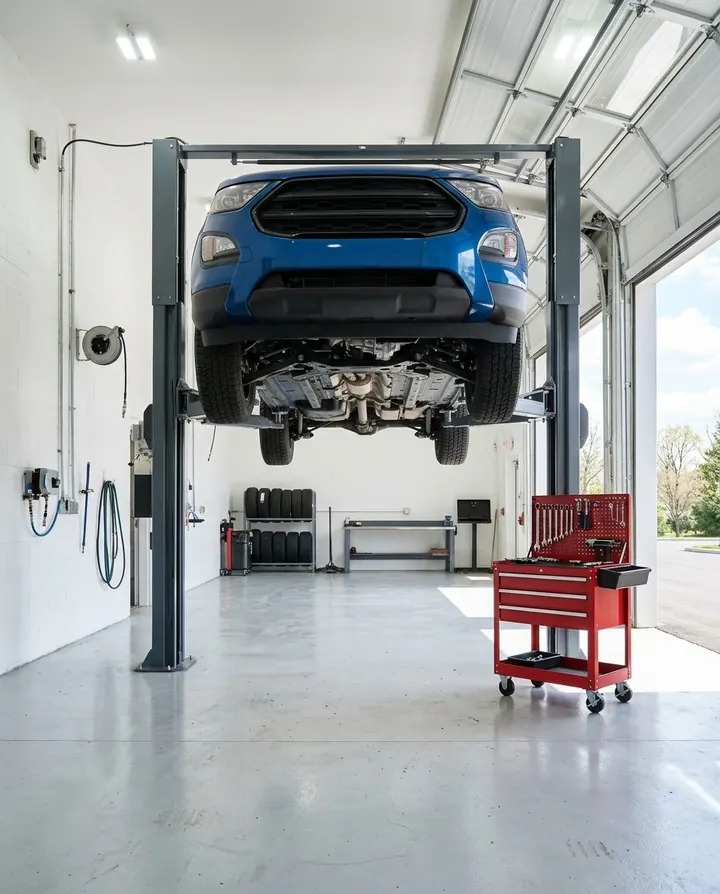
A brake check Reel from your bay
You film a brake check on the lift. In the caption, you ask drivers to comment BRAKES.
The comment
Tasha comments BRAKES
BRAKES is the keyword on this Reel. Leo only says the shop is clean, so his comment gets no DM.
The DM
Your booking link and brake prices arrive by DM
Tasha gets your message and a Book brake service button on Sunday night. It comes from Eastgate Auto's own account.
Your booking tool
Tasha books Tuesday 8 am
The button opens your booking tool with your brake prices. Tasha picks a time, and your tool saves it.
 eastgate.auto



Instagram auto-reply for brakes, oil changes and AC checks
Four automations a repair shop can run. Each one answers a question drivers ask at the counter.
Reel comments · BRAKES
Drivers with noisy brakes get your booking link by DM, with your brake prices. You film a brake check, and you ask people to comment BRAKES.
How comment auto-reply works →Keyword DMs · OIL
A driver sends you OIL and gets your oil change prices with a booking link. Your service advisor stays with the customer at the counter.
How keyword DMs work →Story replies · AC
Post a Story before the first hot week. People who reply get the link to your AC check. Turn off the automation when the offer ends.
How Story replies work →Post comments · TRIP
Drivers get your checklist by DM. Email Gate, on Pro and Growth, asks for their email first. With no answer in about 15 minutes, it sends the checklist anyway.
How Email Gate works →
 dana.w
 emma.k
Instagram DM automation for brake questions after you close
By hand, drivers wait until your service advisor is free. With CreatorFlow, your brake prices reach them before they call another shop.

By hand
- ✕A driver asks on Sunday night. Your service desk reads it on Monday at 8 am.
- ✕Your service advisor leaves the counter to type prices again.
- ✕You look through the comments for drivers who asked about brakes.
With CreatorFlow
- Your booking link arrives in seconds, even on Sunday night.
- You write the brake message once, with your starting prices.
- Drivers who asked are saved in your contacts.
Start Instagram DM automation for your repair shop in three steps
You need a Google login and an Instagram Business or Creator account for the shop. A personal account switches for free in Instagram settings.
- 1
Connect your shop's Instagram
Sign in with Google. Type your shop's Instagram username and confirm on Instagram.
- 2
Pick your brake check Reel and add BRAKES
Choose the Reel, or your next one. Add BRAKES as the keyword.
- 3
Write the DM with your booking link
Write a short hello. Add your booking link as a button. Press Start Automation.
How to test it Comment BRAKES from a second Instagram account. CreatorFlow ignores comments from your own account.
What CreatorFlow can and cannot do for repair shops
Check these before drivers start to comment BRAKES.
What you can set
- Give each job its own keyword, such as BRAKES or OIL.
- Send your booking link, price page and shop address as up to 3 link buttons.
- Answer a keyword someone sends you in a DM, such as OIL.
- Answer Story replies, so one Story can share a seasonal offer.
- Run one workspace per location, each with its own Instagram account.
What to know first
- CreatorFlow does not book cars, see your bays or connect to your booking tool.
- It cannot find a fault or price a repair. Write starting prices, and give the final price when you see the car.
- It is not for breakdowns. Keep your phone number on your profile for drivers who need help now.
- People who do not follow you find the DM in Message Requests.
- Instagram allows 200 DMs an hour. Extra DMs wait for the next hour.
- Each automation sends one DM, with one optional step before it. There are no follow-up messages.
- CreatorFlow works with Instagram only. It cannot send a DM when someone follows you.
Your account
- CreatorFlow is a Meta-approved Tech Provider.
- It uses the official Instagram API. There is no browser extension.
- You connect Instagram on Instagram's own screen. CreatorFlow does not see your password.
- It only sends DMs to people who contacted you first.
What it costs
Start on the free plan. You pay for a plan, not for each contact. Public Reply, Rewind, Follow Gate, Email Gate, link tracking and CSV export are on Pro and Growth. Pro and Growth start with a 14-day free trial.
- Free$0 a month500 DMs a month
- Pro$15 a month5,000 DMs a month
- Growth$30 a month10,000 DMs a month
CreatorFlow reviews from Instagram creators
Creators and brands on Instagram, in their own words.
“Finally have time to create instead of reply.”
@mamimariu121K followers on Instagram“Click-through rate doubled in week one.”
@chic.outfit.studio201K followers on Instagram“Everyone gets an instant response, not hours later.”
@sikusok1.4K followers on Instagram
Instagram DM automation questions from repair shops
Short answers about bookings, prices and your account.
More for repair shopsCar dealershipsBookings by DMStory repliesAll industries
Does CreatorFlow book cars into my bays?
No. CreatorFlow sends your booking link by DM, and the driver books in your booking tool. It does not see your bays or your mechanics' hours.
Does it connect to my shop software?
No. CreatorFlow does not connect to shop, parts or invoice software. Any booking tool with a link works, because the link appears as a button in the DM.
Can it price a repair from a photo?
No. Every DM holds the message you wrote, with the same starting prices. Photos and other questions stay in your Instagram inbox for you to answer.
Drivers comment other words, not BRAKES. What can I do?
Add up to 20 keywords to one automation, such as BRAKES, BRAKE and SQUEAK. Or choose Any word, so every comment on that Reel starts the automation.
Can my service advisors use it?
Not with their own logins. CreatorFlow has no team seats, and each account has one Google login. Each location with its own Instagram account gets its own workspace: 1 on Free, 2 on Pro and 5 on Growth.
Is it safe for my shop's Instagram account?
CreatorFlow is a Meta-approved Tech Provider and sends messages through Instagram's official API. You do not share your password. It only replies to people who contacted you first. Instagram decides how it applies its rules, so no tool can promise your account will never be limited.
How much does Instagram DM automation cost for a repair shop?
CreatorFlow is free for 500 DMs a month, with comment, Story reply and keyword DM automations. Pro costs $15 a month for 5,000 DMs and adds Email Gate and link tracking. Growth costs $30 a month for 10,000 DMs and 5 workspaces. Every plan includes unlimited automations, so brakes, oil and AC can each have a keyword.
Service bookings from your brake check Reels
Film your next brake check and ask drivers to comment BRAKES. Write the DM once, with your booking link and brake prices. A question on Sunday night can be a booking for Tuesday morning.
- Meta Tech Provider
- 4.1/5 on Trustpilot
- +35,000 creators & brands+35,000 creators