The best Instagram bio ideas do three jobs in 150 characters: say who you help, give a reason to follow, and point to one clear action. Creators lead with their niche and posting rhythm. Businesses lead with what they sell and a link. Personal accounts lead with personality. Below are 100+ copy-paste templates, sorted by goal, plus how to make that action actually convert.
Most bios waste the space. “Coffee lover. Dog mom. Living my best life.” tells a stranger nothing, so they scroll past and never come back. You get one profile visit from a Reel that popped off, and a vague bio turns a would-be follower into a bounce.
This is a bio idea bank you can use in two minutes. Copy a template, swap in your niche, and you are done. The templates are grouped by what you want the bio to do — grow your audience, sell a product, book clients, or show personality. Every conversion-focused one pairs a positioning line with a call to action, because a bio that earns the follow but never drives a message leaves money on the table.
Key Takeaways
- 150 characters, three jobs: identity, a reason to follow, and one CTA. Cut anything that does not serve one of those.
- Lead with specificity. “Strength coaching for women over 40” beats “fitness lover” every time.
- A CTA only counts if the reply is instant. “DM me GUIDE” needs an automation behind it, or it dies in your inbox.
- Your Name field does the search heavy lifting, not your bio text. Put your main keyword there (30-character limit).
- You get up to 5 native links now (socialmediatoday.com, April 2023), so a link-in-bio tool is optional.
- Update the bio when your goal changes — a launch, a sale, a new offer. A stale CTA is a dead CTA.

What Makes an Instagram Bio Worth Copying
A good Instagram bio answers three questions before a visitor scrolls: what do you do, who is it for, and what should I do next. Specificity wins the follow, a clear promise earns the trust, and a single call to action captures the intent. If a line does not push one of those three, it is filler taking up space you cannot spare.
The mistake in most bios is writing them like a personal introduction instead of a pitch. “Dreamer. Creator. Coffee addict.” describes you but gives a stranger no reason to care. Compare that to “Meal prep for busy parents — new recipes every Friday.” Same character count, but the second one tells the exact right person the page was built for them.
Three principles hold across every template below:
- Be specific about the who and the what. The narrower your bio, the more the right people feel it was written for them.
- Give a reason to follow, not just a label. Add a promise or a rhythm: “new videos every Monday,” “weekly breakdowns,” “daily finds.”
- End with one action. Not three. One. The clearer the ask, the more people take it.
If you want the full line-by-line breakdown behind these rules, read how to write an Instagram bio that converts after you grab a template.
The 3-Line Conversion Bio Formula
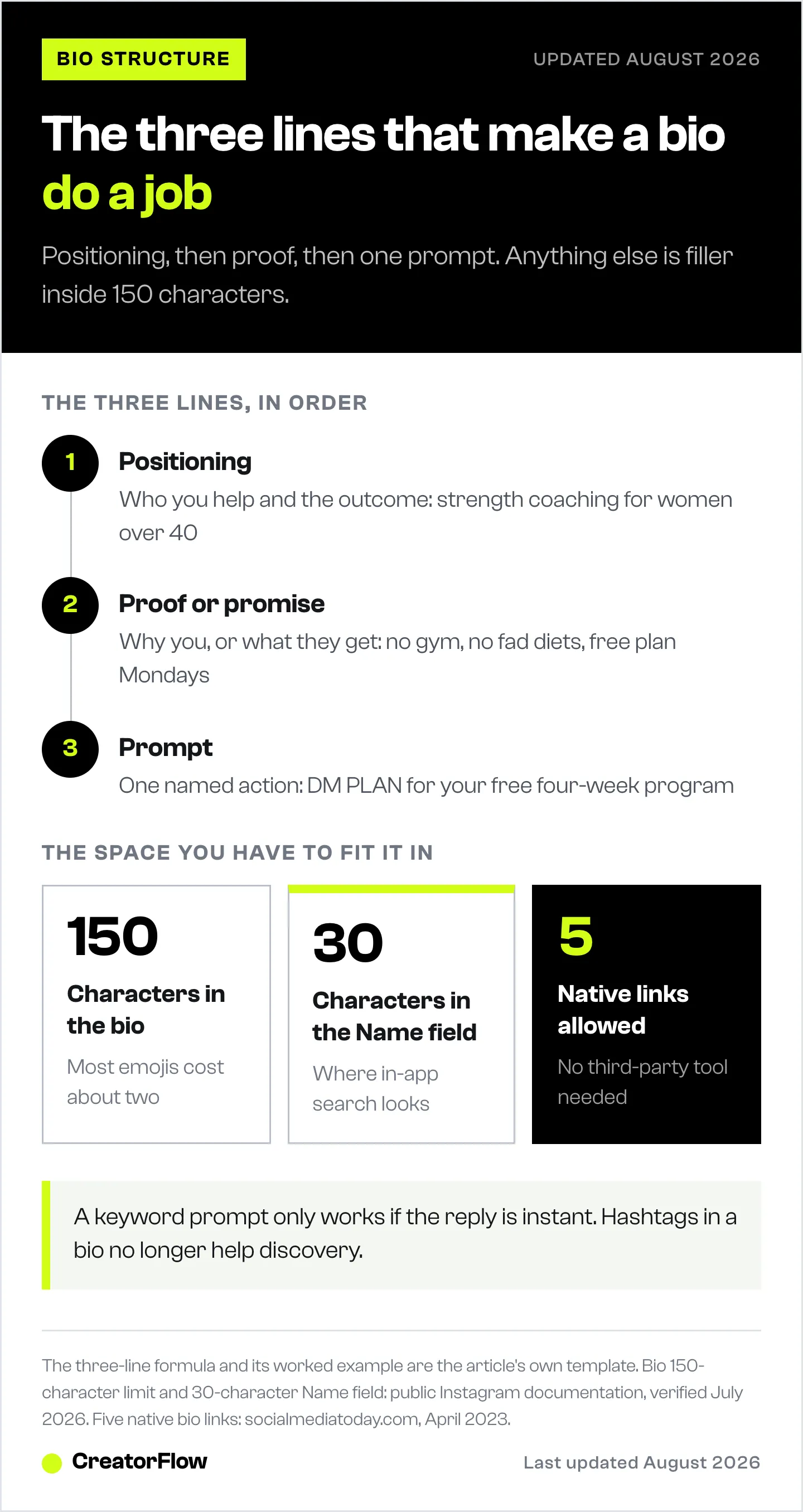
Every high-performing bio follows the same shape: positioning, proof, then a prompt. It is the difference between a bio that describes you and one that does a job.
| Line | Job | Example |
|---|---|---|
| Line 1 | Positioning: who you help + the outcome | Strength coaching for women over 40 |
| Line 2 | Proof or promise: why you, or what they get | No gym, no fad diets. Free plan Mondays. |
| Line 3 | Prompt: one specific action | DM “PLAN” for your free 4-week program |
The last line is where most bios collapse. “Link in bio” is passive and forgettable. “DM PLAN for your free 4-week program” names a specific action and a specific reward, which is why it pulls far more messages. For a full swipe file of closing lines, our 50+ Instagram call-to-action examples covers CTAs for bios, captions, and Reels.
One caveat: a “DM me a keyword” line only works if the reply is instant. More on that below.
Instagram Bio Ideas for Creators
Use these if you make content on a topic and want a new viewer to immediately get what you post and why to follow. Swap the bracketed parts for your niche.
Video and Reels-first creators
- [Niche] videos every week — follow so you stop missing the good ones
- I make [topic] content for people who want the answer, not the fluff
- Short [niche] breakdowns → a new one every [day]
- Turning [complex topic] into 30-second wins
- [Topic] creator. If the Reel helped, the rest of the page will too ↓
Educational creators
- I teach [topic] in plain language. No jargon, no gatekeeping.
- [Number]+ free lessons on [topic] → start with the pinned post
- Helping [audience] finally understand [topic]
- years doing [skill], now showing you the shortcuts
- The [topic] account you will wish you found sooner
Lifestyle and personal-brand creators
- [City] [niche] creator sharing [what you post about]
- Documenting [goal] in public → follow the build
- Honest [topic] takes. No sponsor decides what I say.
- [Personality trait] human making [niche] content on purpose
- Real life, lightly edited. [Niche] content most days.
Not sure which niche label to claim? Nail that first with our guide to choosing your creator niche, then the bio writes itself. Brand-new account? Pair the bio with the profile setup in how to get your first 100 Instagram followers.
Instagram Bio Ideas for Businesses and Brands
These are built for profile visitors who do not know your brand yet. Lead with what you sell or do, then point to the next step.
Product-based businesses
- [What you sell], made [differentiator] → shop below
- [Product category] for [specific customer]. Ships to [where].
- New [product] drops every [cadence] → follow so you catch them
- [Brand]: [one-line reason you exist]
- Small-batch [product] → tap the link to shop the latest
Service-based businesses
- [Service] for [audience] → DM “START” to begin
- We help [customer] [outcome] without [common pain point]
- [Service] in [city] → tap below to book
- [Audience]-only [service]. DM “INFO” for pricing.
- [Result] for [client type] → free guide in DMs, just message “GUIDE”
Local businesses
- [City] [business type] → reserve below
- [Neighborhood]‘s [category] | open [hours] | directions below
- [City] [service] with a [proof point] → DM to book
- Family-run [category] in [city] since [year]
- [Product] made fresh in [city] → order at the link
Instagram Bio Ideas for Personal Accounts
No product, no funnel, just a page that feels like you. These lead with personality instead of positioning.
Funny bios
- Professionally distracted, occasionally productive.
- Here to post first and think later.
- My camera roll is 90% food, 10% regret.
- Overthinking this bio so you do not have to.
- Chronically online, surprisingly fine.
Cute bios
- Small account, big feelings, good snacks.
- Making cozy things for cozy people.
- Collecting sunsets and screenshots.
- Soft launch of my whole personality.
- Just someone who likes making nice things.
Aesthetic bios
- Slow mornings and long exposures.
- Finding the quiet frame in a loud feed.
- Documenting light, mostly.
- Golden hour is a personality.
- Ordinary days, framed carefully.
Short bios
- Make. Post. Repeat.
- Loud ideas, quiet delivery.
- Building something honest.
- Less caption, more camera.
- Here. Making things.
Classy bios
- Quality over quantity, always.
- Considered content for considered people.
- Fewer posts, more intention.
- Made to last, not to trend.
- Refined taste, unfiltered opinions.
Instagram Bio Ideas That Drive DMs and Sales
This is the section other bio lists skip. A bio that gets a follow is fine. A bio that starts a conversation is how creators actually make money from Instagram. Each of these ends in a keyword the visitor sends you, which opens a DM you can answer automatically.
- [Niche] tips → DM the word “[KEYWORD]” for the free [resource]
- Comment “[WORD]” on any post and I will send the link
- Want the [product or guide]? DM “[KEYWORD]” and it is yours
- [Outcome] in [timeframe] → message “[KEYWORD]” to start
- Free [lead magnet] → just DM “[KEYWORD]”
- New here from a Reel? DM “[KEYWORD]” for the full breakdown
- [Service] booking → DM “BOOK” and I will send the calendar
- Shop my [category] → comment “LINK” for the direct product link
The pattern is always the same: name the reward, name the keyword. “DM GUIDE for my free content calendar” beats “link in bio” because it is specific and low-friction. But a keyword CTA is only as good as your reply speed. If someone messages “GUIDE” and hears nothing for six hours, the intent is gone.
That is what keyword trigger auto-replies solve. You set the keyword once, and every visitor who sends it gets your link, PDF, or booking calendar back in seconds, even at 2 a.m. The bio becomes a distribution engine instead of a static sign. Setup runs through comment-to-DM automation for comments and keyword triggers for direct messages, and CreatorFlow’s free plan covers it with setup in under five minutes. The full playbook lives in our complete Instagram DM automation guide.
How to Make Your Bio Convert in 2026
The templates get you the words. These mechanics get you the results. A few things changed in the last year worth knowing.
The Instagram fonts generator handles the bold and italic variants if you want them.
Put your keyword in the Name field, not just the bio. Your Name field (the bold text under your photo, 30 characters) carries the most weight when someone searches inside Instagram. “Sarah | Fitness Coach” surfaces for “fitness coach” searches in a way “Sarah” never will. Keywords in your bio body still help Instagram categorize your account, and since Instagram opened public professional accounts to Google indexing in mid-2025, those words can now help you show up in a regular web search too.
Use all 5 native links. Instagram supports up to 5 clickable links directly in your bio (socialmediatoday.com, April 2023), so a third-party link tool is optional. Give each link a clear title — shop, latest video, newsletter, booking — and rotate them to match whatever you are promoting. Weigh the trade-offs in link in bio vs DM automation for email capture before you decide what to link.
Skip hashtags in your bio. They are still clickable, but they no longer help people discover you, and they send anyone who taps them away from your profile. Spend those characters on plain-text keywords instead.
Use 2 to 3 emojis, no more. Most emojis eat about 2 characters against your 150-character limit, and skin-tone or combined emojis eat more. Use them as visual anchors — one to reinforce your niche, one to point at your link — not as decoration.
Fix your line breaks in Notes. Instagram’s bio editor sometimes strips line breaks. Type the bio in your phone’s Notes app with the spacing you want, then copy and paste it in. If breaks still collapse, drop a period on the empty line to force the space.
Common Instagram Bio Mistakes
- Writing for yourself, not your visitor. “Coffee. Dog mom. Pisces.” expresses you but sells nothing. Tell a stranger what they get by following.
- No CTA, or three of them. If there is no next step, people leave. If there are three, they pick none. One clear action.
- Being vague. “Helping people live better” could be a therapist, a coach, or a candle brand. Narrow it until the right person feels seen.
- A dead link. A CTA that points to a month-old launch is wasted real estate. Audit your links on mobile every quarter.
- A keyword CTA with no automation. “DM me GUIDE” only works if the guide actually arrives. Back it with an auto-reply or do not promise it.
FAQ
What should I put in my Instagram bio?
At minimum: what you do or make, who it is for, and one clear call to action. Creators should add their content niche and posting frequency. Businesses should add a differentiator, location if they are local, and a link CTA. Personal accounts can lead with personality, but specificity still converts better than generic phrases like “living my best life.”
How many characters can an Instagram bio be?
Instagram bios have a 150-character limit, including letters, numbers, spaces, and emojis. Most emojis count as about 2 characters, and complex emojis with skin-tone modifiers can count as more. That tight limit is why every word has to earn its place, and why replacing a word with a single relevant emoji can be worth it.
What is a good Instagram bio for a creator?
A good creator bio answers three questions fast: what content you make, who it is for, and why to follow you over anyone else in your niche. A reliable format is “Weekly [niche] videos for [specific audience] → new content every [day].” It is specific enough to convert the right people without being so narrow it excludes everyone.
How do I make my Instagram bio aesthetic?
Keep it short, lead with mood, and use one custom font line at most. Pick a phrase that captures your vibe (“slow mornings and long exposures”), add a single emoji as an anchor, and use line breaks for breathing room. Avoid writing the whole bio in decorative fonts, since heavy styled text becomes hard to read and hurts more than it helps.
Do keywords in my Instagram bio help people find me?
Partly. Instagram’s in-app search leans most on your username and your Name field, so your main keyword belongs in the Name field (30-character limit). Keywords in the bio body help Instagram categorize your account and, since public professional accounts became indexable by Google in mid-2025, can help you appear in web searches too. Hashtags in the bio do not help discovery.
How do I turn my Instagram bio into a lead generator?
Add a keyword CTA to your bio, such as “DM GUIDE for the free checklist,” then set up an automation that replies with the link the moment someone sends that word. Instagram DM automation delivers your link, PDF, or booking calendar instantly, so a profile visit becomes a captured lead instead of a message you answer hours later. CreatorFlow’s free plan handles this with setup in under five minutes.
How many links can I add to my Instagram bio?
Instagram now supports up to 5 native clickable links in your bio, added under Edit Profile then Links. That covers most creators and brands without a third-party tool. Use a link-in-bio tool only when you need more than 5 destinations, click analytics, or a fully branded landing page. One of your links can also be an ig.me link that opens a DM directly.
Instagram bio character limits, native link count, and platform search behavior verified from socialmediatoday.com and public Instagram documentation as of July 2026. Individual results vary.