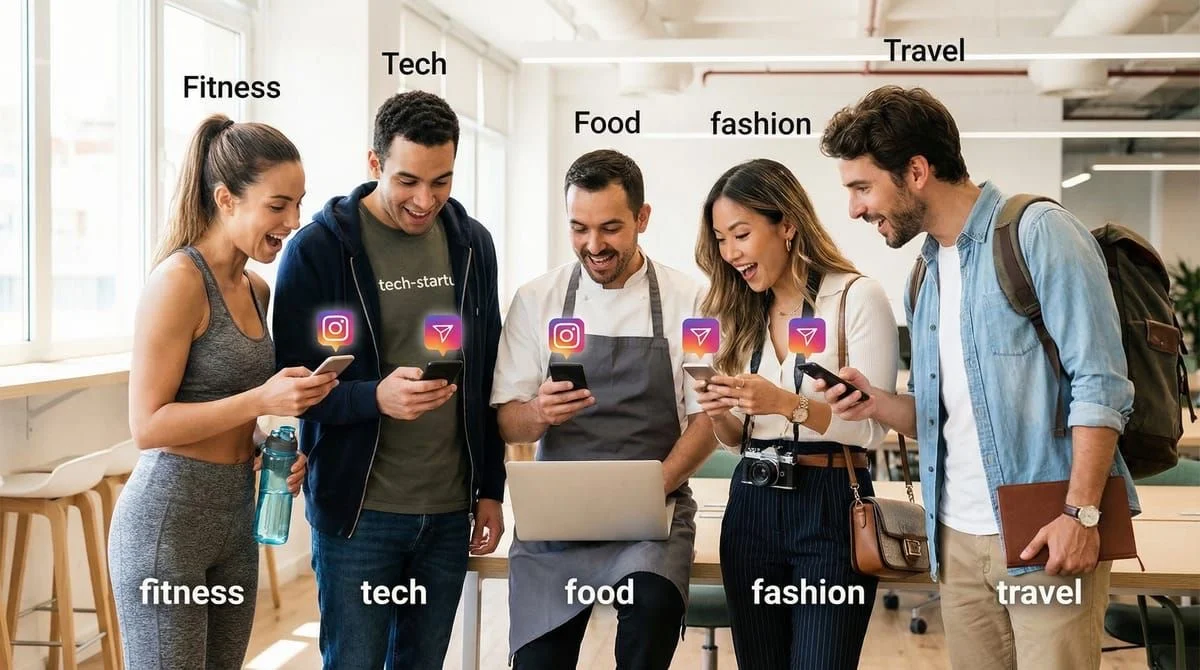
Welcoming new Instagram followers automatically requires indirect methods because Meta’s Graph API does not support follow-triggered DMs as of February 2026. Five effective strategies include Story reply automation (“Reply HEY” prompts), pinned welcome posts with comment-to-DM triggers, bio links that open direct chats, Story Highlights with reply triggers, and carousel last-slide CTAs. These approaches engage new followers within their first interaction while fully complying with Instagram’s API rules.
You just gained 50 new followers from your viral Reel.
24 hours later?
Zero engagement. No DMs. No story views. No comments on your next post.
Here’s what happened: 23.8% of users decide within the first Story frame whether to keep watching (EmbedSocial, February 2026). That same decision window applies to new followers - if you don’t make a strong first impression immediately, they scroll past and forget you exist.
The opportunity cost is massive. Brands responding within 1 minute see 391% higher conversion rates compared to 30-minute delays (Napolify, July 2025). But here’s the challenge: you can’t manually message every new follower when you’re gaining 20, 50, or 100 per day.
The solution? Strategic automation that welcomes new followers without violating Instagram’s API rules (which we’ll cover). This guide shows you 5 methods to automatically engage new followers the moment they hit “Follow” - using tools that comply with Meta’s 2026 policies.
TL;DR
Can you auto-DM new followers directly? No - Meta’s Graph API doesn’t support follow-triggered DMs (February 2026).
What works instead:
- Story Reply Automation (Most natural): Post “New here? Reply HEY” : auto-send welcome message
- Welcome Post + Comment-to-DM: Create pinned post with keyword trigger (e.g., “Comment WELCOME”)
- Bio Link to Chat: Add direct-to-DM link in bio for instant self-serve access
- Welcome Highlights: Create “START HERE” Story Highlight with reply trigger
- Carousel Last Slide: Add CTA on every carousel post (“Comment LINK for free guide”)
Best combo: Story Reply (daily) + Bio Link (always-on) + Welcome Highlight (profile visitors)
What about “Follow to DM”? Some tools offer auto-DM on follow via private beta APIs. Unreliable as of February 2026. The strategies above use stable, public APIs with higher conversion rates because users self-select.
Key stat: 1-minute response times generate 21x higher conversion rates than 30-minute delays - automation is essential at scale.
Why Welcoming New Followers Matters (Data-Backed)
The First Impression Window is 24 Hours or Less

Your window to make an impression is shrinking:
- 23.8% of users stop watching after the first Instagram Story frame (Sixth City Marketing, 2026)
- 50% of Instagram users engage with brands regularly - but only if brands engage first (Agorapulse, 2026)
- Average follower growth: +0.79% monthly for business accounts - you need to retain what you earn (Social Insider, 2025)
Translation: Every new follower who doesn’t engage within 24-48 hours becomes part of your “dead follower” problem - diluting your reach and engagement rate.
Response Speed = Revenue
1-minute response time impact:
- 391% higher conversion rates vs. 30-minute delays
- 21x more likely to convert than responses after 30+ minutes
- DM-to-sale conversion rates: 15-20% for micro-influencers who respond fast (Napolify, July 2025)
What this means for creators:
- If you’re an affiliate marketer: Faster DMs = more clicks on your Amazon/ClickBank links
- If you’re a coach: Faster booking links = more discovery calls booked
- If you sell products: Faster responses = 15-20% of DMs convert to sales
Engagement Rate Reality Check
Nano-influencers (1K-10K followers) achieve 5.1% engagement rates - significantly higher than mega-influencers at 2.61% (SQ Magazine, 2026).
Why? Because smaller creators maintain personal connection. Welcoming new followers at scale helps you keep that personal feel as you grow.
Bio link benchmark: 4.7% average CTR - meaning if 1,000 people visit your profile, ~47 click your bio link (Linktr.ee, February 2024). Welcoming new followers increases the chance they click.
Understanding Meta’s API Limitation (30 Seconds of Context)
Why can’t you auto-DM new followers directly?
Instagram’s Graph API (the official developer platform) does not support follow-triggered messaging as of February 2026. Meta only allows automated DMs after:
- User comments on your post
- User replies to your Story
- User sends you a DM first
- User clicks a Chat Link
Rate limits to know:
- 200 DMs per hour (Meta API) (per Instagram account)
- 1 DM per user per 24 hours from comment/Story triggers
- 24-hour messaging window (can only message users who engaged in last 24 hours)
(CreatorFlow: Instagram API Rate Limits, 2026)
Why these rules exist: Meta wants to prevent spam and protect user experience. Automation must start from user-initiated actions - not follow-only triggers.
What this means for you: You need creative strategies that prompt new followers to take an action (comment, reply, DM) - then automation kicks in.
What About “Follow to DM” Features?
You might see tools advertising “Follow to DM” - automatic messages triggered the instant someone follows you. ManyChat launched a beta version of this feature in late 2025, claiming a private partnership with Meta (ManyChat Help Center, February 2026).
Here’s what you need to know before relying on it:
The API Reality
Instagram’s follow event webhook exists in Meta’s API schema but is not listed as a publicly subscribable field (Reddit r/Instagram discussion, November 2025). This means:
- The feature works through a private/beta API arrangement, not the standard Graph API
- Reliability varies. Users report inconsistent delivery and missed followers
- Only available to ManyChat accounts connected through their newest Instagram onboarding flow
- Not retroactive. Only fires for followers gained after activation
Why Indirect Methods Still Win
Even if Follow to DM becomes widely available, the 5 strategies in this guide have structural advantages:
| Factor | Follow to DM | Comment/Story Trigger Methods |
|---|---|---|
| API stability | Beta, private webhook | Stable, public Graph API |
| User intent signal | Low (passive follow) | High (active comment/reply) |
| Conversion rates | Lower (cold outreach) | Higher (self-selected engagement) |
| Works across tools | ManyChat only (as of February 2026) | CreatorFlow, ManyChat, LinkDM, others |
| Risk of feeling spammy | Higher (unsolicited) | Lower (user initiated) |
The core difference: Follow to DM sends messages to people who didn’t ask for one. Comment-to-DM and Story reply automation send messages to people who explicitly requested something. That intent gap matters for conversion rates and user perception.
CreatorFlow’s Follow Gate: A Smarter Alternative
Instead of messaging every new follower (low intent), CreatorFlow offers a Follow Gate in its automation builder. This requires users to follow you before receiving a link or resource they asked for.
How it works:
- User comments a keyword on your post (e.g., “LINK”)
- CreatorFlow checks if they follow you
- If not, sends a DM: “Follow me first, then tap the button below to get your link”
- Once they follow, the resource delivers automatically
Result: You grow followers AND deliver value, but only to people who actively engaged. No unsolicited DMs, no spam complaints, higher conversion. Learn more in our comment-to-DM setup guide.
Strategy #1: Story Reply Automation (Most Natural)
Why this works: Stories are high-visibility (280 million+ watch Stories daily), and Story replies feel personal - not robotic.
How to Set It Up
Step 1: Create Welcome Story
Post a Story with text overlay:
- “Just followed? Reply HEY and I’ll send you my starter pack 👋”
- “New here? Reply START to learn what I share”
- “Reply HELLO if you want my free guide”
Step 2: Set Up Story Reply Automation
Using CreatorFlow (or any Meta-approved tool):
- Navigate to Automations : Story Reply Automation
- Create new automation with keyword trigger (e.g., “HEY”, “START”, “HELLO”)
- Write welcome message (template below)
- Activate automation
Step 3: Post Daily or Weekly
Make this a recurring Story:
- Post every 24 hours (for high-growth accounts)
- Post 2-3x per week (for steady accounts)
- Pin to Highlights (see Strategy #4)
Example Welcome Message Template
Hey! 👋 Thanks for following.

I share [your niche] tips here. Here's what you'll get:

• [Benefit 1: e.g., "Daily affiliate product recommendations"]
• [Benefit 2: e.g., "Exclusive discount codes"]
• [Benefit 3: e.g., "Behind-the-scenes content"]

Want my free [lead magnet]? Reply YES and I'll send it.
Why this works:
- Natural conversation starter (doesn’t feel like a bot)
- High visibility (Stories appear at top of feed)
- Self-qualifying (only engaged followers reply)
- Complies with Meta API (user-initiated Story reply)
Pro tip: Use CreatorFlow’s Story reply automation with emoji triggers (e.g., 👋 or 🔥) for even easier engagement.
Strategy #2: “Welcome Post” Comment-to-DM
Why this works: Pinned posts stay at the top of your profile grid - perfect for profile visitors.
How to Set It Up
Step 1: Create Welcome Post
Design a carousel or single image with text:
- “New here? 👋”
- “Comment WELCOME below”
- “I’ll send you a free [lead magnet] + show you what I do”
Design tips:
- Use brand colors
- Large, readable text
- Clear CTA (“Comment WELCOME”)
- Friendly, non-salesy vibe
Step 2: Set Up Comment-to-DM Automation
Using CreatorFlow (full walkthrough in our comment-to-DM automation setup guide):
- Navigate to Automations : Comment-to-DM
- Select your Welcome Post
- Add keyword trigger: “WELCOME” (or “START”, “HEY”)
- Write welcome DM (see template below)
- Activate automation
Step 3: Pin Post to Profile
- Go to your post
- Tap 3 dots (•••) : Pin to Profile
- This keeps it at the top of your grid
Example Welcome DM Template
Thanks for commenting! 🙌

I help [your audience] with [your niche]. Here's my free [lead magnet]:

👉 [Link]

Got questions? Just reply - I read every DM.

- [Your Name]
Why this works:
- Always visible (pinned to profile grid)
- Low friction (commenting is easier than DM-ing)
- Great for link-in-bio traffic (visitors see it immediately)
- Reusable (works for existing + new followers)
Pro tip: Add public comment reply: “Sent you a DM with the link! 📩” - this increases social proof when others see it.
Strategy #3: Instagram Chat Link in Bio
Why this works: Direct access to DMs with zero setup friction - perfect for new followers who want immediate help.
How to Set It Up
Step 1: Generate Your Chat Link
Using CreatorFlow’s free Chat Link Generator (learn more in our ig.me link guide):
- Go to CreatorFlow Chat Link Tool
- Enter your Instagram handle
- Copy the generated link:
https://ig.me/m/yourusername
Step 2: Add to Bio
Update your Instagram bio:
- “New follower? Tap here to chat 👋 [your chat link]”
- “Questions? DM me instantly : [link]”
- “Start here 👉 [link]”
Optional: Use a link-in-bio tool (Linktree, Beacons) and add chat link as a button.
Step 3: Set Up Auto-Reply (Optional)
When someone clicks the chat link and sends their first DM:
- CreatorFlow can auto-reply with welcome message
- Or manually respond (notification will arrive instantly)
Example Bio Setup
🏋️ Fitness Coach | 10K Transformations
📩 New here? Chat with me: [ig.me/m/yourhandle]
🎁 Free workout plan below 👇
Why this works:
- Zero friction (one tap to DM)
- Self-serve (works 24/7 without you posting)
- 4.7% average CTR on bio links - high intent traffic (Linktr.ee, 2024)
- Always accessible (unlike Stories that disappear after 24 hours)
Pro tip: Track clicks using link shorteners (Bitly) to measure how many new followers use this method.
Strategy #4: Welcome Highlights Strategy
Why this works: Story Highlights are permanent, visible on your profile, and can direct new followers to engage.
How to Set It Up
Step 1: Create “START HERE” Highlight
- Post a Story with text:
- “New follower? 👋”
- “Reply to this Story with START”
- “I’ll send you my welcome guide”
- Save to Highlight titled:
- “START HERE”
- “NEW? TAP HERE”
- ”👋 WELCOME”
Step 2: Set Up Story Reply Automation
Same setup as Strategy #1:
- Keyword trigger: “START” or “HEY”
- Welcome DM with intro + lead magnet link
Step 3: Design Eye-Catching Highlight Cover
Use Canva or similar:
- Brand colors
- Clear icon (waving hand 👋)
- Readable text (“START HERE”)
Why This Works Better Than Regular Stories
Stories disappear after 24 hours. Highlights stay forever.
Profile visitors see Highlights immediately:
- New followers checking out your profile
- Existing followers revisiting
- Link-in-bio traffic
Stats to know:
- 50% of Instagram users engage with brands regularly - Highlights make it easy to start (Agorapulse, 2026)
- 23.8% of users stop watching after first Story frame - Highlights let them engage on their timeline (Sixth City Marketing, 2026)
Pro tip: Create multiple Highlights:
- “START HERE” (intro)
- “SHOP” (product links)
- “FAQ” (common questions)
Strategy #5: Carousel Post Last Slide Strategy
Why this works: Carousel posts get 1.4x more reach than single images - and you can add CTAs on every viral post.
How to Set It Up
Step 1: Design Carousel Posts with CTA Slide
For every carousel post:
- Slides 1-9: Value content (tips, tutorials, before/after)
- Slide 10: CTA slide
- “Want more? Comment LINK”
- “Get the full guide : Comment GUIDE”
- “Saved this? Comment MORE for my free checklist”
Step 2: Set Up Comment-to-DM Automation
Using CreatorFlow:
- Navigate to Automations : Comment-to-DM
- Select “All Future Posts” (or specific post)
- Add keyword trigger: “LINK”, “GUIDE”, “MORE”
- Write DM with resource link
- Activate
Step 3: Post Consistently
Make the last slide a standard template:
- Same design (brand colors, fonts)
- Same keyword (e.g., “Comment LINK”)
- Different resource per post
Example Last Slide Design
[Top half: "Want the full checklist?"]
[Bottom half: "Comment LINK below 👇"]
[Background: Brand colors, minimal design]
Example Follow-Up DM
Here's the full checklist you asked for:

👉 [Link to lead magnet]

This has everything I covered in the post + 10 bonus tips.

Questions? Just reply - I'm here to help.

- [Your Name]
Why this works:
- Viral posts bring new followers - CTA slide converts them immediately
- Works on all posts (not just pinned ones)
- Self-qualifying (commenters are high-intent)
- Scales infinitely (every post becomes a lead magnet distribution tool)
Pro tip: Test different keywords per post to see which converts best (e.g., “LINK” vs. “SEND” vs. “GUIDE”).
Comparison Table: Which Strategy to Use?
| Strategy | Setup Time | Visibility | Engagement Type | Best For |
|---|---|---|---|---|
| Story Reply Automation | 5 mins | High (top of feed) | Story replies | Daily engagement, high-growth accounts |
| Welcome Post (Pinned) | 15 mins | Medium (profile grid) | Comments | Profile visitors, link-in-bio traffic |
| Bio Chat Link | 2 mins | Always visible (bio) | DMs | Self-serve, always-on, low maintenance |
| Welcome Highlights | 10 mins | High (profile visitors) | Story replies | Permanent, evergreen, profile optimization |
| Carousel Last Slide | 5 mins per post | Varies (viral posts = high) | Comments | Viral content, automated lead generation |

Recommended Combo (Maximum Coverage):
- Bio Chat Link (always-on, zero effort)
- Welcome Highlights (profile visitors)
- Story Reply Automation (daily engagement)
- Carousel Last Slide (scales with viral content)
How to Write Effective Welcome Messages
The 4-Part Framework
1. Greeting (Friendly, Not Formal)
- “Hey! 👋 Thanks for following.”
- “Welcome! 🙌”
- “Hey [first name]! Thanks for the follow.”
2. Value Statement (What They Get)
- “I share [your niche] tips to help [audience] achieve [outcome].”
- “I help [audience] with [problem] using [solution].”
3. Clear Next Step (CTA)
- “Want my free [lead magnet]? Here’s the link: [URL]”
- “Reply YES if you want [resource].”
- “Tap here to book a call: [Calendly link]”
4. Invitation to Engage
- “Got questions? Just reply - I read every DM.”
- “What brought you here? Let me know!”
Real Examples by Niche
Fitness Coach:
Hey! 👋 Thanks for following.

I'm Sarah - I help busy parents lose 10-30 lbs without giving up their favorite foods.

Here's my free 7-day meal plan:
👉 [Link]

What's your biggest fitness challenge right now?
Affiliate Marketer:
Welcome! 🙌

I review the best [niche] products on Amazon and share exclusive discount codes.

Here's this week's top pick:
👉 [Affiliate link]

Questions? Just reply - I'm here to help.
Online Coach:
Hey! Thanks for the follow.

I help [audience] with [problem]. Want to chat?

Book a free 15-min call:
👉 [Calendly link]

Or reply with your biggest challenge and I'll send you a resource.
Boutique/E-commerce:
Hey! 👗 You have great taste.

New arrivals drop every Thursday. Here's 10% off your first order:
👉 [Discount link]

What are you shopping for? I'll point you to our bestsellers.
Musician/Artist:
Thanks for the follow! 🎸

New music drops monthly. Want early access to my next single before it hits Spotify?

Reply YES and I'll add you to the early access list.
Beauty/Skincare:
Welcome! ✨

I share honest product reviews and routines that work.

Here's my current holy grail list:
👉 [Link]

What's your skin type? I'll send you a custom recommendation.
What NOT to Do
❌ Don’t be robotic:
- “Greetings. We appreciate your follow. Visit our website for more information.”
❌ Don’t oversell:
- “BUY NOW! LIMITED TIME 50% OFF! CLICK HERE!”
❌ Don’t send walls of text:
- Keep it under 200 characters (2-3 sentences max)
❌ Don’t forget the CTA:
- Don’t leave them hanging - give them a clear next step
Best Practices for New Follower Automation
1. Timing is Everything
Send welcome messages 24-48 hours after follow:
- Too fast (instant): Feels robotic
- Too slow (7+ days): They’ve forgotten you
- Sweet spot: 24-48 hours (feels natural)
2. Personalization Wins
Use their first name if possible:
- CreatorFlow can insert
{{first_name}}variable - “Hey Sarah!” feels more personal than “Hey!”
Reference how they found you:
- “Thanks for following from my Reels!”
- “Saw you commented on my [topic] post”
3. Follow Meta’s Rate Limits
200 DMs per hour = ~4,800 DMs per day max
If you’re gaining 100+ followers per day:
- Prioritize engaged followers (commenters, Story repliers)
- Use bio chat link for overflow (unlimited)
- Space out DMs throughout the day
(CreatorFlow: Instagram API Rate Limits, 2026)
4. Test and Iterate
Track these metrics:
- Reply rate: % of welcome DMs that get replies
- Link CTR: % who click your lead magnet link
- Conversion rate: % who book calls/buy products
A/B test:
- Different CTAs (“Reply YES” vs. “Tap here”)
- Different lead magnets (checklist vs. video tutorial)
- Message length (50 words vs. 150 words)
5. Combine Multiple Strategies
Don’t rely on one method:
- Story replies capture engaged followers
- Bio chat link captures profile visitors
- Pinned posts capture link-in-bio traffic
- Highlights capture existing followers who missed Stories
Cover all entry points for maximum reach.
Stack Welcome Automations With Lead Capture
Welcome messages work best when they’re the first step in a longer sequence, not a dead end.
The Lead Magnet Stack
Welcome message : Offer freebie : Collect email : Nurture via email
Example flow:
- New follower replies “HEY” to your Story
- CreatorFlow sends welcome DM with free checklist link
- Before delivering the link, ask for their email (CreatorFlow’s email collection step)
- Email gets added to your Klaviyo/Kit/Mailchimp list
- Email nurture sequence takes over
Why this matters: Instagram followers are rented audience. Email subscribers are owned. Every welcome message should move people toward your email list. See our full guide on building an email list from Instagram DMs.
The Follow Gate + Welcome Combo
Combine CreatorFlow’s Follow Gate with your welcome strategy for maximum growth:
- Post content with CTA: “Comment GUIDE for the free checklist”
- Non-followers get: “Follow me first, then tap below to get your guide”
- Once they follow AND comment, they receive the resource
- You gain a follower AND deliver value in one interaction
This is more effective than unsolicited welcome DMs because the user initiated the interaction. They wanted something specific and traded a follow to get it.
The Conversation Starter Stack
Instead of sending a link immediately, ask a low-stakes question:
Hey! 👋 Thanks for replying.

Quick question: What's your biggest challenge with [niche topic] right now?

A) [Option 1]
B) [Option 2]
C) Something else - tell me!
Why this works: Replies signal high engagement to Instagram’s algorithm, making your content more likely to appear in their feed. Every reply also resets the 24-hour messaging window, giving you more time to nurture the relationship.
FAQ
Can I auto-DM new followers directly on Instagram?
No. Meta’s Instagram Graph API does not support follow-triggered DMs as of February 2026. You can only send automated DMs after user-initiated actions (comments, Story replies, DMs first). This is why the strategies in this guide use Story replies, comments, and bio links to trigger welcome messages.
Does “Follow to DM” work on Instagram?
Follow to DM (auto-sending a DM when someone follows you) is not available through Meta’s public Graph API as of February 2026. ManyChat offers a beta version through a private Meta arrangement, but users report inconsistent delivery and it only works for accounts connected through ManyChat’s newest onboarding flow (ManyChat Help Center, February 2026). Comment-to-DM and Story reply triggers use stable public APIs and convert better because the user initiated the conversation.
What’s the best way to welcome new followers without violating Instagram’s rules?
The most effective Meta-compliant method is Story Reply Automation. Post a daily Story saying “New here? Reply HEY” and set up automation to send a welcome DM when they reply. This feels natural, complies with Meta’s API, and generates 15-20% conversion rates for engaged followers.
How fast should I respond to new followers?
Within 1 minute if possible. Brands responding within 1 minute see 391% higher conversion rates compared to 30-minute delays (Napolify, July 2025). Automation handles this for you - CreatorFlow sends DMs within 2 seconds of a comment or Story reply.
What should I include in a welcome message?
**Follow the 4-part framework:
- Greeting: “Hey!** Thanks for following.”
- Value statement: “I help [audience] with [problem].”
- Clear CTA: “Here’s my free guide: [link]”
- Invitation to engage: “Questions? Just reply.”
Keep it under 200 characters (2-3 sentences). See the “How to Write Effective Welcome Messages” section for templates, or browse our full Instagram DM automation template library.
Can I use CreatorFlow to welcome new followers automatically?
**Yes - CreatorFlow supports all 5 strategies in this guide:
- Story Reply Automation: Auto-send DMs when followers reply to Stories
- Comment-to-DM: Auto-send DMs when followers comment specific keywords
- Chat Link Generator: Create direct-to-DM links for your bio
- Welcome Highlights: Permanent Story highlights that trigger automation
- Carousel CTAs: Auto-reply to comments on carousel posts**
All methods comply with Meta’s 2026 API rules. Get started free (no credit card required).
What’s the average conversion rate for welcome DMs?
15-20% for micro-influencers (10K-100K followers) who respond within 1 minute (Napolify, July 2025). This means if you send 100 welcome DMs, 15-20 should convert (book call, buy product, click affiliate link). Response speed is critical - 30-minute delays drop conversion to 3-5%.
Is Instagram DM automation safe in 2026?
Yes, if you use Meta-approved tools like CreatorFlow. These tools use Instagram’s official Graph API and follow rate limits (200 DMs/hour). Avoid tools that require your password or scrape data - these violate Instagram’s Terms of Service and can get you banned. (CreatorFlow: Avoid Instagram Bans, 2026)
How many new followers can I message per day?
200 DMs per hour = 4,800 DMs per day max (Instagram’s API rate limit). However, best practice is:
- 50-100 DMs per day for new accounts (build trust with Instagram)
- 200-500 DMs per day for established accounts (>10K followers)
- Use bio chat link for overflow (unlimited, self-serve)
Should I use the same welcome message for all followers?
**Start with one template, then segment:
- New followers from viral Reels: Mention the Reel topic
- New followers from link-in-bio: Assume high intent, send strong CTA
- New followers from collaborations: Reference the collab partner**
CreatorFlow allows different automation rules per post/Story, so you can customize messages based on entry point.
Sources:
- Instagram API limits: Meta Developer Documentation
All external data verified as of February 2026.