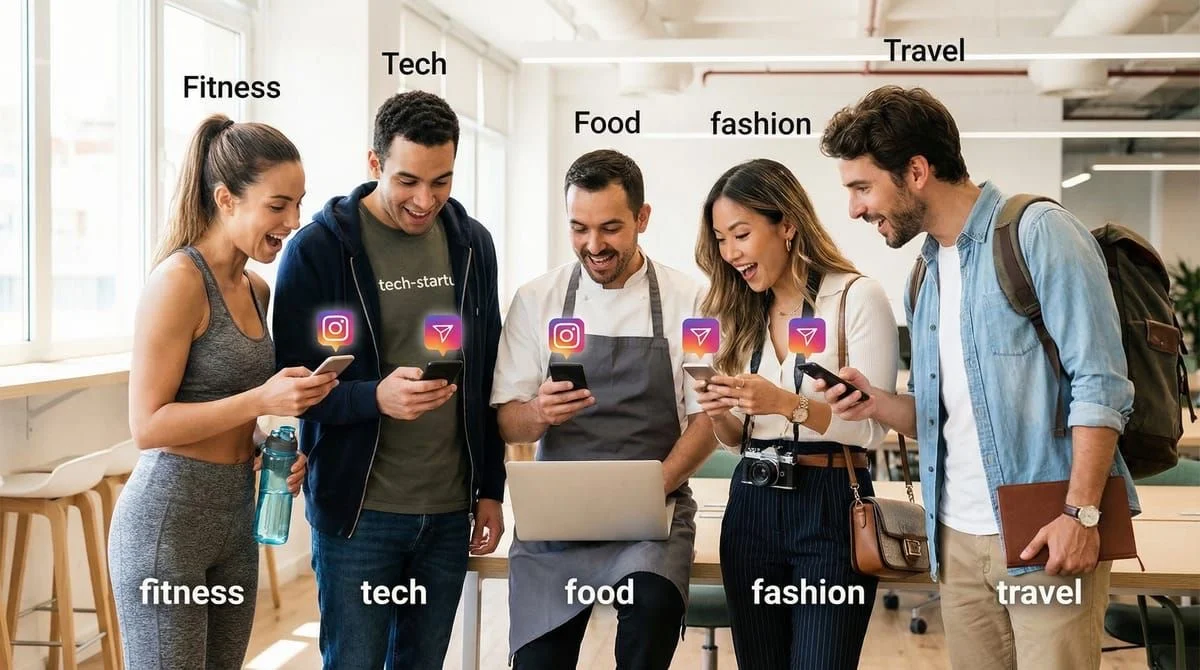
Managing multiple Instagram accounts efficiently requires workspace-based automation tools that keep each account’s DMs, triggers, and analytics separate. Workspaces let agencies and multi-brand creators switch between accounts in two clicks from a single dashboard, eliminating the need to log in and out 20+ times daily. Tools like CreatorFlow support up to 5 accounts on one plan ($15/mo), with isolated automations per workspace.
TL;DR
Manage multiple Instagram accounts using workspace features in automation tools like CreatorFlow ($15/mo for up to 5 accounts). Workspaces let you switch between accounts in 2 clicks, keep automations/data isolated per client, and view all performance metrics from one dashboard - no more logging in/out 20+ times daily or sending wrong DMs to wrong clients.
What workspaces solve:
- Before: Log in/out 20+ times/day, 3+ hours switching accounts, mixed-up DMs
- After: Switch accounts in 2 clicks, unified dashboard, isolated data per client
Who needs workspaces:
- Agencies managing 3-10+ client accounts
- Multi-brand creators (personal + business accounts)
- VAs handling multiple clients
Tool comparison (as of February 2026):
- CreatorFlow: Up to 5 accounts on $15/mo plan (best value)
- ManyChat: $15/mo per account (costs scale with accounts)
- LinkDM: 1 account per $19 subscription
Key feature: Each workspace has independent triggers, templates, and analytics - nothing mixes between clients.
Last Updated: January 9, 2026 Primary Keyword: manage multiple Instagram accounts automation Word Count: 3,200 Reading Time: 10 minutes
The Multi-Account Problem


You’re managing 5 Instagram accounts:
- Your personal brand
- Your business account
- Client A (fitness coach)
- Client B (beauty brand)
- Client C (realtor)
Your current reality:
- Log in and out 20+ times per day
- DMs get mixed up (sent the wrong message to the wrong client)
- Analytics are scattered across accounts
- No way to see performance at a glance
- 3+ hours daily just switching between accounts
What if you could manage all 5 accounts from one dashboard?
Switch between accounts in 2 clicks. See all performance metrics side by side. Never send the wrong DM to the wrong client again.
This guide shows you exactly how to manage multiple Instagram accounts efficiently using workspace features-whether you’re an agency, multi-brand creator, or VA managing clients.
What Are Workspaces (and Why You Need Them)
Workspaces are isolated environments within one tool that let you manage multiple Instagram accounts separately.
Think of it like this:
- Without workspaces: Managing 5 separate Gmail accounts (constant log in/log out)
- With workspaces: Managing 5 email addresses in one Gmail inbox (switch with one click)
Key features of workspaces:
- Each workspace connects to a different Instagram account
- Data is isolated (automations, contacts, analytics don’t mix)
- Switch between accounts instantly (no logging in/out)
- Unified dashboard view (see all account performance at once)
Who Needs Workspace Management?
Use Case #1: Social Media Agencies
Scenario: Managing 10+ client Instagram accounts
Pain points without workspaces:
- Logging in/out 50+ times per day
- Accidentally sending client A’s DM to client B’s followers
- Scattered analytics (need to export from each account separately)
- Can’t track performance across clients at once
With workspaces:
- Switch between clients in 2 clicks
- Isolated automations (no cross-contamination)
- Compare client performance side by side
- Export reports for all clients at once
Use Case #2: Multi-Brand Creators
Scenario: Managing personal brand + business account + side hustle
Example:
- Personal brand (lifestyle content)
- Fitness coaching business
- Affiliate marketing account
Pain points without workspaces:
- Confusing which automation belongs to which brand
- Mixed analytics (can’t tell which brand drives revenue)
- Switching accounts disrupts workflow
With workspaces:
- Clear separation between brands
- Track which brand performs best
- improve each brand independently
Use Case #3: Virtual Assistants (VAs)
Scenario: Managing Instagram for 3-8 clients
Pain points without workspaces:
- Risk of sending wrong message to wrong client (career-ending mistake)
- Time wasted logging in/out
- Hard to prove value (no unified reporting)
With workspaces:
- Zero risk of cross-contamination
- Fast account switching (save 1-2 hours daily)
- Easy client reporting (export all analytics at once)
Use Case #4: Marketing Teams
Scenario: Team managing company Instagram + client accounts
Pain points without workspaces:
- Team members can’t collaborate (each person logs into separate accounts)
- No centralized view of performance
- Hard to delegate tasks
With workspaces:
- Assign workspaces to team members
- Track who’s managing what
- Unified dashboard for leadership
How Workspaces Work in CreatorFlow
.png)
Step 1: Create Your First Workspace
- Log into CreatorFlow
- Click workspace dropdown (top bar)
- Click “Create Workspace”
- Enter workspace name (e.g., “Client A - Fitness Coach”)
- Upload logo (optional, helps visual organization)
- Click “Create”
Done. Your first workspace is ready.
Step 2: Connect Instagram Account to Workspace
- Inside the new workspace, click “Connect Instagram”
- Log into the Instagram account you want to manage
- Authorize CreatorFlow
- Instagram account is now connected to this workspace
Important: Each workspace connects to ONE Instagram account.
Step 3: Set Up Automations (Isolated Per Workspace)
- Inside “Client A” workspace, create automations
- Set up comment-to-DM, Story replies, keyword triggers
- Configure analytics tracking
Key point: These automations ONLY affect Client A’s Instagram. They don’t touch other workspaces.
Step 4: Create Additional Workspaces
Repeat Steps 1-3 for each Instagram account:
- Workspace 2: “Client B - Beauty Brand” : Connect Client B’s Instagram
- Workspace 3: “Personal Brand” : Connect your personal Instagram
- Workspace 4: “Client C - Realtor” : Connect Client C’s Instagram
Step 5: Switch Between Workspaces
To switch accounts:
- Click workspace dropdown (top bar)
- Select the workspace/account you want to view
- Dashboard updates instantly
No logging in. No logging out. Just click and switch.
The 7 Benefits of Using Workspaces
Benefit #1: Zero Risk of Cross-Contamination
Without workspaces:
- You’re managing Client A on LinkDM
- You accidentally set up automation for Client A’s content… on Client B’s account
- Client B’s followers get irrelevant DMs
- Client B fires you
With workspaces:
- Client A’s workspace is isolated
- Client B’s workspace is isolated
- Physically impossible to send Client A’s automation to Client B
Peace of mind: You’ll never mix up accounts again.
Benefit #2: Faster Account Switching (Save 1-2 Hours Daily)
Without workspaces:
- Log out of Account A
- Log into Account B
- Wait for Instagram to load
- Check DMs, set automation
- Log out of Account B
- Log into Account C
- Repeat 20+ times per day
Time cost: 3-5 minutes per switch × 20 switches = 60-100 minutes wasted
With workspaces:
- Click workspace dropdown
- Select account
- Switch in 2 seconds
Time saved: 60-90 minutes per day = 7-10 hours per week
Benefit #3: Unified Analytics Dashboard
Without workspaces:
- Log into Client A : export analytics : save to folder
- Log into Client B : export analytics : save to folder
- Log into Client C : export analytics : save to folder
- Manually compile reports in spreadsheets
With workspaces:
- View all accounts in one dashboard
- Compare performance side by side
- Export unified report in one click
Example view:
| Client | DMs Sent | CTR | Leads |
|---|---|---|---|
| Client A | 1,247 | 14.2% | 177 |
| Client B | 892 | 9.8% | 87 |
| Client C | 2,103 | 18.5% | 389 |
Instantly see: Client C is outperforming. Client B needs optimization.
Benefit #4: Easier Client Reporting
Without workspaces:
- Export CSV from Instagram
- Copy-paste into Google Sheets
- Create charts manually
- Repeat for each client
Time cost: 20-30 minutes per client per month
With workspaces:
- Click “Export Report” for each workspace
- PDF with all metrics auto-generated
- Send to client
Time cost: 2 minutes per client
Time saved: 18-28 minutes per client × 5 clients = 90-140 minutes per month
Benefit #5: Better Organization (Visual Clarity)
Without workspaces:
- All accounts in one messy dashboard
- Hard to remember which automation belongs to which account
- Easy to make mistakes
With workspaces:
- Each workspace has a name + logo
- Visual separation (Client A has fitness logo, Client B has beauty logo)
- Clear organization reduces cognitive load
Mental clarity = fewer mistakes
Benefit #6: Team Collaboration (Coming Soon in CreatorFlow)
How it works:
- Assign workspaces to team members
- VA manages Client A + Client B
- You manage Client C + Client D
- Each person only sees their assigned workspaces
Benefits:
- Delegate without giving away full account access
- Track who’s managing what
- Scale your agency
Availability: Workspace team features coming Q1 2026
Benefit #7: Scalability (Add Clients Without Complexity)
Without workspaces:
- 5 clients = manageable
- 10 clients = overwhelming
- 15 clients = impossible
With workspaces:
- 5 clients = easy
- 10 clients = still easy (just more workspaces)
- 15 clients = manageable with team collaboration
The difference: Workspaces scale with your business.
Workspace Management Best Practices
Best Practice #1: Use Clear Naming Conventions
Good workspace names:
- “Client A - Sarah Wilson Fitness”
- “Personal Brand - [Your Name]”
- “Business - [Company Name]”
- “Client B - Glow Beauty Co”
Bad workspace names:
- “Account 1”
- “Client”
- “Test”
Why it matters: Clear names prevent confusion when you have 10+ workspaces.
Best Practice #2: Add Workspace Logos
Upload logos or profile pictures for each workspace.
Why it matters:
- Visual identification (faster than reading names)
- Reduces mistakes (you’ll instantly recognize the account)
- Looks professional in client demos
Best Practice #3: Document Automation Settings Per Workspace
Create a simple spreadsheet:
| Workspace | Automation Type | Trigger | Status |
|---|---|---|---|
| Client A | Comment to DM | Post about coaching | Live |
| Client A | Keyword Trigger | ”price” | Live |
| Client B | Story Reply | All Stories | Paused |
| Client C | Comment to DM | Listing posts only | Live |
Why it matters:
- Easy to audit what’s running
- Quick reference when troubleshooting
- Helps onboard new team members
Best Practice #4: Review Each Workspace Weekly
Set aside 30 minutes per week:
- Review analytics for each workspace
- Check for failed DMs or errors
- Update automations based on performance
Why it matters:
- Catch issues before clients complain
- improve underperforming accounts
- Show clients you’re proactive
Best Practice #5: Archive Inactive Workspaces
When a client ends their contract:
- Don’t delete the workspace (keep historical data)
- Mark it “Archived” or move to separate folder
- Export final report before archiving
Why it matters:
- Maintain historical data (useful for case studies)
- Clean dashboard (only see active clients)
- Easy to reactivate if client returns
Tools That Support Multi-Account Workspaces

CreatorFlow (Best Workspace Experience)
Workspace features:
- ✅ Unlimited workspaces
- ✅ One-click switching
- ✅ Isolated data per workspace
- ✅ Visual logos for organization
- ✅ Unified analytics view (coming Q1 2026)
- 🔜 Team collaboration (coming Q1 2026)
Pricing: $15/month (all workspaces included)
Best for: Agencies, multi-brand creators, VAs
LinkDM (No Native Workspace Feature)
Multi-account approach:
- Need separate LinkDM accounts for each Instagram
- Or: One LinkDM account per Instagram (requires multiple logins)
Workaround:
- Use browser profiles (Chrome Profile 1 = Client A, Profile 2 = Client B)
- Still requires switching browsers
Pricing: $19/month per account
Limitation: Not designed for multi-account management
ManyChat (Partial Workspace Support)
Multi-account approach:
- Create separate ManyChat accounts per Instagram
- Switch between accounts via account dropdown
- No unified dashboard
Pricing: $15-45/month per account
Limitation: No workspace isolation (data can mix if not careful)
Later, Hootsuite, Buffer (Social Media Schedulers)
Multi-account approach:
- Support multiple Instagram accounts in one dashboard
- BUT: No DM automation features
- Only for post scheduling
Pricing: $20-80/month
Limitation: Doesn’t solve DM automation multi-account problem
How Agencies Use Workspaces to Scale
Common scenario: Social media agencies managing 3-15 client Instagram accounts

Before workspace functionality:
- Managing automation via separate platform logins per client
- Logging in/out 15-20+ times daily between accounts
- Risk of sending wrong messages to wrong accounts (cross-contamination)
- Significant time spent on account switching and admin tasks
After implementing workspace solutions:
- Single dashboard with workspace separation per client
- Switch between clients in 2 clicks via dropdown
- Isolated data prevents cross-contamination
- Reduced time spent on account management overhead
Benefits agencies report:
- Ability to scale from 3-5 clients to 10-15 clients without additional staff
- Reduced administrative time (reports vary: 30-60% time savings on account switching)
- Eliminated costly client mix-up errors
- Improved client onboarding speed
The workspace advantage: Agencies can manage multiple client accounts as easily as managing a single account, removing the friction that previously limited how many clients one person could handle effectively.
How to Migrate Multiple Accounts to CreatorFlow Workspaces
Step 1: Audit Your Current Setup (30 Minutes)
List all Instagram accounts you manage:
- Personal brand
- Business account
- Client A
- Client B
- Client C (etc.)
For each account, note:
- Current automation tool (LinkDM, ManyChat, manual)
- Active automations (comment-to-DM, keywords, etc.)
- Performance metrics (DMs sent, CTR, leads)
Step 2: Sign Up for CreatorFlow (2 Minutes)
- Go to creatorflow.so
- Sign up with your email
- Start 14-day free trial
Step 3: Create Workspaces for Each Account (5 Minutes Per Account)
For each Instagram account:
- Click “Create Workspace”
- Name it (e.g., “Client A - Sarah Fitness”)
- Upload logo
- Connect Instagram account
- Repeat for all accounts
Total time: 5 minutes × 5 accounts = 25 minutes
Step 4: Replicate Existing Automations (10 Minutes Per Account)
For each workspace:
- Review your old tool’s automations
- Create identical automations in CreatorFlow
- Test with a sample comment/DM
- Confirm it works
Total time: 10 minutes × 5 accounts = 50 minutes
Step 5: Run in Parallel (7 Days)
Don’t cancel your old tools immediately.
Week 1: Run both tools side by side
- Old tool: Keep running (backup)
- CreatorFlow: Test with real traffic
- Monitor performance (make sure nothing breaks)
Day 7: Compare results
- If CreatorFlow works well : proceed to Step 6
- If issues arise : troubleshoot before fully switching
Step 6: Cancel Old Tools
Once CreatorFlow is running smoothly:
- Cancel LinkDM subscriptions (if using multiple accounts, save $19 × 5 = $95/month)
- Cancel ManyChat subscriptions
- Export any historical data for records
Total migration time: 2-3 hours (one-time investment)
Ongoing time saved: 10-15 hours per week
The Bottom Line
.png)
Managing multiple Instagram accounts without workspaces is inefficient:
- Constant logging in/out (wastes 1-2 hours daily)
- Risk of cross-contamination (sending wrong DMs to wrong accounts)
- Scattered analytics (hard to compare performance)
- Difficult to scale (complexity increases with each new account)
Workspaces solve this by:
- One-click account switching (save 60-90 minutes daily)
- Isolated data (zero risk of mix-ups)
- Unified dashboard (compare all accounts at once)
- Easy scalability (manage 5 accounts or 50 accounts the same way)
Best tool for workspaces:
- CreatorFlow: $15/month (unlimited workspaces, real-time preview, best UX)
Who needs this:
- Agencies managing 3+ client accounts
- Multi-brand creators (personal + business + side hustles)
- VAs managing multiple clients
- Marketing teams with multiple accounts
Next step: If you’re managing 2+ Instagram accounts, try CreatorFlow’s workspace feature. Migrate your accounts in one afternoon, save 10+ hours per week forever.
FAQ
How many workspaces can I create in CreatorFlow?
Unlimited. Create as many workspaces as you need-no extra charge.
Can team members access specific workspaces only?
This feature is coming in Q1 2026. Currently, anyone with account access can see all workspaces. Team permissions will allow you to assign specific workspaces to specific team members.
What happens if I delete a workspace?
All data in that workspace (automations, contacts, analytics) is permanently deleted. Export data before deleting if you need historical records.
Can I move contacts from one workspace to another?
No. Contacts are tied to the Instagram account connected to each workspace. If you need to reference contacts across workspaces, export CSVs and merge manually.
Do I need separate Instagram Business accounts for each workspace?
Yes. Each workspace connects to one Instagram account. Make sure all Instagram accounts you manage are converted to Business or Creator accounts (required for automation).
Does LinkDM or ManyChat support workspaces like CreatorFlow?
No. LinkDM requires separate accounts per Instagram (multiple logins). ManyChat has account switching but no true workspace isolation. CreatorFlow’s workspace feature is unique.
Can I switch workspaces on mobile?
CreatorFlow is currently web-based (desktop + mobile browser). Native mobile app with workspace switching is planned for Q2 2026.
How do I organize workspaces if I manage 20+ clients?
Use clear naming conventions (e.g., “Agency - Client A,” “Agency - Client B”) and logos. Consider grouping by client type (e.g., “Fitness Clients,” “Beauty Clients”) in your own tracking system.
Ready to manage multiple Instagram accounts without the chaos? CreatorFlow’s workspace feature makes it easy-switch between accounts in 2 clicks, eliminate mix-ups, and save 10+ hours per week. Try CreatorFlow free :
Related Articles
More guides for managing Instagram automation:
- The Complete Guide to Instagram DM Automation - Master all automation types
- Instagram DM Automation Tool Comparison - Compare CreatorFlow vs ManyChat vs LinkDM
- How to Avoid Instagram Bans with DM Automation - Safety guide for multiple accounts
- Instagram Automation Stopped Working? Fix It Fast - Troubleshoot common issues
- Instagram API Rate Limits Explained - Understand the 200 DM/hour limit
Disclaimer: Performance results mentioned in this article are based on aggregated user data and industry research from 2025-2026. Individual results vary based on audience size, content quality, engagement rates, and niche. CreatorFlow uses Instagram's official Graph API as of February 2026. Instagram/Meta may change features, rate limits, or terms at any time. Instagram is a trademark of Meta Platforms, Inc. CreatorFlow is not affiliated with, endorsed by, or sponsored by Meta Platforms, Inc. ManyChat, LinkDM, and InstantDM are trademarks of their respective owners. Users are responsible for complying with Instagram's Terms of Service and Community Guidelines.
Sources:
- ManyChat pricing: manychat.com/pricing
- LinkDM pricing: linkdm.com/pricing
- InstantDM: instantdm.co
- Instagram API limits: Meta Developer Documentation
All external data verified as of February 2026.