
Instagram DM automation is safe when you use tools built on Meta’s official Instagram Graph API, like CreatorFlow, ManyChat, or LinkDM. Bans happen when creators use unauthorized browser bots, exceed the 200 DM/hour rate limit, or send cold outreach to people who never engaged with them. The official API is explicitly allowed by Instagram’s terms of service.
You set up DM automation. Three days later, your account is suspended. No warning. No explanation. This happens when you use the wrong tools or break Instagram’s rules. The right tools and the right approach keep your account safe indefinitely.
This guide covers 7 rules for safe DM automation, 8 mistakes that trigger bans, and how to verify your tool uses the official API.
Key Takeaways
- Official API tools are safe: CreatorFlow, ManyChat, and LinkDM use Meta’s Instagram Graph API, which Instagram explicitly allows
- Rate limit: 200 automated DMs per hour, enforced automatically by approved tools
- 24-hour messaging window: You can only auto-message users who engaged with you in the last 24 hours
- No cold outreach: Messaging people who didn’t interact with you first is the fastest route to a ban
- Browser bots get you banned: Chrome extensions and tools that ask for your password violate Instagram’s Terms of Service
- Bottom line: Use official API tools, follow the 7 rules in this guide, and your account stays safe indefinitely
Is Instagram DM Automation Against the Rules?
No-if you use Instagram’s official system.
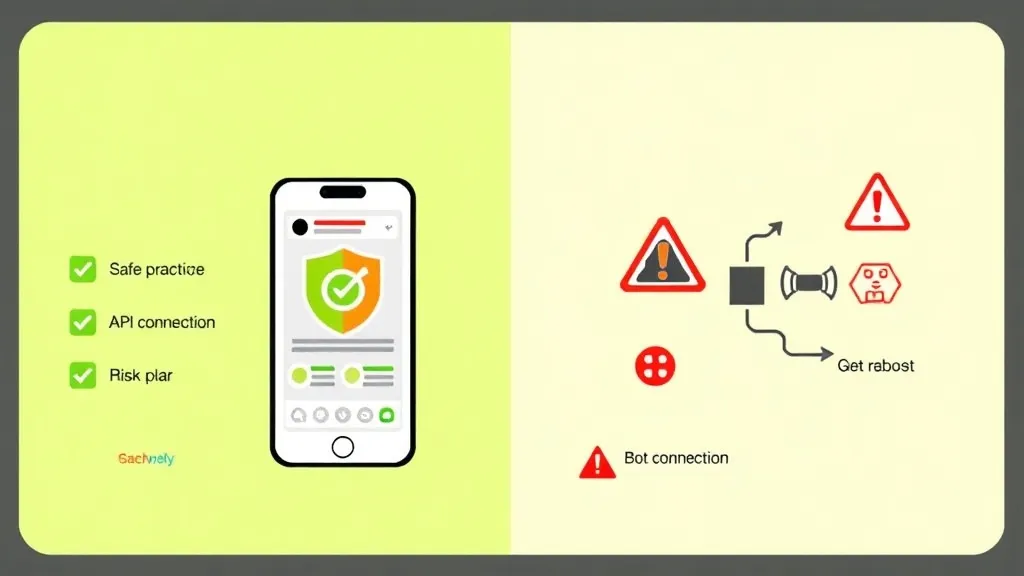
Instagram allows automated DMs through Meta’s official Instagram Graph API. This is the same system that powers tools like ManyChat, LinkDM, and CreatorFlow. When you use approved tools that connect through the official API, you’re following their rules.
What Instagram allows:
- Automated DMs to users who comment on your posts
- Automated DMs to users who reply to your stories
- Automated keyword-triggered DMs (when someone DMs you first)
- Automated follow-up messages within 24 hours
What Instagram prohibits:
- Browser automation bots (Chrome extensions that fake human behavior)
- Cold DM outreach to people who didn’t engage with you
- Messaging people outside the 24-hour window
- Exceeding 200 DMs per hour limit
- Mass messaging hundreds of people with identical generic messages
According to Meta’s Platform Terms (https://developers.facebook.com/terms, verified April 2026), automation through approved API access is compliant as long as you follow their rate limits and messaging rules. Instagram’s platform policies allow API-based messaging within their guidelines, while prohibiting unauthorized scraping or browser-based bots that simulate human behavior.
The #1 Reason Accounts Get Banned: Using the Wrong Tools
Most Instagram bans happen because people use unofficial automation tools.
Browser Automation Bots (The Dangerous Ones)
What they are: Chrome extensions or desktop apps that control Instagram through your browser. They mimic human clicking and typing to send DMs.
Why they’re dangerous:
- Instagram’s anti-spam systems detect bot-like behavior patterns
- They violate Instagram’s Terms of Service
- No rate limiting (they’ll spam until you’re banned)
- Require your Instagram password (security risk)
Red flags to spot them:
- “Unlimited DMs with no restrictions”
- “Undetectable by Instagram”
- Requires installing browser extension
- Asks for your Instagram username and password directly
- Cheap one-time payment (too good to be true pricing)
What happens when you use them: Instagram flags your account for suspicious activity. First offense might be a warning. Second offense is usually a permanent ban. No appeal process.
Official API Tools (The Safe Ones)
What they are: Apps that connect to Instagram through Meta’s approved Instagram Graph API. They follow all Instagram’s rules automatically.
Why they’re safe:
- Built-in rate limiting (can’t exceed 200 DMs/hour)
- Automatic 24-hour window enforcement
- Instagram knows you’re using automation (and approves it)
- No password sharing required (OAuth login)
How to identify them:
- Connect through “Login with Facebook/Instagram” button
- Never ask for your password directly
- Show Meta Business Partner badge
- Have clear rate limit displays
- Transparent pricing (monthly subscription)
Safe Instagram DM Automation Tools (as of May 2026):
| Tool | Price | API Type | Ban Risk |
|---|---|---|---|
| CreatorFlow | $15/mo flat | Meta’s Official Graph API | Very low (Meta-approved) |
| ManyChat | $14-69/mo | Meta’s Official Graph API | Very low (Meta-approved) |
| LinkDM | $19/mo flat | Meta’s Official Graph API | Very low (Meta-approved) |
All three tools connect through OAuth (no password sharing), enforce the 200 DMs/hour rate limit automatically, and respect the 24-hour messaging window.
Instagram’s 7 DM Automation Rules (Follow These or Get Banned)
The official Instagram Graph API enforces these rules automatically when you use approved tools. But you still need to understand them.
Rule 1: 200 Messages Per Hour Maximum
The limit: 200 automated DMs per hour, per Instagram account.
Why it exists: Prevents spam and ensures platform stability.
How to stay compliant:
- Use tools with automatic queuing (when you hit 200, remaining messages queue for next hour)
- Don’t try to bypass this with multiple API keys
- Monitor your DM volume during viral posts
What happens if you exceed:
- Automation pauses automatically
- Messages queue for next available window
- Your account doesn’t get banned (this is normal behavior)
- After 60 minutes, automation resumes
Instagram’s system won’t let you send more than 200/hour through official tools. It’s impossible to break this rule accidentally.
Rule 2: 24-Hour Messaging Window
The rule: You can only send automated DMs to users who engaged with you in the last 24 hours.
Valid engagement:
- Commented on your post
- Replied to your story
- Sent you a DM
- Mentioned you in their story
Why it exists: Prevents cold outreach spam.
How to stay compliant:
- Only automate responses to recent interactions
- Don’t try to message old followers who haven’t engaged recently
- Use Instagram Stories to refresh the 24-hour window (when someone replies, window reopens)
What happens if you violate: Instagram’s API won’t deliver messages outside the window. The message fails silently. You’re not automatically banned, but repeated attempts to bypass this could flag your account.
Rule 3: No Cold Outreach
The rule: Don’t DM people who haven’t interacted with you.
What’s allowed:
- ✅ Someone comments “link?” → You auto-send link
- ✅ Someone replies to your story → You auto-respond
- ✅ Someone DMs you “price” → You auto-send pricing
What’s prohibited:
- ❌ Scraping followers from another account → Mass DMing them
- ❌ DMing everyone who follows you (they didn’t ask for it)
- ❌ Sending DMs to commenters on other people’s posts
Why it matters: Cold outreach is the fastest way to get reported for spam. Even one spam report can trigger account review.
Rule 4: User-Initiated Interactions Only
The rule: Someone must interact with you first before automation kicks in.
How this works:
- User comments on your post or replies to your story (they initiate)
- Your automation detects the trigger
- Automation sends your pre-written DM
- This is compliant because they started the conversation
What’s not allowed: Sending automated DMs to followers who haven’t engaged recently, even if they followed you voluntarily.
Rule 5: No Generic Spam Messages
The rule: Messages must be relevant to the user’s request.
Good automation:
- User comments “link please” → You send product link
- User replies to transformation story → You send program details
- User DMs “price” → You send pricing info
Bad automation:
- User comments “Nice post!” → You send unrelated sales pitch
- User likes your post → You send promotional message (likes don’t open DM window)
- User follows you → You send sales funnel (they didn’t ask)
Why it matters: Generic spam messages get reported. Too many reports = account review.
Rule 6: One Automation Per User Per 24 Hours
The rule: Don’t spam the same person repeatedly with multiple automations.
How Instagram enforces this: If someone triggers multiple automations (comments on 3 posts in an hour), Instagram may block subsequent messages to prevent spam.
Best practice:
- Set up automation priority (high-value keywords like “price” or “buy” take precedence)
- Use follow-up sequences sparingly (one follow-up max per 24 hours)
- Don’t have overlapping trigger words across multiple automations
Rule 7: No Credential Sharing
The rule: Never give your Instagram password to third-party tools.
Why this matters: Instagram’s Terms of Service explicitly prohibit sharing login credentials. If they detect suspicious login patterns (tools logging in from multiple IPs), your account can be suspended for security reasons.
Safe authentication:
- Use OAuth (“Login with Facebook/Instagram” button)
- Connects your account without sharing password
- You can revoke access anytime from Instagram settings
- Instagram knows which apps you’ve authorized
Unsafe authentication:
- Tool asks you to enter username and password directly
- Browser extension that “logs you in automatically”
- Services that require your password to “set up automation”
8 Common Mistakes That Get Accounts Banned
These are the most frequent mistakes I see creators make-and how to avoid them.
Mistake 1: Using “Unlimited DM” Tools
The trap: Tool claims “unlimited DMs with no restrictions!”
Why it’s dangerous: Automation tools pace at about 200/hour. Any tool claiming “unlimited” is using browser automation (against the rules).
Safe alternative: Use tools that transparently show rate limits and automatically queue messages when you approach the limit.
Mistake 2: Buying Follower Lists and Mass DMing
The trap: “Buy 10K Instagram followers + send them your pitch!”
Why it’s dangerous:
- These followers didn’t engage with you
- They’ll report you for spam
- Instagram detects mass messaging to purchased lists
- This is the fastest route to a permanent ban
Safe alternative: Grow your audience organically. Only message people who engage with your content.
Mistake 3: Copy-Pasting the Same Message to Everyone
The trap: Same generic message sent to 500 people in one day.
Why it’s dangerous: Instagram’s spam detection identifies identical messages sent repeatedly.
Safe alternative:
- Use message variables (include their name if available)
- Create 2-3 message variants and rotate them
- Personalize based on trigger context
Mistake 4: Ignoring Instagram’s Warnings
The trap: You get a warning notification from Instagram and keep doing the same thing.
Why it’s dangerous: Instagram gives warnings before bans. Ignoring them leads to suspension.
What to do:
- Stop your automation immediately
- Review what triggered the warning
- Wait 48 hours before restarting automation
- Change your approach (different message, fewer DMs, better targeting)

Mistake 5: Automating Messages Outside Your Niche
The trap: You sell fitness programs but auto-DM people commenting on your food posts.
Why it’s risky: Irrelevant messages get reported as spam.
Safe alternative: Only automate DMs for content directly related to what you’re offering. Keep it relevant.
Mistake 6: Using Multiple Tools on the Same Account
The trap: Running ManyChat + LinkDM + another tool on the same Instagram account simultaneously.
Why it’s risky:
- All tools share your 200/hour limit
- Tools may conflict (send duplicate messages)
- Instagram sees erratic behavior patterns
- Higher chance of hitting rate limits accidentally
Safe alternative: Choose one automation tool and stick with it.
Mistake 7: Setting Up Automation and Forgetting It
The trap: You set up automation 3 months ago and never check it.
Why it’s risky:
- Instagram’s rules change
- Your message may no longer be relevant
- You won’t notice if it’s flagged
- Broken links or outdated offers look spammy
Safe alternative: Review your automations monthly. Update messages, check analytics, verify everything works.
Mistake 8: Automating Every Single Interaction
The trap: “I’ll automate everything so I never have to check my DMs!”
Why it’s risky:
- Followers notice when every response is robotic
- Important messages get generic automated replies
- People report you for being a bot
- Instagram rewards genuine engagement
Safe alternative: Automate repetitive requests (“link please”, “price?”). Respond manually to personalized questions and relationship-building DMs.
How to Check If Your Automation Tool Is Safe
Use this checklist before connecting any automation tool to your Instagram account.
Safety Checklist
✅ Green Flags (Safe to Use):
- Connects via OAuth (“Login with Facebook” button)
- Never asks for your Instagram password directly
- Displays current rate limit usage (X/200 DMs sent this hour)
- Has automatic queuing when you hit limits
- Enforces 24-hour messaging window automatically
- Shows Meta Business Partner badge or similar trust signal
- Has real customer reviews (Trustpilot, G2, etc.)
- Transparent pricing (monthly subscription, not suspicious “lifetime deals”)
- Clear documentation about Instagram’s rules
- You can revoke access from Instagram settings
❌ Red Flags (Avoid These):
- Claims “unlimited DMs” or “no restrictions”
- Asks for your Instagram username and password
- Requires browser extension installation
- Advertised as “undetectable” by Instagram
- One-time payment with lifetime access (too cheap to be real)
- No information about rate limits
- Promotes cold outreach or follower scraping
- Poor or fake reviews
- Website looks sketchy or unprofessional
- Unclear about how they connect to Instagram
If you see 8+ green flags: Tool is likely safe.
If you see 2+ red flags: Do not use this tool.
What to Do If Your Account Gets Flagged
Sometimes Instagram flags accounts even when you’re following the rules. Here’s how to respond.
Step 1: Stop All Automation Immediately
Don’t wait to see if it’s a false alarm. Pause your automations right away.
How to do this:
- Go to your automation tool dashboard
- Pause or turn off all active automations
- Don’t send any automated DMs for 48-72 hours
- Continue posting organic content (no automation)
Step 2: Check What Triggered the Flag
Common triggers:
- Sudden spike in DM volume (viral post)
- Multiple spam reports from users
- Exceeded rate limits repeatedly
- Connected to suspicious third-party tool
- Login from unusual location
How to identify: Check Instagram notifications, email from Instagram, or your automation tool’s dashboard for warnings.
Step 3: Review Your Messages
Go through your recent automated DMs:
- Are they relevant to what users requested?
- Do they sound spammy or salesy?
- Are you sending too many follow-ups?
- Is the message too long (over 500 characters can feel spammy)?
Step 4: Make Adjustments
Before restarting automation:
- Rewrite messages to be more helpful, less salesy
- Reduce DM frequency
- Tighten trigger words (more specific = less spam reports)
- Add personalization (use their name if available)
Step 5: Restart Slowly
After 48-72 hours:
- Start with one automation (your most important)
- Monitor for 1 week
- If no issues, gradually add more automations
- Keep daily DM volume under 100 for first week back
Step 6: If You Get Suspended
Temporary suspension (24-48 hours):
- Wait it out
- Don’t try to create new accounts
- When access returns, follow steps above
- Be more conservative with automation
Permanent ban:
- Submit appeal through Instagram Help Center
- Explain you were using approved tools
- Show proof of official API connection
- Be patient (appeals take 5-14 days)
- If denied, you’ll need to create a new account and start fresh
Prevention for new account: Don’t rush into automation. Build organic engagement for 30 days first, then introduce automation gradually.
Safe Automation Best Practices for 2026
Follow these guidelines to stay compliant long-term.
Best Practice 1: Start Small, Scale Gradually
Don’t: Set up 10 automations on day one and blast 200 DMs per hour immediately.
Do:
- Week 1: Set up one simple automation (comment-to-DM)
- Week 2: Add keyword triggers
- Week 3: Add story reply automation
- Month 2: Add follow-up sequences
Gradual scaling looks more natural to Instagram’s systems.
Best Practice 2: Keep Messages Helpful, Not Salesy
Bad message:
“BUY NOW! Limited time offer! Click here: [link] Only 24 hours left! Don’t miss out!!!”
Good message:
“Hey! Here’s the link you asked for: [link]
It comes in 5 colors and ships in 2-3 days. Let me know if you need sizing help!”
The good message answers their request without being pushy.
Best Practice 3: Monitor Your Analytics
Check your automation dashboard weekly:
- DMs sent (stay well under 200/hour average)
- Response rate (how many people reply back)
- Report rate (if tool shows this)
- Deliverability (what percentage of messages actually send)
If you notice drops in deliverability or increases in reports, adjust your approach.
Best Practice 4: Use Official Tools Only
Stick to tools with proven track records:
- CreatorFlow (best for Instagram-only creators)
- ManyChat (best for multi-platform agencies)
- LinkDM (proven with 49,000+ users)
All of these tools follow ManyChat-style Instagram automation safety guidelines for 2026, meaning they connect through Meta’s official API, enforce rate limits, and respect the 24-hour messaging window. Don’t experiment with new, unproven tools on your main account.
Best Practice 5: Keep Up with Instagram’s Policy Changes
Instagram updates their rules periodically. Stay informed:
- Follow Instagram’s Creator Account blog
- Check Meta for Developers documentation quarterly
- Join creator communities where people discuss changes
- Your automation tool should notify you of major changes
Best Practice 6: Have a Backup Plan
Don’t put all your eggs in one basket:
- Build an email list (Instagram can’t take that away)
- Diversify to other platforms (TikTok, Pinterest, YouTube)
- Keep a backup Instagram account (post occasionally, keep it warm)
- Download your Instagram data monthly (Settings → Download Your Information)
If your main account gets suspended, you’re not starting from zero.
FAQ
Can Instagram detect if I’m using automation?
Yes, and that’s okay. When you use official API tools like CreatorFlow or ManyChat, Instagram knows you’re automating. That’s allowed. What’s not allowed is using unofficial browser bots that try to hide their activity.
Will my followers know I’m using automation?
Your automated messages look exactly like regular DMs. Followers might notice if your messages are generic or repetitive, which is why personalization matters. But automation through official tools doesn’t show “sent by bot” or any indicator.
How many DMs per day is safe?
Stay under 200 per hour (1,600 per 8-hour day maximum). But focus on quality over quantity. 50 relevant DMs per day with high response rates is better than 200 generic spam messages.
What if someone reports my automated message as spam?
One or two spam reports won’t ban you. Instagram understands false reports happen. But if you get 10+ spam reports in a short period, your account will be reviewed. Keep messages relevant and helpful to avoid reports.
Can I use automation on a new Instagram account?
Wait 30 days after creating your account before using automation. New accounts are monitored more closely. Spend the first month posting organically, engaging manually, and building a real audience. Then introduce automation gradually. You also need a Business or Creator account for API access. Not sure which one to pick? See our Instagram Creator vs Business account comparison for the full breakdown.
What happens if I switch automation tools?
You can switch tools safely. Disconnect your old tool (revoke access in Instagram settings), then connect your new tool. Each tool connects independently through Instagram’s API. Just don’t run multiple tools simultaneously.
Are there industries where Instagram automation is more restricted?
Instagram is stricter with finance, health, and gambling-related accounts. If you’re in these industries, be extra conservative. Avoid any aggressive sales language and focus on educational content.
Can Instagram ban you for DMs?
Instagram can ban you for DMs if you use unofficial tools, send cold outreach to people who never engaged with you, or exceed rate limits repeatedly. Sending automated DMs through official API tools like CreatorFlow or ManyChat carries minimal ban risk, because those tools follow Instagram’s rules automatically. The ban risk comes from how you send messages, not from sending messages itself.
Can you get banned from sending messages on Instagram?
Yes, you can get banned from sending messages on Instagram if you violate their policies. Common triggers include mass messaging strangers, using browser automation bots, sharing your password with unauthorized tools, and ignoring repeated warnings. Using Meta-approved DM automation tools that connect through OAuth keeps you safe because they enforce all limits automatically. Even texting too aggressively from the app itself (sending identical messages to dozens of non-followers in a short window) can trigger a temporary messaging block.
How do I revoke access if I want to stop using an automation tool?
Go to Instagram → Settings → Security → Apps and Websites → Active. Find your automation tool and click “Remove.” This immediately disconnects the tool from your account.
Disclaimer: Performance results mentioned in this article are based on aggregated user data and industry research from 2026. Individual results vary based on audience size, content quality, engagement rates, and niche. CreatorFlow uses Instagram's official Graph API as of May 2026. Instagram/Meta may change features, rate limits, or terms at any time. Instagram is a trademark of Meta Platforms, Inc. CreatorFlow is not affiliated with, endorsed by, or sponsored by Meta Platforms, Inc. ManyChat, LinkDM, and InstantDM are trademarks of their respective owners. Users are responsible for complying with Instagram's Terms of Service and Community Guidelines.
Related guides: