
Influencers use CreatorFlow to convert Instagram comments and Story replies into automated DMs that deliver affiliate links, capture emails, and book calls. The five core patterns are: comment-to-DM affiliate delivery, Story reply lead capture, keyword-triggered launch funnels, lead magnet drops with email gate, and audience growth via follow gate. Each runs on Meta’s official Instagram API at $15/month flat rate, no per-contact pricing.
You post a Reel about your morning routine. 80 people comment “link please.” Four hours later, you reply to maybe 20 of them. The other 60 already moved on. That single delay just cost you 60 affiliate clicks and roughly 6 sales at a 10% conversion rate. Multiply that across a year of posting and the math gets ugly.
This guide breaks down the exact five-layer stack influencers use inside CreatorFlow to stop leaking attention. Not feature descriptions. Patterns: how creators in fashion, fitness, beauty, coaching, and affiliate niches combine the same five primitives into systems that run while they sleep.
Key Takeaways
- The 5-layer stack: comment-to-DM, Story reply capture, keyword launch funnels, email-gated lead magnets, follow-gated link sharing. Influencers stack 2-4 of these, not all five at once
- Comment-to-DM is the entry point. It’s the highest-volume use case because every Reel is a potential trigger. One trigger word converts an entire comment section into qualified DM traffic
- Email gate compounds the value. Capturing emails inside DMs builds an asset that survives algorithm changes. Most influencers under-use this layer
- Follow gate grows the account while it sells. Requiring a follow before sending the link adds 50-300 followers per viral Reel without affecting conversion meaningfully
- Free plan covers most starters. 500 DMs/month and 1 workspace is enough until a creator hits ~5K engaged followers. Pro at $15/month flat rate handles 5,000 DMs across 2 accounts (creatorflow.so, May 2026)
- It runs on Meta’s official API. CreatorFlow uses Meta’s Instagram API with Instagram Login, which permits up to 100 calls per second per professional account for text and link messages and 750/hour for post-comment private replies (developers.facebook.com, May 2026). Minimal ban risk when used inside those limits

The 5-Layer Influencer DM Stack
Influencers don’t pick one CreatorFlow feature in isolation. The ones earning consistent revenue stack layers so each piece compounds the next.
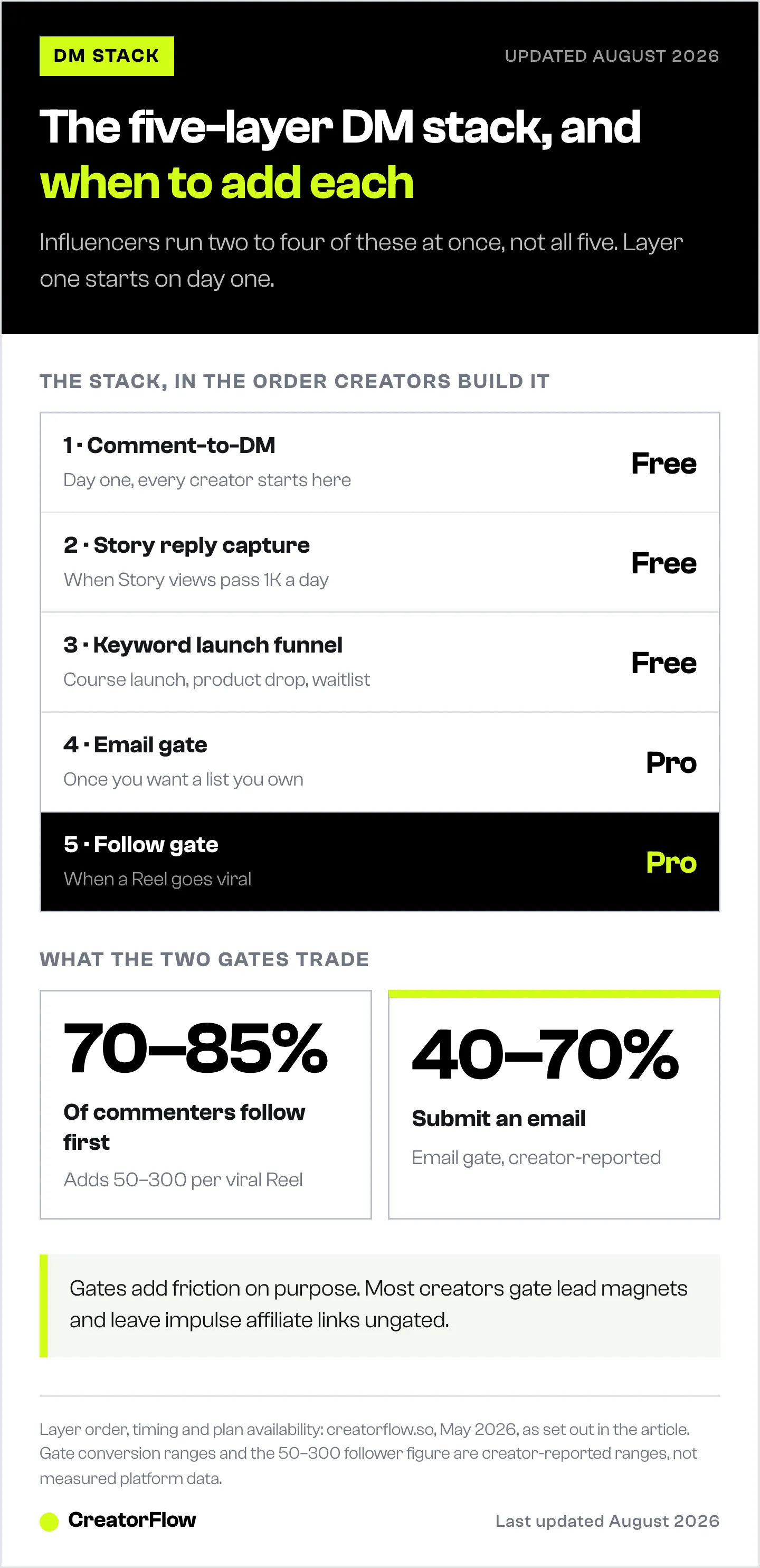
| Layer | What It Does | When Influencers Add It | Plan |
|---|---|---|---|
| 1. Comment-to-DM | Sends a DM when someone comments a trigger word | Day one. Every creator starts here | Free |
| 2. Story Reply Capture | Sends a DM in response to a Story reply or poll vote | When Story views > 1K/day | Free |
| 3. Keyword Launch Funnel | Triggers a multi-step DM flow on a specific keyword | Course launch, product drop, waitlist push | Free |
| 4. Email Gate | Asks for an email before sending the link | Once the creator wants a list they own | Pro |
| 5. Follow Gate | asks for a follow before sending the link | When a Reel goes viral or growth is the goal | Pro |
The progression matters. Most influencers start with layer 1, add layer 2 within a few weeks, and only move to 4 and 5 once they have proof their content drives DM volume. Skipping ahead to email and follow gates without volume just adds friction without payoff.
Use Case 1: Affiliate Link Delivery (Comment-to-DM)
This is the layer everyone starts on. A fashion creator posts an outfit Reel. Caption says “comment OUTFIT for the links.” Anyone who comments OUTFIT gets a DM with their LTK, ShopMy, or Amazon links inside 8 seconds.
Why it works: the audience is already engaged when they comment. They’re requesting the link, not being interrupted with one. The comment also signals the algorithm that the post is sparking conversation, which often pushes the Reel further into the feed. For a deeper version of this play, see the comment-to-DM setup guide.
Who runs this layer:
- Fashion and beauty creators sending outfit and product links (Amazon 1-20% by category, LTK 10-25% set per retailer, Mavely 5-70% per brand. Sources: affiliate-program.amazon.com, company.shopltk.com, help.joinmavely.com, all May 2026)
- Travel creators sending booking and gear links
- Fitness creators sending program PDFs and supplement codes
- Coaches sending Calendly links
The setup that performs:
- Pick one short, capitalized trigger word per post (LINK, GUIDE, RECIPE, PROGRAM)
- Write the DM as if texting a friend, not as a sales pitch
- Track clicks in CreatorFlow Insights to see which posts actually drive DM revenue versus which just look like they do
For the affiliate-specific version of this playbook with platform comparisons, the micro-influencer affiliate playbook covers commission ranges, platform requirements, and link delivery patterns.
Use Case 2: Story Reply Lead Capture
Stories are where influencers have the most direct relationship with followers and the lowest automation rate. Most creators leave Story replies completely manual, which means they lose every single conversation that happens after they put the phone down.
The pattern: a coach posts a Story poll asking “Are you stuck on X?” Anyone who votes “yes” or replies gets an automated DM with a free worksheet, a Calendly link, or a question that qualifies them for a discovery call.
Why coaches and educators dominate this layer:
Story interactions feel one-on-one. A DM that arrives 5 seconds after the Story reply still reads as personal because the conversation context is fresh. Coaches use this to triage hundreds of Story replies into qualified booking calls without ever opening Instagram in a 6-hour window.
The trap to avoid: writing a generic “thanks for replying” DM. The Story reply is already the qualification step. Skip the pleasantries and respond to what they said.
Use Case 3: Course & Product Launch Funnels (Keyword Triggers)
Course creators and product launchers use a different pattern. Instead of one trigger word per Reel, they design a launch sequence around a single keyword that runs across every post for 7-14 days.
The pattern: a creator launches a $497 course. Every Reel during launch ends with “DM me LAUNCH for the early-bird link.” The keyword LAUNCH triggers a 3-step DM flow:
- Welcome message + course landing page
- Follow-up 24 hours later with FAQ + creator testimonials
- Final 48 hours: discount code expiring tonight
Each step runs inside Meta’s 24-hour messaging window, which still applies to most automated message types. Creators stay compliant by re-engaging the contact through manual DMs or Story replies before the window closes if they need to extend the conversation.
Who uses this layer: course creators, digital product sellers, membership launches, waitlist drives, beta program enrollment.
Why this beats a static link in bio: the link in bio gets clicked once or twice. A keyword-triggered DM flow runs the same person through three touchpoints, each one timed for a specific buying-stage objection. For a full launch breakdown with timing benchmarks, see the course creator launch funnel.
Use Case 4: Lead Magnet Drops with Email Gate
This is the layer that turns followers into an asset the creator owns. Instagram can change the algorithm, throttle reach, or shadowban an account on any given Tuesday. An email list survives all of that.
The pattern: a creator posts a Reel teasing a free PDF (workout plan, recipe pack, AI prompt library, niche playbook). The CTA: “comment GUIDE for the free PDF.” When someone comments GUIDE, CreatorFlow’s email gate asks for their email inside the DM before sending the file.
Conversion math creators report:
- Without email gate: 100% of commenters get the link
- With email gate: 40-70% submit an email and then get the link
- Net effect: fewer link clicks, but every submission compounds into a list of 1,000-10,000+ emails per launch cycle
Most creators run a hybrid: email gate on lead-magnet posts, no gate on affiliate posts. Lead magnets warrant the friction; impulse-buy affiliate links don’t. The email capture inside DMs guide covers the gate copy that converts and which Klaviyo, Kit, and Mailchimp integrations work cleanly.
Email open rates across industries average 21-25% (Mailchimp, May 2026). DM open rates are not officially published by Instagram, though vendor-reported numbers consistently sit higher. The point isn’t which channel “wins.” It’s that the creator who captures both has a backup when the algorithm tightens.
Use Case 5: Audience Growth via Follow Gate
The follow gate is the layer most creators skip until a Reel unexpectedly goes viral. When 500K non-followers see the Reel and 5,000 of them comment the trigger word, the follow gate catches that moment instead of letting it leak.
The pattern: a creator’s Reel hits the For You page. CTA: “comment LINK for the recipe.” Follow gate kicks in: viewer must follow the account before the DM with the recipe arrives. Once they tap follow, the recipe is delivered.
The tradeoff to be honest about:
- Follow gate adds a 5-second friction step
- Some commenters drop off rather than follow
- The ones who do follow are higher-quality (they self-selected as wanting more content)
- Net: usually 50-300 new followers per viral post on top of normal growth
When to turn it on: creators who are pushing a follower goal (10K to qualify for LTK, sponsorship thresholds, Instagram Subscriptions eligibility). When to turn it off: when the priority is sales velocity from a launch and adding any friction costs more than gaining a follow.
How Influencers Stack These Layers Together
The interesting part isn’t any single use case. It’s the compound effect when an influencer runs 2-4 layers on the same Reel.
Example stack for a fashion micro-influencer (10K-50K followers):
- Reel goes live with caption: “comment OUTFIT for the links”
- Comment-to-DM trigger fires (Layer 1)
- Follow gate runs first if the commenter doesn’t follow yet (Layer 5)
- Email gate optional on the highest-value posts (Layer 4)
- DM delivers the LTK link
- CreatorFlow Insights tracks which Reel, which trigger, which retailer, and which country drove clicks
That’s three layers running on one post. The Reel earned affiliate commissions, picked up new followers, and (on lead-magnet days) added new emails. None of those happened in isolation; they compounded because the same DM trigger pulled triple duty.
What changes by audience size:
| Stage | Typical Stack | Why |
|---|---|---|
| Under 1K followers | Comment-to-DM only | Volume is too low to justify gates |
| 1K-10K | Comment-to-DM + Story reply | Engagement rate is high; lean into both surfaces |
| 10K-50K | Add email gate on lead magnets | List-building returns more than incremental commissions at this size |
| 50K-250K | Add follow gate on viral hits | Followers compound future reach |
| 250K+ | Multi-account workspaces, team access | Volume exceeds solo creator capacity |
For a clean walkthrough of every individual feature inside the product, the every CreatorFlow feature explained post documents what each piece does in isolation. This article focuses on how creators combine them.
Picking the Right CreatorFlow Plan
Plan selection follows the stack progression. Most influencers start on Free and upgrade once they hit a wall on either DM volume or feature need.
| Plan | Cost (May 2026) | DMs/month | Workspaces | Layers Available |
|---|---|---|---|---|
| Free | $0 | 500 | 1 | Layers 1, 2, 3 |
| Pro | $15/month or $144/year | 5,000 per workspace | 2 | All 5 layers + CSV export, geo analytics |
| Growth | $30/month or $288/year | 10,000 per workspace | 5 | All 5 layers + 5 team members per workspace |
Source: creatorflow.so/pricing, verified May 2026.
The honest plan recommendation:
- Under 5K engaged followers: Free is fine. The 500-DM ceiling is hard to hit at that audience size
- Posting 3+ Reels per week with 50+ comments each: upgrade to Pro for headroom and to turn on email + follow gates
- Managing multiple Instagram accounts (personal + niche brand, or two creator brands): Pro handles 2 workspaces; Growth handles 5
- Running an agency on behalf of clients: contact sales for Agency pricing
The 14-day free trial on Pro and Growth lets a creator test the email and follow gates on a real campaign before committing. For a side-by-side of what changes between tiers, the Free vs Pro upgrade guide breaks it down with specific feature gating.
Comparison: Why Influencers Pick CreatorFlow Over Other Tools
Influencers evaluate CreatorFlow against ManyChat, LinkDM, and InstantDM most often. Each tool has a different best-for, and trashing alternatives doesn’t help anyone make a decision.
| Tool | Best For | Pricing (May 2026) | Channels |
|---|---|---|---|
| CreatorFlow | Solo creators and influencers wanting flat-rate Instagram automation | $15/mo flat (Pro), 5,000 DMs/workspace | Instagram only |
| ManyChat | Multi-platform agencies and businesses needing complex workflows across many channels | $17-$199/mo across 5 contact-based tiers (manychat.com/pricing) | Instagram, Facebook, WhatsApp, SMS, TikTok, Telegram, Email |
| LinkDM | Established creators on a flat-rate model with a focus on Instagram | $19/mo Pro flat rate (linkdm.com) | Instagram-first |
| InstantDM | Creators wanting a budget Instagram-only option | $9.99/mo entry tier | Instagram only |
CreatorFlow’s positioning is narrow on purpose: Instagram-only, flat-rate pricing that doesn’t penalize audience growth, and a feature set built around the five-layer stack above. Creators who need WhatsApp, SMS, or complex branching logic outside that scope are better served by multi-platform tools. For a deeper breakdown, the CreatorFlow alternatives comparison covers the tradeoffs.
How Influencers Avoid Account Issues
Two questions come up in every creator decision: is automation safe, and does the account get penalized.
CreatorFlow runs on Meta’s official Instagram API with Instagram Login. That means OAuth authentication, no password sharing, and message volume that stays inside Meta’s published rate limits. Meta’s documentation specifies up to 100 calls per second per Instagram professional account for text and link messages, 10 calls per second for audio and video, and 750 calls per hour for post-comment private replies (developers.facebook.com, May 2026).
CreatorFlow paces sends well under those ceilings as a behavioral safety margin. The 200 DMs per hour figure that floats around creator forums is a tool-side convention across the category, not a Meta-published limit — but pacing under it is what keeps accounts clean. The DM automation safety rules cover the full compliance picture for creators worried about account flags.
Recommend It, Earn From It
Influencers who already point other creators to CreatorFlow can now get paid for the recommendation. The CreatorFlow Affiliate Program pays 30% of every payment a referral makes during their first 12 months, plus a 20% first-payment discount code for your audience. The first-commission playbook covers five placements ranked by effort.
FAQ
Do Instagram influencers actually use DM automation?
Yes. The pattern is most visible in fashion, beauty, fitness, course-creator, and affiliate niches, where comment-to-DM is the default monetization play. Creators with under 10K followers benefit most because their engagement rates are highest and missed DMs cost the most relatively. Larger creators run automation as table stakes for managing volume.
Is CreatorFlow safe for influencer accounts?
CreatorFlow connects through Meta’s Instagram API with Instagram Login, which is the official sanctioned integration. There’s no password sharing, no browser bot, and no scraping. Account ban risk is minimal when the tool is used inside Meta’s published rate limits and the 24-hour messaging window. Tools that ask for an Instagram password or run as Chrome extensions are a different category and carry real ban risk.
How much do influencers make using DM automation?
It depends on follower count, niche, and which affiliate programs they run. Affiliate commission ranges as of May 2026: Amazon Associates pays 1-20% by category, LTK 10-25% set per retailer with rates up to 30%, Mavely 5-70% per retailer plus 10% referral commissions (sources: affiliate-program.amazon.com, company.shopltk.com, help.joinmavely.com). Income depends on traffic, conversion, and retailer mix more than on the automation tool itself.
Which CreatorFlow plan do most influencers start on?
Free. The 500-DM cap is enough for creators under roughly 5,000 engaged followers, which is the majority of the influencer market. Most upgrade to Pro at $15/month once they consistently bump against the cap or want the email gate and follow gate features (creatorflow.so, May 2026).
Can influencers use CreatorFlow on multiple accounts?
Yes. Pro covers 2 workspaces (Instagram accounts), Growth covers 5, and Agency is custom-quoted for higher volume. DMs are counted per workspace, not pooled across them, so each connected account gets its own cap.
Do follow gates and email gates affect engagement?
Both add friction. The follow gate typically converts 70-85% of commenters into followers before delivering the link. The email gate converts 40-70% of commenters into email submissions. Skipping either gate sends the link to 100% of commenters but captures nothing for the next launch. The right answer depends on whether the creator’s priority is immediate clicks or building a list they own.
What’s the difference between CreatorFlow and ManyChat for influencers?
ManyChat is multi-platform (Instagram, Facebook, WhatsApp, SMS, TikTok, Telegram, email) with contact-tier pricing across 5 plans from $17 to $199/month (manychat.com/pricing, July 2026). CreatorFlow is Instagram-only with flat-rate pricing at $15/month for Pro. Influencers focused only on Instagram and preferring predictable pricing usually pick CreatorFlow. Creators running funnels across multiple messaging platforms or needing complex conditional workflows usually pick ManyChat. Both are Meta-approved and run on the official API.
Influencer use cases verified from CreatorFlow’s live product (creatorflow.so, May 2026), Meta’s Instagram Platform documentation (developers.facebook.com, May 2026), and affiliate program pages for Amazon, LTK, and Mavely (May 2026). Individual results vary based on niche, audience size, and execution.


