

To send a discount code in an Instagram DM automatically, create the code in your shop first, then set a comment-to-DM automation on the post. Someone comments a keyword such as CODE, and the tool sends them a private message with the code, the expiry date and a product link. Meta allows one private reply per commenter, so that first message has to carry everything.
That last rule is the part most templates get wrong. Many discount code flows sold online include a “reminder 24 hours later” step. Under Meta’s rules that reminder can only go out if the person wrote back first. If nobody replied, the follow-up is not sent.
This guide covers the shop setup, the automation, four DM templates that work inside the one-message rule, and how to see which post sold.
Key Takeaways
- Create the code before the post goes live. Set the end date and usage limit in your shop, then paste the exact code into the DM.
- The first DM is usually the only DM. Meta allows one private reply to a commenter until they respond. Put the code, the deadline and the link in that message.
- Use a shareable discount link. Shopify can build a link that applies the code at checkout, so nobody has to copy and paste.
- Want a second message? Ask a question first. When the person replies, Meta opens a 24-hour window for follow-ups.
- One code per post. A code like REEL15 or SPRING15 tells you which post made the sale.
- Keep the code out of the caption. A public code spreads to people who never followed you. A DM code reaches the person who asked.
How Do You Send a Discount Code in an Instagram DM?
You send a discount code by Instagram DM with a comment-to-DM automation. Pick one keyword, attach it to a post or Reel, and write the message the tool sends. When a follower comments the keyword, the tool replies privately within seconds with the code and a link. It runs on Meta’s official Instagram API, so you share no password.
The full setup takes five parts:
- A discount code in your shop with an end date
- A shareable link that applies the code
- A post or Reel that asks people to comment one word
- The automation that matches the word and sends the DM
- A test comment from a second account
If you have never built a comment trigger, the comment-to-DM setup guide walks through the screens.
Why Send the Code by DM and Not in the Caption?
A code in the caption works for anyone who reads it, including people who arrive through a screenshot. Coupon sites collect public codes and list them. Your offer for followers turns into a discount for strangers.
A DM code changes three things:
- You learn who wanted it. Every request is a named person who commented. That is a lead, not an anonymous view.
- The comment helps the post. Each keyword comment is engagement on the post that carries the offer.
- The conversation is open. If the person replies to the DM, you can answer questions about size, shipping or stock.
The code can still leak. Someone can forward the DM. A usage limit in your shop is what controls the cost, not the channel.
The One-Message Rule That Shapes the Whole Flow
Meta’s documentation for private replies sets three limits. A private reply must be sent within 7 days of the comment. Only one message can be sent to the commenter. Follow-up messages can only be sent if the person responds, and they must be sent within 24 hours of that response (developers.facebook.com, Instagram Platform private replies, October 2026).
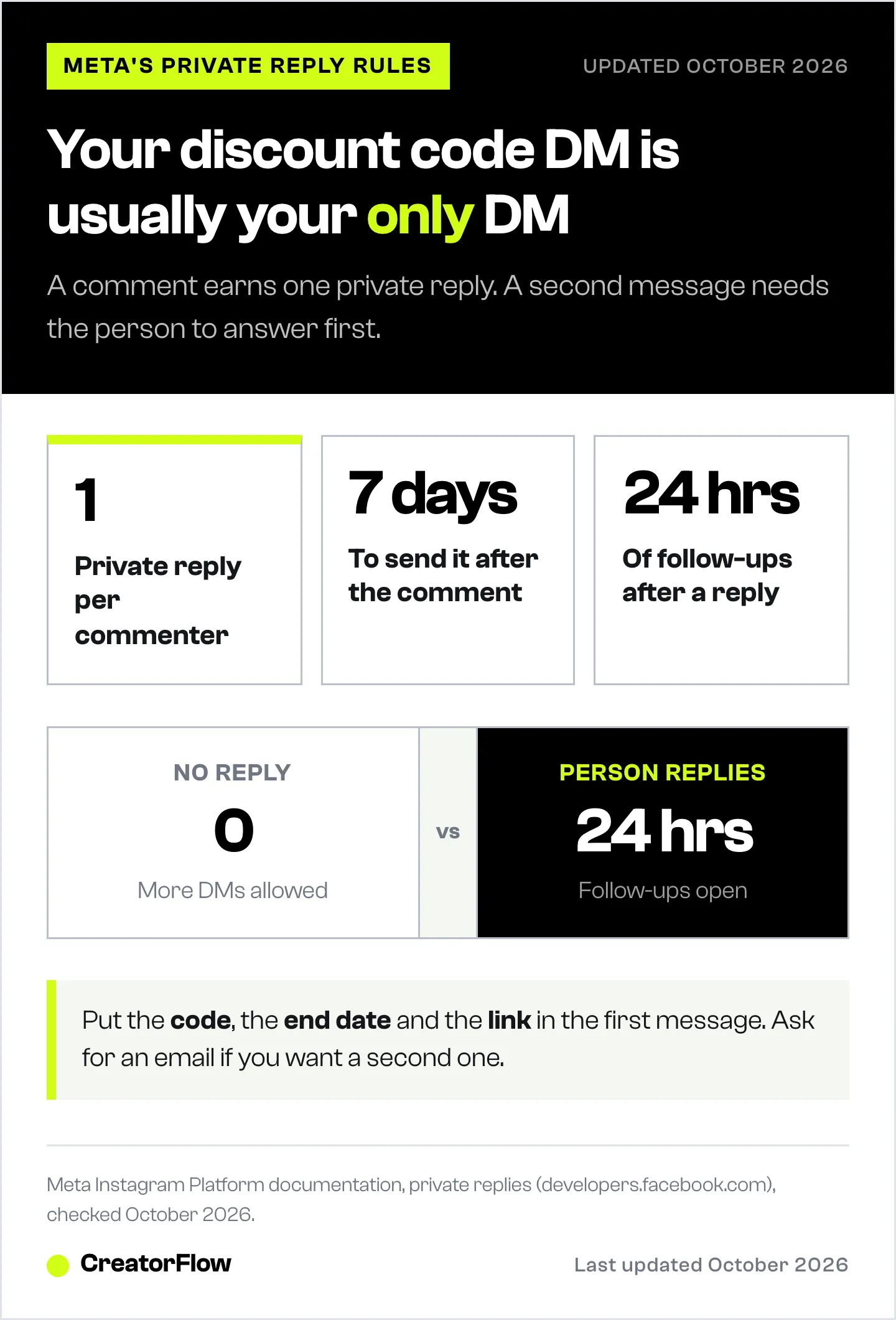
In practice this means:
| Situation | What you can send |
|---|---|
| Person comments the keyword | One private reply |
| Person does not answer the DM | Nothing more by DM |
| Person replies to the DM | Follow-ups for 24 hours after their reply |
| Comment is older than 7 days | No private reply |
So the reminder step in many discount templates only fires for people who already answered. For everyone else it is silent. Build the first message to stand alone. The 24-hour messaging window guide covers the error you see when a tool tries to send outside the window.
There is one honest way to earn a second message: ask for something in the first one. If the DM asks for an email address before it releases the code, the person’s reply opens the 24-hour window. CreatorFlow’s Email Gate works this way on the Pro plan. You get the email, and the reminder can go out from your email tool instead of Instagram.
Set Up the Code in Your Shop First
Create the discount in your shop before you write a single DM. A DM that sends a code which is not live yet is the fastest way to lose the sale.
In Shopify, a discount code lets you set how many times the code can be used, a limit of one use per customer, the dates the code is valid, and whether it combines with other discounts. Shopify also advises against special characters in the code name, so it adds correctly to the checkout URL (help.shopify.com, October 2026).
| Setting | What to choose for an Instagram DM code |
|---|---|
| Code name | Short, capitals, no symbols: REEL15, not Reel-15% |
| End date | A real date you write into the DM |
| Total uses | A cap that matches the margin you can give away |
| One use per customer | On |
| Combines with other discounts | Off, unless the offer depends on it |
Then make a shareable link. In Shopify, a discount can be promoted with a shareable link or QR code for social media, email and landing pages. The link applies the code at checkout and can point to a product or collection page instead of the home page. It works only while the discount is active (help.shopify.com, October 2026).
Put the shareable link in the DM, and the code as text too. The link saves a step on a phone. The visible code helps people who open the store in a different browser.
On WooCommerce or another platform, the same settings exist under different names. The Shopify, Etsy and WooCommerce DM guide covers the platform differences.
Build the Comment-to-DM Automation
With the code live, the automation takes a few minutes.
- Pick the post. Use a Reel or post that shows the product being used, not a flat promo graphic.
- Choose the keyword. One short word people can type with a thumb: CODE, SAVE or DEAL. CreatorFlow matches whole words and ignores capitals, so “code please” triggers it and “codes” does not. Add likely variants as extra keywords.
- Write the DM. Use one of the templates below. Paste the exact code and the end date.
- Add the link. Use the shareable discount link. Link tracking shows how many people tapped it.
- Add a public reply. A short comment reply such as “Sent, check your DMs” tells other readers the offer is real. On CreatorFlow this is a Pro feature.
- Test from a second account. Comment the keyword from an account that is not yours. Testing from your own account sends nothing.
Say the keyword in the caption, on screen and in the first line of the post. If people do not know the word, they type “how do I get it?” and the automation has nothing to match. The comment keyword guide has the words that tend to get typed correctly.
Discount Code DM Templates
Each template works as a single message. Replace the parts in capitals.
Template 1: The straight code
Hi! Here is your code: REEL15. It takes 15% off everything until Sunday 19 October, 23:59. Tap the link and the code applies at checkout: LINK
Template 2: One product
Here you go. Code SERUM20 takes 20% off the serum from the video. It ends on Friday at midnight and works once per order. LINK
Template 3: Limited number of codes
You are in. Code FIRST50 works for the first 50 orders, then it stops. Here is the link with the code already added: LINK
Only use this one if your shop setting really caps the code at 50 uses. A fake limit is a false claim to your customer.
Template 4: Code for an email (opens the reply window)
I can send you the code now. Reply with the email you want it sent to, and I will also tell you when the next sale starts.
After the reply, the code goes out, and you have 24 hours of follow-up time. Use this one when building your list matters more than the speed of the sale. The what to send after the DM guide covers the emails that follow.
Three rules apply to all four:
- Code first. The person asked for a code. Do not make them read three lines to find it.
- A real deadline. “Until Sunday 23:59” is clearer than “for a limited time”.
- One link. Two links split the tap.
Shared Code or Unique Codes?
A shared code is one code for everyone who comments. Unique codes are single-use codes, one per person.
| Shared code | Unique codes | |
|---|---|---|
| Setup | One code in your shop | A batch of codes, usually from an app or your email tool |
| Leaks | Anyone with the code can use it | Each code works once |
| Tracking | By post, if each post has its own code | By person |
| Best for | Most creator and small brand offers | High-value discounts or first-order offers |
For most offers on Instagram, a shared code with a usage cap and an end date is enough. The cap limits the cost if the code spreads. If the discount is large enough that a leak would hurt, use single-use codes and deliver them by email after the Email Gate step.
How to See Which Post Sold
Instagram shows reach and comments. Your shop shows orders. The code connects the two.
- One code per post or Reel. REEL15 for the Reel, STORY15 for the Story, BIO15 for the link in bio.
- Filter discounts by times used. In Shopify, the discount list can be filtered by how often each code was applied.
- Add a campaign to the shareable link. Shopify then reports the discount’s performance in your marketing campaign reports.
- Compare taps to uses. Link tracking in the DM tool shows taps. The shop shows uses. A big gap means the product page or the price lost the sale, not the DM.
Write the numbers down after each campaign. Three campaigns in, you will know which format sells for your audience. The Black Friday DM playbook uses the same tracking for a four-week sale.
Mistakes That Waste the Code
- The code is not live yet. Test the code in your own checkout before the post goes up.
- The DM promises a reminder. If it says “I will remind you tomorrow” and the person never replied, the reminder cannot be sent.
- The keyword is hidden. The word is only in the caption, after “more”. Put it on screen.
- The code has symbols. REEL-15% breaks in some checkout links. Use letters and numbers.
- No end date. A code with no end keeps costing margin long after the post stops getting views.
- The post sells nothing. A discount does not fix a post that does not show the product. About 70.22% of online carts are abandoned on average across 50 studies (Baymard Institute, September 2025). The code helps. The product page closes the sale.
If you run a shop and want this flow ready to go, CreatorFlow has a discount code use case with the setup in one place.
FAQ
Can I send a different discount code to each person on Instagram?
Yes, but it takes a batch of single-use codes and a way to hand them out one at a time. Many shops do it through email: the DM collects the email address, then the email tool sends a unique code. For most creator offers, one shared code with a usage cap and an end date is simpler and works well.
Can the automation send a reminder before the code expires?
Only if the person replied to your DM. Meta allows one private reply to a commenter. Follow-ups are allowed for 24 hours after the person responds. Put the end date in the first message so nobody needs a reminder.
Is it against Instagram’s rules to send discount codes by DM?
No. Sending a code in reply to someone who asked for it, through Meta’s official API, is the use private replies exist for. The limits are on timing and volume: one private reply per commenter, sent within 7 days of the comment.
What keyword should I use for a discount code?
One short word that is easy to type on a phone: CODE, SAVE or DEAL. Avoid words people type anyway, like “love” or “nice”, or every compliment gets a code. Say the word on screen and in the caption.
Should the DM contain the code or a link?
Both. The shareable link applies the code at checkout, which removes a step on a phone. The visible code is the backup for people who switch browsers or shop later.
Does a discount code DM work on Stories?
Yes. Story replies can trigger an automated DM in the same way as comments. A reply to a Story is a message, so the person has already started the conversation.
How many people can get the code at once?
The DM tool sends replies as comments arrive. On a post that takes off, messages queue and go out in order. Set the usage cap in your shop to the number of discounted orders you can afford.
Private reply rules from Meta’s Instagram Platform documentation (developers.facebook.com) and discount settings from Shopify’s Help Center (help.shopify.com), both checked October 2026. Cart abandonment figure from Baymard Institute’s cart abandonment list, last updated September 22, 2025. Discount percentages and codes in the templates are examples, not results.


