

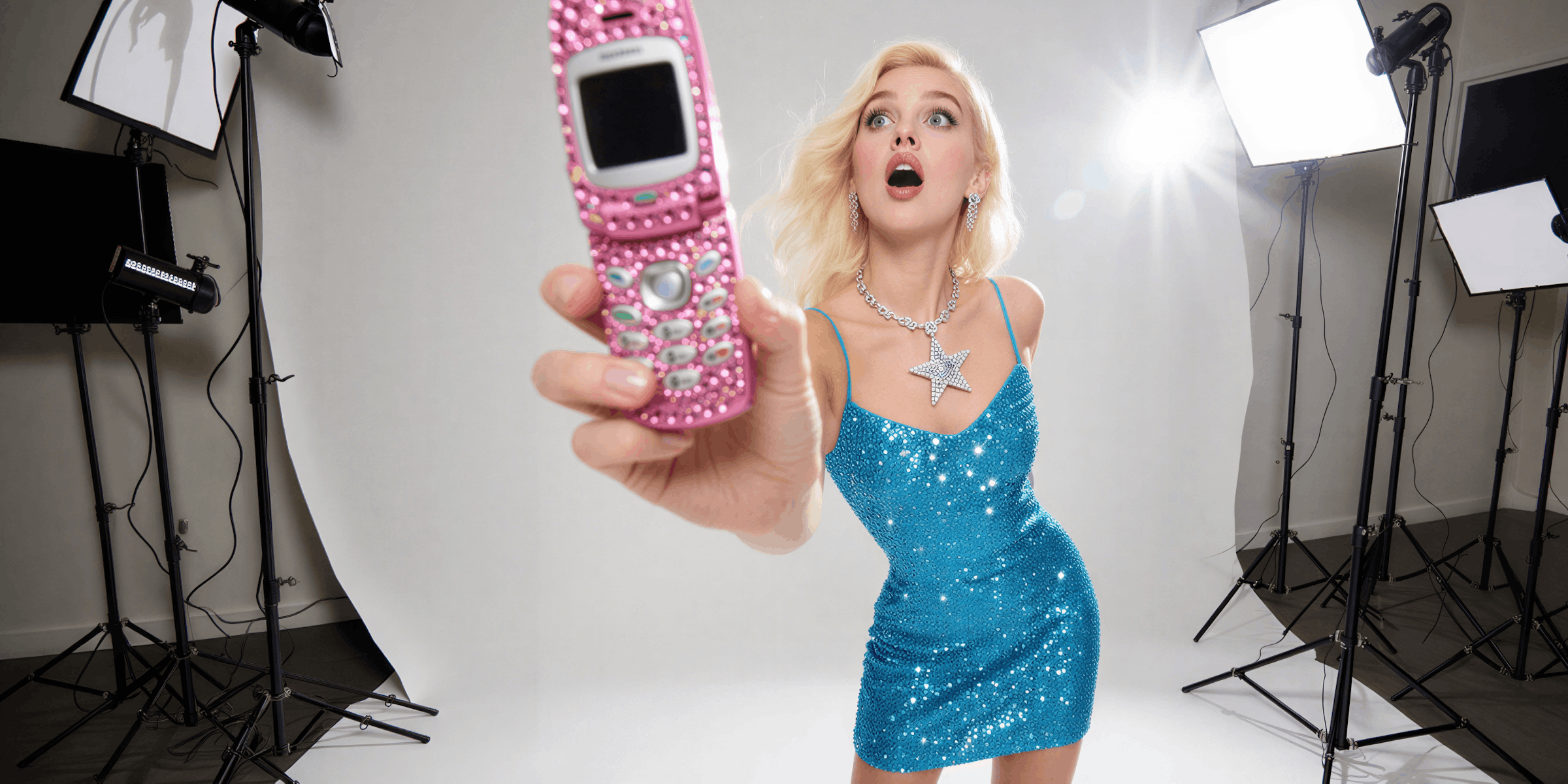
AI generated images are visuals created by machine learning models that produce unique, royalty-free photos, illustrations, and 3D renders from text prompts or curated libraries. For many creators they replace a paid stock subscription. Platforms like Lummi AI and StockCake offer free downloads with commercial licenses, while premium generators like Stockimg.AI create custom images from text prompts.
The best AI stock photo sites in 2026 are Lummi AI and StockCake for free commercial-use images, Pixabay for mixing AI and real photos at no cost, Generated Photos for AI human faces ($199/year), and Stockimg.AI or Lexica Art when you want to generate an image from a text prompt. Pexels and Unsplash do not accept AI-generated uploads, so look elsewhere for AI images.
Key Takeaways
- Free options: Lummi AI, StockCake and Pixabay offer free AI-generated images with commercial licenses and no attribution required
- Pexels and Unsplash ban AI uploads: both reject content created with generative AI (help.pexels.com, help.unsplash.com, October 2026)
- Best for human faces: Generated Photos has 2.6+ million pre-generated diverse faces with a real-time face generator, from $199/year (generated.photos, October 2026)
- Best for custom generation: Stockimg.AI and Lexica Art let you create images from text prompts for unique visuals no one else has
- Enterprise options: 123RF pairs a large traditional stock library with an AI generator, and Adobe Stock includes AI generation via Firefly for Creative Cloud users
- Legal note: The US Copyright Office says purely AI-generated images are not copyrightable without enough human creative control (January 2025), but platforms still grant commercial use licenses
- Bottom line: Start with Lummi AI or StockCake for free commercial-use images, use Generated Photos when you need human imagery, and always verify each platform’s license terms before using in paid advertising
Why Use AI Generated Images?
Traditional stock photos have problems:
- Overused: Everyone uses the same Unsplash photos
- Generic: “Business people shaking hands” look fake
- Expensive: Premium stock subscriptions are a recurring yearly cost
- Licensing headaches: Model releases, attribution requirements
AI generated images solve these:
- Unique: Every image can be one-of-a-kind
- Customizable: Generate exactly what you need
- Affordable: Many platforms offer free commercial licenses
- No model releases: AI faces mean no legal complications
10 Best Sites for AI Stock Photos (2026)
1. Lummi AI
Best for: Curated AI stock photos with a human touch
Lummi AI stands out from other AI image platforms by focusing on curation over quantity. Every image is reviewed by digital artists to avoid the awkward, uncanny look common in AI-generated content.
Key features:
- Curated AI images (photos, illustrations, 3D)
- Free to use for commercial projects
- Built-in editing tools (reframe, restyle, background removal)
- Video generation (up to 8 seconds with audio)
- 3D models you can rotate and download as .gltf
Pricing: Free for most uses. Pro plan for bulk downloads and advanced features.
Best for: Designers and marketers who want quality over quantity.
2. StockCake
Best for: High-volume free AI stock photos
StockCake offers millions of free AI-generated stock images with built-in editing tools. The platform emphasizes speed, search, find, download instantly.
Key features:
- Millions of AI-generated images
- Free for commercial and personal use
- No attribution required (CC0-style license)
- Built-in AI editing and variation generation
- Curated collections by theme
Pricing: Free tier with daily limits. Premium plans for unlimited access.
Best for: Content creators who need a high volume of images without budget constraints.
3. Generated Photos
Best for: AI-generated human faces and full-body images
Generated Photos specializes in photorealistic AI-generated people. With 2.6+ million pre-generated faces and a real-time face generator, it’s the go-to for anyone who needs human imagery without model releases.
Key features:
- 2,640,167 pre-generated diverse faces (generated.photos, October 2026)
- Face Generator: Create custom faces by parameters (age, ethnicity, hair, emotion)
- Human Generator: Full-body images with customizable poses
- 167,000+ ready-made full-body humans
- API access for large-scale integration
- Featured in BBC, Forbes, Washington Post
Pricing (generated.photos/pricing, October 2026):
- Free downloads available with watermark
- Faces subscription: $199/year (15 downloads a month, no watermark, commercial use); Humans subscription also $199/year
- Single photos: $9 each for the first 20, falling to $1 each above 1,000
- Enterprise/API: Custom pricing
Worked example: 22 single photos in one order cost $194 (20 at $9, then 2 at $7), about the price of a full year of the Faces subscription. If you need more than about 2 faces a month, subscribe. If you need a handful once, buy them one by one.
Best for: Agencies, app developers, and marketers who need diverse human imagery without legal complications.
4. Pixabay AI
Best for: Hybrid AI + traditional stock photos
Pixabay is a trusted name in free stock photos. They’ve now added AI-generated images to their library, giving you the best of both worlds.
Key features:
- Massive library (traditional + AI images)
- 100% free for commercial use
- No attribution required
- Easy to filter AI vs. traditional images
- Vector graphics and video available too
Pricing: Completely free.
Best for: Creators who want flexibility to mix AI and real photography.
5. Lexica Art
Best for: AI-generated artistic and creative visuals
Lexica Art is a hidden gem for designers who want aesthetic, creative AI visuals, not just standard stock photos.
Key features:
- AI-generated artistic imagery
- Unique aesthetic not found on typical stock sites
- Great for social media, websites, and marketing
- Search by style or prompt
- Generate your own images with text prompts
Pricing: Free to browse and download. Generation requires account.
Best for: Designers and social media managers who want visuals that stand out.
6. Stockimg.AI
Best for: Hyper-realistic AI-generated stock photos
Stockimg.AI is built entirely around AI, no photographers, no models, just pure AI generation.
Key features:
- 100% AI-generated library
- Hyper-realistic photo quality
- Generate custom images by text prompt
- Multiple styles: photos, illustrations, icons, logos
- Book covers and wallpaper generation
Pricing: Free tier available. Paid plans for higher volume and quality.
Best for: Users who want to generate exactly what they need rather than searching libraries.
7. Impossible Images
Best for: Surreal AI visuals that stop the scroll
Impossible Images specializes in visually striking, slightly surreal imagery, perfect for brands that want to stand out.
Key features:
- Unique, eye-catching surreal imagery
- Designed for brands and designers
- Scroll-stopping visuals
- Curated for creative use cases
- Free and paid options
Pricing: Free tier available.
Best for: Creative agencies and brands doing experimental marketing.
8. 123RF
Best for: Established stock platform with AI integration
123RF is a major player in traditional stock. It has added AI-generated images and an AI image generator.
Key features:
- Large library of photos, vectors and videos
- AI-generated image options
- Built-in AI image generator
- Flexible subscription plans
- Enterprise licensing available
Pricing: Credit packs and subscription plans; check 123rf.com/plans for current prices.
Best for: Businesses and agencies who need a comprehensive stock solution with AI capabilities.
9. Death to Stock
Best for: Artistic stock with storytelling focus
Death to Stock takes a curated, artistic approach. Their AI and traditional images focus on creative themes and storytelling, not generic business imagery.
Key features:
- Curated around creative themes
- Artistic, storytelling-focused imagery
- Monthly photo packs delivered by email
- Both AI and photographer-contributed images
- Brand-friendly aesthetic
Pricing: Subscription-based. Free trial available.
Best for: Brands and creators who want images with personality, not corporate blandness.
10. Adobe Stock (AI-Generated)
Best for: Enterprise users in the Adobe platform
Adobe Stock now includes AI-generated images alongside traditional stock. If you’re already in Adobe Creative Cloud, this integrates smoothly.
Key features:
- AI-generated content with commercial licensing
- Smooth integration with Photoshop, Illustrator, etc.
- Extensive library of traditional + AI images
- Enterprise-grade licensing
- Adobe Firefly AI generation built in
Pricing: Included with some Creative Cloud plans. Standalone subscriptions are also available; check adobe.com for current prices.
Best for: Agencies and enterprises already using Adobe Creative Cloud.
Do Pexels and Unsplash Have AI-Generated Images?
Pexels and Unsplash do not accept AI-generated uploads. Pexels’s photo upload requirements list “no generative AI content”, and its 2024 terms update says it does not allow uploads created with generative AI (checked October 2026). Unsplash’s submission guidelines exclude content created by AI generative models, for photos, illustrations and Unsplash+ (checked October 2026). Both remain free sources of real photography. Use them when you need real people and places, and use an AI library when you need an image no one else has.
Comparison Table: AI Generated Image Platforms
| Platform | Free Tier | Commercial Use | Custom Generation | Best For |
|---|---|---|---|---|
| Lummi AI | Yes | Yes | Yes | Curated quality |
| StockCake | Yes (daily limit) | Yes | Yes | High volume |
| Generated Photos | Limited ($199/year paid) | Yes | Yes | Human imagery |
| Pixabay | Yes | Yes | No | Hybrid needs |
| Lexica Art | Yes | Yes | Yes | Artistic visuals |
| Stockimg.AI | Yes | Yes | Yes | Custom generation |
| Impossible Images | Yes | Yes | No | Surreal/creative |
| 123RF | No | Yes | Yes | Enterprise |
| Death to Stock | Trial | Yes | No | Storytelling |
| Adobe Stock | No | Yes | Yes | Adobe users |
How to Choose the Right AI Image Platform
For creators on a budget: Start with Lummi AI, StockCake, or Pixabay. All offer free commercial licenses with no attribution required. Check out our guide on making money on Instagram with a small following for more budget-friendly growth strategies.
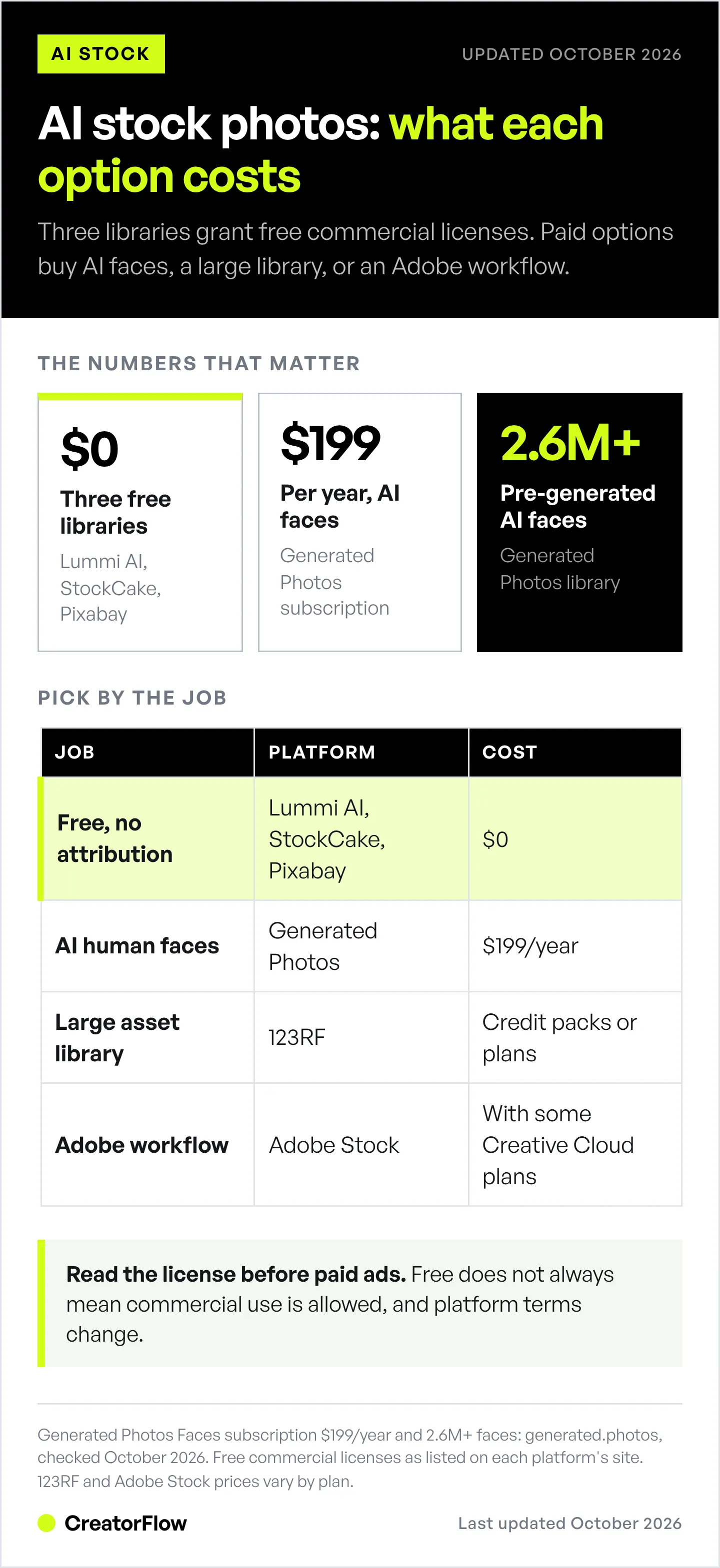
For agencies needing human faces: Generated Photos is the clear winner. 2.6M+ faces, full customization, no model releases needed, from $199/year.
For unique/artistic needs: Try Lexica Art or Impossible Images for visuals that don’t look like typical stock.
For enterprise/high volume: 123RF or StockCake Premium offer the scale and licensing clarity businesses need.
For Adobe users: Adobe Stock with Firefly integration keeps everything in one platform.
When Stock Is the Wrong Tool
Every platform above solves the same job: find a good generic image fast. That is the right job for a blog header, a background, or a filler slide.
It is the wrong job for anything that has to look like your brand. Stock images, AI or not, are drawn from a shared library. The same curated shot on your feed is on a competitor’s feed the same week. And no stock library can show your actual product, your packaging, your model wearing your item.
That is a different category of tool. Instead of searching a library, you load a brand kit (your colors, logo, fonts, and recurring characters) and generate assets built around your own product. The output is yours, it is consistent across a campaign, and nobody else has it.
DesignerBox is one option here, with product shots, video, and UGC-style ads in one place, and campaigns saved as reusable workflows. Pricing starts free (112 credits, watermarked) and runs €6 to €100 per month billed annually, or €15 to €200 billed monthly (designerbox.ai/pricing, October 2026).
Disclosure: DesignerBox is built by the same team as CreatorFlow.
The rule of thumb: use stock for the backdrop, generate for the product. If a reader could swap your image for a competitor’s and not notice, stock was fine. If they would notice, it needed to be yours.
Legal Considerations for AI Generated Images
Most platforms covered here offer commercial licenses, but verify before using:
-
Check the license: Each platform has different terms. “Free” doesn’t always mean “commercial use allowed.”
-
Attribution: Some require credit, others don’t. Lummi AI, StockCake and Pixabay typically don’t require attribution.
-
AI-generated faces: Using AI faces for fake testimonials breaks the FTC’s rule on fake reviews and testimonials (in force since October 2024), and civil penalties reach $53,088 per violation in 2026 (Federal Register, September 2026).
-
Trademarks: AI images may accidentally include trademark-like elements. Review before using in commercial contexts.
-
Platform terms: Read the specific license for each platform. Terms can change.
FAQ
Are AI generated images legal to use commercially?
Yes, most platforms in this list offer commercial licenses. Each platform has its own terms, so read them before you run paid ads. Lummi AI, StockCake and Pixabay allow commercial use without attribution.
Do AI generated images have copyright?
In the US, purely AI-generated images are not copyrightable unless a human adds enough creative control. The US Copyright Office set this out in its January 2025 report on copyrightability, and a federal appeals court upheld the human-author rule in Thaler v. Perlmutter (March 2025). The platforms still grant you a license to use the images commercially.
Can I use AI generated faces for marketing?
Yes, platforms like Generated Photos license AI faces for marketing, ads, and design. Since the people don’t exist, there are no model release requirements. Never use them for fake testimonials. On Instagram, accounts built around an AI-generated person need the AI-generated profile label, and unlabeled ones can lose recommendations since 31 August 2026.
Are free AI image sites really free?
The platforms listed as “free” (Lummi AI, StockCake free tier, Pixabay) offer free downloads. Some have premium tiers for higher volume or advanced features, but basic commercial use is free.
What’s the best AI image generator for Instagram content?
For Instagram content, Lummi AI and Lexica Art offer visually appealing, aesthetic images that perform well on social media. StockCake is good for volume if you post frequently. Check the crop with the free Instagram post preview before you publish, then pair the visual with one of these Instagram content hooks.
How do AI generated images compare to traditional stock photos?
AI images offer uniqueness (no one else has the exact same image) and customization (generate what you need). Traditional stock offers authenticity (real people, real places) and familiarity. Many creators mix both depending on the use case.
Summary
AI generated images give creators, agencies, and brands access to unique, customizable visuals without the cost and complexity of traditional stock photography.
Start here:
- Free general use: Lummi AI, StockCake, or Pixabay
- Human faces: Generated Photos
- Artistic/creative: Lexica Art
- Enterprise: 123RF or Adobe Stock
The platforms listed offer legitimate commercial licenses, just verify the specific terms before using in client work or paid advertising.
Need to promote your content after creating it? Learn how to automate your Instagram DMs to turn engagement into sales.
Checked in October 2026: Generated Photos pricing and library counts, Pexels and Unsplash AI upload policies, DesignerBox pricing, the FTC penalty figure and the US copyright position. Other platform details date from earlier in 2026.


