
Instagram Instants are disappearing real-time photos you send inside your DM inbox, launched in mid-May 2026 (macrumors.com, May 2026). You capture a live photo in the app, add a short caption written before the shot, and send it to Close Friends or mutual followers. Recipients view it once and it vanishes. Unopened Instants expire after 24 hours. Screenshots are blocked, and you can turn the feature off.
If you opened your DMs recently and saw a small stack of photos in the bottom-right corner you did not put there, that is Instants. It is Instagram’s answer to BeReal and Snapchat, built into the app you already use so there is no separate friend list to rebuild.
This guide explains what Instants are, how they differ from Stories, how to send and disable them, the privacy rules, and what the feature actually means for creators and brands. The short version on that last point: Instants themselves are private and manual, so the opportunity is not in the photos but in the Stories recap they can feed.
Key Takeaways
- Instants are private disappearing photos in DMs, not public posts. They launched globally in mid-May 2026 (macrumors.com, May 2026).
- Real-time only. No camera-roll uploads, no filters, no editing. You write the caption before you take the photo.
- Audience is limited to Close Friends or mutual followers. Instants cannot be posted publicly or sent to all followers.
- View once, then gone. Recipients see an Instant a single time; unopened ones expire after 24 hours. Screenshots are blocked on both iOS and Android.
- You can turn it off. Profile, menu, Settings and Activity, Content Preferences, then toggle on Hide Snapshots in Inbox.
- The creator angle is the recap, not the photo. Instants can be compiled into a public Story, and those Story replies are what DM automation can actually capture.

What Is Instagram Instants?
Instagram Instants is a disappearing photo feature built into the Instagram DM inbox. You take an unedited photo live, add an optional short caption, and send it to a chosen private audience. The photo disappears after the recipient views it, and any unopened Instant expires within 24 hours.
It works two ways: as a feature inside the main Instagram app available to everyone, and as a standalone Instants app that opens straight to the camera, currently tested in select countries (tech.yahoo.com, May 2026). Both routes land the photo in friends’ Instagram inboxes the same way.
The design is deliberately low-pressure. By stripping filters, edits, and gallery uploads, Instagram is pushing the spontaneous, in-the-moment sharing that BeReal popularized and Snapchat owns, without asking anyone to leave Instagram.
How Instants Differ From Stories and Close Friends
Creators already juggle Stories, Close Friends, and now Instants. They are not the same thing.
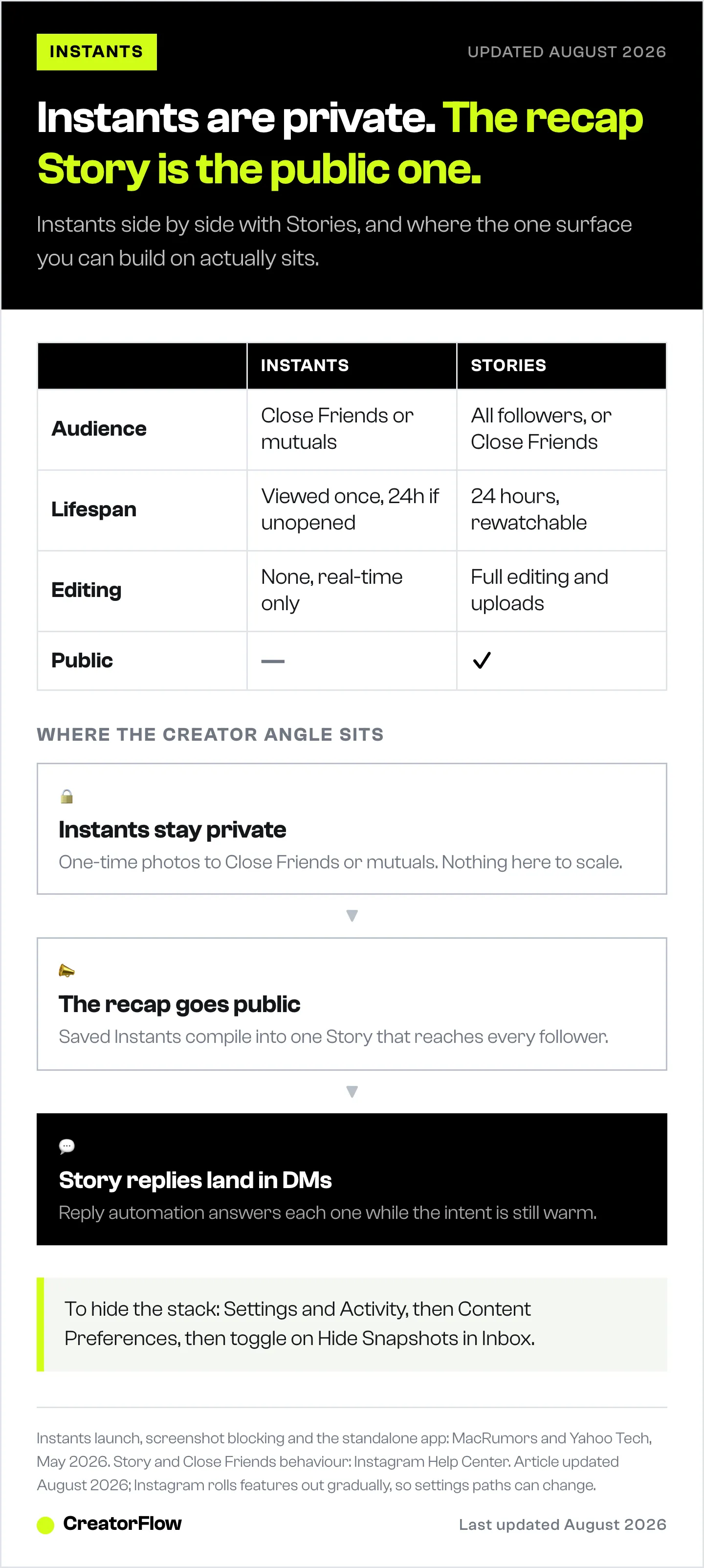
| Feature | Audience | Lifespan | Editing | Public? |
|---|---|---|---|---|
| Instants | Close Friends or mutuals | Viewed once, 24h if unopened | None, real-time only | No |
| Stories | All followers (or Close Friends) | 24 hours, rewatchable | Full editing, uploads allowed | Yes |
| Close Friends Story | Close Friends list only | 24 hours, rewatchable | Full editing | No |
| Feed posts | Everyone | Permanent | Full editing | Yes |
The key distinction: Stories are a broadcast channel you can build a funnel on. Instants are private, one-time, and manual. That difference is the whole reason the creator opportunity sits with the recap feature, not the Instants themselves. More on that below.
How to Send an Instagram Instant
- Update the Instagram app if you do not see the photo-stack icon in your inbox.
- Tap the stack of photos in the bottom-right corner of your DM inbox to open the Instants camera.
- Write your caption first. Unlike Stories, the text comes before the photo.
- Take the photo live. You cannot import from your camera roll.
- Pick your audience: Close Friends or mutual followers.
- Tap the white button to send. An Undo button appears briefly so you can retract it before anyone opens it.
Recipients can react with an emoji, reply with text, or send an Instant back. Every reply lands in your normal DM inbox.
Privacy: Viewing, Screenshots, and Expiry
Instants are private by design and sit under Instagram’s standard Community Standards and moderation.
- View once. Recipients can open an Instant a single time. There is no replay, and once closed it is gone from their inbox.
- 24-hour expiry. An Instant that is never opened disappears after 24 hours.
- Screenshots blocked. Instagram blocks screenshots and screen recordings of Instants on iOS and Android at the platform level (tech.yahoo.com, May 2026).
- Private archive. Your own sent Instants are saved in an archive only you can see, reportedly for up to a year.
One honest caveat: a screenshot block does not stop someone pointing a second phone at the screen. Treat anything you send as potentially permanent, the same rule that applies to any disappearing content.
How to Turn Off Instagram Instants
To hide Instants and stop the notifications:
- Open your Instagram profile.
- Tap the three lines in the top-right corner.
- Tap Settings and Activity.
- Under “What’s Visible,” tap Content Preferences.
- Toggle on Hide Snapshots in Inbox.
That removes the Instants stack from your inbox. To snooze it temporarily instead, hold the stack in your inbox and swipe right; reverse the swipe to bring it back.
What Instants Mean for Creators and Brands
Here is the part most coverage skips. Instants are not a growth or distribution tool. They are private, one-to-few, real-time, and manual, which means there is nothing in the core feature to automate or scale. If your plan was to “use Instants for marketing,” the feature itself works against you.
The real opening is the recap. Instagram lets you compile saved Instants into a single public Story. That Story behaves like any other: it reaches all your followers, and when they reply, those replies hit your DMs. That is a channel you can actually build on.
So the playbook is simple. Share unfiltered Instants privately through the week, compile the best into a weekly Story recap, and let the recap do the public work. The recap feels more authentic than a polished feed post because the source material is raw, which tends to pull more replies. For ideas on what to capture, our Instagram Story ideas and templates guide applies directly to recap content.
The catch is reply volume. A recap that lands can flood your inbox, and answering by hand hours later wastes the intent. This is where Instagram Story reply automation matters: it fires on every Story reply and sends an instant DM, so a viewer who reacts to your recap becomes a tracked lead instead of an unread message. CreatorFlow runs this through Meta’s official Instagram API as a Meta Tech Provider (since December 2025), and its free plan covers 500 DMs a month.
In other words: let Instants stay personal, and put the automation where it belongs, on the public Stories the recaps create. For the full setup, see our Instagram DM automation guide.
FAQ
What are Instagram Instants?
Instagram Instants are disappearing real-time photos sent inside the DM inbox, launched in mid-May 2026. You take a live, unedited photo, add a short caption written beforehand, and send it to Close Friends or mutual followers. Recipients view it once before it disappears, and unopened Instants expire after 24 hours.
Why don’t I have Instagram Instants?
The most common reason is an outdated app. Instants rolled out in mid-May 2026 and needs the latest Instagram version to appear. Update through the App Store or Google Play and look for the photo-stack icon in the bottom-right of your DM inbox. If it is still missing, check you have not enabled Hide Snapshots in Inbox.
Can you screenshot Instagram Instants?
No. Instagram blocks screenshots and screen recordings of Instants on both iOS and Android at the platform level, so the capture does not complete. A second camera pointed at the screen is not preventable, so treat any Instant as potentially permanent regardless of the block.
How long do Instagram Instants last?
An Instant disappears from the recipient’s inbox the moment they view it. If it is never opened, it expires after 24 hours. Your own sent Instants are saved in a private archive only you can see, reportedly for up to a year.
Who can see my Instagram Instants?
Only the audience you pick when sending: your Close Friends list or your mutual followers (people you follow back). Instants are never broadcast to all followers, never appear on your public profile, and are not shown in Explore or any public feed.
How do I disable Instagram Instants?
Go to your profile, tap the three lines, open Settings and Activity, tap Content Preferences under “What’s Visible,” and toggle on Hide Snapshots in Inbox. That hides the Instants stack and stops the notifications. To pause it temporarily instead, hold the stack in your inbox and swipe right.
Can brands or creators use Instants for marketing?
Not the Instants themselves, since they are private, one-time, and manual. The usable angle is the Recap to Stories feature, which compiles Instants into a public Story. Those Story replies can be captured and answered automatically with DM automation, and any of the main Instagram DM tools can fire on a Story reply, turning recap engagement into tracked leads.
Instagram Instants feature details verified from MacRumors, Yahoo Tech, ABC News, and Instagram’s own posts as of May 2026. Instagram features roll out gradually and settings paths can change; confirm in your app. Individual results vary.


