

Membership and community owners use Instagram DM automation to send the join link the moment someone comments to ask about your community. When a follower comments a keyword or replies to a story, a tool DMs your Skool, Whop, Circle, Patreon, or Kajabi link in seconds, collects an email for your waitlist, and keeps warm buyers moving toward the checkout without you replying to every message by hand.
You post a Reel about your paid community, momentum builds, and 200 people comment “how do I join?” during the exact window you are away from your phone. By the time you reply, half of them have scrolled on. Open-cart launches live and die on speed, and a manual inbox is the slowest part of the whole funnel. Every unread “I’m interested” is a membership you almost sold.
This guide is for anyone running a paid membership or community, whether you host it on Skool, Whop, Circle, Patreon, Kajabi, or a paid Discord. The playbook is platform-agnostic: turn a comment into a join link, build a waitlist before you open cart, and re-engage members so they renew instead of lapse.
Key Takeaways
- DM automation sends your join link instantly. When someone comments a keyword or replies to a story, the tool DMs your Skool, Whop, Circle, Patreon, or Kajabi link in seconds, 24/7.
- Memberships are now the revenue foundation for most community businesses. Around 75% of creators run a membership community, and 88% also have their own website (circle.so, July 2026).
- The paid membership platform market keeps growing. It is projected to rise from $7.66 billion in 2025 to $8.92 billion in 2026, a 16.5% annual growth rate (researchandmarkets.com, July 2026).
- The Email Gate builds a waitlist you own. Collect emails before open-cart, then export by CSV so a slow launch day does not mean a lost lead.
- The Follow Gate grows the account while you enroll. Ask for a follow before the join link sends, so every launch adds followers as well as members.
- Story replies power renewals. Automate re-engagement DMs to lapsing members with a “reply to stay in” prompt.
- Flat pricing suits launch spikes. CreatorFlow charges per plan, not per contact, so a viral open-cart day does not inflate your bill.
How does Instagram DM automation work for a paid community?
Instagram DM automation watches your comments and story replies for a trigger word, then sends a pre-written DM with your join link. A follower comments “JOIN” on a Reel or replies “info” to a story, and the tool DMs your community checkout page within seconds. You write the keyword and message once, and it runs on every post automatically, so your funnel keeps working during the hours you are not online.
The tool handles the raise-your-hand to link step, not the community platform itself. Skool, Whop, Circle, Patreon, or Kajabi still owns your content, payments, and member area. DM automation closes the gap between someone commenting “I want in” and landing on the page where they pay. For the full mechanics, see the complete guide to Instagram DM automation.
The comment-to-join-link flow
Two triggers do most of the work for community owners.
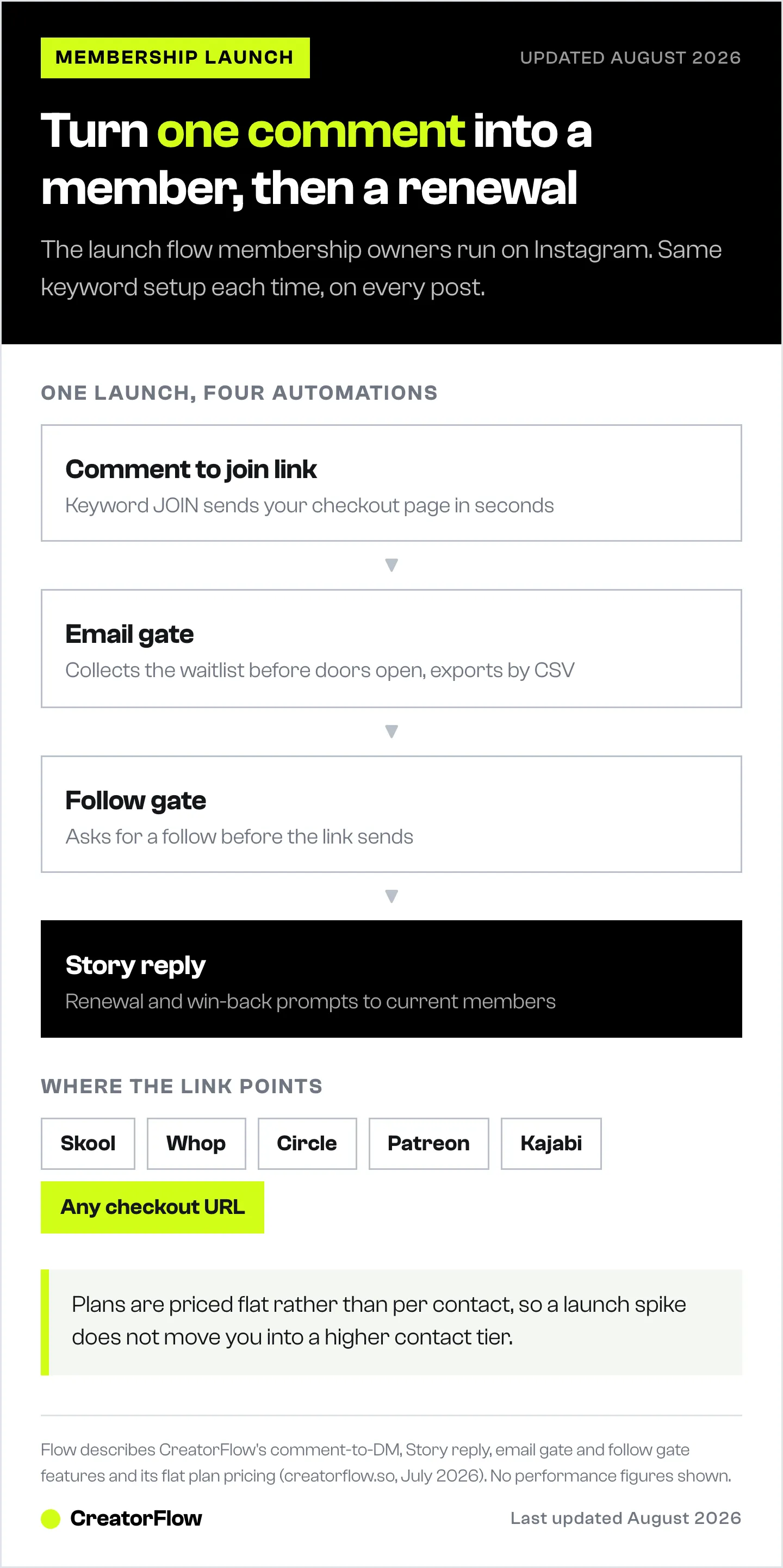
Comment-to-DM: You post a Reel about what happens inside the community and add “Comment JOIN for the link” in the caption. Everyone who comments the keyword gets an automatic DM with your checkout page. The public comments also lift the post’s reach, so the content that sells memberships also grows the account that feeds it.
Story-reply automation: You run a launch story with “Doors open, reply JOIN” and every reply triggers a DM with the link. Stories carry a lot of buying intent for communities, because engaged followers treat them like a direct line to you.
Both flows keep the conversation inside Instagram and hand the buyer to your platform in one tap. Our comment-to-DM automation setup guide covers keywords, copy, and testing.
Building a waitlist before you open cart
Most membership revenue is won before doors open, not during. A waitlist gives you a warm list to sell to on day one instead of starting cold.
Turn on the Email Gate so CreatorFlow asks for an email before sending any pre-launch link or lead magnet. During your build-up weeks, run “Comment WAITLIST” posts and collect those emails. When you open cart, you already have a list of people who raised their hand, and you can DM the join link the moment doors open. Export the list by CSV into your email tool for the launch sequence. Our Email Gate guide walks through the setup.
Growing your account while you enroll with the Follow Gate
The Follow Gate asks for a follow before the join link sends. For a community owner, that means every launch does double duty: it enrolls members and grows the follower base that will feed your next launch.
It also filters out drive-by clickers. Someone willing to follow before getting the link is a warmer lead than someone grabbing a URL and vanishing. Over several launches, the account compounds, so each open-cart window starts from a bigger, more engaged audience than the last.
Driving renewals and re-engagement
Selling a membership once is the easy part. Keeping members is where the business is made, and Instagram is a strong renewal channel because your members already follow you there.
Run a story aimed at members with a “reply to keep your spot” or “reply for the renewal link” prompt, and let story-reply automation DM each one the link. You can also re-engage lapsed members: post content that reminds them what they are missing, tag it with a keyword, and auto-send a win-back offer. Because these are people who already trusted you with a payment, the reply rate on renewal DMs tends to beat cold outreach.
Which community platforms does this work with?
CreatorFlow sends whatever join or checkout link you paste, so it works alongside the platform you already run and feeds buyers straight into it. If you are still picking a host, see what Skool and its alternatives cost at $1,000 to $20,000 a month.
| Platform | Common fit | Notable cost detail |
|---|---|---|
| Skool | Course-plus-community creators | 0% platform fee, about 2.9% Stripe processing; Pro plan around $99/mo (schoolmaker.com, July 2026) |
| Whop | Digital and community businesses | Has processed over $1 billion in creator transactions (whop.com, July 2026) |
| Patreon | Membership tiers for creators | Platform fee around 10% for new creators (patreon.com, July 2026) |
| Circle | Structured community brands | Paste your Circle join link into the DM |
| Kajabi | Course and membership bundles | Paste your Kajabi offer link into the DM |
Each platform owns payments, tiers, and the member area. CreatorFlow’s job is getting the buyer from an Instagram comment to that checkout without you replying by hand. To compare community platforms themselves, see our look at the best creator communities on Skool and Whop, and for a Skool-specific build, our Skool community growth guide.
What does Instagram DM automation cost for a community owner?
CreatorFlow pricing is flat, not per-contact, so a launch spike does not raise your bill.
| Plan | Price | DMs / month | Workspaces | Best for |
|---|---|---|---|---|
| Free | $0 | 500 | 1 | Testing the comment-to-join flow |
| Pro | $15/mo or $144/yr | 5,000 | 2 | A solo owner running regular launches |
| Growth | $30/mo or $288/yr | 10,000 | 5 | High-engagement or multi-brand owners |
| Agency | Custom | Custom | Custom | Teams running many client communities |
The Free plan covers a first test of the flow. Pro adds the Follow Gate, Email Gate, CSV export, and geographic analytics, which is where most solo community owners land. Growth fits owners with heavy launch volume or a team sharing the inbox. To compare the market, see our roundup of the best Instagram DM automation tools.
FAQ
How do I use Instagram DM automation to sell memberships?
Add a keyword like JOIN to your Reels and stories, then let the tool DM your community checkout link to everyone who comments or replies. You write the message once and it runs on every post, so interested followers get the join link in seconds instead of waiting for a manual reply.
Does CreatorFlow work with Skool, Whop, Patreon, and Circle?
Yes. CreatorFlow sends whatever join or checkout URL you paste, so any platform that gives you a shareable link works. That includes Skool, Whop, Patreon, Circle, and Kajabi. You keep your current community software and automate only the hand-off from Instagram.
Can I build a launch waitlist with it?
Yes. Turn on the Email Gate so the tool collects an email before sending your pre-launch link. Run “Comment WAITLIST” posts during your build-up, export the list by CSV, and DM the join link the moment doors open. That gives you a warm list to sell to on day one.
Will automated DMs get my account banned?
CreatorFlow runs on Meta’s official Instagram API and is a Meta Tech Provider (since December 2025). There is no password sharing, and sends are paced conservatively at around 200 DMs per hour to stay within platform norms, which keeps ban risk minimal.
Can I use it to drive membership renewals?
Yes. Run a story aimed at current members with a “reply to renew” prompt, and story-reply automation DMs each one the renewal link. Because these people already pay you, renewal and win-back DMs tend to convert better than cold outreach.
What does it cost to start?
The Free plan is $0 and includes 500 DMs a month on one account, enough to test the comment-to-join flow. Pro is $15/month and adds the Follow Gate, Email Gate, and CSV export that most solo community owners want for launches.
Ready to turn Instagram comments into members? CreatorFlow is the distribution engine that sends your join link the moment a follower raises their hand, so no warm buyer sits in an unread inbox during your launch. Get started free and connect your account in under 5 minutes.
Membership growth tactics and CreatorFlow features verified from creatorflow.so and cited sources as of July 2026. Individual results vary.


