

TikTok comment to DM does not exist as a feature. No tool sends an automatic direct message when a viewer comments on your video, because TikTok’s Business Messaging API is reply-only: a business can answer inside a 48-hour window that the viewer opens by sending a message, and cannot start a conversation on its own. A comment is not a message, so it opens no window. The routes that do work start from a message, a public reply, or your bio.
You post a video. It does 200,000 views overnight and 300 people comment asking where to get the thing. On Instagram those 300 comments would already be 300 DMs holding your link. On TikTok you wake up to a comment section and a thumb.
This guide covers why the gap exists at the API level rather than the roadmap level, the three gates that decide what your account can run at all, the four routes that work on TikTok today, and how to build the half of the funnel that will still be useful when the trigger does arrive.
Key Takeaways
- No tool sends a DM from a TikTok comment. TikTok’s Business Messaging API does not permit business-initiated conversations, so a comment cannot start one (business-api.tiktok.com, September 2026)
- Three gates decide your options: where the account was registered, whether it holds Advanced Access plus Verified Business Account status, and who sent the first message
- Accounts in the EEA, Switzerland, and the UK cannot use the API to send direct messages at all, so a Manchester creator and an Austin creator reading the same tool page do not get the same product (respond.io TikTok channel documentation, September 2026)
- TikTok’s four native automatic messages are real and free: welcome message, keyword reply, suggested question, and chat prompts. All four fire inside a chat, none fire from a comment (ads.tiktok.com, September 2026)
- Keyword replies are exact match, capped at 40 characters for the keyword and 500 for the reply, with a review queue of roughly one to five days
- The comment trigger already ships on Instagram, where Meta’s API allows a private reply to a commenter for seven days after the comment (developers.facebook.com, September 2026)
Can You Auto DM From a TikTok Comment?
No. As of September 2026 there is no TikTok product, native or third-party, that sends a direct message because someone commented on a video. Tools that advertise TikTok DM automation are automating replies to messages people already sent you. The trigger is the inbound message, not the comment.
This trips people up because the two things look identical from the outside. A creator sees a competitor’s video captioned “comment LINK and I’ll send it” and assumes software is doing the sending. On TikTok, that creator is either replying by hand, or the caption is running on a video that was cross-posted from Instagram where the automation lives.
The distinction matters before you buy anything. A tool can be entirely honest about what it does and still leave you with the impression it does more, because “TikTok DM automation” is a true description of inbound reply handling and also what you would call comment-to-DM if it existed.
Why TikTok Comment to DM Is Blocked, Not Delayed
TikTok’s messaging product for businesses is built around a reply window. When a person messages your account, a window opens and your side can answer. The published shape of that window is 48 hours measured from the person’s most recent message, resetting each time they write again, with a cap of 10 messages from your side inside it (business-api.tiktok.com and TikTok integration partner documentation, September 2026).
The line that decides everything sits underneath those numbers. Partner documentation for the channel states it plainly: you cannot send the first message, and bulk sending such as broadcasts is unavailable. Every message your account transmits is a response to something the other person put in your inbox.
A comment does not go in your inbox. It sits on the video. No window opens, so there is nothing for a tool to reply into, which is why this is an architecture question rather than a release-date question. Comment-to-DM on TikTok requires a new permission that lets a comment open a messaging window, not a new feature in somebody’s dashboard.
The three gates
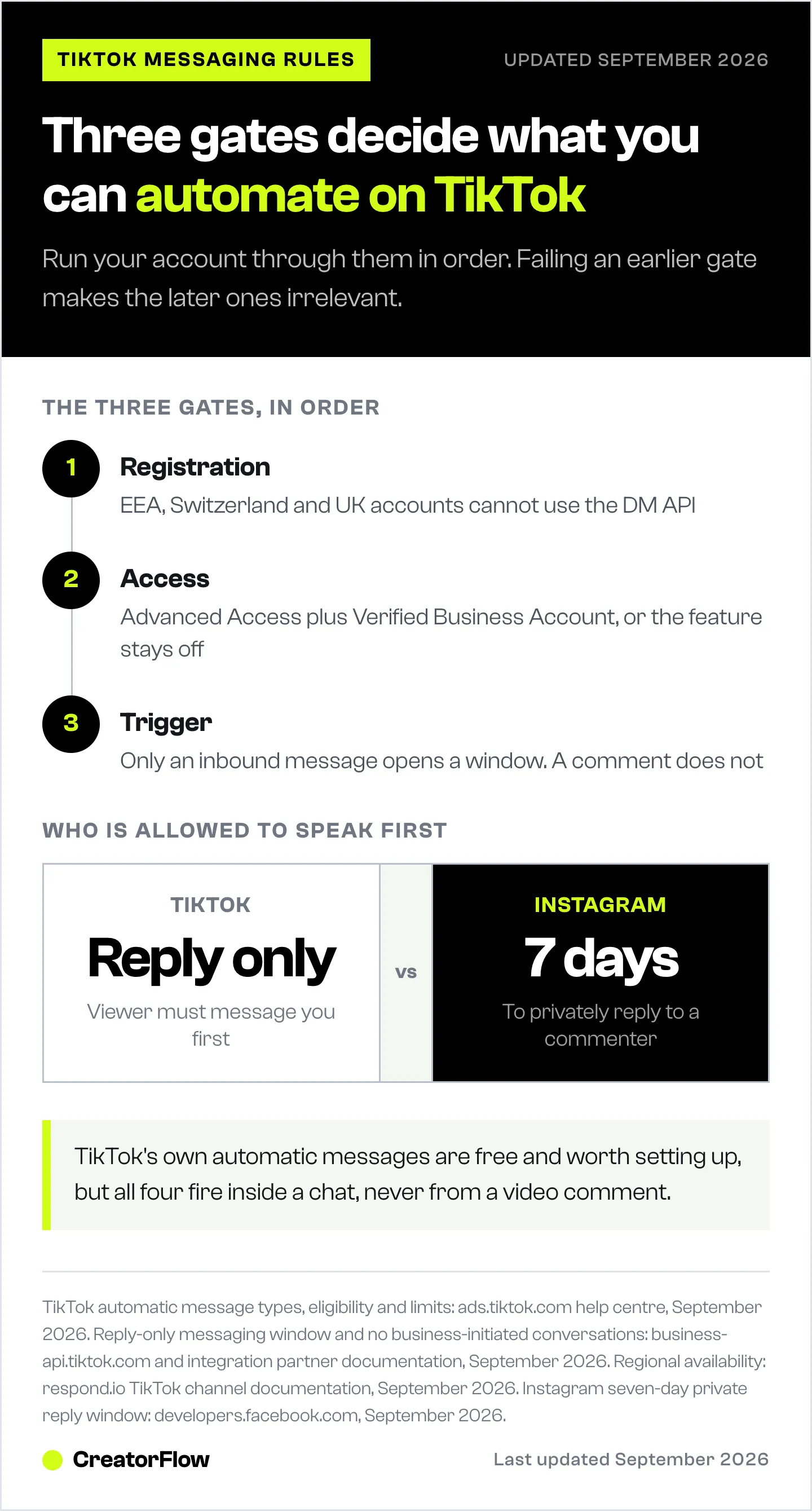
Before you evaluate any tool, run your account through these in order. Failing an earlier gate makes the later ones irrelevant.
| Gate | What it checks | If you fail it |
|---|---|---|
| Registration | Where the account itself sits, not where you are today | TikTok accounts in the EEA, Switzerland, and the UK cannot use the API to send direct messages. No third-party messaging tool connects |
| Access | Advanced Access plus Verified Business Account status | Native automatic messages stay switched off. General accounts do not see the feature |
| Trigger | Who sent the first message | A comment, a like, a follow, and a share all fail this. Only an inbound message opens the window |
Gate one is the one that catches European and UK creators, and it is a property of the account rather than of your current location, so travelling does not lift it. A creator in Manchester and a creator in Austin can read the same feature page and buy the same plan, and only one of them gets a working connection.
Gate three is the one that kills comment-to-DM even for a US Verified Business Account that clears the first two. Passing gates one and two buys you a good inbound reply system. It does not buy you a comment trigger, because no tier does.
What TikTok’s Native Automatic Messages Do Instead
TikTok ships four automatic message types, and they are free with an eligible account. They are worth setting up regardless of what else you run, because they are the only automation living inside TikTok itself.
| Type | Fires when | Useful for |
|---|---|---|
| Welcome message | Someone opens a chat with your account for the first time | Setting expectations and pointing at your offer |
| Keyword reply | Someone sends an exact match of a keyword you chose | Delivering a link, a price, or a booking page |
| Suggested question | Someone taps a pre-set question in the chat | Answering the three things everyone asks |
| Chat prompts | Someone opens the chat and sees topic buttons | Sorting people before they type |
The specifications are tight. Keywords cap at 40 characters and replies at 500, matching is exact rather than fuzzy, edits go through a review queue that typically runs one to five business days, and an account holds up to four automatic messages at a time (ads.tiktok.com, September 2026). Eligibility is limited to accounts with Advanced Access and Verified Business Account status, and the feature is unavailable to general TikTok accounts.
Exact matching is the part that decides whether this works for you. If your keyword is GUIDE, then “guide” lands and “guide please” does not. Every trigger word you put on screen has to be a word people will send alone, which rules out conversational phrasing and rules in short, ugly, unmistakable tokens.
What the Tools Named for TikTok Ship
Several messaging platforms connect to TikTok and do the inbound job well. Read their pages carefully and they are consistent about the boundary.
ManyChat runs TikTok alongside Instagram, Facebook, WhatsApp, SMS, Telegram, and email, and its TikTok support covers automated handling of direct messages. Its published ladder is Free at 25 active contacts, Essential $17/month for 250 contacts, Pro $39/month for 2,500, Business $99/month for 7,500, and Advanced $199/month for 25,000, or $14/$29/$69/$139 per month billed annually (manychat.com, July 2026).
respond.io states in its own documentation that its TikTok channel cannot initiate conversations with TikTok contacts, which is the API constraint showing through the product rather than a product decision. Chatfuel, Vista Social, and SleekFlow describe the same inbound shape on their TikTok pages.
Best for: these are strong choices if your job is answering the DMs a TikTok audience already sends you, and they are the right purchase for a support inbox or a sales inbox. None of them advertises a comment trigger, because the permission does not exist to build one on.
Anything promising TikTok comment-to-DM through a browser extension or a logged-in session is a different category. TikTok’s Community Guidelines prohibit fake engagement and the use of unauthorized automation to act on the platform, and enforcement runs from stripping engagement through posting restrictions to permanent bans (tiktok.com/community-guidelines, September 2026). A tool that works by driving your account is the kind those rules describe.
Four Routes That Work on TikTok Today
Each of these starts the conversation the way the API requires. Pick by what you are sending and how much volume you expect.
| Route | How it starts | Best for | Effort |
|---|---|---|---|
| On-screen keyword to native reply | Viewer sends the keyword as a DM | Link, PDF, price list | Low, once approved |
| Public comment reply plus pin | You reply publicly, pin the reply | High-volume viral videos | Low per video |
| Bio routing to a capture page | Viewer taps through the profile | Email list building | Low |
| Cross-posted hook on Reels | Viewer comments on the Instagram version | Anything needing scale | Medium setup, then automatic |
Burn the keyword on screen, not in the caption. Most viewers never open the caption. Put “DM me LINK” as a text overlay held long enough to read, and say it out loud. The word has to be the exact string your keyword reply matches.
Reply in public and pin it. On a video doing real numbers, one pinned comment carrying the answer outperforms 300 manual DMs and takes one action. Video replies to comments also get their own distribution on TikTok, so the answer becomes another post.
Route through the bio. Your profile link is the one destination available on every account regardless of gates. Send it to a capture page rather than straight to the offer, so the traffic becomes an email address you own. We compared the trade-offs in link in bio versus DM capture.
Run the same hook where the trigger exists. If the video is going to be cut for TikTok anyway, posting it as a Reel costs one upload and adds a surface where the comment does open a message. That is a distribution decision, not a platform loyalty one.
What the Gap Costs
Put numbers on it before deciding how much to care. Take a video at 200,000 views with 300 comments asking for the link, which is an ordinary ratio for a product video that lands.
Answering by hand at 30 seconds per reply is 2.5 hours of work, and most of it arrives while you are asleep. Comment sections cool fast, so the replies that land six hours late reach people who have scrolled past a hundred videos since. Creators generally see a fraction of a delayed comment thread convert compared with a reply that arrives while the viewer is still on the post.
The pinned-comment route recovers most of that for one action, which is why it is the default recommendation rather than a consolation prize. The keyword route recovers the rest, but only for the share of viewers willing to open a chat and type an exact word, which is a smaller group than the one that will type a word into a comment box.
That difference in friction is the whole argument for having the same hook live on a surface where commenting is enough.
Where the Comment Trigger Already Ships
Instagram’s API takes the opposite position on who may speak first. Meta permits a private reply to someone who comments on your post or Reel for seven days after the comment, and a 24-hour window for answering a direct message. Published rate limits on the Instagram API with Instagram Login path run at 100 calls per second for text and links and 750 per hour for private replies to comments on posts and reels (developers.facebook.com, September 2026).
That single permission is the reason comment-to-DM exists on one platform and not the other. The commenter has acted, and Meta counts the comment as the act.
CreatorFlow is built on that path. Someone comments your keyword, the DM goes out with your link in a couple of seconds, and the follow gate and email gate turn the moment into a follower or a subscriber. Click analytics report which post and which country the traffic came from. The step-by-step comment-to-DM setup takes about five minutes end to end, and 50-plus keyword trigger templates cover the copy.
If you are weighing how much of your effort belongs on each platform, the Instagram and TikTok data tables compare reach, engagement, and payout rates side by side.
Build the TikTok Half Now
Everything here survives a future rollout, so none of it is wasted work if the permission lands next year.
- Switch to a Business Account and pursue Verified Business Account status. It gates the native automatic messages and it will gate whatever comes next.
- Check where your account sits. If it is in the EEA, Switzerland, or the UK, plan around bio routing and public replies rather than waiting on an API connection.
- Pick trigger words that survive exact matching. Short, unusual, one word. Test that people will send them alone.
- Set all four native automatic messages. Submit early given the review queue, and treat the welcome message as your highest-traffic piece of copy.
- Put the same hook on Reels. One upload, and the comment becomes a trigger on the surface that has one.
- Measure where the money came from, not where the views came from. TikTok’s payout layer and off-app sales work differently, which we broke down in how to monetize TikTok content.
The creators who will be fastest on day one of a TikTok comment trigger are the ones who already know their keyword, already have the message written, and already have the offer page converting. That work is available today.
FAQ
Can ManyChat auto DM from a TikTok comment?
No. ManyChat’s TikTok support covers automated handling of direct messages that people send to your account, which is the only shape TikTok’s Business Messaging API permits. No tool has a comment trigger on TikTok, because the API does not allow a business to start a conversation (manychat.com, July 2026).
Does TikTok have a native comment-to-DM feature?
No. TikTok’s four native automatic messages are the welcome message, keyword reply, suggested question, and chat prompts, and all four operate inside a direct message conversation rather than from a video comment (ads.tiktok.com, September 2026). There is no toggle that turns a comment into a DM.
Why can UK and EU accounts not use TikTok DM automation?
TikTok accounts in the European Economic Area, Switzerland, and the United Kingdom cannot use the API to manage or send direct messages, so third-party messaging tools have nothing to connect to (respond.io TikTok channel documentation, September 2026). Separate market-level limits also apply to sending media such as images, and those cover a wider list of countries.
What is the difference between a TikTok keyword reply and comment-to-DM?
Who acts first. A keyword reply fires when a viewer sends you a direct message containing an exact match of your keyword, so the viewer has opened the conversation. Comment-to-DM fires when a viewer comments publicly and the business sends the first message. TikTok permits the first and not the second.
Is TikTok comment automation against the rules?
Using TikTok’s own automatic messages is permitted, and connecting an approved partner through the official API is permitted. TikTok’s Community Guidelines prohibit fake engagement and unauthorized automation that acts on the platform without approval, and any tool that works by logging into your account falls under that description (tiktok.com/community-guidelines, September 2026).
Can you send a link in a TikTok DM?
Yes, within the reply window and the 500-character limit on an automatic reply. The practical constraint is not the link, it is that the viewer has to message you first for any automated reply to fire at all.
When will TikTok comment-to-DM be available?
TikTok has not published a date. The change required is a permission that lets a public comment open a messaging window, which is a larger step than adding a dashboard feature, so treat any specific timeline you read as speculation. Build the parts listed above that work now.
What is the fastest way to run a comment-to-DM funnel today?
Instagram. Meta’s API allows a private reply to a commenter for seven days after the comment, so the comment itself is a valid trigger. Setup on a professional account runs about five minutes, and the Instagram automation overview covers what the category does and does not include.
Turn Comments Into Conversations
CreatorFlow runs the conversation layer on Instagram. Someone comments your keyword, the DM goes out carrying your link, and the follow gate and email gate turn that moment into a follower or a subscriber. Click analytics show which post and which country drove it. Setup takes under five minutes on the free plan.
TikTok messaging behaviour, automatic message specifications, and regional availability verified from ads.tiktok.com, business-api.tiktok.com, and tiktok.com/community-guidelines as of September 2026. Instagram API windows and rate limits verified from developers.facebook.com as of September 2026. Competitor pricing verified from manychat.com as of July 2026. Individual results vary.


