

Track DM-driven sales by putting a UTM-tagged link in every automated message and reading the result in your store or analytics. Your automation tool records the clicks and where they came from. Your store records the orders. The UTM tag is what joins the two, and without it the revenue arrives labelled as direct or social traffic with no way to name the post that caused it.
You know the automation is working because people click. You know sales went up. What you cannot say is whether the two are related, which post produced the buyers, or whether the £15 a month is returning anything. So the decision to keep going is a feeling rather than a number.
This guide covers what each system in the chain records, how to build the UTM tags, the naming scheme that survives a hundred automations, how to read the result, and the two places attribution genuinely breaks.
Key Takeaways
- Two systems, one join key. Automation records clicks, your store records orders, the UTM connects them.
- Tag every link. An untagged link arrives as anonymous traffic and cannot be recovered later.
- Use a fixed naming scheme decided before you build the automations, not after twenty of them exist.
- Campaign equals the post. That is the level of detail that answers which content produces buyers.
- Geography is the underused number. Where your clicks come from changes what you should sell and where.
- Some paths will not attribute. Screenshotted links and cross-device journeys are lost. Plan for it.
What Each System Records When You Track Instagram DM Sales
Three separate systems hold three pieces of the answer.
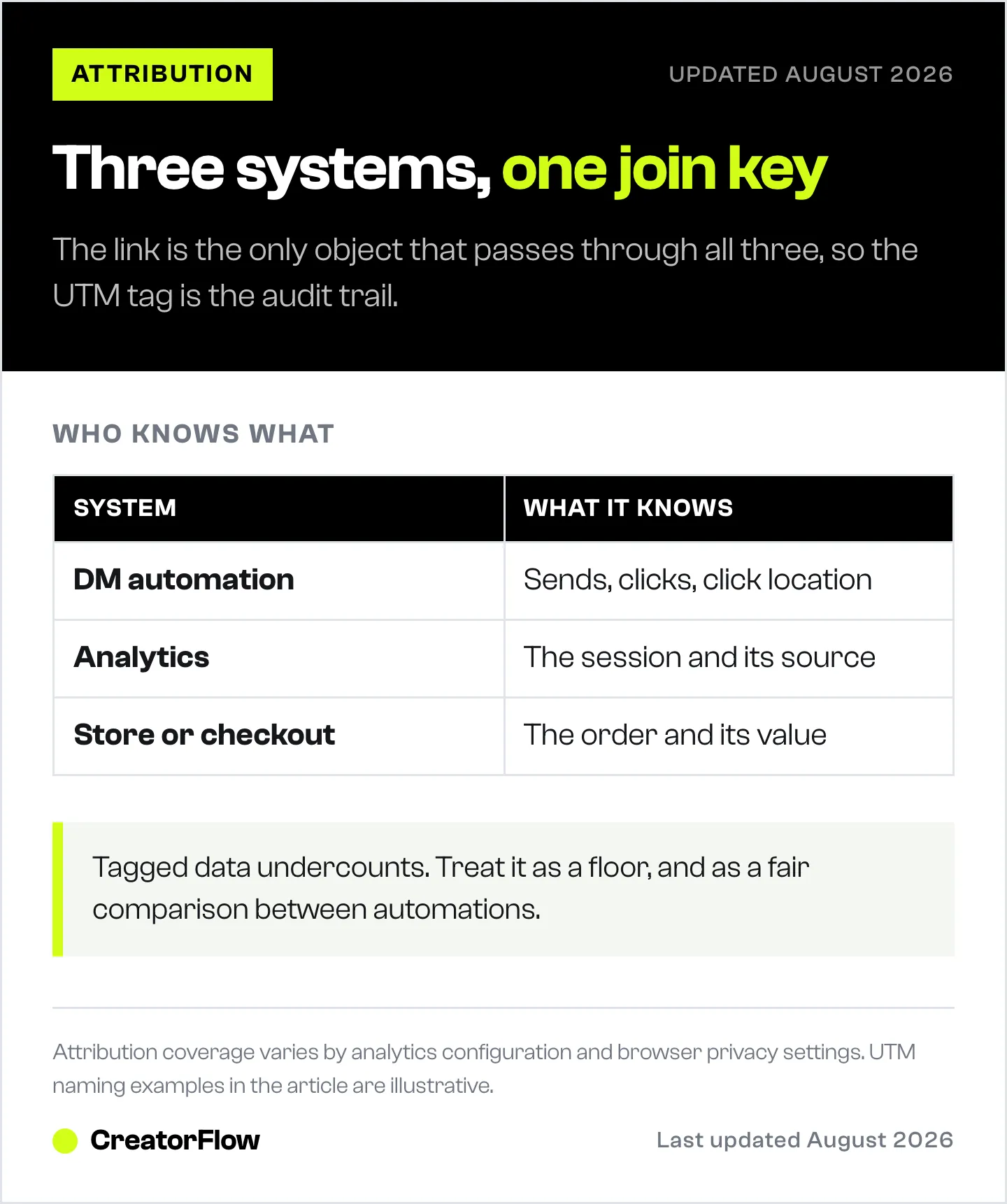
| System | What it knows | What it does not see |
|---|---|---|
| Your DM automation | Which automation fired, how many people received it, how many clicked, from where | What happened after the click |
| Your analytics (GA4 or similar) | The session, the source, the path through the site | Who they were on Instagram |
| Your store or checkout | The order, the value, the customer | How they arrived, unless tagged |
Nobody sells a product that spans all three, because the identity does not travel. Instagram does not hand your store the person’s handle, and it should not.
What travels is the URL. The link in your DM is the only object that passes through all three systems, so whatever you write into it is the entire audit trail. That is why the UTM parameters matter more than any dashboard.
CreatorFlow records the clicks and the country and city they came from, per automation, through Meta’s official Instagram API. Your analytics and your checkout hold the rest. Building the tag correctly is what makes those separate records answer one question.
Build the UTM Tags
A UTM tag is a set of parameters added to the end of a link. Five exist and you need four.
| Parameter | Put this in it | Example |
|---|---|---|
| utm_source | Where the traffic came from | |
| utm_medium | The mechanism | dm |
| utm_campaign | The specific post or offer | sept-reel-linen-shirt |
| utm_content | The variant, if you are testing | keyword-link vs keyword-price |
| utm_term | Not needed here | leave off |
A finished link looks like your normal product URL with those parameters after a question mark, joined by ampersands. Build it once per automation and paste it into the message template.
Three rules that prevent most of the mess:
Lower case, hyphens, no spaces. Analytics tools treat different capitalisations as different campaigns, so “Sept-Reel” and “sept-reel” become two rows describing the same thing.
Source and medium never change. Always instagram and dm. Consistency here is what lets you see all DM traffic as one group.
Campaign is the post. This is the decision that determines whether your data is useful. Naming the campaign after the product tells you what sells, which you already know. Naming it after the post tells you which content produces buyers, which you do not.
A scheme that holds up: month, format, subject. So sept-reel-linen-shirt, sept-story-restock, oct-carousel-sizing. After six months you can see whether Reels or carousels produce more revenue, which is a question worth having an answer to.
Read the Result
Once tagged traffic is arriving, three reports answer three different questions.
Which posts produce revenue. In your analytics, look at conversions or revenue grouped by campaign, filtered to medium equals dm. This ranks your content by money rather than by likes, and the ranking is usually surprising. The posts that produce the most engagement are frequently not the posts that produce the most orders.
Where the drop happens. Compare three numbers per automation: DMs sent, clicks, and orders. A low click rate means the message is wrong. A high click rate with few orders means the landing page or the price is wrong. Those are different problems with different fixes, and without the tag you cannot tell them apart.
Where your buyers are. Click geography per automation tells you which countries your DM audience is in. This is the number most creators never look at, and it changes decisions: which currency to price in, which shipping options to offer, what time to post, and which markets are worth a dedicated offer.
Set a review rhythm rather than checking daily. Once a fortnight is enough for most accounts, because the numbers need volume before they mean anything.
Where Attribution Breaks
Be honest about this before you build a business decision on the output.
Screenshots and typed URLs. Somebody screenshots your link and types the domain later. That order arrives as direct traffic. Nothing recovers it.
Cross-device journeys. Clicked on a phone, bought on a laptop the next evening. Most analytics setups treat that as two people.
Long consideration windows. A purchase 40 days after the click may fall outside your attribution window depending on configuration.
Blocked tracking. Privacy settings and browser protections remove a share of sessions from your analytics entirely.
The practical consequence is that tagged data undercounts. Treat the numbers as a floor and as a comparison between automations, rather than as a complete census. Comparing sept-reel-linen-shirt against sept-story-restock is reliable because both are undercounted the same way. Claiming that DMs produced exactly £2,431 is not.
One partial fix that costs nothing: ask. A “how did you hear about us?” field at checkout catches a meaningful share of the traffic that tagging misses, and the free-text answers are frequently more useful than the tags.
Capture the Email Where the Intent Is
Click data tells you what happened. An email address lets you do something about it.
Somebody who received your DM, clicked, and did not buy is the highest-intent person in your funnel, and after Meta’s messaging window closes you cannot reach them on Instagram. Standard messaging gives 24 hours to respond, extendable to seven days with the human agent tag (developers.facebook.com, August 2026). An email address has no such ceiling.
CreatorFlow’s email gate collects the address inside the DM before the link is delivered, and CSV export moves those contacts to whatever you send email from. That turns a click you can count into a person you can contact, which is a considerably more valuable asset than the click.
Put a Number on It
Once you have clicks and orders joined, the arithmetic that matters becomes available: what a single automated DM returns, and how long the tool takes to pay for itself. Both are covered in what one automated Instagram DM is worth and how long Instagram DM automation takes to pay for itself.
If your automations are not yet producing enough clicks to measure, the problem is usually upstream in the message rather than in the tracking. The structures that produce clicks are in Instagram DM offer templates by price point, and the general setup is in the Instagram DM automation guide.
FAQ
How do you know if an Instagram DM led to a sale?
Put a UTM-tagged link in the automated message and read the campaign report in your store or analytics. The tag travels with the click through to the order, which is what lets you connect a purchase back to the post that triggered the DM.
What UTM parameters should you use for Instagram DMs?
Source as instagram, medium as dm, and campaign as the specific post. Add content only when you are testing two message variants against each other. Keep source and medium identical everywhere so all DM traffic groups together.
Why does Instagram traffic show up as direct in analytics?
Because the link carried no parameters, or because the person did not follow the link directly. Untagged links arrive anonymously and cannot be attributed after the fact, which is why tagging every automation from the start matters more than any reporting setup.
Can you track sales without a UTM tag?
Only indirectly, by comparing revenue in periods when an automation ran against periods when it did not, which is weak evidence. A checkout question asking how the customer heard about you also catches some of it. Neither is a substitute for tagging.
How accurate is DM attribution?
It undercounts. Screenshots, cross-device journeys, long consideration windows and blocked tracking all remove real orders from the report. Treat the figures as a floor and as a fair comparison between automations rather than as a complete count.
What should you name your UTM campaigns?
Name them after the post, not the product. Month, format and subject works well, such as sept-reel-linen-shirt. That scheme answers which content produces buyers, which is the question you cannot answer any other way.
How often should you check the numbers?
Every two weeks for most accounts. Daily checking produces noise, because click and order volumes from a single automation are too small to say anything until they accumulate.
Instagram messaging window verified from developers.facebook.com as of August 2026. UTM naming examples are illustrative. Attribution coverage varies by analytics configuration and browser privacy settings. Individual results vary.


