
CreatorFlow’s May 2026 update makes the product faster to use. Your home page and Automations page now show your latest posts and reels up front, so you can spot which ones have no automation yet and set them up in one click. The New Automation window is cleaner and explains each trigger in plain words. And we fixed several bugs across DM automations and Rewind.
We spent May on the small things that add up: less hunting, less guessing, fewer hiccups. Three changes shipped, and you don’t have to turn any of them on.
This post walks through each one, what it solves, and where to find it inside the app.
Key Takeaways
- Posts and reels up front, Your home page and Automations page surface your latest content so you can see what still has no automation.
- One-click setup, Spot a post or reel without an automation and start one right there, no hunting through menus.
- Clearer New Automation window, Each trigger is now explained in plain words before you pick.
- Three trigger types, no jargon, A comment on a post or reel, a reply to a story, or a DM with a keyword.
- More reliable flows, Bug fixes across DM automations and Rewind keep your automations running.

What’s New in the CreatorFlow May 2026 Update
The CreatorFlow May 2026 update ships three changes, all aimed at the same goal: getting from “I want to automate this post” to a live automation with fewer steps. Every account has them already, and none of them changes your plan, your DM limit, or how your existing automations behave.
- Your latest posts and reels show on the home page and Automations page, with the ones missing automation easy to spot.
- The New Automation window explains each trigger before you choose.
- DM automations and Rewind got a round of bug fixes for steadier runs.
None of this needs a setting toggled. Open the app and it’s there.
See What’s Worth Automating, at a Glance
Before this update, finding which posts had automation and which didn’t meant remembering what you set up and when. Now the app shows you.
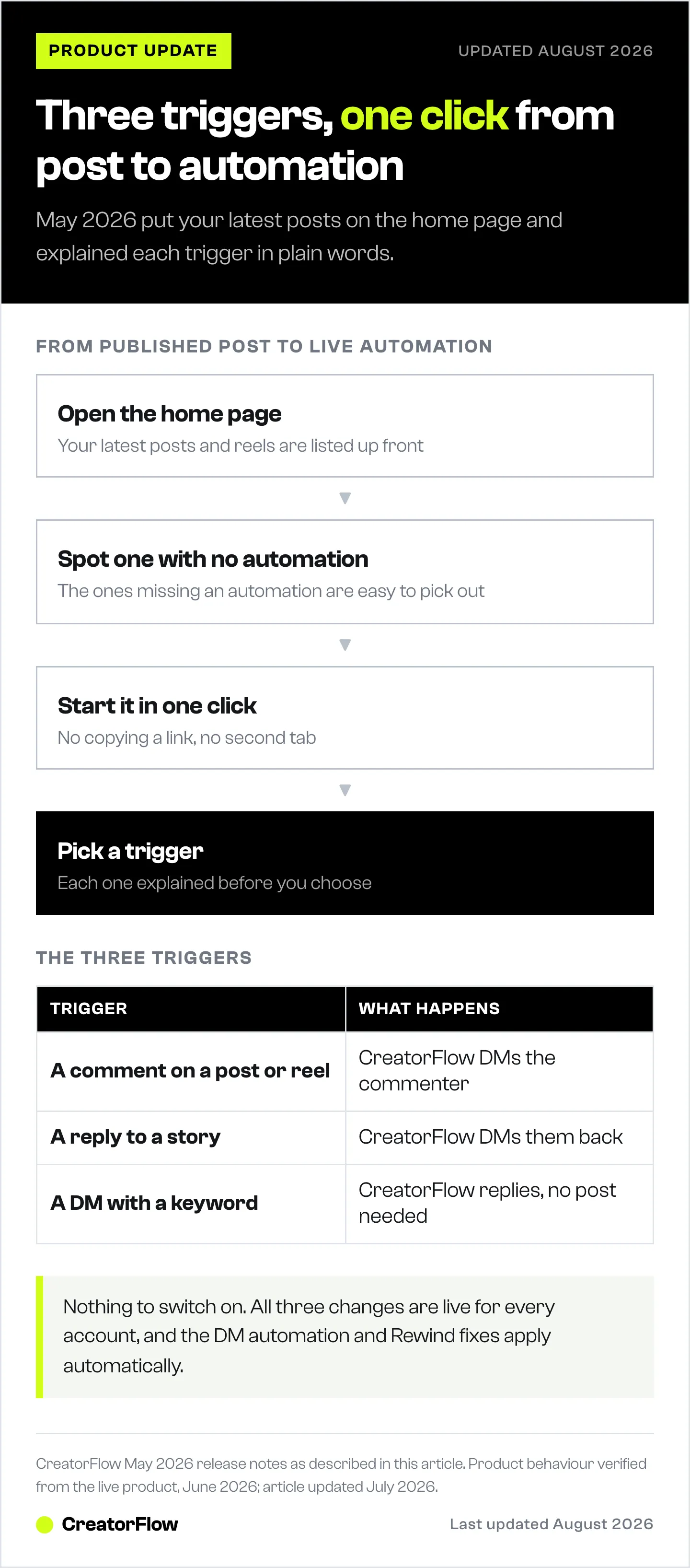
Your home page lists your latest posts and reels right up front. The ones with no automation yet are easy to pick out, so you can decide what to set up next without scrolling your whole grid. The Automations page does the same thing from the other direction: it pairs your content with its automation status in one view.
When you find a post or reel that has no automation, you start one in a click. No copying a link, no searching for the post again, no second tab.
This matters most right after you publish. A reel that’s pulling comments is the one you want a comment-to-DM flow on, and now it’s the first thing you see. For the full walkthrough of that flow, see our guide on how to set up comment-to-DM automation.
A Simpler New Automation Window
The New Automation window is cleaner, and it now explains each trigger in plain words instead of assuming you already know the difference. You pick one and go.
Here is what each trigger means:
- A comment on a post or reel, Someone comments your keyword on a specific post or reel, and CreatorFlow sends them a DM. This is the classic “comment LINK and I’ll send it” flow.
- A reply to a story, Someone replies to one of your stories, and CreatorFlow sends a DM back. Good for polls, questions, and “DM me for details” stickers.
- A DM with a keyword, Someone sends your keyword straight into your DMs, and CreatorFlow replies. No post required.
Pick the one that matches what you’re trying to do, and the builder takes you from there. If you want ready-made wording instead of writing from scratch, our Instagram DM automation templates cover 30+ message scripts you can drop in.
New to automations entirely? The complete guide to Instagram DM automation explains how the triggers fit together before you build your first one.
Smoother Automations and Rewind Fixes
We fixed several bugs across DM automations and Rewind, so your flows run more reliably. There’s nothing to turn on here. The fixes apply to every account automatically.
Rewind is the feature that sends DMs to people who commented before your automation was live, within a 7-day window. It’s the one you reach for when you forgot to set up the automation before posting. The May fixes make those catch-up runs more dependable. If you haven’t used it yet, the Rewind guide covers how it scans past comments and skips anyone you already messaged.
This update is part of a longer run of improvements. For everything we shipped earlier in 2026, including Rewind, DM Add-Ons, and the new plans, see what’s new in CreatorFlow.
Where to Find Each Change
| Change | Where to find it |
|---|---|
| Latest posts and reels | Home page, and the Automations page |
| One-click setup | The setup action on any post or reel with no automation |
| Plain-word trigger explanations | The New Automation window (+ New Automation) |
| Reliability fixes | Across DM automations and Rewind, applied automatically |
FAQ
Do I need to do anything to get these updates?
No. All three changes are live for every account. The home page and Automations page views update on their own, the New Automation window is already clearer, and the bug fixes apply automatically.
How do I see which of my posts don’t have automation yet?
Open your home page or the Automations page. Both show your latest posts and reels up front, with the ones missing an automation easy to spot. From there you can start a new automation in one click.
What are the three automation triggers?
A comment on a post or reel, a reply to a story, or a DM with a keyword. The New Automation window now explains each one in plain words before you pick.
Did the bug fixes change how my automations work?
No. Your automations keep the same setup and behavior. The fixes across DM automations and Rewind make existing flows run more reliably, not differently.
Does this update affect my DM limit or plan?
No. These are usability and reliability changes. Your DM limit (500/month on Free, 5,000/month per workspace on Pro) and plan features are unchanged.
Where can I learn to set up my first automation?
Open the New Automation window and pick a trigger, then follow the builder. The comment-to-DM setup guide and template library linked above walk through the most common flow and give you message wording you can reuse.
CreatorFlow features verified from the live product as of June 2026. Individual results vary.