
The complete fashion creator tool stack covers 5 workflow stages: content creation (filming, editing, graphics), affiliate platforms (link generation), DM automation (link delivery), scheduling (content planning), and analytics (performance tracking). Top fashion creators spend $30-150/month on tools that save 15-20 hours per week and increase revenue by 2-3x through faster link delivery and better content quality.
You filmed 5 outfit Reels on Sunday. Now you need to edit them, schedule posts for the week, generate affiliate links for 30+ items, set up DM automation for each post, and track which content drives the most sales. Without the right tools, this workflow takes 20+ hours per week. With them, it takes 5-8 hours.
This guide covers the 15 tools fashion creators use at each stage, organized from content creation through revenue tracking.
Key Takeaways
- 5 workflow stages require 5 tool categories. Content creation, affiliate platforms, DM automation, scheduling, and analytics. Missing any one stage creates a bottleneck
- DM automation is the highest-ROI tool. $15/month that saves 2-3 hours daily and increases affiliate revenue 2-3x. No other tool has that return
- Start free, upgrade strategically. Most tools offer free tiers. A complete starter stack costs $0/month. A pro stack costs $50-100/month
- Affiliate platform choice depends on your follower count. ShopMy (1K minimum) for starters. LTK (5K minimum) for established creators. Amazon Associates for everyone. Use all three for maximum coverage
- One scheduling tool is enough. Don’t pay for three. Pick one and use it consistently

The Best Tools for Fashion Influencers, by Workflow Stage
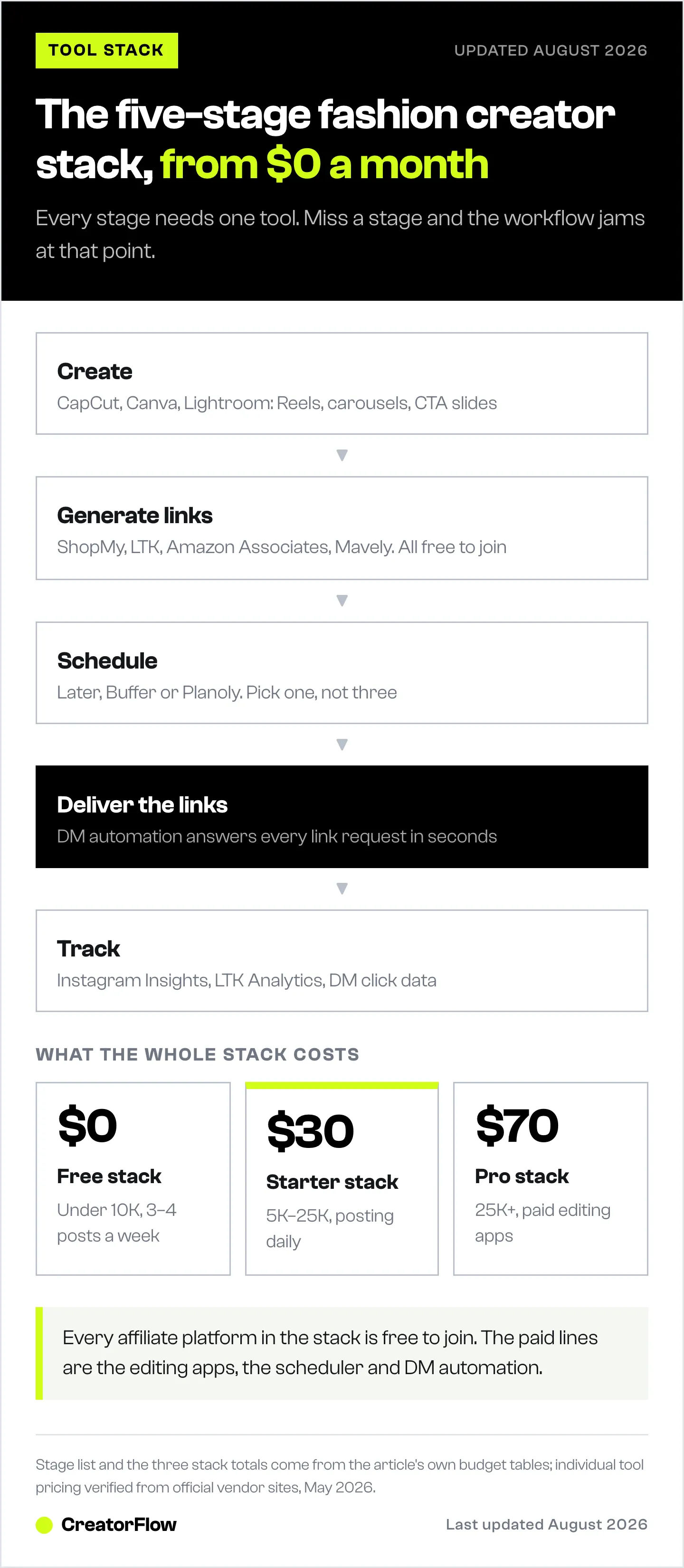
The best tools for fashion influencers cover five stages. CapCut and Canva handle filming, editing and CTA graphics. ShopMy, LTK, Amazon Associates and Mavely generate the affiliate links. CreatorFlow delivers those links by DM the moment someone comments your keyword. Later, Buffer or Planoly schedule the posts. Instagram Insights, LTK Analytics and CreatorFlow Insights show what actually sold. A full free stack costs $0 a month, and a pro stack runs about $70.
Create Content → Generate Links → Schedule Post → Automate DM Delivery → Track Results
     ↓                ↓                ↓                  ↓                    ↓
  CapCut          ShopMy/LTK       Later/Buffer      CreatorFlow         Instagram
  Canva           Amazon Assoc.                                          Insights
  Lightroom       Mavely                                                 LTK Analytics
Stage 1: Content Creation (Filming + Editing + Graphics)
CapCut (Free / Pro $7.99/month)
What it does: Video editing for Reels. Transitions, text overlays, music sync, speed ramping, background removal.
Why fashion creators use it: Try-on haul Reels need smooth transitions between outfits. CapCut’s pre-built transition templates match outfit changes to beat drops. The text overlay feature adds brand names and prices to each outfit, which increases link requests (followers see the price and want the link).
Free tier: Full editing suite with watermark on some effects. Sufficient for most fashion Reels.
Canva (Free / Pro $12.99/month)
What it does: Graphic design for carousel posts, Story templates, and CTA slides.
Why fashion creators use it: The final slide of outfit carousels needs a clean “Comment LINK for details” CTA graphic. Canva has fashion-focused templates that match this workflow. Also used for media kits, brand pitch decks, and digital product design (capsule wardrobe guides, style ebooks).
Free tier: Extensive. Thousands of templates. Pro adds brand kit consistency and background remover.
Adobe Lightroom Mobile (Free / Premium $9.99/month)
What it does: Photo editing and preset application. Color grading, exposure, crop.
Why fashion creators use it: Consistent color grading across your feed builds brand recognition. Lightroom presets apply your signature look to every photo in one tap. Warm tones, cool tones, moody edits, clean and bright — pick a style and apply it to everything.
Free tier: Full mobile editing suite. Premium adds cloud storage and desktop sync.
VSCO (Free / Pro $29.99/year)
What it does: Photo and video editing with film-inspired presets.
Why fashion creators use it: Some creators prefer VSCO’s preset aesthetic over Lightroom. The film grain and vintage looks work well for street style and casual fashion content. Lighter weight than Lightroom for quick edits.
Stage 2: Affiliate Platforms (Link Generation)
ShopMy (Free)
What it does: Generates affiliate links from 1,500+ brands with auto-monetization. Browser extension creates links instantly from any partner retailer’s website.
Why fashion creators use it: Lowest entry barrier (1,000 followers), weekly Friday payouts, and the auto-monetization feature means you never need to manually join brand affiliate programs. Full ShopMy guide
Best for: Micro-influencers under 5K followers, beauty creators (higher commission rates), anyone wanting fast payouts.
LTK (Free)
What it does: Connects creators with 7,000+ retail partners. Built-in shopping app with millions of consumers. LTK DM feature for basic Instagram DM automation.
Why fashion creators use it: Deepest brand relationships in the industry. Higher commission rates on major retailers. The LTK shopping app sends organic traffic to your storefront. LTK earnings breakdown
Best for: Established creators with 5K+ followers, fashion creators working with major retailers, creators who want brand campaign opportunities.
Amazon Associates (Free)
What it does: Generate affiliate links for any product on Amazon. Commission rates range from 1-20% by category.
Why fashion creators use it: The widest product catalog. High buyer trust (everyone has an Amazon account). “Amazon finds” and “Amazon must-haves” content is a proven genre with high engagement. Amazon scaling guide
Best for: Product review creators, Amazon haul content, fashion finds under $50.
Mavely (Free)
What it does: Affiliate platform with 1,500+ brands, 25% monthly bonus program, and 10% referral commissions on recruited creators.
Why fashion creators use it: The monthly bonus adds up to 25% on top of base commissions. Browser extension for instant link creation. Mavely creator guide
Best for: Creators who want bonus payouts beyond base commissions, multi-platform stacking.
Stage 3: DM Automation (Link Delivery)
CreatorFlow ($0-30/month)
What it does: Sends Instagram DMs automatically when followers comment trigger words on your posts. Uses Meta’s official Instagram Graph API. No password sharing, minimal ban risk when using the official API.
Why fashion creators use it:
- Free plan: 500 DMs/month (covers 3-4 outfit posts)
- Pro plan: $15/month for 5,000 DMs (covers daily posting)
- Growth plan: $30/month for 10,000 DMs (high-volume creators)
- Works with ANY URL: ShopMy, LTK, Amazon, Mavely, custom links
- Multi-item DM templates (dress link + shoes link + bag link in one message)
- Follow Gate: ask for a follow before sending link
- Email Gate: collect email addresses before sending link
- Click tracking: see which links get the most clicks
- Setup guide
Why DM automation is the highest-ROI tool: A fashion creator posting daily with 200 link requests per post loses $50-200/day in missed commissions without automation. At $15/month, CreatorFlow pays for itself within hours.
Alternatives: ManyChat (Essential from $17/month, or $14/month billed annually, for 250 active contacts; multi-platform across Instagram, Facebook, WhatsApp and more) (manychat.com/pricing, July 2026), LTK DM (free, scoped to LTK storefront links).
Stage 4: Scheduling (Content Planning)
Later (Free / $25/month)
What it does: Schedule Instagram posts, Reels, and Stories in advance. Visual content calendar. Linkin.bio page.
Why fashion creators use it: Plan a week of content in one sitting. Later’s visual grid preview lets you see how posts look together before publishing. The Linkin.bio feature creates a shoppable landing page from your feed posts.
Free tier: 5 posts/month per social profile.
Buffer ($0-36/month)
What it does: Schedule and publish to Instagram, TikTok, Facebook, Pinterest. Analytics across platforms.
Why fashion creators use it: Simpler interface than Later. Good for creators who cross-post to multiple platforms. The analytics help identify which post types drive the most engagement.
Free tier: 3 channels, 10 scheduled posts per channel.
Planoly ($0-28/month)
What it does: Visual Instagram planner. Drag-and-drop grid layout. Auto-posting.
Why fashion creators use it: The visual drag-and-drop planner is intuitive for aesthetics-focused creators. Planoly was one of the first Instagram scheduling tools and has a loyal fashion creator user base.
Free tier: 1 social profile, 30 uploads/month.
Pick one. All three scheduling tools do essentially the same thing. Later is the most popular among fashion creators. Buffer is simplest. Planoly has the best visual grid planner. Don’t pay for multiple scheduling tools.
Stage 5: Analytics (Performance Tracking)
Instagram Insights (Free, Built-In)
What it does: Native analytics for reach, impressions, profile visits, follower demographics, and post performance.
Why fashion creators use it: Free, no setup required. Check which posts drive the most profile visits and link clicks. Monitor follower growth and audience demographics to understand who’s engaging with your content.
Key metrics to track:
- Reach per Reel (higher = more potential link requests)
- Profile visits per post (indicates “link in bio” traffic)
- Saves per post (indicates purchase intent)
- Comments per post (direct measure of link request potential)
LTK Analytics (Free with LTK Account)
What it does: Tracks clicks, sales, and commissions from your LTK links. Shows which products and posts generate the most revenue.
Why fashion creators use it: The only way to see LTK-specific conversion data. Identifies your highest-converting products and content formats. Check weekly to double down on what sells.
CreatorFlow Insights (Included)
What it does: Tracks DM delivery rates, link clicks, and audience location for automated messages.
Why fashion creators use it: Bridges the gap between “someone commented” and “someone bought.” Shows how many DMs were sent, how many links were clicked, and where your audience is located. This data helps optimize DM templates and trigger words.
Tool Stacks by Budget
Free Stack ($0/month)
| Stage | Tool | Cost |
|---|---|---|
| Content creation | CapCut Free + Canva Free | $0 |
| Affiliate platform | ShopMy + Amazon Associates | $0 |
| DM automation | CreatorFlow Free (500 DMs/month) | $0 |
| Scheduling | Buffer Free or Later Free | $0 |
| Analytics | Instagram Insights | $0 |
| Total | $0/month |
Good for: Creators under 10K followers, testing affiliate income, 3-4 posts/week.
Starter Stack ($30/month)
| Stage | Tool | Cost |
|---|---|---|
| Content creation | CapCut Free + Canva Free + Lightroom Free | $0 |
| Affiliate platform | ShopMy + LTK + Amazon | $0 |
| DM automation | CreatorFlow Pro (5,000 DMs/month) | $15 |
| Scheduling | Later Starter | $15 |
| Analytics | Instagram Insights + LTK Analytics | $0 |
| Total | $30/month |
Good for: Creators with 5K-25K followers, daily posting, serious about affiliate income.
Pro Stack ($70/month)
| Stage | Tool | Cost |
|---|---|---|
| Content creation | CapCut Pro + Canva Pro + Lightroom Premium | $30 |
| Affiliate platform | ShopMy + LTK + Amazon + Mavely | $0 |
| DM automation | CreatorFlow Pro | $15 |
| Scheduling | Later Growth | $25 |
| Analytics | All built-in analytics | $0 |
| Total | $70/month |
Good for: Creators with 25K+ followers, multiple income streams, daily posting with Stories.
A Day in the Life: Fashion Creator Workflow
Morning (1-2 hours):
- Check CreatorFlow analytics from yesterday’s post (link clicks, DM delivery rate)
- Check LTK/ShopMy dashboards for new sales
- Film today’s outfit Reel (30-45 minutes)
Midday (30 minutes):
- Edit Reel in CapCut
- Generate affiliate links via ShopMy browser extension and LTK
- Create DM automation template with all links
- Post Reel with “Comment LINK” CTA
Afternoon (30 minutes):
- Film 2-3 Story slides featuring individual products
- Add ShopMy/LTK link stickers to Stories
- Engage with comments (personal replies to non-link comments)
Evening (15 minutes):
- Review the day’s DM delivery and click data
- Plan tomorrow’s outfit and content angle
- Schedule next day’s post in Later (if batch-creating)
Total active work: 2.5-3.5 hours/day. Without DM automation, add 2-3 hours for manual link delivery. That’s the difference between a sustainable creator workflow and burnout.
FAQ
What’s the most important tool for fashion creators?
DM automation. Content creation and affiliate platforms are the foundation, but the link delivery tool has the highest ROI. Without automation, a daily poster spends 2-3 hours responding to link requests manually. With it, links arrive in 3-8 seconds with zero ongoing effort.
Do I need all 15 tools?
No. Start with the Free Stack (5 tools, $0/month) and add tools as your income grows. The essential minimum: one editing app (CapCut), one affiliate platform (ShopMy or Amazon), and DM automation (CreatorFlow Free).
Which scheduling tool should I use?
Pick one: Later, Buffer, or Planoly. They all do the same core job. Later is most popular among fashion creators for its visual grid preview. Don’t pay for multiple scheduling tools.
How much should fashion creators spend on tools?
$15-75/month is the typical range. The $15/month DM automation tool (CreatorFlow Pro) should be the first paid tool because it directly increases revenue. Everything else can start on free tiers.
Can I use the same tools for TikTok?
Most of these tools work across platforms. CapCut, Canva, and Lightroom are platform-agnostic. Buffer and Later schedule TikTok posts. Affiliate links from ShopMy, LTK, and Amazon work on TikTok. CreatorFlow is Instagram-specific for DM automation.
Tool pricing verified from official websites as of May 2026. Prices may change. Free tiers and features subject to platform updates.


