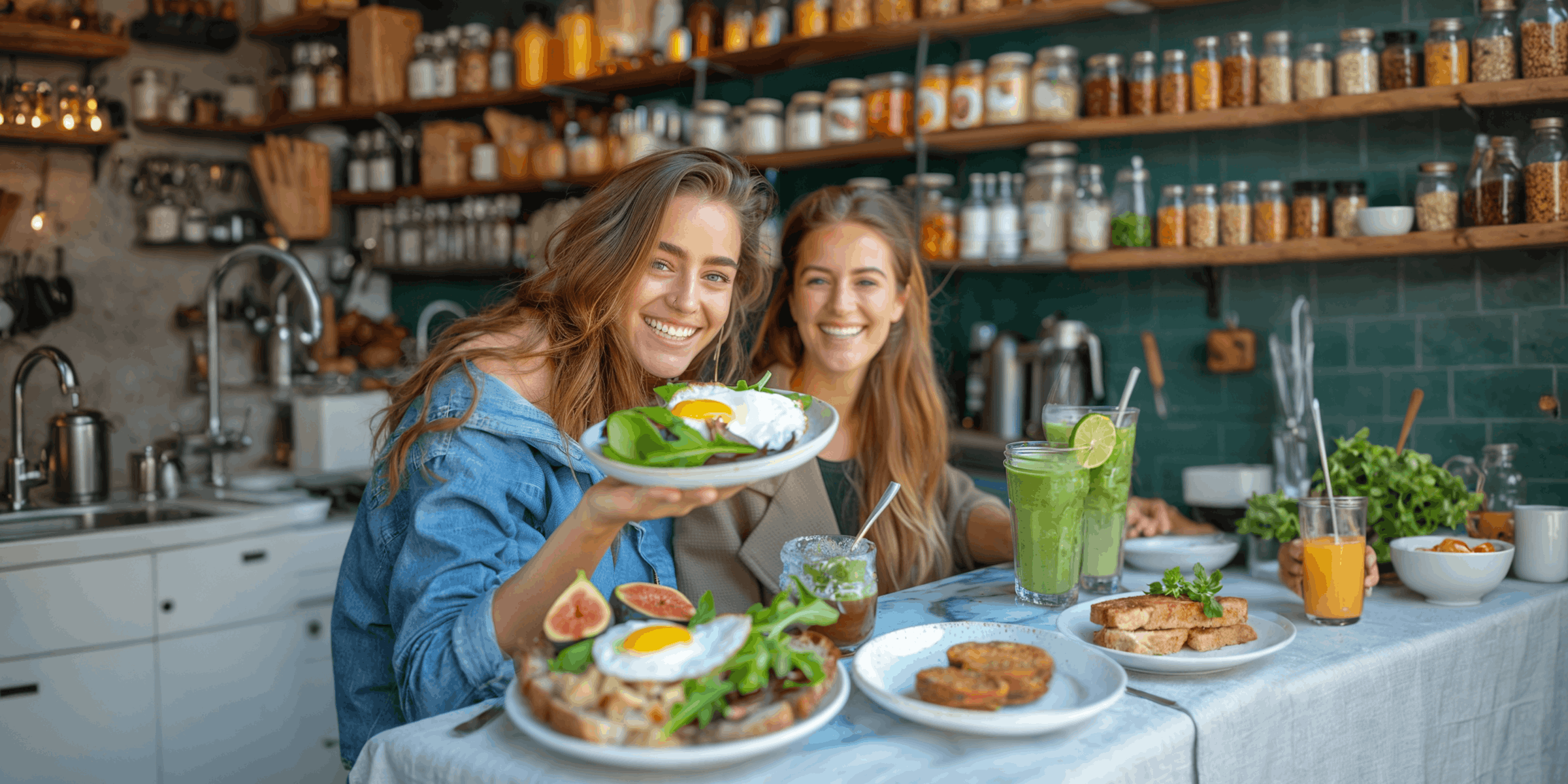
Food creators drive blog traffic from Instagram by turning Reel comments into direct blog visits. You set a keyword like “recipe,” and when a follower comments it, an automated DM sends them the exact blog link. They click while the dish is fresh in their mind. This builds a traffic source you own, sends visitors to your site, and feeds your email list with every comment.
You posted a one-minute Reel of a sheet-pan dinner. It hit 40,000 views and 300 comments asking “recipe?” Meanwhile your Google Analytics shows blog sessions down again this quarter, the same recipes that used to rank now sitting under an AI answer that never sends a click. The views are there. The blog visits are not. That gap is the problem.
This guide shows how recipe creators close that gap: how comment-to-DM moves a Reel viewer to your blog, why owned traffic protects your ad and affiliate income, and how to set the funnel up step by step. If you want the broader playbook first, start with our Instagram automation for food bloggers guide, then come back here.
Key Takeaways
- Google is no longer a safe single source: Organic click-through rate fell about 61% on Google queries that display AI Overviews (Seer Interactive, September 2025), so recipe blogs need traffic they control.
- Instagram is owned distribution: A Reel comment can become a direct blog visit through an automated DM, sending viewers to a page you own instead of a search result you do not.
- The funnel is short: Reel to keyword comment to DM with the recipe link to blog visit to email capture, then repeat visits through your newsletter.
- The loop compounds: More comments signal engagement, engagement lifts reach, reach brings more comments and more DMs, and each new visit feeds your pageviews and email list.
- Pageviews protect ad revenue: Display ad networks pay per visit and session, so more direct blog visits from Instagram support the income SEO traffic used to carry.
- Email is the most durable layer: Followers and rankings can drop overnight, but an email list keeps sending readers back to your blog on your schedule.
- Measure four things: Link clicks, blog sessions from the DM, email signups, and returning visitors. These tell you if the funnel is working.
- Bottom line: Comment-to-DM diversifies food blog traffic away from Google and feeds owned email, which complements SEO rather than replacing it.

See how the comment-to-DM flow looks inside the product in the short video above, and follow CreatorFlow on Instagram for more examples.
Why Recipe Blogs Are Losing Google Traffic in 2026
Recipe blogs were built on search. Someone types “easy carbonara,” lands on your post, sees the photos, reads the steps, and your ad and affiliate income follows the pageview. For a decade, ranking on the first page of Google was the whole business model. Publish enough recipes that ranked, and the traffic compounded on its own.
That route is shrinking, and the cause is structural rather than seasonal. Google now answers a large share of recipe questions on the results page itself, before anyone clicks. When a search shows an AI Overview with ingredients and steps pulled together at the top, the home cook reads what they need and never visits a blog. The query still happens. The click does not.
The size of that shift is measurable. Organic click-through rate fell about 61% on Google queries that display AI Overviews (Seer Interactive, September 2025). That is not a drop in rankings. You can hold the same position you held last year and watch your clicks fall by more than half, because the AI answer sits above your result and resolves the question first. Recipe content is especially exposed here. Ingredient lists, step counts, cook times, and substitutions are exactly the kind of structured, factual answer an AI Overview is built to summarize.
The broader web is feeling the same pull. Forbes covered AI Overviews reducing website traffic across publishers (Forbes, May 2026), and reporting in late 2025 described food bloggers specifically losing traffic as home cooks turn to AI for recipes (Bloomberg, 2025). The pattern is consistent across these sources: the search box now answers more of the question itself, and the click that used to fund the blog stays inside Google.
You cannot control Google’s results page. You cannot opt a recipe out of being summarized, and you cannot make the AI answer send a click it decided to keep. What you can control is where your Instagram audience goes when they ask for that same recipe. That is why owned distribution matters now in a way it did not three years ago. A traffic source you operate yourself is no longer a nice diversification. It is the part of the system that does not depend on a third party deciding to send you a visitor.
Where Your Traffic Comes From, and How Much You Control It
Not all traffic is equal. The same blog visit is worth the same ad impression no matter how the reader arrived, but the source decides how reliable that visit is and whether you can repeat it on purpose. Here is how the main paths a food creator can use compare.
| Traffic source | Who controls it | Visitor intent | Click-through | Durability |
|---|---|---|---|---|
| Google search | Google’s algorithm and AI Overviews | High (they searched the recipe) | Falling as AI answers absorb clicks | High when you rank, but a ranking can drop overnight |
| Link in bio | You, but the reader must go find it | Low to medium (passive, easy to skip) | Low, buried under your other links | Medium, depends on followers acting on their own |
| Story link sticker | You | Medium (in-the-moment) | Decent while live | Low, the Story expires in 24 hours |
| Comment-to-DM automation | You | High (they asked for the recipe) | High, the link arrives the second they ask | High, you trigger it on every Reel you post |
Read the control column first. Google decides whether your recipe ranks and whether an AI Overview eats the click above it. You have influence through SEO, but the final call is not yours. A link in bio is yours, yet it leans on the follower to remember it exists, tap your profile, open the link list, scroll, and pick the right one. Each of those steps loses people. A Story link sticker is genuinely yours and gets a click in the moment, but the Story is gone in a day and takes the link with it.
Comment-to-DM sits in a different category. You own the trigger, you own the message, and you own the link. When a follower comments your keyword, you send them the exact page, in the app they are already in, at the moment their intent is highest. There is no algorithm deciding whether to show your blog and no expiry clock on the link. That is what owned and controllable traffic means in practice: you can repeat it deliberately, on every Reel, without asking a platform’s permission to reach your own audience.
How Food Creators Drive Blog Traffic from Instagram
The short version: you stop relying on followers to hunt for your link, and you hand it to them the second they ask.
Here is the mechanic. A follower watches your Reel and comments a keyword you chose, like “recipe” or the dish name. An automation tool detects that keyword and sends them a direct message with the exact blog link. They tap it and land on your recipe page while they are still deciding what to cook tonight.
Compare that to the old path. Someone comments “recipe?”, you reply six hours later, and by then they have searched, found another blog, and moved on. Or they go to your bio link, scroll past 150 recipes, give up, and Google it instead. Both paths lose the visit at the exact moment the follower was ready to act.
Comment-to-DM removes the delay and the friction. The link arrives in seconds, in the app the follower is already using, pointing straight at the recipe they wanted. That is the difference between a view and a visit, and it is the whole reason this works while a bio link does not. The volume of those keyword comments is itself a lever: here is how food creators get more comments and turn them into reach.
The Instagram-to-Blog Funnel for Food Creators
The funnel is simple enough to run on autopilot once it is set up, but each stage has a job, and a weak stage leaks visitors. Here is the full path, step by step, with the handoff that has to work at each point.
-
Post the Reel. Cook something with a clear payoff and a strong first three seconds. The dish is the hook, and the hook decides how many people reach the comment box at all. A Reel nobody watches gets nobody to comment, so the recipe choice and the opening shot are the top of the whole funnel.
-
Add the keyword call to action. In the caption and the on-screen text, tell viewers exactly what to comment. “Comment RECIPE and I will send the full thing to your DMs.” The handoff here is clarity. If the viewer does not know the exact word to type, the trigger never fires. Say the word, show the word, and repeat it once.
-
Catch the comment. Your automation watches for the keyword and triggers the moment someone uses it. This is the stage that used to depend on you sitting on your phone. Now it runs whether you are awake, cooking, or grocery shopping. The handoff from human attention to automation is what makes the funnel survive a Reel that peaks while you are away.
-
Send the DM with the link. The follower gets a short, friendly message with the direct blog link to that recipe. The handoff here is speed and relevance. The DM should arrive in seconds and point at the exact dish, not a generic homepage. A follower who asked for the carbonara should not land on a wall of 200 unrelated recipes.
-
Land them on the blog. They click and read the recipe on your site, where your ads and affiliate links live. The handoff is page experience. A slow page or an interstitial that buries the recipe loses the visit you worked to earn. The faster the recipe appears, the more of that traffic becomes a real session.
-
Capture the email. Offer a reason to subscribe on the page or inside the DM flow, such as a weekly meal-plan email or a printable shopping list. The handoff is value for the address. People give an email when they get something in return, so the offer has to be concrete and tied to cooking.
-
Bring them back. Your newsletter sends new recipes straight to inboxes, driving repeat blog visits without paying for reach again. This is the stage that turns a one-time visitor into a recurring one, and it is the only stage that does not depend on the algorithm showing your next Reel.
Steps three and four run automatically, so a Reel that peaks at 2pm while you are out still delivers every link without you touching your phone. For the affiliate-link version of this same flow, see our Reels to DM affiliate funnel breakdown.
Why This Compounds Instead of Adding Up Once
A bio link is a flat trade. You get whatever clicks happen to find it. Comment-to-DM behaves differently, because the action it asks for is the same action the Instagram algorithm rewards.
Here is the loop. Your call to action tells viewers to comment a keyword. Comments are one of the strongest engagement signals Instagram reads, stronger than a passive like, because a comment takes effort and shows intent. A Reel that collects comments looks like a Reel worth showing to more people, so the algorithm pushes it into more feeds and onto the Explore and Reels tabs. Wider reach means more viewers. More viewers mean more comments using your keyword. More keyword comments mean more automated DMs, and more DMs mean more blog visits.
Each turn of that loop feeds the next. The same call to action that sends one follower to your blog also nudges the post toward more reach, which produces more followers who can be sent to your blog. A bio link cannot do this, because asking someone to tap your profile and find a link does nothing for the post’s engagement. Asking them to comment does double duty: it triggers the DM and it lifts the reach that produces the next batch of DMs.
The compounding shows up where it matters. More reach and more comments mean more blog pageviews, and pageviews are the unit your income is built on. More pageviews mean more display ad impressions, which is the work those impressions used to do when search sent the traffic. More recipe-page visits mean more eyes on the kitchen tools and pantry staples you recommend, which is where affiliate clicks come from. None of these numbers can be promised in advance, and a single Reel can land or flop. The point is the direction: the system pushes engagement and reach up together, and both of those roll downhill into the pages where you earn.
Email Is the Traffic You Own Outright
Reach is rented. The day Instagram changes how it ranks Reels, or your account hits a quiet stretch, the comment volume drops and the funnel slows with it. Search has the same fragility from the other direction, as AI Overviews keep showing. There is one layer in this whole system that does not depend on a ranking or an algorithm, and that is your email list.
Capturing the email is the most valuable thing the funnel does. You can collect it inside the DM flow itself, before or alongside the recipe link, by asking for an address in exchange for something cooks want: a weekly meal plan, a printable shopping list, a seasonal recipe pack. On paid plans, a follow gate or email gate can make the link arrive with that ask built in, so the subscribe step happens at the exact moment the follower is most motivated. You can also capture the email on the blog page itself, once they have clicked through and seen the recipe is worth their time.
What you do with the list is a cadence question, not a volume question. A weekly newsletter that sends one or two strong recipes is enough to keep your blog in front of people who already raised their hand. The job of the newsletter is repeat visits. Every send is a chance to pull a subscriber back to your site without buying an ad, ranking a page, or hoping the algorithm cooperates. That makes email the only traffic source in this article you can fire on your own schedule.
Email visitors also tend to be your best readers. Someone who handed over their address asked to hear from you, so they arrive warmer than a cold search visitor or a passive scroller. They are more likely to read the whole recipe, browse a second one, and click a recommendation, which is exactly the behavior that ad networks and affiliate programs pay for. A smaller list of people who chose you can out-earn a larger burst of one-time search traffic, because they come back. For the mechanics of capturing addresses inside the DM, see our guide on how to collect emails in Instagram DMs.
What to Measure and How to Read It
Vanity metrics like comment count feel good but do not tell you if the funnel is working. A Reel can collect 300 comments and send almost nobody to your blog if the link step is broken. Track the numbers that map to traffic and revenue instead, and set them up before you scale, not after.
| Metric | What it tells you | Where to find it |
|---|---|---|
| DM link clicks | How many followers tapped the link | Your automation tool’s analytics |
| Blog sessions from the DM | Whether clicks turned into real visits | GA4, with a UTM tag on the DM link |
| Email signups | How fast you are building owned audience | Your newsletter platform |
| Returning visitors | Whether the newsletter brings readers back | GA4, returning vs new users |
The setup is conceptually simple. Add a UTM tag to the link inside your DM so the traffic identifies itself when it lands. A tag that marks the source as Instagram and the medium as the DM, with the campaign named after the Reel or recipe, lets GA4 separate this traffic from everything else. Without it, your Instagram visits get lumped into a generic referral or direct bucket and you cannot tell what the funnel did. With it, you can open GA4, filter to that source and medium, and see the sessions, time on page, and conversions that came specifically from a comment-to-DM Reel.
Then read the four metrics together, because each gap points at the next thing to fix. Lots of DM clicks but few blog sessions usually means a slow page or a heavy interstitial eating the visit between tap and load. Plenty of sessions but few email signups usually means a weak newsletter offer, not enough reason to subscribe. Healthy signups but flat returning visitors usually means your newsletter is going out too rarely or the recipes inside are not pulling people back. The numbers do not only score the funnel. They tell you which stage is leaking.
A 30-Day Plan to Stand This Up
You do not need to rebuild your whole content strategy to start. Here is a four-week plan to get the system running and producing data you can act on.
Week 1: Connect and configure. Set up an Instagram automation tool that connects through Meta’s official Instagram API, pick your first keyword, and write a default DM. Choose one recipe you already have on your blog and point the DM at that exact page. Add a UTM tag to the link so GA4 will recognize the traffic from day one. The goal this week is one working automation, not a fleet of them.
Week 2: Launch on real Reels. Publish two or three Reels that feature recipes already live on your blog, each with a clear “comment KEYWORD” call to action in the caption and on screen. Let the automation run. Watch the DM click count in your tool and the matching sessions in GA4. You are looking for proof that the loop works end to end, from comment to visit, before you optimize anything.
Week 3: Add the email layer. Turn on email capture inside the flow, either through a gate on the link or a subscribe offer on the landing page. Decide what you give in exchange, such as a weekly meal plan or a printable. Set your newsletter to a cadence you can sustain, weekly being the simplest. The goal is to start converting these new visits into a list you own.
Week 4: Read the data and double down. Pull your four metrics together: DM clicks, blog sessions, email signups, returning visitors. Find the Reels that drove the most clicks and the recipes that held attention on the page, and plan more like them. Fix the weakest stage the numbers expose, whether that is a slow page, a flat offer, or a confusing call to action. By the end of the month you have a running system and the data to grow it deliberately.
How to Set Up Comment-to-DM for Your Recipe Blog
You do not need a developer or a complicated build. The setup runs through an Instagram automation tool that connects to your account through Meta’s official Instagram API.
CreatorFlow is one option built for this. It connects via Meta’s official Instagram API using OAuth, so there is no password sharing, and it has been a Meta-Approved Tech Provider since January 2026. It is Instagram-only, which fits creators who run on Instagram and want a single focused setup rather than a multi-platform tool they will use a fraction of.
Here is the basic configuration:
- Pick your keyword. Use something natural to your niche, like “recipe,” “link,” or the dish name. Tell viewers to comment it, and keep it consistent so your audience learns the pattern.
- Write the DM. Keep it short and human. Open with a line, drop the blog link, and close with one sentence about your newsletter so the subscribe ask is right there.
- Point the link at the right page. Send people to the specific recipe, not your homepage. Specific beats generic every time, because the follower asked for one dish, not a tour of your archive.
- Turn on the email step. On paid plans you can use a follow gate or email gate so the link comes with a reason to subscribe, capturing the address at peak intent.
CreatorFlow’s Free plan covers 500 DMs a month on one account, which is enough to test the funnel on a few Reels before you commit. Pro is $15 a month, or $12 a month billed annually, and raises the cap to 5,000 DMs per workspace while adding the follow gate, email gate, CSV export, and geographic analytics. Growth is $30 a month for higher volume and more accounts.
If you want the full walkthrough with screenshots, our comment-to-DM automation setup guide covers each step.
The Honest Limits of This Approach
This funnel diversifies your traffic. It does not erase your need for SEO, and treating it as a replacement would be a mistake.
Search still sends large, steady, intent-rich traffic when you rank, and a recipe that ranks works for years without you posting anything new. That passive compounding is something Instagram cannot match. Instagram traffic depends on you publishing regularly and on the algorithm showing your Reels. Stop posting and the flow slows within days. Search traffic from a page you ranked last year keeps arriving while you sleep, even on the weeks you post nothing at all. The two sources have opposite strengths, which is exactly why you want both.
So keep publishing for Google. Keep writing recipes that target real search demand, keep your pages fast, and keep them structured well, because even in a world of AI Overviews, plenty of recipe queries still send clicks, and the long tail of specific searches is far less summarized than the obvious ones. The right way to think about it is layered. Keep doing the SEO work that still earns clicks. Add Instagram comment-to-DM as a second source you control directly. Use email as the durable base under both, since it does not depend on a ranking or an algorithm.
One source is fragile. Three sources, with one of them owned outright, is resilient. For the wider system that connects these pieces, read our complete guide to Instagram DM automation.

FAQ
How do food creators drive blog traffic from Instagram?
They set a keyword on their Reels, like “recipe,” and use an automation tool to send a DM with the blog link whenever a follower comments that word. The follower clicks and lands on the recipe page. This converts a Reel view into a direct blog visit and gives the creator a traffic source they own rather than rented from search.
How do I get more food blog traffic from Instagram without paying for ads?
Turn the comments you already get into clicks. Add a keyword call to action to every Reel, then use comment-to-DM automation to send the recipe link the instant someone comments. Because the call to action also lifts engagement, the post tends to reach more people, which produces more comments and more DMs. The traffic grows from organic reach you do not pay for.
Does this replace SEO for recipe blogs?
No. It complements SEO. Search still delivers large, intent-rich traffic when you rank, and ranked recipes keep working for years. Instagram comment-to-DM adds a second source you control directly, which matters as AI Overviews absorb more search clicks. The strongest setup runs both, with an email list as the durable layer underneath.
Why is Google traffic falling for food blogs?
AI answers now resolve more recipe questions on the results page itself. Organic click-through rate fell about 61% on Google queries that display AI Overviews (Seer Interactive, September 2025), and Forbes reported AI Overviews reducing website traffic across publishers (Forbes, May 2026). Reporting also described home cooks turning to AI for recipes (Bloomberg, 2025). When the answer appears at the top, fewer people click through to a blog.
How do AI Overviews affect recipe blog traffic specifically?
Recipe content is unusually exposed because ingredient lists, steps, cook times, and substitutions are exactly what an AI Overview is built to summarize. When Google shows that summary, the home cook reads it and often never visits a blog, even one that still ranks well. You can hold the same position and still lose clicks, which is why a food creator needs a traffic source outside of search.
How does sending Instagram traffic help my ad revenue?
Display ad networks pay per visit and per session, so income depends on people reaching your pages. A Reel view earns nothing on the ad side, but a blog visit from that Reel earns an ad impression, and a reader who browses several recipes earns more. Moving Instagram engagement to your site turns it into pageviews that ad networks pay for.
How do I capture emails from Instagram for my food blog?
Ask for the address inside the DM flow or on the landing page, in exchange for something cooks want, such as a weekly meal plan or a printable shopping list. On paid plans, a follow gate or email gate can attach that ask to the recipe link so the subscribe step happens at peak intent. Email is the most durable traffic you can build, because it does not depend on a ranking or the algorithm.
What should I measure to know if it works?
Track four numbers: DM link clicks, blog sessions from the DM, email signups, and returning visitors. Add a UTM tag to the link in your DM so Instagram sessions show up cleanly in GA4. Read them together. Clicks without sessions point to a slow page; sessions without signups point to a weak newsletter offer; signups without returning visitors point to a newsletter that goes out too rarely.
Is Instagram DM automation safe for my account?
Tools that connect through Meta’s official Instagram API carry minimal risk because they use approved access, not password sharing. CreatorFlow connects via OAuth and has been a Meta-Approved Tech Provider since January 2026. Keep your messages relevant and avoid spammy volume, and the automation stays within normal account behavior.
How much does this cost to set up?
You can test it free. CreatorFlow’s Free plan includes 500 DMs a month on one account. Pro is $15 a month, or $12 a month billed annually, and raises the cap to 5,000 DMs per workspace while adding the follow gate, email gate, CSV export, and geographic analytics. Growth is $30 a month for higher volume and more connected accounts.
Sources: Seer Interactive (September 2025); Bloomberg (2025); Forbes (May 2026); CreatorFlow (creatorflow.so, June 2026).