

Automate “is this still available?” with a comment trigger that sends the product link and current status within seconds. The question is a buying signal, not an enquiry, and the person asking will usually buy from whoever answers first. Set one automation per product post, keep the message to the link plus one line of status, and route out-of-stock traffic to a restock waitlist instead of a dead end.
Post a product. Within an hour there are 40 comments reading “is this still available?”, “size 10?”, “how much?” and “do you ship to Ireland?”. You answer them that evening. By then a third of those people have bought something else, and the ones who did wait now think your shop is slow before they have spent a penny.
This guide covers why availability questions convert better than any other comment, how to structure the automated reply, what to do when the answer is no, and how to keep the message honest when stock moves faster than your automation does.
Key Takeaways
- It is a buying signal. Someone asking if an item is available has already decided they want it. Speed is the whole job.
- One automation per product post, not one for the whole account, so the link and the status match what they are looking at.
- Answer with a link, not a yes. “Yes” creates a second question. The link ends the transaction.
- Out of stock is a capture opportunity, not a dead end. Send the waitlist, take the email.
- Never claim stock you do not have. Say what is true, and route to the restock instead.
- Meta’s rules shape this. Standard messaging gives 24 hours to respond, extendable to seven days with the human agent tag (developers.facebook.com, August 2026).
Why “Is This Still Available?” Converts So Well on Instagram
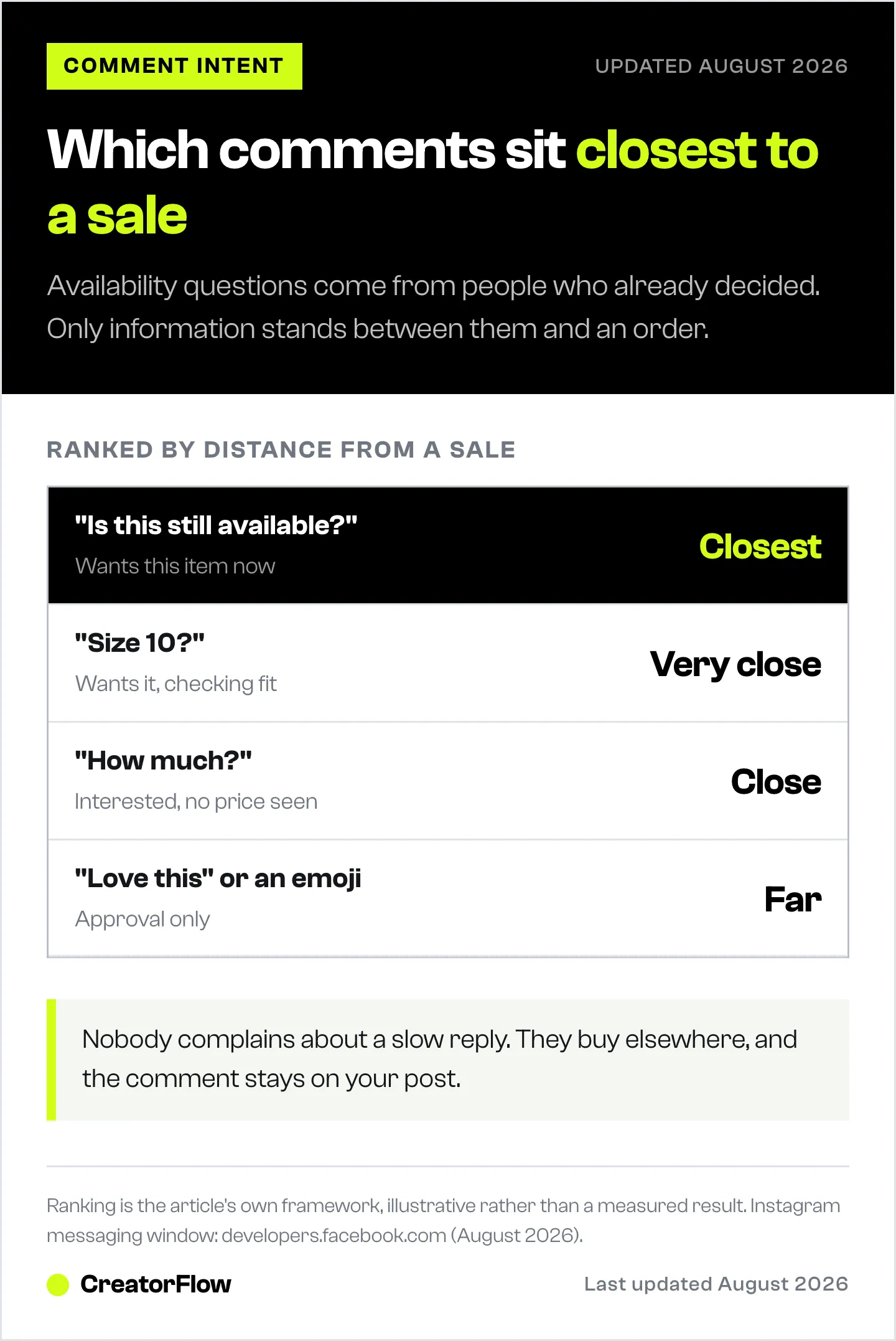
Compare the intent behind the comments that show up on a product post:
| Comment | What it signals | Distance from a sale |
|---|---|---|
| ”Is this still available?” | Wants this specific item now | Closest |
| ”Size 10?” | Wants it, checking fit | Very close |
| ”How much?” | Interested, no price seen | Close |
| ”Love this” | Approval | Far |
| ”😍“ | Approval | Far |
Availability questions sit at the front because the person has moved past whether they like it and on to whether they can have it. There is no persuasion left to do. The only thing between them and an order is information, and information is the one thing software delivers faster than a human.
The failure mode is quiet and expensive. Nobody complains about a slow reply, they simply buy elsewhere, and the comment stays on your post looking like engagement. Spotting these signals before they cool is covered more broadly in high-intent comments on Instagram.
How to Structure the Automated Reply
Three lines, in this order. Anything longer gets skimmed.
The status. One line, plainly true. “Yes, still in stock.” “Down to the last two.” “Back in stock Friday.”
The link. Straight to the product page, not the homepage. A homepage link asks somebody who was ready to buy to go and find the thing again, and a meaningful share will not.
One line of friction removal. Free shipping over a threshold, returns window, or the size guide. Whichever objection you get most.
Put together:
Yes, still in stock, and there are two left in the medium. Here it is: [link]. Free UK shipping over £50 and 30 days to send it back if the fit is wrong.
That message answers the question, moves them to the checkout, and pre-empts the next two questions in about 30 words.
What to leave out: your brand story, a discount code they did not ask for, a request to follow you, and any question. This is a transaction, and a question at the end of a transactional message slows it down rather than opening a conversation.
Set One Automation Per Product Post
The instinct is to build one account-wide automation on the keyword “available” and be done. It sends the wrong link.
Someone commenting on the navy jacket post gets the generic shop link, has to search, and lands on a listing that may or may not be the one they saw. The order rate on that path is much lower than on a direct product link, for the obvious reason.
The setup that works:
- Publish the product post or Reel.
- Create an automation scoped to that post, triggered on the words people actually use: available, stock, size, price, link, want, need.
- Point the message at that product URL.
- Add the variants you stock if the post shows more than one, so the reply can name them.
- Switch it off or edit it when the product sells out, and replace it with the waitlist version below.
Step five is the one that gets skipped and it is the one that damages trust. An automation confirming stock on a sold-out item is worse than no automation, because the person clicks through, finds nothing, and now believes your shop is careless. Put the check into whatever routine you already have for updating stock.
CreatorFlow scopes automations to individual posts, supports multiple keyword variations per trigger, and tracks clicks per automation, so you can see which product posts actually produce orders rather than guessing. The wider setup, from account connection to first live trigger, is in the Instagram DM automation guide.
When the Answer Is No
Out of stock is where most shops lose the person entirely. The comment gets no reply, or it gets “sorry, sold out”, and that is the end of a customer who had their card out.
Treat it as a capture instead.
Sold out in the medium, sorry. It is back around the 14th and I can message you the moment it lands. Want me to add you to the list? [link]
Two things happen. The person stays in the relationship rather than leaving with nothing, and you collect an email or a signal you can act on when the stock arrives. A restock list built from people who asked for a specific item in a specific size converts far better than a general newsletter, because every name on it wanted one thing badly enough to type a question about it.
Practical rules for the no message:
- Give a date if you have one. “Back soon” is not a date and people do not wait for it.
- Offer the nearest alternative, but only one, and only if it is genuinely close.
- Do not apologise twice. One sorry, then the solution.
- Take the email. CreatorFlow’s email gate collects the address inside the DM before the link goes out, which is how the list gets built without sending anyone to a separate form.
Keeping It Honest When Stock Moves
The risk with automating availability is that software states things with confidence that stopped being true 20 minutes ago. Three habits keep it safe.
Write status lines that survive a day. “In stock” ages badly on a fast-moving item. “Ordering is open here” is true until you close it, and it does the same job.
Use the link as the source of truth. If the message points at the product page and the product page shows the real stock level, the automation is describing where to look rather than making a promise. That is a materially safer message.
Review at the same time you review stock. Whenever you mark something sold out in your shop, switch its automation to the waitlist version. Attaching the job to something you already do is the only version of this that survives a busy week.
Meta’s messaging rules matter here too. Your app has 24 hours to respond to a person’s message under standard messaging, and the human agent tag extends that to seven days for cases a human needs to pick up (developers.facebook.com, August 2026). A restock notice three weeks later is outside that, which is exactly why the email address is the thing worth collecting at the point of interest.
What to Measure
Three numbers tell you whether this is working, and none of them is comments.
- Click rate on the automated message. If people receive the link and do not click, the status line or the offer is wrong.
- Which posts produce the questions. Usually a small number of products generate most availability comments. Those are the ones to restock, reshoot and repost.
- Waitlist signups per sold-out post. This is the number that turns an out-of-stock event into an asset.
Click and geography data come out of the automation itself. Tying a click to a completed order needs your store’s own analytics, with a UTM on the link so the traffic is identifiable when it arrives. The full picture of that setup is in tracking what your Instagram DMs sold, and the broader selling sequence is in the Instagram DM ecommerce playbook.
FAQ
What is the best keyword for an availability automation?
Use several rather than one. People type “available”, “stock”, “size”, “link”, “price”, “want” and the product name itself. A trigger set to a single word misses most of the traffic, and the people it misses are the ones closest to buying.
Should the automated reply include the price?
Yes, if the price is fixed. Someone asking about availability is usually about to ask about price next, and answering both in one message removes a round trip. The reasoning behind giving numbers early is in answering “how much?” in Instagram DMs.
What happens if the item sells out after the automation is live?
Change the message to the waitlist version as part of updating stock in your shop. An automation that confirms availability for a sold-out item sends people to a dead link and costs more trust than the automation earned.
Can you automate replies to size and shipping questions too?
Yes, and they belong in the same automation. Add the size range and the shipping line to the message so the two most common follow-ups are answered before they are asked. Anything genuinely unusual still comes to you as a normal DM.
Does replying automatically to comments look impersonal?
Not for this question. Somebody asking whether an item is in stock wants an answer, not a conversation. Written plainly and sent in seconds, an automated reply reads as a shop that is on top of things.
How fast does the reply actually arrive?
Within seconds of the comment, which is the point. Meta’s standard messaging window allows 24 hours to respond at all, so the alternative is not a slower automation, it is a reply that may arrive after the person has bought elsewhere (developers.facebook.com, August 2026).
Is it worth automating this for a small shop?
Especially for a small shop. A large team can staff an inbox. A one-person shop cannot, and the availability question is the highest-value comment you receive, so it is the first thing worth handing to software.
Instagram messaging window and human agent tag verified from developers.facebook.com as of August 2026. Message examples and price figures are illustrative, not measured results. Individual results vary.


