

A launch email sequence is a set of emails sent to your waitlist on fixed calendar dates: a few before the cart opens, one or two a day while it is open, and a last call before it closes. Build it from scheduled broadcasts, not an automated drip. A broadcast reaches every subscriber on the same day, so everyone sees the same open date, the same price and the same deadline.
The drip version breaks quietly. Someone joins your waitlist on Tuesday, someone else on Saturday, and the automation counts “3 days after signup” from two different days. Now your “last chance” email lands on a different date for each person, and some of them get it after the cart has closed. You either extend the offer for them or send a reminder about a price that no longer exists.
This guide shows how to plan launch emails by date, a sample 12-email schedule, how to set it up in Kit or MailerLite, and how to pair each email with an Instagram DM. It is written for coaches and creators launching a course or digital product to a waitlist they built on Instagram.
Key Takeaways
- Launch emails are broadcasts, not a drip. A broadcast goes to the whole list on one date. A sequence times each email from the subscriber’s own signup date.
- Kit’s free plan can run a full launch. It includes unlimited broadcasts you can schedule for a date and time, for up to 10,000 subscribers. Sequences need a paid Kit plan (help.kit.com, October 2026).
- A sample launch is about 12 sends. Three before cart opens, one or two a day while it is open, and a closed email after. The exact count matters less than the dates.
- Remove buyers from every send after they buy. Kit and MailerLite both let you exclude a tag, group or segment from a broadcast.
- DMs and email do different jobs. Meta allows one private reply per Instagram comment, within 7 days. The DM delivers a link at the moment of interest. The email handles every dated reminder after it.
- Gmail and Yahoo expect a spam rate under 0.3%. A launch sends more email than usual, so keep the list clean and the unsubscribe link visible.
What Is a Launch Email Sequence?
A launch email sequence is the group of emails that opens and closes a sales window for a course or product. It usually has three parts: pre-launch emails that build interest, cart-open emails that sell, and closing emails that end the offer on time. Each email has one job and a fixed send date. The whole sequence goes to a waitlist that already asked to hear about the launch.
Kit’s own guide to product launch emails describes a simple four-part version: announcement, launch day, follow-up and last chance (kit.com, October 2026). That is a good minimum. Most course launches add a few emails inside the open window, because that is where buyers decide.
The waitlist matters more than the copy. If you have not built one yet, start with our guide to the Instagram DM waitlist, then come back to plan the emails.
Why Launch Emails Should Be Scheduled Broadcasts, Not a Drip
The difference is what the send date depends on. A broadcast sends on a date you choose. A sequence sends after a delay that starts when each person subscribed or opened the previous email.
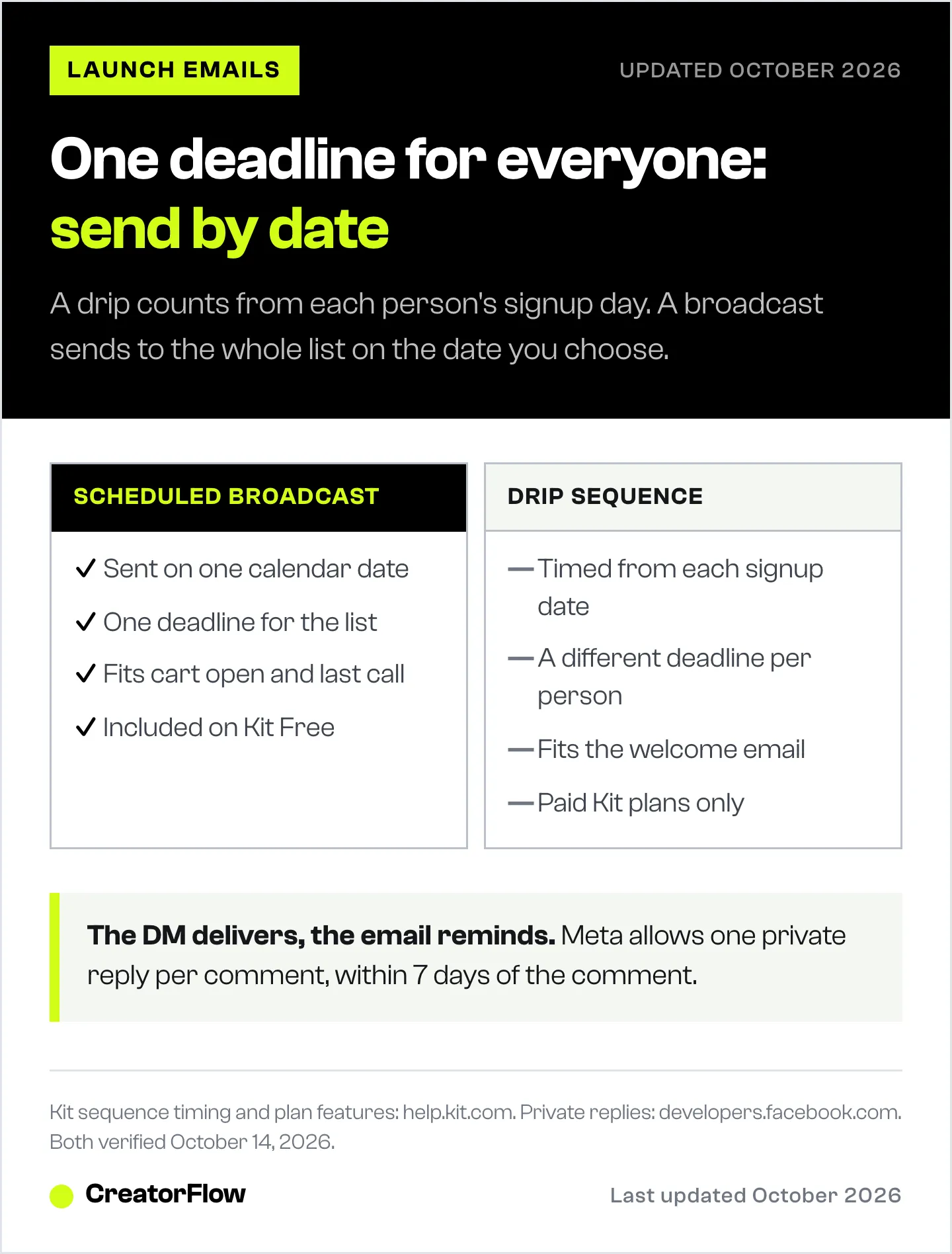
| Scheduled broadcast | Drip sequence | |
|---|---|---|
| Send date depends on | The calendar date you set | Each subscriber’s signup date |
| Who gets it the same day | Everyone on the list | Only people who joined the same day |
| Deadline | One date for everyone | Different for each person |
| Best for | Cart open, reminders, last call | Welcome email, a free mini course |
| Kit Free plan | Included | Paid plans only |
Kit plan details from help.kit.com, October 2026.
In Kit, sequence emails are timed from signup or from the previous email, in hours or days (help.kit.com, October 2026). That works well for a welcome series. It does not work for a launch, where the cart opens for everyone at once.
A drip still has one place in a launch: the welcome email new waitlist members get right after they join. Everything after that is a broadcast. If you are on Kit’s free plan and have no sequences, the Instagram DM that sent the signup link can do the welcome job: say what the course is, when the cart opens, and that the details will come by email.
A Sample Launch Email Sequence, Email by Email
This is a sample 12-send plan for a five-day cart window. Day 0 is cart open. Move the dates to fit your calendar, but keep each email to one job.
| Day | Its one job | Instagram pairing | |
|---|---|---|---|
| -7 | The problem | Name the problem the course solves, in the reader’s words | Post with your waitlist keyword |
| -4 | The method | Show one result or one lesson from the method | Story with a question box |
| -2 | The details | Price, what is inside, open date and close date | Story countdown to cart open |
| 0 (morning) | Cart is open | The checkout link and the founding price end date | Post with your enroll keyword |
| 0 (evening) | Resend to unopens | Same email, new subject line | |
| 1 | What is inside | Module by module tour | Reel of one lesson |
| 2 | ”I don’t have time” | Answer the most common objection | Reply to DM questions in stories |
| 3 | Is it for me? | Who it is for, who it is not for, FAQ | |
| 4 | A real result | One student or beta result you can name, with permission | Post the same result |
| 5 (morning) | Last day | What they get, and the exact closing time | Last-call post with enroll keyword |
| 5 (evening) | Closing soon | Three short lines and the link | Story with link sticker |
| 6 | Doors are closed | Thank people, point to the next waitlist | Switch the keyword to the next waitlist |
Three rules keep this sequence honest:
- Every date in the emails is real. The close date in the Day -2 email is the date the offer closes. Our online course launch guide shows how to set a Stripe promotion code that expires on its own.
- Results are real or missing. If you have no student results yet, cut the Day 4 email or replace it with a lesson preview. Never invent one.
- Buyers stop getting sales emails. From Day 0 on, exclude people who bought.
The Day -7 to Day -2 emails do the warm-up work. For what to say in them, see our guide on how to warm up your audience before a launch.
How to Set Up Launch Emails in Kit or MailerLite
Both tools can schedule a broadcast for a set date and time and exclude people from a send. The setup steps are close to the same.
In Kit:
- Tag everyone who joins the waitlist, for example “waitlist-oct”. Use the tag on the signup form your DM links to.
- Write each launch email as a broadcast. Set the recipients to the waitlist tag.
- Click schedule and pick the date, time and time zone. Kit then queues the broadcast and sends it at that time (help.kit.com, October 2026). Sending in each reader’s own time zone needs a paid plan.
- From Day 0, add a buyers tag and set it to “Matching: none” in the recipients filter. Subscribers with that tag will not receive the broadcast (help.kit.com, October 2026).
- Use resend to unopens on the cart-open email. Kit allows one resend per broadcast, and you can schedule it in advance (help.kit.com, October 2026).
In MailerLite:
- Put waitlist signups in one group.
- Create each launch email as a regular campaign and choose “Send later” with a date and time.
- In recipients, click Exclude next to your buyers group or segment.
- Auto resend to non-openers is on the Comfort plan, from $12 a month, and the second send must go out more than 24 hours after the first (mailerlite.com, October 2026). Plan it for a two-day gap, for example Day 0 and Day 2.
MailerLite’s free plan covers up to 250 subscribers and 2,500 emails a month (mailerlite.com, October 2026). Twelve sends to a 200-person waitlist is up to 2,400 emails, close to that cap, so check your numbers before launch week.
Tag buyers before each send. Your checkout may add the tag through an integration. If it does not, export the day’s buyers and import them into the buyers tag or group before the next email goes out.
Pair Each Email With an Instagram DM
Email and Instagram DMs reach the same people in two different places. They are good at different moments.
A DM is best at the moment of interest. When someone comments your keyword on a launch post, a comment-to-DM automation sends the link within seconds. Meta allows one private reply per comment, sent within 7 days of the comment. You can send a follow-up only if the person replies, and within 24 hours of that reply (developers.facebook.com, October 2026).
So the DM cannot send a “last day” reminder to someone who commented a week ago. That is the email’s job. The two channels split the launch cleanly:
- The DM delivers. Waitlist link before launch. Checkout link on cart-open day. Checkout link again on the last day, for new commenters.
- The email reminds. Every dated message: open date, price, objections, last call, closed.
How to set it up in CreatorFlow:
- Before launch, run a comment automation with a waitlist keyword. The DM sends the link to your Kit or MailerLite signup form.
- On Day 0, create a second automation with an enroll keyword on your launch posts. The DM sends the checkout link.
- On Day 5, put the enroll keyword on a last-call post as well.
- On Day 6, point the enroll posts to the next waitlist instead of a closed checkout.
CreatorFlow matches whole words, so pick a keyword that people do not type by accident. If you attached an automation late, Rewind sends the DM to everyone who commented the keyword in the last 7 days and did not get one. For the full funnel, see our course launch funnel on Instagram.
Deliverability and Legal Rules for Launch Week
A launch sends more email than a normal week, to people who joined recently. That is when spam complaints rise. Mailbox providers and US law set a few clear lines.
| Rule | Who sets it | The line |
|---|---|---|
| Spam rate | Gmail, Yahoo | Below 0.3%. Gmail recommends below 0.1% |
| One-click unsubscribe | Gmail (over 5,000 emails a day to Gmail), Yahoo | Required for marketing email |
| Honor unsubscribes | Yahoo; Gmail recommends | Within 2 days; Gmail recommends 48 hours |
| Authentication | Gmail | SPF or DKIM for all senders; SPF, DKIM and DMARC over 5,000 a day |
| Opt-out deadline | US CAN-SPAM Act | Within 10 business days |
| Postal address | US CAN-SPAM Act | A valid physical address in every email |
Sources: support.google.com, senders.yahooinc.com and ftc.gov, October 2026.
Kit and MailerLite add the unsubscribe link and handle opt-outs for you. Your part is the list itself. Send only to people who joined the waitlist, and do not import a list you bought or scraped. Under CAN-SPAM, each email that breaks the law can cost up to $53,088 (ftc.gov, October 2026).
Common Launch Email Mistakes
- Building the launch as a drip. Each subscriber gets a different deadline. Use dated broadcasts.
- Selling to people who already bought. Exclude buyers from every send after Day 0. A buyer who gets “last chance” emails asks for a refund or unsubscribes.
- Writing the close date loosely. “This week” is not a date. Write the day and the hour, with the time zone.
- Two asks in one email. An email that asks for a purchase and a survey reply gets neither. One job per email.
- No email on Day 6. Late readers will click the link. Tell them the doors closed and send them to the next waitlist.
FAQ
How many emails should a launch email sequence have?
No vendor publishes a measured ideal number. Kit’s own guide describes a four-part minimum: announcement, launch day, follow-up and last chance. The sample plan in this guide uses 12 sends for a five-day cart window: three before cart opens, one or two a day while it is open, and one after it closes.
Should launch emails be a sequence or broadcasts?
Use broadcasts for the launch itself. A broadcast goes to the whole list on one date, so everyone sees the same open date and deadline. Keep a sequence only for the welcome email new waitlist members get right after they join.
Can I run a launch on Kit’s free plan?
Yes, if the launch emails are broadcasts. Kit Free includes unlimited broadcasts you can schedule, for up to 10,000 subscribers. Email sequences and visual automations are on the Creator and Creator Pro plans (help.kit.com, October 2026).
What is the best time to send a launch email?
Send the cart-open email at the time your waitlist was told it would open. For the last day, send one email in the morning and one a few hours before the close. Use the same time zone you wrote in your emails.
How do I stop launch emails going to people who already bought?
Tag or group your buyers, then exclude them from each broadcast. In Kit, set the buyers tag to “Matching: none” in the recipients filter. In MailerLite, click Exclude next to the buyers group or segment.
Can Instagram DMs replace launch emails?
No. Meta allows one private reply per comment, within 7 days, and follow-ups only after the person replies. A DM is the fastest way to deliver a link when someone comments. Email is the channel that can reach the whole list again on Day 5.
Kit features and plans verified from help.kit.com and kit.com, MailerLite features and plans from mailerlite.com, Instagram messaging rules from developers.facebook.com, sender rules from support.google.com and senders.yahooinc.com, and CAN-SPAM rules from ftc.gov, all on October 14, 2026. The 12-email schedule is a sample plan, not a measured benchmark. Individual results vary.


