

To launch an online course, run five jobs in order: catch interest, hold a list, warm that list up, take payment, and close on a real deadline. Each job needs one tool. On Instagram that means a comment-to-DM tool for the waitlist, an email tool for the list, a checkout link, a place to host the course, and a calendar. The launch week itself usually runs five to seven days.
Most course launches stall in the gap between tools. Someone comments on your Reel, nobody sends them the waitlist link, and they forget you by Friday. Or the cart closes on Sunday, three people email asking for an extension, and you leave the founding price open “for one more day.” Then nobody believes the next deadline you set.
This guide covers the five jobs, the tool that does each one, what each tool costs as of October 2026, and a sample day-by-day plan. It is written for coaches, educators and creators selling their first or second course from an Instagram audience. You will also see how to make the deadline real: set up once, it closes on its own.
Key Takeaways
- A launch has five jobs, not five apps. Catch interest, hold the list, warm it up, take payment, close on time. Buy a tool only when you have the job.
- Instagram comments are the cheapest waitlist entry. A comment-to-DM automation sends the waitlist link to everyone who comments your keyword, within seconds.
- Meta gives you 7 days to answer a comment by DM. One private reply per comment, sent within 7 days of the comment (developers.facebook.com, October 2026).
- Your email tool must send sequences. Kit’s free plan holds up to 10,000 subscribers but does not include sequences. MailerLite’s free plan includes 3 automations for up to 250 subscribers (kit.com, mailerlite.com, October 2026).
- Stripe can close the deadline for you. A promotion code with an end date becomes permanently inactive when it expires, and a Payment Link can stop after a set number of payments (docs.stripe.com, October 2026).
- A fake deadline is a known dark pattern. The FTC’s 2022 staff report names countdown timers that reset as a pressure tactic. A deadline you cannot extend protects your next launch.
- The minimum stack can start at $0 a month. You pay Stripe’s 2.9% + $0.30 per sale and nothing until your list or sales grow.
How to Launch an Online Course: The Five Jobs
A course launch is a short sales window, usually five to seven days, opened to a list you built before it. Everything before the window fills the list. Everything inside the window turns the list into buyers. Five jobs make that happen, and each job needs exactly one tool.
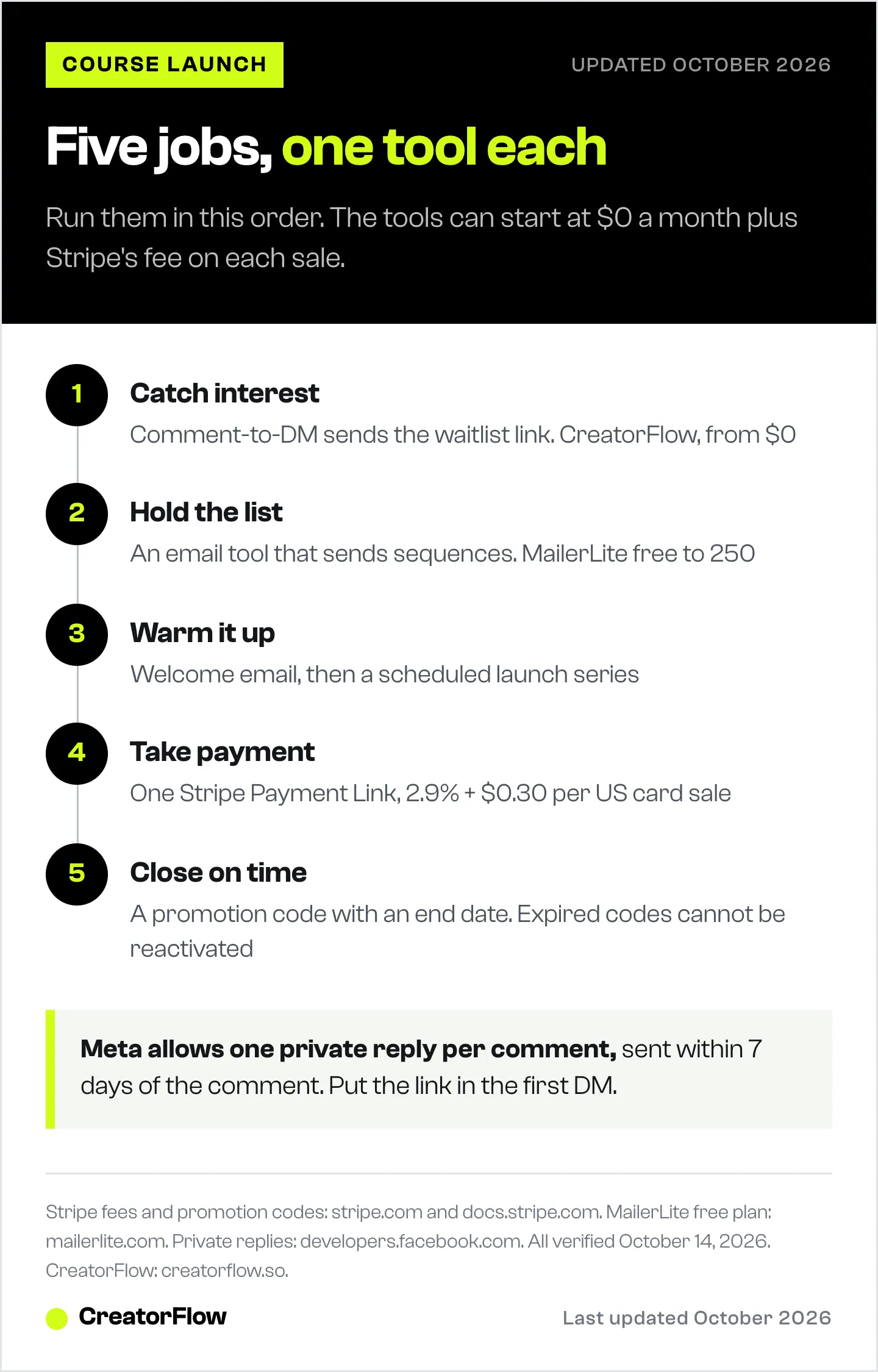
| Job | What it means | Tool that does it | Starts at |
|---|---|---|---|
| 1. Catch interest | Turn a comment or story reply into a waitlist signup | Comment-to-DM tool (CreatorFlow) | $0 |
| 2. Hold the list | Store emails you own and can message any day | Email tool (Kit, MailerLite) | $0 |
| 3. Warm it up | Send the waitlist emails and posts before cart opens | Same email tool, plus your content | $0 |
| 4. Take payment | Accept the money and apply the founding price | Stripe Payment Link or your course platform | 2.9% + $0.30 per sale |
| 5. Deliver and close | Give buyers the course, end the offer on time | Course host plus Stripe end dates | Varies |
The order matters more than the brands. A creator with a great course host and no waitlist has nothing to sell to on day one. A creator with 400 waitlist emails and a checkout link can launch from a shared folder.
The calendar is the sixth piece, but it is not a tool you buy. A spreadsheet with one row per day is enough. The sample plan near the end of this guide gives you the rows.
Job 1: Catch Interest With Comment-to-DM
Your Instagram posts produce the interest. A comment-to-DM tool turns that interest into a waitlist signup before the person scrolls away. You post about the course topic, ask people to comment one keyword, and the tool sends each commenter a DM with your waitlist page link.
Meta allows this through its official API. A business can send one private reply to a person who commented on its post or Reel, within 7 days of the comment (developers.facebook.com, October 2026). If the person answers, you have 24 hours to reply again. That is why the first DM must carry the link: you may not get a second message.
How to set it up in CreatorFlow:
- Connect your Instagram professional account.
- Create a comment automation and pick the posts it watches.
- Set one keyword, for example WAITLIST. CreatorFlow matches whole words, so “waitlist please” triggers it and “waitlisted” does not.
- Write a short DM: one line on what the course is, one line on what joining gets them, then the link to your email signup page.
- Turn it on and test it from a second account. A comment from your own account will not trigger a DM.
Send the DM to your email tool’s signup page, not to a sales page. The email address is the asset. The DM is the delivery.
If you attach the automation late, CreatorFlow Rewind goes back over the last 7 days of comments and sends the DM to everyone who used the keyword and did not get one. Rewind is covered in detail here. For DM scripts and waitlist segmentation, see the full guide to building an Instagram DM waitlist.
CreatorFlow’s Free plan includes comment-to-DM, story replies and keyword triggers with 500 DMs a month. Pro is $15 a month for 5,000 DMs per workspace.
Jobs 2 and 3: Hold the List and Warm It Up
Your email tool holds the list and sends the warm-up. Instagram can reduce your reach on any given day. Your email list reaches the same people on cart-open morning whether the algorithm likes you or not.
The deciding feature is sequences: emails that send on their own, in order, after someone joins. A launch needs at least two kinds. A welcome email goes to each new waitlist member. A scheduled launch series goes to the whole list on fixed dates.
| Email tool | Free plan | Sequences on free | First paid step |
|---|---|---|---|
| Kit | Up to 10,000 subscribers | Not included | Creator: $33/month billed yearly at 1,000 subscribers |
| MailerLite | Up to 250 subscribers, 2,500 emails a month | 3 active automations, 5 steps each | Comfort: $12/month billed monthly at 500 subscribers |
Both pricing pages show the yearly price by default. Figures from kit.com/pricing and mailerlite.com/pricing, October 2026.
For a first launch to a waitlist under 250 people, MailerLite’s free plan covers the welcome email and a short launch series. Above that, plan to pay for one month of a paid email plan during launch.
What the warm-up should do: the waitlist hears about the course before anyone else. Tell them who it is for, show one result from the method, answer the three questions your DMs keep asking, and announce the founding price and its end date. Our guide on warming up your audience before a launch breaks this into four phases. For the emails themselves, day by day, see the launch email sequence guide.
Job 4: Take Payment With One Link
For a single course with a single price, a Stripe Payment Link is the simplest checkout. It is a link to a Stripe-hosted payment page, and you build it without code (docs.stripe.com, October 2026). Stripe charges 2.9% + $0.30 per successful US card payment, with no setup or monthly fee (stripe.com, October 2026).
Keep the offer simple:
- One product. One course, one price. Payment plans and bundles can wait for launch two.
- One link. The same link goes in the email, the DM and the story. You track one number.
- One founding price. A lower price for the waitlist, with a stated end date.
If your course platform has its own checkout, use that instead and skip Stripe as a separate step. Platforms differ on transaction fees and plan limits. Our comparison of platforms that sell courses and coaching lists them.
On cart-open day, Instagram becomes a sales channel too. Set a second comment automation on your launch posts with a keyword such as ENROLL. The DM carries the checkout link. Our course launch funnel guide shows how to run the waitlist and cart-open automations together.
Job 5: Deliver the Course and Close on a Real Deadline
Buyers need a place to take the course. Some creators want the lessons and a student community in one space. Circle sells that pairing: Professional is $99 a month billed monthly, or $89 a month billed yearly, plus a 2% transaction fee on top of Stripe’s fee. Business is $219 a month billed monthly with a 1% fee. Circle offers a 14-day free trial (circle.so/pricing, October 2026). A course platform, or a private page with video links for a first small cohort, does the same core job.
The close is where most launches lose trust. A deadline that moves teaches your list to wait. The FTC’s 2022 staff report “Bringing Dark Patterns to Light” lists countdown timers that reset and “limited time” offers with a meaningless deadline as pressure tactics (ftc.gov, September 2022). It is a staff report, not a rule, but it shows how regulators read a fake deadline.
Stripe lets you set the end date once and stop thinking about it:
- Promotion code with an end date. Put the founding discount on a promotion code and set its expiry. When a code reaches its end date or its redemption cap, Stripe makes it permanently inactive. It cannot be switched back on (docs.stripe.com, October 2026).
- Payment Link with a payment limit. If you sell a fixed number of founding seats, turn on “Limit the number of payments.” The link deactivates when it reaches the number (docs.stripe.com, October 2026).
- A custom closed message. When you deactivate a link, Stripe asks for the message people see. Use it to point them to the next waitlist.
One caveat from Stripe’s own docs: Payment Links create guest customers by default, so a promotion code limited to first-time buyers may not work as expected. Test the code on the live link before cart opens.
What a Minimum Course Launch Stack Costs
You can start at $0 a month and pay only Stripe’s fee on each sale. Costs grow with your list, not with your launch.
| Tool | Free option | When you pay | Paid price (October 2026) |
|---|---|---|---|
| CreatorFlow | Free plan, 500 DMs a month | More DMs or a second Instagram account | Pro $15/month |
| MailerLite | Free up to 250 subscribers | List passes 250 | Comfort from $12/month billed monthly |
| Kit | Free up to 10,000 subscribers, no sequences | You need sequences | Creator $33/month billed yearly at 1,000 subscribers |
| Stripe | No monthly fee | Every sale | 2.9% + $0.30 per US card payment |
| Circle | 14-day trial | After the trial | Professional $99/month billed monthly + 2% |
A sample first launch: a waitlist of 200 people built over two weeks, run on CreatorFlow Free, MailerLite Free and a Stripe Payment Link, has a monthly tool bill of $0. A $200 course sold 10 times pays Stripe $61 in fees (10 × $6.10). That arithmetic is illustrative, not a measured result.
A Sample Launch Plan, Day by Day
This is a sample plan for a first launch. Move the days to fit your content schedule, but keep the order.
| When | What happens | Tool |
|---|---|---|
| Day -21 | Build the email signup page and welcome email | Email tool |
| Day -21 | Turn on the WAITLIST comment automation | CreatorFlow |
| Day -21 to -1 | Post 3-4 times a week on the course topic, each with the keyword | |
| Day -7 | Create the Payment Link and the founding promotion code with its end date | Stripe |
| Day -3 | Email the waitlist: price, what is inside, cart-open date | Email tool |
| Day 0 | Cart opens. Email the waitlist first, then post with the ENROLL keyword | Email, CreatorFlow |
| Day 1-4 | One email a day: a lesson preview, a student question, the FAQ | Email tool |
| Day 5 | Last day. Morning and evening email. The founding code expires at midnight | Email, Stripe |
| Day 6 | Point the WAITLIST automation at the next cohort’s waitlist | CreatorFlow |
Day 6 is the step people skip. Late commenters will keep arriving after the launch. Send them to the next waitlist instead of a closed checkout.
For what conversion to expect from a DM funnel at different audience sizes, see our course launch DM funnel benchmarks.
Common Course Launch Mistakes
- Opening the cart with no list. A launch to cold followers depends on that week’s reach. Build the waitlist for at least two weeks first.
- Sending the DM to the sales page. People who are not ready to buy leave. Send them to the waitlist signup so you can email them later.
- Picking an email tool without sequences. Check the free plan before you build the list on it. Moving a list mid-launch costs a week.
- Extending the deadline. Every extension makes the next deadline weaker. Set the end date in Stripe and let it close.
- Buying the course host first. Hosting is the easiest job to set up. Start with the waitlist, because it takes the longest to fill.
FAQ
How do I launch an online course for the first time?
Build a waitlist for two to three weeks, then open a five- to seven-day sales window to that list. Use a comment-to-DM tool to collect waitlist signups from Instagram, an email tool to warm the list, one checkout link, and a promotion code with a fixed end date for the founding price.
What tools do I need to launch an online course?
You need one tool per job: a comment-to-DM tool to capture interest, an email tool with sequences, a checkout such as a Stripe Payment Link or your course platform, a place to host the lessons, and a simple calendar. Several of these have free plans as of October 2026.
How long should a course launch last?
Most launch windows run five to seven days, after a waitlist period of two to three weeks. A longer window spreads the same buyers over more days. A shorter one gives people who open email once a week too little time to see it.
How do I build a waitlist for my course on Instagram?
Post about the course topic and ask people to comment one keyword. A comment-to-DM tool such as CreatorFlow sends each commenter a DM with your email signup link. Meta allows one private reply per comment, within 7 days of the comment.
Can a Stripe Payment Link expire on a set date?
Stripe lets you put an end date on the promotion code that carries your founding price. When it expires, the code becomes permanently inactive. A Payment Link can also stop after a set number of payments, and you can deactivate it by hand with a custom message.
How much does it cost to launch an online course?
The tools can start at $0 a month: CreatorFlow Free, MailerLite Free up to 250 subscribers, and Stripe with no monthly fee. You pay Stripe 2.9% + $0.30 per US card sale, and paid email or hosting plans once your list passes the free limits.
Pricing and plan limits verified from stripe.com, docs.stripe.com, kit.com, mailerlite.com and circle.so, Instagram messaging rules from developers.facebook.com, and the FTC staff report “Bringing Dark Patterns to Light” from ftc.gov, all on October 14, 2026. Kit, MailerLite and Circle display yearly billing by default; monthly figures are labeled where shown. The sample plan and fee arithmetic are illustrative. Individual results vary.


