

CreatorFlow is an Instagram DM automation tool that sends a direct message automatically when someone comments a keyword, replies to your story, or triggers a phrase, using Meta’s official Instagram API. The 12 most common ways to use it: deliver lead magnets, send affiliate links, book calls, sell digital products, grow an email list, gate links behind a follow, answer FAQs, convert story replies, capture viral comment spikes, run giveaways, drive event signups, and manage multiple client accounts.
You post something good. The comments roll in: “link?”, “how?”, “send me the guide.” Then real life happens, you reply six hours later, and the interest is gone. Multiply that across every post and you can see the revenue leaking out.
CreatorFlow closes that gap. You set a trigger word once, write the message, and every qualifying comment or story reply gets an instant DM, 24/7, without you touching your phone. It runs on Meta’s official Instagram API (no password sharing, minimal ban risk) and sets up in under five minutes.
Here are 12 specific ways creators, coaches, affiliates, e-commerce sellers, and agencies put it to work. For a full feature breakdown, see what CreatorFlow does.
Here’s the creator toolkit these use cases plug into:
Key Takeaways
- Core mechanic: A comment, keyword, or story reply triggers an automatic DM with your link, offer, or answer.
- For creators: Deliver freebies, capture viral comment spikes, and grow an owned email list.
- For affiliates: Send Amazon and affiliate links instantly while interest is hot.
- For coaches and services: Auto-book discovery calls and qualify leads.
- For e-commerce: Send product links and answer product questions on autopilot.
- For agencies: Run multiple client workspaces with shared analytics.
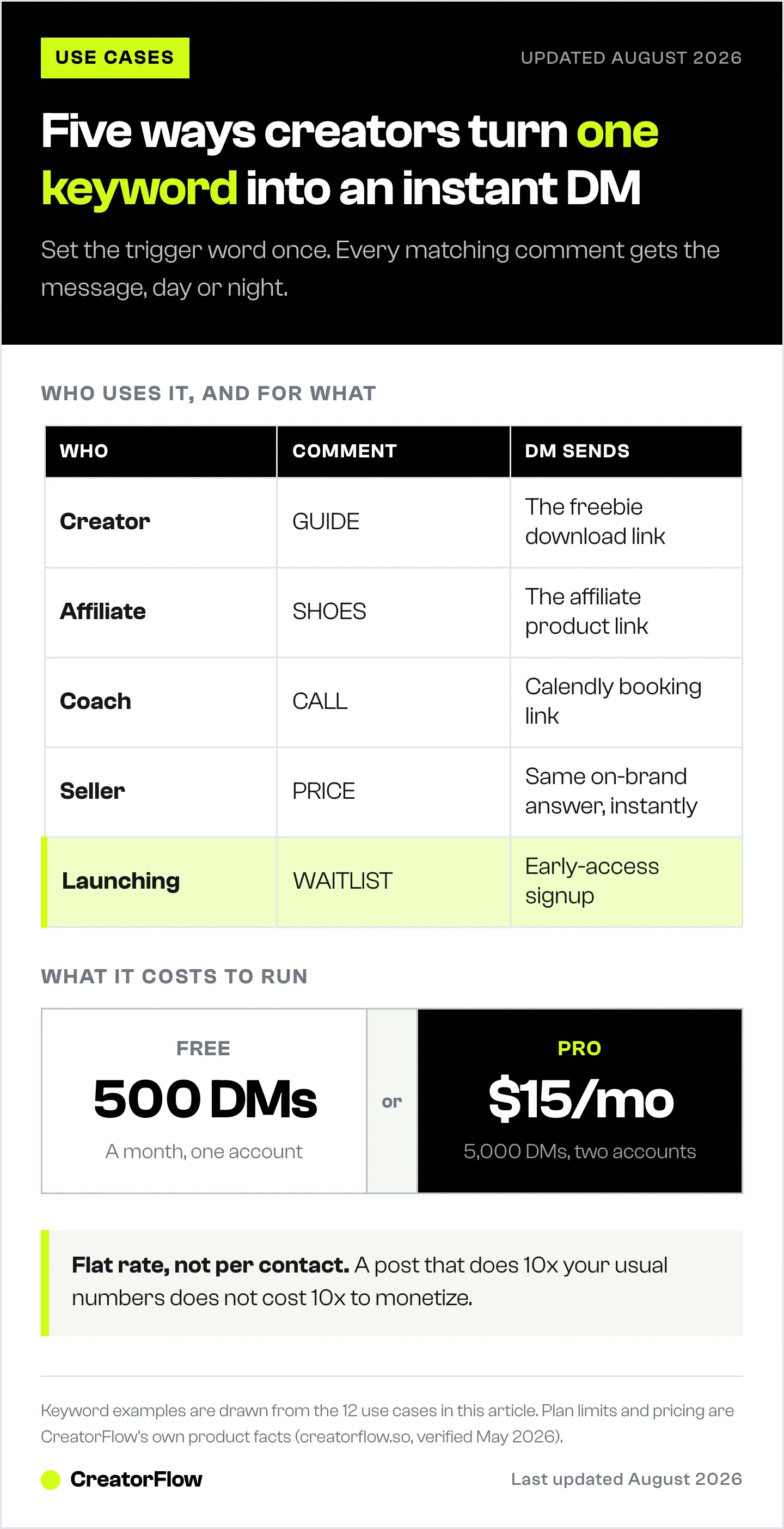
- Pricing: Free plan (500 DMs/month, 1 account); Pro at $15/month flat (5,000 DMs, 2 accounts). No per-contact fees.

12 Ways to Use CreatorFlow
Every use case below runs on the same three triggers: a comment keyword, a story reply, or a phrase someone sends you in a DM. Pick the one that matches how you already make money on Instagram and build that automation first. The Free plan covers 500 DMs a month on one account, which is enough to test a use case before you scale it.
1. Auto-Deliver a Lead Magnet
The classic play. Post a Reel or carousel, end with “Comment GUIDE and I’ll send it,” and CreatorFlow DMs the download link to everyone who comments. The freebie, checklist, or template lands instantly while attention is peak, instead of dying in a buried comment thread.
2. Send Affiliate Links Instantly
For Amazon Associates and affiliate marketers, speed is commission. Set a keyword per product (“Comment SHOES for the link”) and CreatorFlow delivers the affiliate link the moment someone asks. No manual copy-paste, no missed buyers, and link tracking shows you which products convert. See how affiliates save hours with CreatorFlow.
3. Book Discovery Calls on Autopilot
Coaches and service providers can turn engagement into booked calls. A post about a client result ends with “Comment CALL,” and CreatorFlow sends your Calendly or Acuity link automatically. Interested leads book themselves while you sleep.
4. Sell Digital Products in the DM
Selling a course, preset pack, or template? Trigger a DM that carries the product link and a short pitch when someone comments your keyword. The conversation happens in the DM, where conversion rates beat a passive bio link by a wide margin.
5. Grow an Email List With the Email Gate
Your social audience is rented; your email list is owned. With the Email Gate (Pro), CreatorFlow asks for an email inside the DM before sending your link. You hand over the freebie and capture the subscriber in one motion, then export contacts via CSV to your email platform. See the contacts and Email Gate guide.
6. Gain Followers With the Follow Gate
The Follow Gate (Pro) asks someone to follow you and confirm before the link is sent. A high-performing Reel that reaches non-followers becomes a follower-growth engine: comment, get prompted to follow, then receive the link. Reach converts into audience, not just clicks.
7. Answer Repetitive Questions Automatically
If your DMs are full of the same five questions (price, shipping, “how does it work?”), keyword triggers handle them. Set responses for “PRICE,” “SHIPPING,” or “INFO” and CreatorFlow answers instantly with a consistent, on-brand message, freeing you from repetitive replies.
8. Turn Story Replies Into Conversations
Stories drive intimate, high-intent replies. CreatorFlow’s story reply automation responds automatically when someone reacts or replies to a story, sending a link, a question, or the next step. A poll sticker or “DM me ‘YES’” prompt becomes a warm sales conversation. More patterns in Instagram story DM automation use cases.
9. Capture a Viral Reel’s Comment Spike
When a Reel takes off, your usual reply speed collapses under the volume. Automation doesn’t. CreatorFlow handles a 5-10x comment surge without dropping a single lead, sending each commenter their DM while the Reel is still spreading. This is the difference between a viral moment and viral revenue. See turning Reels views into DM sales.
10. Run Giveaways and Waitlists
Launching something? Use a keyword as the entry mechanism. “Comment WAITLIST to get early access” collects every interested person into a DM thread (and, with the Email Gate, their email), giving you a warm list to notify the moment you go live.
11. Drive Webinar and Event Signups
Promoting a live, webinar, or workshop? A keyword trigger sends the registration link instantly and, paired with the Email Gate, builds your attendee list. Reminders and the join link live in the DM, where open rates dwarf email.
12. Manage Multiple Client Accounts (Agencies)
On the Growth plan, agencies run up to five workspaces with team access and centralized analytics, each client with its own automations and geographic click data. It’s the same instant-DM mechanic, scaled across a client roster with reporting to prove the ROI.
How to Get Started
Setup takes minutes:
- Create your account. Start at creatorflow.so. New accounts begin a 14-day Pro trial (a card verifies your account at checkout and is not charged during the trial); after it ends you drop to the Free plan. See the free plan guide.
- Connect your Instagram. CreatorFlow uses Meta’s official Instagram API, so you authorize through Instagram directly. No password sharing.
- Build your first automation. Pick a post, set a keyword, write the DM, and preview it before activating.
- Activate and watch. Comments start converting into DMs automatically. Refine with the link and click data. The full walkthrough is in the setup guide.
Why Creators Choose CreatorFlow
Most of these use cases share one idea: attention is fleeting, and the gap between someone raising their hand and you responding is where money is lost. CreatorFlow removes that gap. It’s built by creators for creators, runs on Meta’s official API, and charges a flat $15/month on Pro with no per-contact fees, so a post that does 10x your usual numbers doesn’t cost 10x to monetize.
Start your free trial at creatorflow.so
Want to see these setups in action? Follow @creatorflow.so on Instagram for real automation examples and template breakdowns.
FAQ
What is CreatorFlow used for?
CreatorFlow automates Instagram DMs. When a follower comments a keyword, replies to a story, or sends a trigger phrase, it instantly sends a direct message with your link, offer, or answer. Creators use it to deliver lead magnets, send affiliate links, book calls, sell products, and grow email lists.
Do I need a paid plan to use CreatorFlow?
No. The free plan includes 500 DMs per month, one Instagram account, unlimited automations, comment-to-DM, story reply automation, keyword triggers, and link tracking. The Pro plan ($15/month) adds the Follow Gate, Email Gate, CSV export, geographic analytics, and higher DM volume.
Is CreatorFlow safe for my Instagram account?
Yes. CreatorFlow is a Meta Tech Provider and connects through Meta’s official Instagram API, with no password sharing. It paces sends to stay within Meta’s rate limits, which keeps ban risk minimal compared with tools that scrape or automate through unofficial methods.
Can affiliates use CreatorFlow for Amazon links?
Yes. Affiliate marketers set a keyword per product and CreatorFlow sends the affiliate link instantly when someone comments, with click tracking to show which products convert. It works with Amazon Associates, ClickBank, and other affiliate links.
Can agencies manage multiple clients with CreatorFlow?
Yes. The Growth plan supports up to five workspaces with 10,000 DMs each and centralized analytics. Agencies managing more accounts can apply to the agency program at creatorflow.so/agency-program for a custom Agency plan with volume-based DM limits.
How long does CreatorFlow take to set up?
Under five minutes for your first automation. Connect your Instagram through Meta’s official login, choose a post, set a keyword, write the DM, preview it, and activate.
Disclaimer: CreatorFlow pricing and features were verified as of May 2026 and may change without notice. Instagram is a trademark of Meta Platforms, Inc. CreatorFlow (CreatorFlow Labs, S.L.) is a Meta Tech Provider and is not affiliated with, endorsed by, or sponsored by Meta Platforms, Inc. Calendly, Acuity, Amazon, ClickBank, Shopify, and Gumroad are trademarks of their respective owners. Results vary by audience, niche, and execution.


