FOR RESTAURANTS ON INSTAGRAM

More table bookings with DM automation

CreatorFlow is an Instagram DM automation tool for restaurants. A guest comments MENU on your pizza Reel. Your dinner menu arrives by DM in seconds, even on your busiest night.

  • Meta Tech Provider
  • 4.1/5 on Trustpilot
  • @mamimariu, 121K followers on Instagram@chic.outfit.studio, 201K followers on Instagram@sikusok, 1.4K followers on Instagram+35,000 creators & brands+35,000 creators

Comment to DM, from your pizza Reel to your dinner menu

Jules wants a place for dinner on Friday. Jules watches your pizza Reel and wants to see the menu.

  1. Your Reel

    Your pizza Reel with the keyword MENU

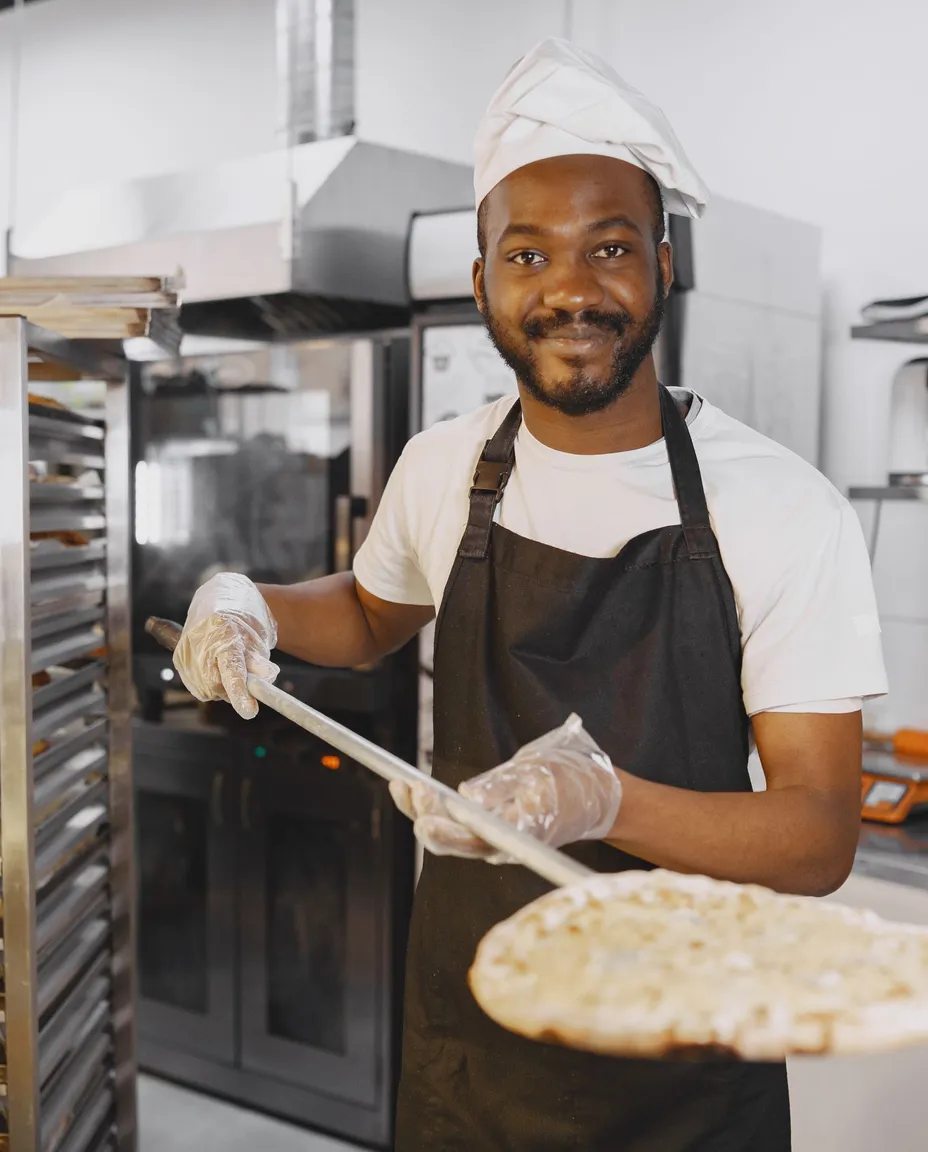
    Your chef takes a pizza from the oven. In the caption, you ask people to comment MENU.

  2. The comment

    Jules comments MENU under your Reel

    MENU is your keyword. It works during service, when nobody can check the phone.

  3. The DM

    Your dinner menu arrives by DM

    Jules gets your welcome and the link to the dinner menu. It comes from the restaurant's account.

  4. Your dinner menu

    Jules reads the menu and books a table

    The dinner menu shows tonight's dishes and a booking button. Your booking system holds the table.
Instagram auto-reply for tables, specials and group menus

A table for two, tonight's special and a birthday dinner. Each one gets its own DM, and the kitchen does not stop.

Get Started Free
  • Reel comments · TABLE

    Table bookings from your terrace Reel

    Guests choose a day and a time on your booking page. They comment TABLE and get the link by DM.

  • Story replies · SPECIAL

    Tonight's special in their DMs before dinner

    People know the dish before they leave home. They reply SPECIAL to your Story and get the dinner menu by DM.

  • Keyword DMs · GROUP

    Group menus that arrive while you cook

    Someone sends you GROUP and gets your group menu. You confirm the date and the number of guests in the same chat.

Auto-send your dinner menu by Instagram DM

By hand, guests wait until the kitchen closes. With CreatorFlow, they read the dinner menu before they choose where to eat.

By hand

  • ✕A server checks the phone between tables.
  • ✕You send a link to a PDF menu that is hard to read on a phone.
  • ✕"What is tonight's special?" gets an answer after closing.

With CreatorFlow

  • Your dinner menu arrives while your team serves the tables.
  • The dinner menu opens as a page that is easy to read on a phone.
  • Each guest who asked is saved in your contacts.

Start Instagram DM automation for your restaurant in three steps

You need a Google account and an Instagram Business or Creator account. You can switch to a Business account for free in Instagram settings.

Get Started Free
  1. 1

    Connect your restaurant's Instagram

    Sign in with Google. Type your Instagram username and confirm on Instagram.

  2. 2

    Pick your pizza Reel and add MENU

    Choose a Reel of a dish people ask about, or your next one. Add MENU as the keyword.

  3. 3

    Write the DM with your dinner menu

    Greet guests the way your staff do. Add your dinner menu as a button. Press Start Automation.

How to test it Comment from a second Instagram account. CreatorFlow ignores comments from your own account.

What CreatorFlow can and cannot do for restaurants

Check these before your first automation.

What you can set

  • Send your dinner menu and booking page as two link buttons in one DM.
  • Change tonight's special in the message at any time. New DMs use the new words.
  • Answer a keyword someone sends you in a DM, such as GROUP.
  • Give each Reel its own keyword and DM. Automations are unlimited on every plan.
  • Reply under each comment in public with Public Reply. Other guests see that you answered.

What to know first

  • CreatorFlow does not take bookings or see which tables are left. It sends the link to your booking page.
  • CreatorFlow cannot answer an allergy question. Put allergens on your menu page and answer the rest yourself.
  • People who do not follow you find the DM in Message Requests.
  • Instagram limits DMs per hour. CreatorFlow sends the rest later, and some may not arrive.
  • Each automation sends one DM, with one optional step before it. There are no follow-up messages.
  • CreatorFlow works with Instagram only. It cannot send a DM when someone follows you.

Your account

  • CreatorFlow is a Meta-approved Tech Provider.
  • It uses the official Instagram API. There is no browser extension.
  • You connect Instagram on Instagram's own screen. CreatorFlow does not see your password.
  • It only sends DMs to people who contacted you first.
How CreatorFlow protects your account →

What it costs

Start on the free plan. You pay for a plan, not for each contact. Public Reply, Rewind, Follow Gate, Email Gate, link tracking and CSV export are on Pro and Growth. Pro and Growth start with a 14-day free trial.

  • Free$0 a month500 DMs a month
  • Pro$15 a month5,000 DMs a month
  • Growth$30 a month10,000 DMs a month
See all plans →

CreatorFlow reviews from Instagram creators

Creators on Instagram, in their own words.

  • “Finally have time to create instead of reply.”

    @mamimariu@mamimariu121K followers on Instagram
  • “Click-through rate doubled in week one.”

    @chic.outfit.studio@chic.outfit.studio201K followers on Instagram
  • “Everyone gets an instant response, not hours later.”

    @sikusok@sikusok1.4K followers on Instagram
Rated 4.1/5 on TrustpilotRead all reviews

Instagram DM automation questions from restaurants

Short answers about bookings, menus and your account.

More for restaurantsHow CreatorFlow worksReply to Stories by DMFor small businessesPlans and prices

Can a guest book a table inside the DM?

No. The DM sends the link to your booking page. Guests choose the table there.

Does it work with my booking system?

Yes, with a link. Paste the link to your booking page as a button. CreatorFlow does not connect to your booking system and cannot see which tables are left.

Our menu changes each week. Do I need a new automation?

No. Keep one link and update the menu page. Or change the link in the automation, and new DMs use the new one.

Can I send the menu as a PDF?

No. You cannot attach a PDF to a DM. Put your dinner menu on a web page and send the link. A page is easier to read on a phone than a PDF.

What if a guest asks about allergies?

You or your staff answer it, in the same chat. CreatorFlow replies only to your keywords, so it cannot answer an allergy question.

We have two restaurants. Can each have its own account?

Yes, on Pro and Growth. A workspace holds one Instagram account. Pro has 2 workspaces and Growth has 5.

Does my restaurant need a business account?

Yes, or a Creator account. Personal accounts do not work. You can switch for free in Instagram settings.

Table bookings from the dishes you post

Add MENU to your next Reel. Put your dinner menu in the DM. People who comment MENU get it before they book somewhere else.

  • Meta Tech Provider
  • 4.1/5 on Trustpilot
  • @mamimariu, 121K followers on Instagram@chic.outfit.studio, 201K followers on Instagram@sikusok, 1.4K followers on Instagram+35,000 creators & brands+35,000 creators