One outfit post, from comment to link
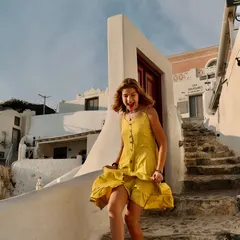
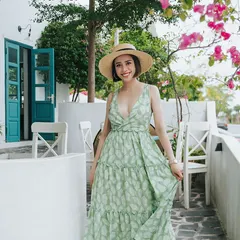
You post an outfit Reel and ask people to comment LINK. Mara and Dana are example accounts.
- 1
Dana comments LINK
Dana likes the dress and comments the keyword.
- 2
Dana gets a DM
The DM has your message and a button with your LTK link.
- 3
Dana opens the link
Dana taps the button and sees the dress.
Setup for LTK links
- 1
Connect Instagram
You need a professional account (Business or Creator). Sign in to CreatorFlow with Google and approve the connection on Instagram's screen.
- 2
Pick the post
Choose the outfit post or Reel. Each post can have its own keyword and its own link.
- 3
Type the keyword
Use one short word, such as LINK. You can add up to 20 keywords to one automation.
- 4
Write the DM
Add your message, then add your LTK link as a button. A DM can have up to 3 link buttons.
- 5
Test it
Comment from a second account. CreatorFlow ignores comments from your own account.
Keywords and messages to copy
Use a different keyword for each kind of post. People then know what they will get.
- LINKHere is the link to the dress. I earn a small commission if you buy, at no extra cost to you.
- SHOESThese are the shoes from my Reel. The button opens them in my LTK shop. I earn a small commission if you buy.
- SHOPHere is my full shop with every look from this week. I earn a small commission on items you buy.
Which link to send
CreatorFlow sends any link you paste. Choose by what the post shows.
- For one item, send the link to that item.
- For a full outfit, send one link to your shop page or to the post, so people see every item.
- For a sale, send the link to the sale post and name the sale in your message.
Check LTK's own help pages for the current link formats and rules. CreatorFlow does not read or change your LTK links, and it cannot see your commissions.
Say you earn a commission
Put the disclosure in the DM, in plain words. The examples above do this in one sentence.
Rules on disclosure differ by country and by program. Read the rules from LTK and from your local regulator.
Two options on Pro and Growth
- Email Gate
Asks for an email before the person gets the link. You collect emails and can export them as a CSV file. Collect emails
- Public Reply
Posts a short answer under the comment, such as: Check your DMs. Auto reply to comments
The Free plan costs $0 and has all three triggers. Email Gate and Public Reply are on Pro and Growth. See prices.
LTK automation: common questions
Can I send my LTK link in an Instagram DM automatically?
Yes. When someone comments your keyword, CreatorFlow sends the DM you wrote, with your LTK link as a button. You paste the link into the DM once.
Does CreatorFlow connect to my LTK account?
No. CreatorFlow only sends the link you paste into the DM. It does not read your LTK account or your commissions.
Do people who do not follow me get the link?
Yes. They find the DM in their Message Requests.
Can I send a link when someone replies to my Story?
Yes. A Story reply is one of the three triggers, with comments and keyword DMs. There is no trigger for new followers.
Also read: DM automation for affiliate creators, Send links in DMs, How to set up comment to DM, All guides.
Updated November 4, 2026 by the CreatorFlow team