FOR PERSONAL BRANDS ON INSTAGRAM

More talks and clients with DM automation

CreatorFlow is an Instagram DM automation tool for personal brands. An event planner comments WORK on your post. Your services page arrives by DM in seconds, before they ask the next speaker.

  • Meta Tech Provider
  • 4.1/5 on Trustpilot
  • @mamimariu, 121K followers on Instagram@chic.outfit.studio, 201K followers on Instagram@sikusok, 1.4K followers on Instagram+35,000 creators & brands+35,000 creators

Comment to DM, from your post to your services page

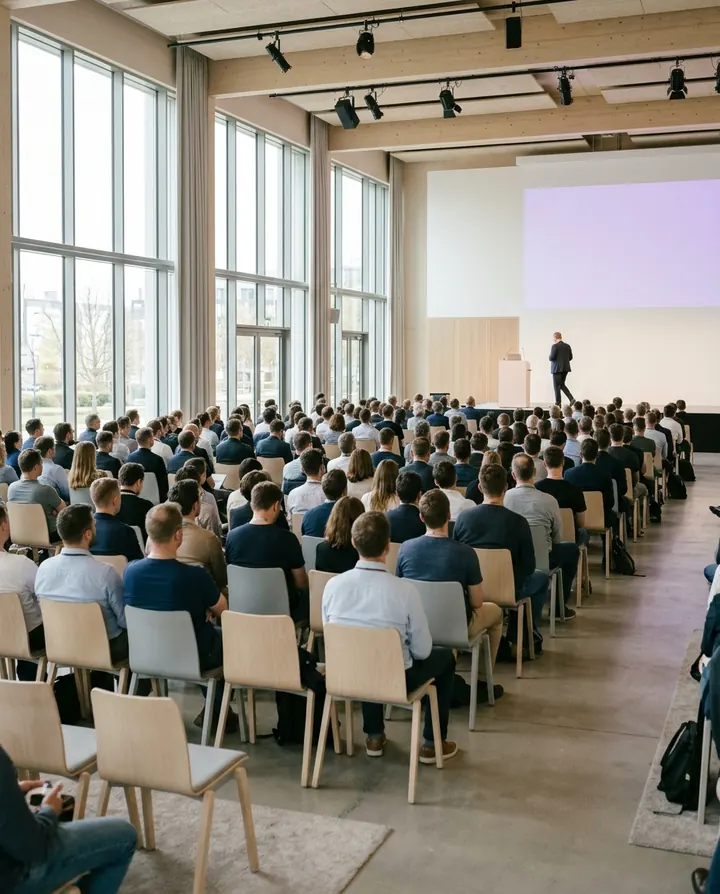
Mia plans events and needs a speaker for June. She reads your post about your last talk.

  1. Your post

    Your post with the keyword WORK

    You share one lesson from your last talk and ask planners to comment WORK.

  2. The comment

    Mia comments WORK

    Mia types WORK while you sit in a client meeting. You do not leave the room to answer.

  3. The DM

    Your services page arrives by DM

    Mia gets one line about who you help and a button to your services page.

  4. Your services page

    Mia reads your prices and asks for a date

    Your page shows your talks, your advisory days and the prices. You read Mia's request and reply yourself.
Instagram auto-reply for every talk and call

Talk notes, a speaker kit and an intro call. Each one answers a question people ask before they hire you.

Get Started Free
  • Post comments · NOTES

    Talk notes that show what else you do

    People who saw your talk get the slides and see your other work. They comment NOTES under your post from the event.

  • Story replies · SPEAK

    A speaker kit planners can share

    Planners get your topics, your photo and your bio on one page. They reply SPEAK to your Story and get your speaker kit.

  • Keyword DMs · CALL

    Intro calls without a long chat first

    Someone ready to talk picks a time on your booking page. They send you CALL and get the booking link.

Auto-send your services page by Instagram DM

By hand, planners wait until your client meeting ends. With CreatorFlow, Mia has your prices while she builds her June program.

By hand

  • ✕You explain your services again in each chat.
  • ✕A planner with a date waits until your meeting ends.
  • ✕You describe your prices a little differently each time.

With CreatorFlow

  • Your services page arrives in seconds, even during a meeting.
  • Your prices read the same in every DM.
  • Mia and the other planners who asked stay in your contacts.

Start Instagram DM automation for your personal brand in three steps

You need a Google account and an Instagram Business or Creator account. You can switch a personal account to Creator for free in Instagram settings.

Get Started Free
  1. 1

    Connect your Instagram

    Sign in with Google. Type your Instagram username and confirm on Instagram.

  2. 2

    Pick your post and add WORK

    Choose a post that shows what you do, or your next one. Add WORK as the keyword.

  3. 3

    Write the DM with your services page

    Say in one line who you help. Add your services page as a button. Press Start Automation.

How to test it Comment from a second Instagram account. CreatorFlow ignores comments from your own account.

What CreatorFlow can and cannot do for personal brands

Check these before your first automation.

What you can set

  • Give each offer its own keyword, such as NOTES, SPEAK and WORK. Automations are unlimited on every plan.
  • Send your services page, speaker kit and booking page as up to 3 link buttons.
  • Answer a keyword someone sends you in a DM, such as CALL.
  • Reply under the comment with Public Reply, so others see that you answered.
  • Ask for an email before you send your talk notes, with Email Gate.

What to know first

  • CreatorFlow does not connect to your calendar. People choose a time on your booking page.
  • CreatorFlow sends the message you wrote. A detailed project request still needs you.
  • People who do not follow you find the DM in Message Requests.
  • Instagram limits DMs per hour. CreatorFlow sends the rest later, and some may not arrive.
  • Each automation sends one DM, with one optional step before it. There are no follow-up messages.
  • CreatorFlow works with Instagram only. It cannot send a DM when someone follows you.

Your account

  • CreatorFlow is a Meta-approved Tech Provider.
  • It uses the official Instagram API. There is no browser extension.
  • You connect Instagram on Instagram's own screen. CreatorFlow does not see your password.
  • It only sends DMs to people who contacted you first.
How CreatorFlow protects your account →

What it costs

Start on the free plan. You pay for a plan, not for each contact. Public Reply, Rewind, Follow Gate, Email Gate, link tracking and CSV export are on Pro and Growth. Pro and Growth start with a 14-day free trial.

  • Free$0 a month500 DMs a month
  • Pro$15 a month5,000 DMs a month
  • Growth$30 a month10,000 DMs a month
See all plans →

CreatorFlow reviews from Instagram creators

Creators on Instagram, in their own words.

  • “Finally have time to create instead of reply.”

    @mamimariu@mamimariu121K followers on Instagram
  • “Click-through rate doubled in week one.”

    @chic.outfit.studio@chic.outfit.studio201K followers on Instagram
  • “Everyone gets an instant response, not hours later.”

    @sikusok@sikusok1.4K followers on Instagram
Rated 4.1/5 on TrustpilotRead all reviews

Instagram DM automation questions from personal brands

Short answers about clients, calls and your account.

More for personal brandsHow CreatorFlow worksAutomatic replies to keyword DMsFor business coachesFor life coaches

Will an automated DM make me look less professional?

Not if you write it the way you write to a new client. The DM comes from your account, in your words. You can reply in the same chat when someone answers.

Can CreatorFlow check if someone is a good client?

No. It does not ask questions in a row or read free text. Send a form on your own page, and read the answers yourself.

Can it book calls for me?

No. CreatorFlow does not connect to a calendar. Add the link to your booking page, and people choose a time there.

What is a good keyword for this?

A short word from your offer, such as WORK, SPEAK or CALL. People must type it as a whole word, so put it in your caption.

Can my assistant work in the account?

No. CreatorFlow has no team seats, roles or invites. Each CreatorFlow account has one Google sign-in.

Do I need a business account?

No. A Creator account works too. Personal accounts do not work. You can switch to Creator for free in Instagram settings.

Speaking work from the posts you already write

Add WORK to your next post. Put your services page in the DM. People who comment WORK get your talks, your advisory days and your prices.

  • Meta Tech Provider
  • 4.1/5 on Trustpilot
  • @mamimariu, 121K followers on Instagram@chic.outfit.studio, 201K followers on Instagram@sikusok, 1.4K followers on Instagram+35,000 creators & brands+35,000 creators