

To set up Instagram DM automation for a client, first decide who pays. Either you run the client’s account inside your own plan, or the client pays the tool directly and you build for them. Then connect the client’s Instagram professional account, copy one standard setup of three automations, and agree on one number to report. On CreatorFlow, each client gets a separate workspace with its own automations, contacts and analytics.
The first client usually takes a week of back and forth. Who signs up? Whose card? How do you get into their Instagram without asking for the password by email? By the fifth client, agencies that planned this upfront spend an hour. Agencies that did not are still sorting out logins.
This guide covers the setup decisions in order: the payment model, the account connection, the standard setup, the cost per client and the first two weeks. It is for agencies, freelancers and consultants who manage Instagram for other people.
Key Takeaways
- Decide who pays before anything else: you pay and run the account, or the client pays and you build. The choice decides ownership, margin and who controls the login.
- The client needs an Instagram professional account: Business or Creator. Meta’s messaging API works only with professional accounts.
- Never collect passwords by email: connect the account on a short call so the client types the password and approves the security code.
- One workspace per client: on CreatorFlow, each workspace holds one Instagram account with its own automations, contacts, DM allowance and analytics.
- Copy one setup for every client: a comment-to-DM on the next Reel, a Story automation and a keyword DM cover most first months.
- The tool cost per client is small: CreatorFlow Growth is $30 a month for 5 accounts, or $6 per client.
Two Ways to Deliver DM Automation to a Client
| You pay, you run it | The client pays, you build | |
|---|---|---|
| Whose CreatorFlow account | Yours | The client’s |
| Who pays CreatorFlow | You, and you bill the client | The client, directly |
| Client accounts per plan | Pro: 2. Growth: 5 | One plan per client |
| What you earn from CreatorFlow | Nothing; your margin is your fee | 30% of the client’s payments for 12 months, through the agency program |
| Best when | You manage the account long term | The client wants to own the tool |
The commission terms come from CreatorFlow’s agency program page (checked November 2026): 30% of each referred client’s payments for their first 12 months, paid by PayPal once your balance reaches $25. You earn no commission on accounts you pay for or control. You can use both models at once, with different clients.
Pick “you pay” when the client sees automation as part of your monthly service and never wants to log in. Your fee covers the tool, and switching clients in and out of your plan stays in your hands.
Pick “the client pays” when the client wants to own their contacts and keep the automation if they stop working with you. You still build it, and you earn the referral share.
What Does the Client Need to Do?
Less than they expect. Send them this list before the kickoff call:
- Switch to a professional account. Meta’s messaging API works with Instagram professional accounts, Business or Creator (checked November 2026). The switch is free and takes a minute in Instagram settings.
- Have their phone ready for the call. Instagram may ask for a security code when the account connects.
- Choose the first offer. One link, one free resource or one booking page. Not five.
- Approve the DM text. You write it, they read it, they say yes. Every word they approve is every word their followers get.
How to Connect the Client’s Instagram Account
The connection runs through Instagram’s own login. Whoever connects the account signs in as the client’s account and approves the access. CreatorFlow’s agency page says it plainly: to connect a client’s account, you need access to that client’s Instagram.
Do it on a 15-minute video call:
- You open the connection screen in the workspace for that client.
- The client types their own password and approves the security code on their phone.
- You check the account name at the top of the workspace before building anything.
Agree on this in writing before the call, especially if you do not share screens. A password sent by email or chat sits in someone’s inbox for years. If a client sends one anyway, ask them to change it after the setup.
If the client pays. The client creates their CreatorFlow account through your referral link, connects their own Instagram, and gives you access to build. Their account, their card, their data.
One Setup You Copy for Every Client
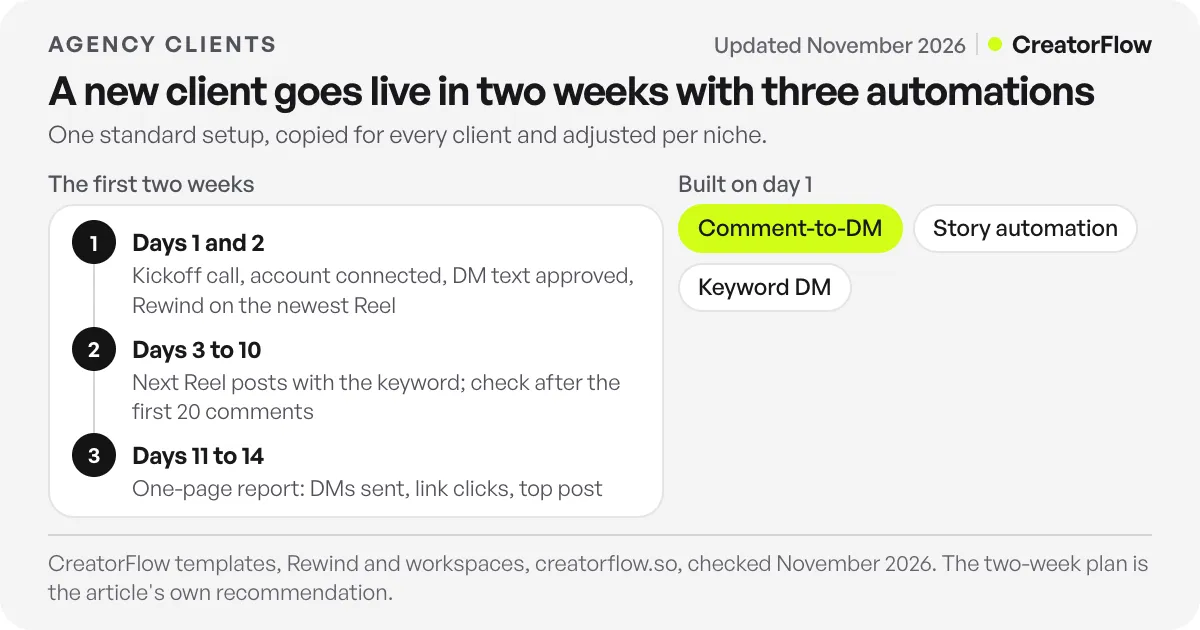
Agencies that scale build the same first month for every client, then adjust. Three automations cover most of it:
| Automation | Trigger | DM sends | What it proves to the client |
|---|---|---|---|
| Comment-to-DM | A keyword on the next Reel, for example GUIDE | The free resource or product link | Comments turn into clicks |
| Story automation | Replies or reactions to a Story | The same link, or a booking page | Story viewers turn into conversations |
| Keyword DM | A word sent in DMs, for example PRICE | Prices and the booking link | The inbox answers itself at 2am |
Start each one from a CreatorFlow template: Send link on keyword, Deliver lead magnets, Send link on story reaction or Send booking links. Change the post, the keyword, the message and the link, then start the automation. Each one takes under 2 minutes.
Two more tools help on day one, both on Pro and Growth:
- Rewind sends the comment-to-DM message to people who commented in the last 7 days, before the automation was running. A new client’s last Reel stops being a missed chance.
- Email Gate asks for an email before sending the link, and the address goes into that client’s contacts.
Keep a shared document with the standard DM texts per niche. A salon, a coach and a shop each need different wording, but each one only needs to be written once.
What One Client Costs You
On the “you pay” model, the tool cost is fixed per plan, not per contact. Prices from creatorflow.so/pricing (checked November 2026):
| Plan | Price | Instagram accounts | DMs per month | Cost per client |
|---|---|---|---|---|
| Pro, monthly | $15 | 2 | 5,000 per account | $7.50 |
| Pro, yearly | $144 ($12 a month) | 2 | 5,000 per account | $6 |
| Growth, monthly | $30 | 5 | 10,000 per account | $6 |
| Growth, yearly | $288 ($24 a month) | 5 | 10,000 per account | $4.80 |
Each workspace has its own monthly DM allowance, so one busy client cannot use up another client’s DMs. If one client has a launch month, DM add-ons on Pro and Growth add 1,000 DMs for $5, up to 5,000 for $19, and they never expire.
Illustrative example, not a measured result. An agency with 5 clients on Growth pays $30 a month. If it charges each client $150 a month for automation, the tool is 4% of the revenue. The rest pays for the time: writing DMs, building automations, reporting.
For pricing models and what agencies charge, read how to sell Instagram DM automation and price it.
The First Two Weeks With a New Client
Days 1 and 2. Kickoff call, account connected, three automations built from templates, DM text approved. Run Rewind on the newest Reel.
Days 3 to 10. The client posts the next Reel with the keyword in the caption and on screen. Check the automation after the first 20 comments. Read the replies people send after the DM; they show what the next automation should be.
Days 11 to 14. Send the first report: DMs sent, link clicks and the top post. One page. Use the reporting setup for agencies if you need a format.
For the full onboarding checklist and the kickoff questions, see agency client onboarding for DM automation. Once you run more than five clients, the operations guide for agencies with 10+ clients covers the weekly routine.
FAQ
Do I need my client’s Instagram password to set up automation?
Someone has to sign in to the client’s Instagram once to connect it. Do it on a call where the client types the password and approves the security code themselves. Never collect passwords by email or chat.
Which CreatorFlow plan should an agency use?
Growth for 3 to 5 clients: $30 a month for 5 Instagram accounts, each with 10,000 DMs a month. Pro covers 2 accounts for $15 a month. If the client pays the tool directly, each client picks their own plan.
Can the client pay CreatorFlow directly instead of me?
Yes. The client signs up through your agency program link and pays CreatorFlow. You build the automations and earn 30% of their payments for the first 12 months.
How long does it take to set up DM automation for one client?
Each automation takes under 2 minutes in CreatorFlow. The time goes into the kickoff call, the account connection and getting the DM text approved. With a standard setup and approved texts per niche, most of that becomes routine after the first few clients.
Does my client need a business account?
They need an Instagram professional account, which can be Business or Creator. Personal accounts cannot use Meta’s messaging API. Switching is free in Instagram settings.
Are client contacts kept separate?
Yes. Each CreatorFlow workspace holds one Instagram account with its own contacts, automations, analytics and DM allowance. A CSV export from one workspace contains only that client’s people.
Sources and checks
CreatorFlow plans, workspaces, templates, Rewind and DM add-ons were checked on creatorflow.so in November 2026. Agency program terms were checked on creatorflow.so/agency-program in November 2026. Meta’s professional-account requirement was checked in the Instagram messaging API guide in November 2026. The $150 client fee is an illustration, not a benchmark.