
To reply to a DM on Instagram, open Messages, tap the conversation, type in the message box and send. To answer one specific message inside a chat, tap and hold it, then tap Reply. Messages from people you do not follow sit in Requests until you accept them. Instagram also sends automatic replies, and a keyword tool can answer the repeat questions for you.
The tap sequence takes five seconds. The work is everything around it: the fortieth message this week asking what your program costs, the eleven story replies you have not opened, and the message from a ready buyer that Instagram filed under Requests where you never look.
This guide covers every way to answer a message on Instagram, including the automatic replies Meta added for creator accounts in 2026, and which type of message each one should handle. It is written for creators, coaches and small businesses who answer the same questions every day.
Key Takeaways
- The basic reply: open Messages, tap the chat, type and send. To answer one message inside a long thread, tap and hold that message and choose Reply (help.instagram.com, September 2026)
- Missing messages: a DM from someone you do not follow arrives as a message request, and their later messages only reach your inbox after you accept the first one
- Story replies are DMs: they land in the same inbox, and after 24 hours the story image disappears from the thread while the text of the reply stays visible
- Instagram’s own automations: Meta Business Suite sends an instant reply to a first message, an away message, and keyword replies, with keyword replies available on desktop only (facebook.com/business/help, September 2026)
- AI auto replies: Instagram can answer messages with a creator AI, which needs a professional account, an AI built in Meta AI Studio, and is still being introduced gradually
- Bottom line: answer by hand the messages that need a person, and let a keyword automation send the price, the link or the booking page the other forty times
How to reply to a DM on Instagram
Open Instagram, tap Messages, tap the conversation you want, type in the message box at the bottom and send. On a computer, click Messages on the left, click the conversation, then type and send. The same inbox holds chats, story replies and accepted requests.
Here is where each type of message comes from and what handles it best.
| Where the message comes from | How you answer it | Best for |
|---|---|---|
| A chat in your inbox | Tap the chat, type, send | One-off conversations |
| One message inside a long thread | Tap and hold it, tap Reply | Quoting a single line |
| Requests | Accept it, then reply | Buyers who do not follow you yet |
| A reply to your story | Answer in the DM thread it creates | Warm leads who raised a hand |
| A comment on your post or Reel | Reply publicly, or send a DM | Questions other people also have |
| The same question all day | An automatic reply | Prices, links, booking pages |
| Messages while you sleep | An automatic reply | Anyone who expects a fast answer |
How to reply to one specific message in a chat
Instagram attaches your answer to the message you are answering, which matters in a thread where someone asked three things at once.
On the phone, tap and hold the message, then tap Reply. Type your answer and send. On a computer, hover over the message you received, then click Reply (help.instagram.com, September 2026). The original message appears above the text box so both people can see what you are answering.
The same menu holds Forward, which sends the message to another person or group, and the emoji reaction, which is often enough when a reply would add nothing.
Why a DM is missing: message requests
Instagram splits your inbox in two. A message from someone you follow arrives in the main inbox. A message from someone you do not follow arrives as a message request instead, and you decide whether to let it through.
To find those messages, open Messages and tap Requests. Open one and choose Accept or Delete, and use Delete All at the bottom to clear every request at once. Once you accept a request, that person’s later messages go straight to your inbox (help.instagram.com, September 2026).
This is where most missed sales sit. The people most likely to ask about your price are the people who found you through a Reel and have not followed you yet, so their first message never reaches the inbox you check. Open Requests once a day. If your volume is already high, the system for handling a hundred messages a day starts here.
How to reply to a story reply
A story reply is a direct message. Someone types into the box under your story, and it opens a normal DM thread with the story attached at the top. You answer it like any other message.
Two details change how you use them. Your story disappears from Feed, your profile and Direct after 24 hours unless you save it as a highlight, and after that the photo or video is no longer visible inside the conversation, though any text sent with the message stays visible (help.instagram.com, September 2026). So an answer you send two days later reads without context for both of you.
Story replies are also private, which is what makes them a sales channel rather than a comment thread. The full picture of what other people can see when they reply to a story sits in its own guide.
Instagram’s own automatic replies
Meta Business Suite carries three automated responses for professional accounts, and they work across Messenger, Instagram and WhatsApp (facebook.com/business/help, September 2026):
- Instant reply answers the first message someone sends you with a greeting you write
- Away message answers a message when you are not available
- Custom keywords answers a message that contains specific keywords, and this one runs on Meta Business Suite desktop only
Meta also offers suggested replies to frequently asked questions, which pick up the questions people ask most often. These cover the greeting layer well. They stop short of the job most creators need, which is sending a different link to a different person based on what they asked for, on the post that made them ask. For that, see how to set up Instagram auto reply for comments and DMs.
Instagram AI auto replies: what they need
Instagram now lets a creator AI answer messages for you. Turning it on requires a professional account, an AI you built in Meta AI Studio, and agreement to the Instagram Creator AI Terms. The feature is being introduced gradually, and it works in the mobile app (help.instagram.com, September 2026).
You choose who the AI answers: anyone you do not follow, followers you do not follow back, or only people you choose. The path is Professional dashboard, then Your tools, then Your AI, then the gear icon for Your AI Settings. When you jump into a chat yourself, your AI pauses and resumes later.
Worth knowing before you turn it on: the AI answers in your voice from what you fed it, so it fits open questions rather than transactions. It does not know which Reel someone commented on, and it does not hand you the email address.
Which replies to automate, and which to answer yourself
Sort your inbox by what the message is actually asking for. Most creators find that three quarters of it repeats.
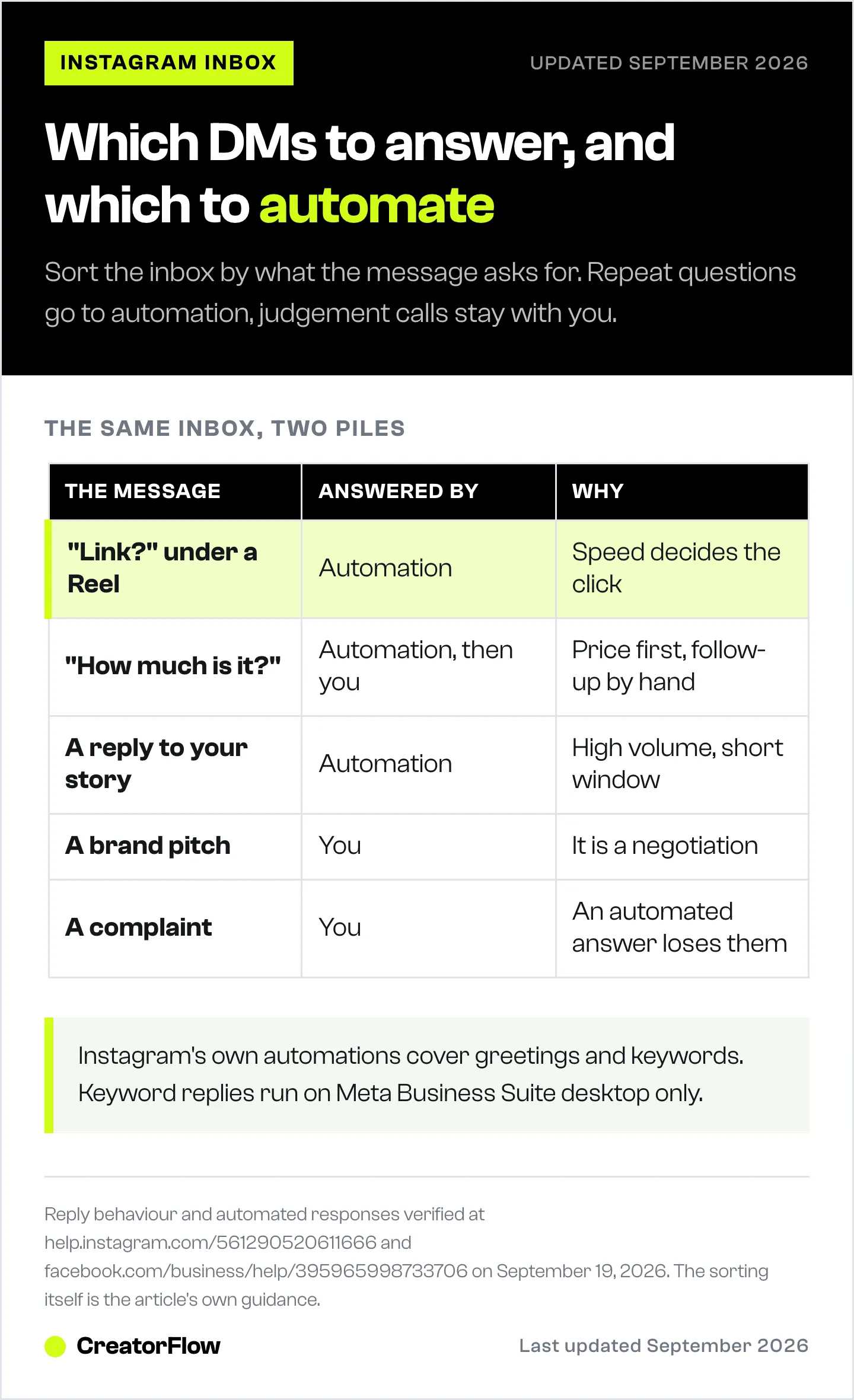
| The message | Who should answer it | Why |
|---|---|---|
| ”Link?” under a Reel | Automation | The answer is identical every time, and speed decides the click |
| ”How much is it?” | Automation, then you | Send the price list in seconds, answer the follow-up yourself |
| ”Do you ship to Spain?” | Automation | A keyword reply covers the ten most common questions |
| A brand pitch | You | It is a negotiation |
| A complaint | You | An automated answer here costs you the customer |
| A story reply to a poll | Automation | High volume, low complexity, and the reply window is short |
| A returning customer | You | The relationship is the product |
The test is whether a person reading the answer would notice a human wrote it. If they would not notice, automate it and spend the time you get back on the messages where it matters.
Answer the repeat questions with CreatorFlow
CreatorFlow sends the DM for you when someone comments a keyword on your post or Reel, replies to your story, or messages you a word you chose. It runs on Instagram’s official Graph API as a Meta Tech Provider, so there is no password sharing, and setup takes under 2 minutes.
What that looks like in practice: you pick the trigger word, write the message, attach the link, and turn it on. Someone comments “guide” at 2am and gets your lead magnet at 2am. You can collect an email inside the DM before the link goes out, track the clicks, export the contacts as CSV, and see which countries the clicks came from.
The free plan covers one Instagram account with 500 automated DMs a month, comment-to-DM, story reply automation and unlimited keyword triggers. Pro is $15 a month billed monthly, or $12 a month billed annually at $144 a year, and raises that to 5,000 DMs per workspace with two accounts. Growth is $30 a month billed monthly, or $24 a month billed annually at $288 a year, for five accounts and five team seats (creatorflow.so/pricing, September 2026).
Paid plans open with a 14-day free trial. A payment method is required to start it, nothing is charged during the trial, and cancelling before it ends costs nothing. Templates are there if you would rather not write the first message from blank, and the comment-to-DM setup guide walks through the first automation step by step.
FAQ
How do I reply to a specific message on Instagram?
Tap and hold the message in the chat, then tap Reply, type your answer and send. On a computer, hover over the message and click Reply. Instagram shows the original message above your answer so the thread stays readable (help.instagram.com/561290520611666, September 2026).
Why can’t I reply to an Instagram message?
Check three things. If the message is in Requests, accept it first, because the reply box stays limited until you do. If you are trying to reply to a story, the person may have restricted who can reply to their stories. And if the Reply option does not appear when you hold a message, your app may be behind the current version.
Where do Instagram story replies go?
Into your direct messages, as a normal thread with the story attached at the top. After 24 hours the story image is no longer visible in that conversation, while the text the person sent stays (help.instagram.com/1133988223332503, September 2026).
Can I reply to Instagram DMs from a computer?
Yes. Click Messages on the left, click the conversation, and type in the message box. Hovering over a received message gives you Reply, Forward and the emoji reaction, the same three options the app gives you.
What happens when I accept a message request?
The conversation moves into your main inbox and every later message from that person goes there directly, so you stop having to check Requests for them (help.instagram.com/561290520611666, September 2026).
Can Instagram reply to DMs automatically?
Yes, in three ways. Meta Business Suite sends an instant reply, an away message and keyword replies for professional accounts. Instagram’s creator AI can answer selected audiences once you build it in Meta AI Studio. Tools on the official API, such as CreatorFlow, send a specific DM when someone comments a keyword, replies to a story or messages a word you chose.
Do automatic replies work on a personal account?
No. Automated responses in Meta Business Suite and AI auto replies both require a professional account, which means a Creator or Business account. Switching is free and takes a minute in your Instagram settings.
Instagram and Meta behaviour verified at help.instagram.com/561290520611666, help.instagram.com/1133988223332503, help.instagram.com/317190238019695 and facebook.com/business/help/395965998733706 on September 19, 2026. CreatorFlow plans and trial terms verified at creatorflow.so/pricing and creatorflow.so/refund-policy the same day. Platform features and limits change often, so re-check before you rely on them. Individual results vary.


