Run an Instagram sale with DM discount codes
In this lesson you will
- Plan a sale from the warm-up to the last call
- Write a code DM that people can use with one tap
- End the sale on time and keep a list for the next one
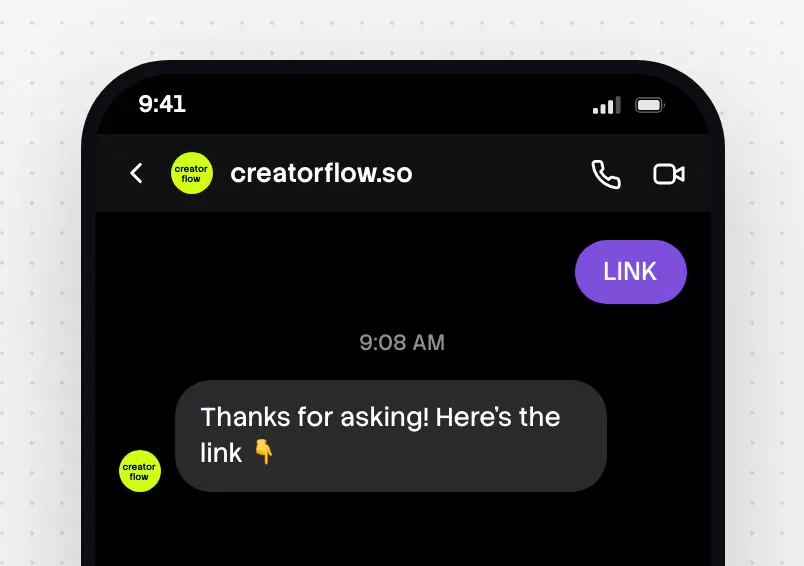
To run an Instagram sale with DM discount codes, pick one code, one keyword and one end time. Build the automation before you post. People comment the keyword, such as CODE, and get the code, the shop link and the end time by DM.
The campaign at a glance
| Part | Your sale |
|---|---|
| Goal | Sales in a short window, and emails from people who wait |
| Best for | Shops, brands, creators with a product, affiliate creators in sale weeks |
| Length | 2 to 3 weeks of warm-up, then a sale of 1 to 5 days |
| Posts | 2 or 3 warm-up posts, a teaser, the sale post, a mid-sale post, a last call |
| Keyword | One short word for the whole sale, such as CODE or SALE |
| What the DM sends | The code, what it gives, the end time and one shop button |
| CreatorFlow features | Comment-to-DM, Story replies, Email Gate before the sale, DM add-ons |
| Plan | Free sends the code. Email Gate, link tracking and DM add-ons need Pro or Growth |
Day by day
These dates fit Black Friday on 27 November 2026. Move them for any sale.
- 1
4 weeks before: pick the offer
Choose a discount people understand without maths, such as 10 euros off. Make a short code, such as BF10. Write one end time with a time zone.
- 2
3 weeks before: give something free
Post two or three times about the problem your product solves, with no sale. Put a free guide behind a keyword, with Email Gate on Pro or Growth.
- 3
1 week before: tease it
Post the date, not the price, and ask for EARLY with Email Gate. Check that your monthly DMs will last.
- 4
Night before: build the sale automation
Build it on Next post or reel, so it is on before the first comment. Post nothing else first.
- 5
Sale day: email first, then post in the morning
Email your list the code, then post and test from a second account. Instagram sends 200 DMs an hour, so a morning post sends them in daytime.
- 6
Mid-sale: a second angle
Post the product in use or a customer photo (ask first). Give it its own CODE automation.
- 7
Last day: last call
Post in the morning, with its own CODE automation. In the evening, add a countdown Story with the end time.
- 8
Day after: close it
Change the DM to say the sale has ended, with your list link. Or pause it.
Instagram sale posts and captions to copy
Copy and change
Discount code DMs to copy
Copy and change
Mistakes
- Building after the post
Comments that arrive before the automation get no DM. Build it the night before, on Next post or reel.
- A new keyword each day
People who saved the first post type the first word. Keep one word for the whole sale.
- An end time that says nothing
"Ends soon" is not an end time. Write the day, the hour and the time zone in every post and DM.
- No DMs left mid-sale
Check your monthly DMs first. Free has 500 DMs. On Pro and Growth, DM add-on packs never expire and add to your plan.
After the campaign
- Check DMs Sent for each automation, and Link Clicks on Pro and Growth. A different code for each post shows which post sold
- Note which day and which post sold the most. That is the plan for your next sale
- Change every sale DM the day after. Old posts keep getting comments
- Email people who did not buy a few weeks later, with a different offer. Export them from Contacts as CSV on Pro and Growth
In CreatorFlow
Set it up in CreatorFlow
One automation for the sale post and one for your Stories.
- 1
Build on the sale post
The night before, pick Next post or reel in Step 1. Type CODE and CODES, because matching needs the whole word.
- 2
Skip the optional step
Leave Step 3 off, so the code arrives at once. Keep Email Gate for the warm-up and EARLY posts.
- 3
Write the code DM
Put the code first, then the end time. Press + Add Link and name the button Shop the sale.
- 4
Add a Story automation
Set it on your next Story, with the same code. Pause it when the sale ends. See the Story funnel lesson.
- 5
Test the code from a second account
Press Start Automation. After you post, comment CODE from another account, tap the button and try the code at checkout.
Practice
Your task
- 1
Write your code, the discount and the end time with a time zone.
- 2
Build the CODE automation on your next post and test it from a second account.
- 3
Write the sale caption with the keyword in the first line.
You are done when your test account gets the code by DM and the code works at checkout.
Open CreatorFlowKey points
- One code, one keyword and one end time for the whole sale.
- Give something free first, and collect emails from people who want to hear first.
- Change the DM the day after, so late comments get an honest answer.
Questions
Should the discount code go in the caption or the DM?
In the DM. The caption gets the keyword and the end time. People keep the DM, so the code and the deadline stay together.
What happens if hundreds of people comment at once?
Instagram allows 200 DMs an hour. The extra DMs wait for the next hour, with nothing to restart.
Can I send a reminder DM before the sale ends?
No. CreatorFlow cannot message people later. Collect emails before the sale with Email Gate, and send the reminder from your email tool.
What if a product is out of stock during the sale?
Edit the automation and change the link to the closest product. Say it in the DM.
Go deeper: Black Friday Instagram DM playbook, Send discount codes in Instagram DMs, A January DM campaign plan, Instagram DM automation for shops and brands.
Last updated November 4, 2026