Launch a product with Instagram DMs
In this lesson you will
- Build a waitlist from Instagram comments before launch day
- Send your checkout link by DM to everyone who asks on launch day
- Close the launch on time and keep late commenters for the next one
To launch a product with Instagram DMs, collect a waitlist for two to three weeks, then sell for five to seven days. Before launch, the keyword WAITLIST sends your email sign-up page by DM. On launch day, SHOP sends the checkout link and the end date.
The campaign at a glance
A course creator, a candle shop and a fitness coach all run this launch the same way.
| Part | Your launch |
|---|---|
| Goal | Sales in the first week, from people who asked to hear first |
| Best for | A course, an ebook, coaching, a new product or a drop |
| Length | 2 to 3 weeks of waitlist, then 5 to 7 days of sales |
| Posts | 3 or 4 a week before launch, then 1 a day in launch week |
| Keywords | WAITLIST before launch. SHOP or the product name in launch week |
| What the DM sends | The waitlist sign-up, then the checkout link and end date |
| CreatorFlow features | Comment-to-DM, Story replies, Email Gate, Rewind |
| Plan | Free sends the links. Email Gate, Rewind and link tracking need Pro or Growth |
Day by day
Pick the launch date first. Every step below counts from it.
- 1
21 days before: open the waitlist
Build a WAITLIST automation before your first post. The DM sends your email tool's sign-up page. On Pro or Growth, Email Gate collects the email in the chat instead.
- 2
21 to 8 days before: teach the problem
Post three or four times a week about the problem your product solves. Each post asks for WAITLIST and gives one free tip.
- 3
7 days before: get the sale ready
Create the checkout link and a launch price with a fixed end date. Post a carousel of what is inside, with WAITLIST.
- 4
3 days before: tell the waitlist
Email the list the price and the opening time. Post a countdown Story that asks people to reply WAITLIST.
- 5
Night before: build the SHOP automation
Build it on Next post or reel. Post nothing else before the launch post, or the automation attaches there.
- 6
Launch day: email first, then post
Email the waitlist in the morning, then post with SHOP in the first caption line. Test the DM from a second account.
- 7
Days 2 to 5: answer the doubts
Post a look inside, a question from your DMs and a buyer's words (ask first). Each post gets its own SHOP automation.
- 8
Last day: close on time
Post in the morning and add an evening Story with the end time. Do not extend the price.
- 9
Day after: send people to the next round
Change the SHOP DM to the next waitlist, so late commenters join the list.
Instagram launch posts and captions to copy
Copy and change
Launch DMs to copy
Copy and change
No Email Gate? Write "Join the list on this page, and I will email you first" in the WAITLIST DM.
Mistakes
- Opening sales with no list
Collect the waitlist for at least two weeks. People rarely buy a product the first time they hear of it.
- Sending the waitlist to the sales page
Before launch, send the sign-up page. People who are not ready to buy still join.
- Planning a reminder DM
CreatorFlow cannot message the list later. Reminders go by email, from your email tool.
- Posting before you build
Build the automation first. If people commented before it started, Rewind on Pro and Growth sends them the DM.
- A new keyword halfway
People who saved your first post type the first word. Keep one word for the whole launch.
After the campaign
- Check DMs Sent for each automation, and Link Clicks on Pro and Growth. A different code for each post shows which post sold.
- Change or pause the SHOP automation the day after, so no one gets an old price.
- Keep WAITLIST running on your best post, pointed at the next round.
- Email people who did not buy a few weeks later, with something smaller. Export them from Contacts as CSV on Pro and Growth.
In CreatorFlow
Set it up in CreatorFlow
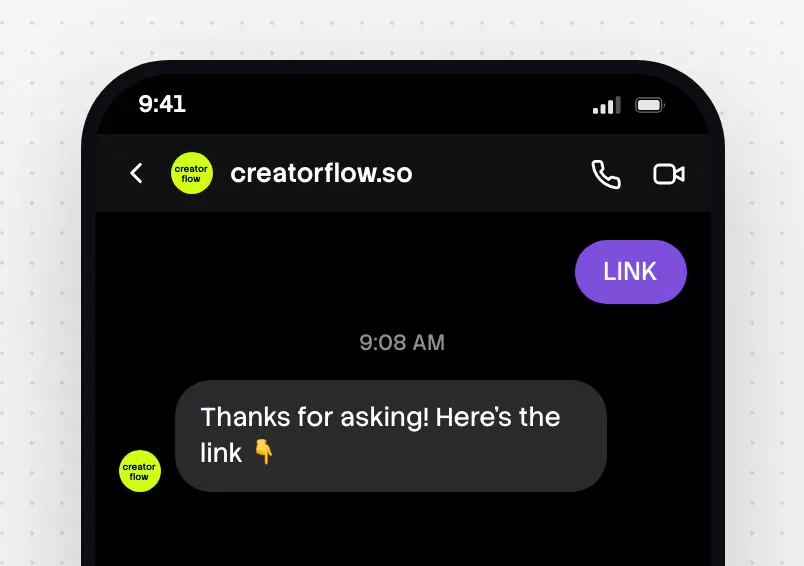
Two comment automations carry the launch. The Story one is optional.
- 1
Build the waitlist automation
Open My Content, pick a waitlist post and press Set up Automation. Type WAITLIST and the product name. Repeat for each waitlist post.
- 2
Add the email step
On Pro or Growth, choose a DM asking for their email in Step 3. On Free, put your sign-up page on the link button. See the email list lesson.
- 3
Build the launch automation
The night before, pick Next post or reel in Step 1 and type SHOP. Write the price, the end time and one button. Press Start Automation.
- 4
Add the Story ask
Before the countdown Story, set a Story automation on your next Story, with the keyword WAITLIST and the waitlist link. Pause it on launch day. See the Story funnel lesson.
- 5
Test both from a second account
Comment each keyword from another account and tap every button on a phone.
Practice
Your task
- 1
Pick your launch date and the end time of the launch price.
- 2
Build the WAITLIST automation on your next post.
- 3
Post your first waitlist Reel and comment WAITLIST from a second account.
You are done when your second account gets the waitlist DM and the button opens your sign-up page.
Open CreatorFlowKey points
- Collect a waitlist for two to three weeks, then sell for five to seven days.
- WAITLIST sends the sign-up page. SHOP sends the checkout link with the end date.
- CreatorFlow cannot message the list later, so you write to it by email.
Questions
How long should an Instagram product launch take?
Plan two to three weeks of waitlist and five to seven days of sales. If most followers do not know you yet, give the waitlist more time.
Can CreatorFlow send a DM to my waitlist on launch day?
No. CreatorFlow replies when someone comments, replies to a Story or sends a keyword. It cannot message a list later. Collect emails with Email Gate and email the list from your email tool.
Do I need a paid plan for a launch?
No. Comment-to-DM, Story replies and keyword DMs are on Free, with 500 DMs a month. Email Gate, Rewind, link tracking and CSV export are on Pro and Growth.
Go deeper: How to launch an online course, An Instagram course launch funnel, Warming your audience before a launch, Build an email list from Instagram DMs.
Last updated November 4, 2026