
CreatorFlow’s website is now available in 13 languages, including English, Spanish, Portuguese, French, German, Italian, Turkish, Dutch, Indonesian, Polish, Romanian, Russian, and Czech. The update also includes a dedicated help center at creatorflow.so/help and a new How It Works page with a full video walkthrough at creatorflow.so/how-it-works.
CreatorFlow is used by 20,000+ creators & brands worldwide. Until now, the website was English-only. That created friction for creators in Latin America, Europe, Southeast Asia, and Turkey who wanted to understand the product before signing up. This update removes that barrier.
Here’s what changed, why it matters, and how to use the new resources.
Key Takeaways
- CreatorFlow’s website now supports 13 languages: English, Portuguese, Spanish, Italian, German, French, Turkish, Dutch, Indonesian, Polish, Romanian, Russian, and Czech
- A new help center at creatorflow.so/help covers getting started, features, troubleshooting, billing, and compliance across 20 articles
- The How It Works page at creatorflow.so/how-it-works includes a full video walkthrough showing setup from zero to live automation
- All resources are available in every supported language through the language selector in the site header
- These updates are for the website only, not the app interface

13 Languages, One Click
The language selector sits in the top navigation bar. Click the globe icon, pick your language, and the entire site translates, including the homepage, pricing page, help center, and how-it-works guide.
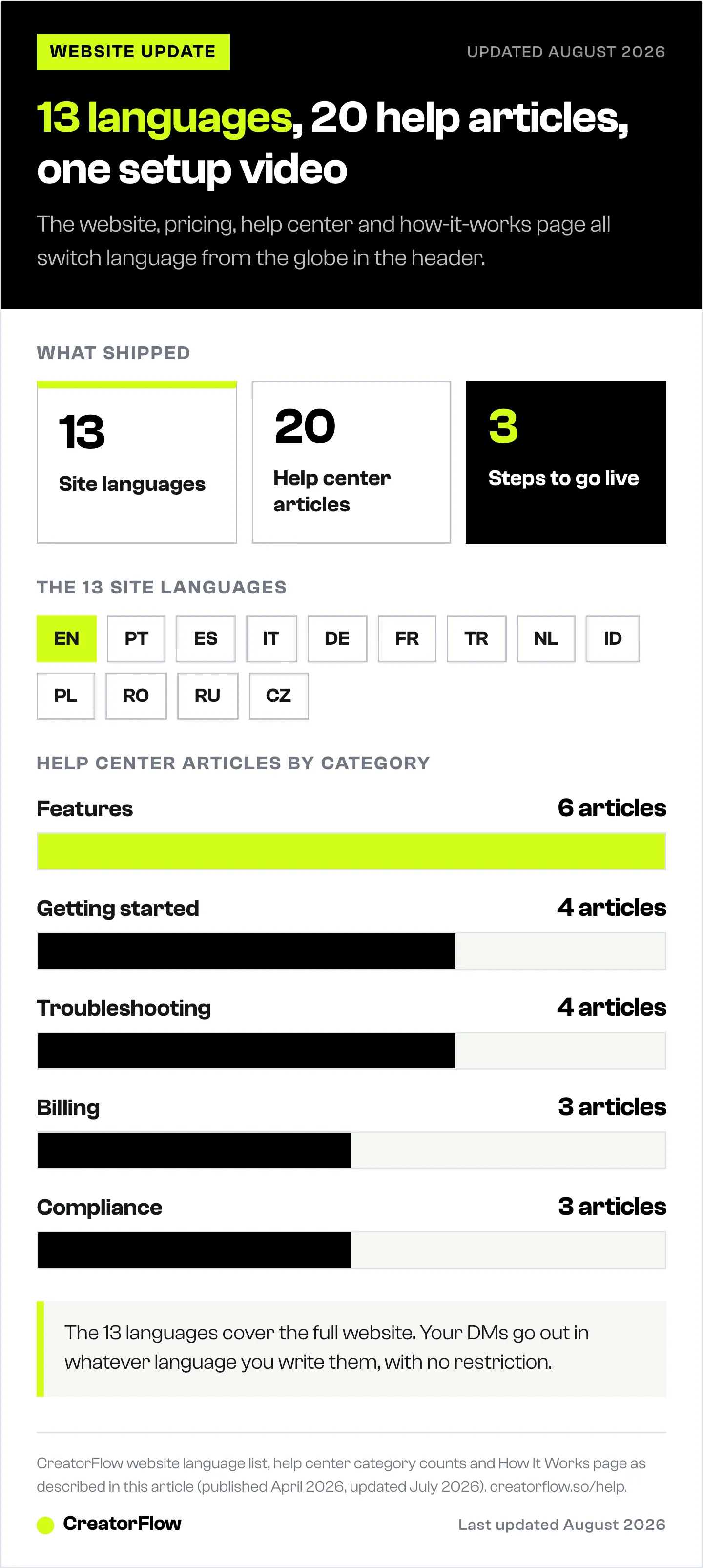
Supported languages:
| Language | Code | Key Markets |
|---|---|---|
| English | EN | US, UK, Australia, Canada |
| Português | PT | Brazil, Portugal |
| Español | ES | Spain, Mexico, Latin America |
| Italiano | IT | Italy |
| Deutsch | DE | Germany, Austria, Switzerland |
| Français | FR | France, Belgium, Canada |
| Türkçe | TR | Turkey |
| Nederlands | NL | Netherlands, Belgium |
| Bahasa Indonesia | ID | Indonesia |
| Polski | PL | Poland |
| Română | RO | Romania |
| Русский | RU | Russia |
| Čeština | CZ | Czech Republic |
Why these 13? They cover the largest Instagram creator markets outside the English-speaking world. Brazil, Mexico, Turkey, Indonesia, and Germany each have tens of millions of active Instagram creators. Offering the website in their native language makes it easier to understand pricing, features, and setup before committing.
What’s translated: The full marketing website, including homepage, pricing, how-it-works page, help center, comparison pages, and all landing pages.
What’s not translated (yet): The CreatorFlow app itself. The product dashboard, automation builder, and settings remain in English. Automations you create send DMs in whatever language you write them in, so that part already works in any language.
Help Center: Answers Without Waiting
The new help center at creatorflow.so/help is organized into five categories with 20 articles covering everything from first-time setup to troubleshooting failed automations.
Getting Started (4 articles)
Step-by-step guides for new users:
- How to connect your Instagram account
- How to create your first automation
- Understanding automation basics
- Account requirements (Business or Creator account linked to a Facebook Page)
If you’ve never used Instagram DM automation before, start with the Getting Started guides. They walk you through connecting your account using Meta’s official API (no passwords shared) and building your first comment-to-DM automation.
Features and How-Tos (6 articles)
Detailed guides for each automation type:
- Setting up keyword triggers
- Building comment-to-DM automations
- Configuring story reply automations
- Collecting emails through DM conversations
- Using Follow Gate and Email Gate
- Link tracking and analytics
Browse all feature guides to get the most out of each automation type.
Troubleshooting (4 articles)
When something breaks:
- Why your automation isn’t triggering
- Fixing connection issues
- DM delivery problems
- Understanding rate limits (~200 DMs/hour, tool-side pacing convention)
Head to the Troubleshooting section for step-by-step fixes.
Billing and Account (3 articles)
Subscription management:
- How to upgrade, downgrade, or cancel (cancel anytime, no contracts)
- Understanding workspace limits (Free: 1, Pro: 2, Growth: 5)
- Account deletion and data handling
All billing questions are answered in the Billing and Account section.
Compliance and Safety (3 articles)
For creators who want to verify CreatorFlow is safe:
- Is CreatorFlow safe for my Instagram account? (Yes. Meta Tech Provider, official API)
- Instagram Terms of Service compliance
- Data handling and GDPR compliance
The help center also highlights four popular articles on the main page, so the most common questions get answered immediately.
How It Works: Video Walkthrough
The new How It Works page replaces guesswork with a visual, step-by-step breakdown.
The Video
A full video walkthrough is embedded directly on the page. It covers:
- Connecting your Instagram account through Meta’s official login
- Creating your first automation
- Setting trigger keywords
- Writing your DM message
- Going live
The video runs through the complete setup process so you can see the product in action before signing up. Watch it on the How It Works page or directly on YouTube.
Three Steps to Go Live
The page breaks down CreatorFlow’s setup into three steps:
Step 1: Connect Your Instagram. One-click login through Meta’s official API. No passwords, no third-party access. Your account stays secure.
Step 2: Set Your Triggers. Pick the action that starts your automation: a keyword in comments, a story reply, or a specific DM. Write the message you want to send.
Step 3: Go Live. Activate your automation. It runs 24/7 across Reels, Stories, and feed posts. Every matching comment becomes a DM with your link, offer, or content.
Four Automation Types Explained
The page also covers CreatorFlow’s four automation types with visual examples:
- Comment-to-DM - Someone comments your keyword, they get a DM with your link
- Story Reply Automation - Someone replies to your Story, they get your pre-set response
- Keyword DMs - Someone DMs you a keyword, they get an automatic reply
- Email Collection - Email Gate asks for their email before delivering the link, building your list on autopilot
Each type includes a mock DM conversation showing what the follower sees, so you know what you’re building before you start.
Why This CreatorFlow Update Matters for Creators
These three updates solve real friction points:
Language barrier removed. A creator in Brazil can now read CreatorFlow’s pricing page in Portuguese, watch the setup video, and visit the help center, all in their language. No Google Translate needed.
Self-service support. The help center means you don’t need to email support for common questions. “Why isn’t my automation working?” has a dedicated troubleshooting article. “How do I cancel?” has a step-by-step guide in Billing and Account. Answers are available 24/7.
See before you sign up. The video walkthrough shows the product in action. You can watch the entire setup process, see the dashboard, and understand how automations work before creating an account.
Getting Started
If you’re new to CreatorFlow:
- Watch the video walkthrough to see how it works
- Follow the Getting Started guides to connect your account and create your first automation
- Browse Features and How-Tos to set up keyword triggers, email capture, and link tracking
- Read What Does CreatorFlow Do? for a full feature breakdown
- Sign up free - 500 DMs/month
If you’re already using CreatorFlow:
- Bookmark the help center for quick answers
- Check Troubleshooting when automations stop working
- Review Billing and Account for plan changes or workspace questions
- Share the How It Works page with anyone who asks what DM automation is
- Switch the site language to browse in your preferred language
FAQ
Is the CreatorFlow app available in multiple languages?
Not yet. This update covers the marketing website only, including the homepage, pricing, help center, and how-it-works page. The app dashboard and automation builder remain in English. The DMs you send through automations can be written in any language.
How do I change the website language?
Click the globe icon in the top navigation bar. A dropdown shows all 13 available languages. Select your language and the entire site switches instantly.
Is the help center free to access?
Yes. All 20 help center articles are free and available to everyone, whether you have a CreatorFlow account or not. No login required.
Does the video walkthrough cover advanced features?
The video covers the core setup: connecting Instagram, creating an automation, and going live. For advanced features like Email Gate, Follow Gate, and link tracking, check the Features and How-Tos section or read the full feature guide.
What languages does CreatorFlow support for DM messages?
CreatorFlow sends whatever message you write. There’s no language restriction on DM content. If you write your automation message in Turkish, your followers receive it in Turkish. The 13-language update is for the website interface, not the DM content.


